
YKASEK R40-001
YKASEK R40 Retro Handheld Game Console User Manual
Model: R40-001
Introduction
The YKASEK R40 Retro Handheld Game Console is designed to provide a portable gaming experience with a wide selection of classic games. It features an open-source system, a 3.5-inch IPS screen, and a 3000mAh battery for extended playtime. This manual provides essential information for setting up, operating, maintaining, and troubleshooting your device.

Image: Front view of the YKASEK R40 Retro Handheld Game Console, showcasing its 3.5-inch IPS screen and control layout.
1. Setup
1.1 Charging the Console
Before first use, fully charge the console. Connect the included Type-C charging cable to the console's Type-C port and a 5V 2A power adapter (not included). Important: Do not use quick chargers, as this may damage the console due to high voltage or heavy current.

Image: The console connected via Type-C for charging and data transfer, illustrating its OTG capabilities and the need for a 5V 2A power adapter.
1.2 Inserting the TF Card
The console comes with a 128GB TF card pre-installed, containing a library of games. This card is located inside the console and is not separately packaged. You can insert an additional TF card to expand your game collection. Locate the TF card slot on the side of the console and gently insert the card until it clicks into place.

Image: Illustration highlighting the 128GB storage capacity and the option to expand with an additional TF card.
1.3 Powering On/Off
To power on the console, press and hold the power button located on the top right side of the device until the screen illuminates. To power off, press and hold the power button again until the shutdown sequence begins.
2. Operating Instructions
2.1 Basic Controls
The R40 console features a standard control layout for retro gaming:
- D-Pad: Directional input for movement and menu navigation.
- Analog Joysticks: For games requiring analog input.
- Action Buttons (A, B, X, Y): Game-specific actions.
- SELECT / START Buttons: For in-game functions and menu selections.
- Shoulder Buttons (L1, L2, R1, R2): Located on the top of the console for additional in-game controls.
Video: A demonstration of the R40 Retro Gaming Console, showcasing its physical design and button layout during gameplay.
2.2 Navigating the System
The console runs on an open-source Linux system. Use the D-Pad or analog joysticks to navigate through the main menu and game lists. The A button typically confirms selections, while the B button acts as a back or cancel function.
2.3 Playing Games
Select a game from the pre-installed library. The console supports various emulators. Once a game is selected, it will launch automatically. Refer to the specific game's controls for optimal play.
2.4 Connecting to a TV
The R40 console can be connected to a TV using an HDMI cable (not included) for a larger display experience. Connect one end of the HDMI cable to the console's HDMI port and the other end to your TV's HDMI input. Select the correct HDMI input on your TV.
2.5 Additional Functions
Beyond gaming, the console can function as a music player, video player, camera, DV recorder, and calculator. Access these features through the main menu.
3. Maintenance
- Cleaning: Use a soft, dry cloth to clean the console's exterior. For the screen, use a microfiber cloth specifically designed for electronics. Avoid abrasive cleaners or solvents.
- Storage: Store the console in a cool, dry place away from direct sunlight and extreme temperatures.
- Battery Care: To prolong battery life, avoid fully discharging the battery frequently. Charge the console regularly, even if not in use for extended periods.
- Software Updates: Periodically check for system updates through the console's settings menu (if available) to ensure optimal performance and compatibility.
4. Troubleshooting
| Problem | Possible Cause | Solution |
|---|---|---|
| Console does not power on. | Low battery; power button not held long enough. | Charge the console for at least 30 minutes. Press and hold the power button for 3-5 seconds. |
| Console not charging or charging slowly. | Incorrect charger (e.g., quick charger); faulty cable/adapter; charging port issue. | Ensure you are using a 5V 2A power adapter. Try a different Type-C cable and adapter. Check the charging port for debris. |
| Controls are unresponsive or incorrect. | Software glitch; game-specific control mapping. | Restart the console. Check in-game settings for control remapping options. Some emulators may require specific configuration. |
| Software glitches or freezing. | Temporary software error. | Restart the console. If persistent, consider checking for system updates or performing a factory reset (consult manufacturer support before doing so). |
| Inconsistent power on/off. | Power button sensitivity; software issue. | Ensure a firm and consistent press of the power button for the recommended duration. If issues persist, contact support. |
5. Specifications
| Model | R40-001 |
| CPU | 1.2GHz 64-bit RK3326 (ARM64bit quad-core Cortex-A35) |
| Operating System | Linux (Open Source) |
| Screen Size | 3.5 inches IPS |
| Screen Resolution | 640*480 pixels |
| Internal Storage | 128 GB (TF Card) |
| Expandable Storage | Yes, via additional TF card |
| Battery Capacity | 3000mAh |
| Battery Life | Up to 10 hours (average 5-7 hours) |
| Charging Port | Type-C (OTG support) |
| Audio Output | Built-in speakers, 3.5mm headphone jack |
| Video Output | HDMI |
| Dimensions (L x W x H) | 6.2" x 4.2" x 1.3" (15.7cm x 10.7cm x 3.3cm) |
| Weight | 0.4 lbs (185g) |
| Material | ABS |

Image: A visual representation of the product's key technical specifications.
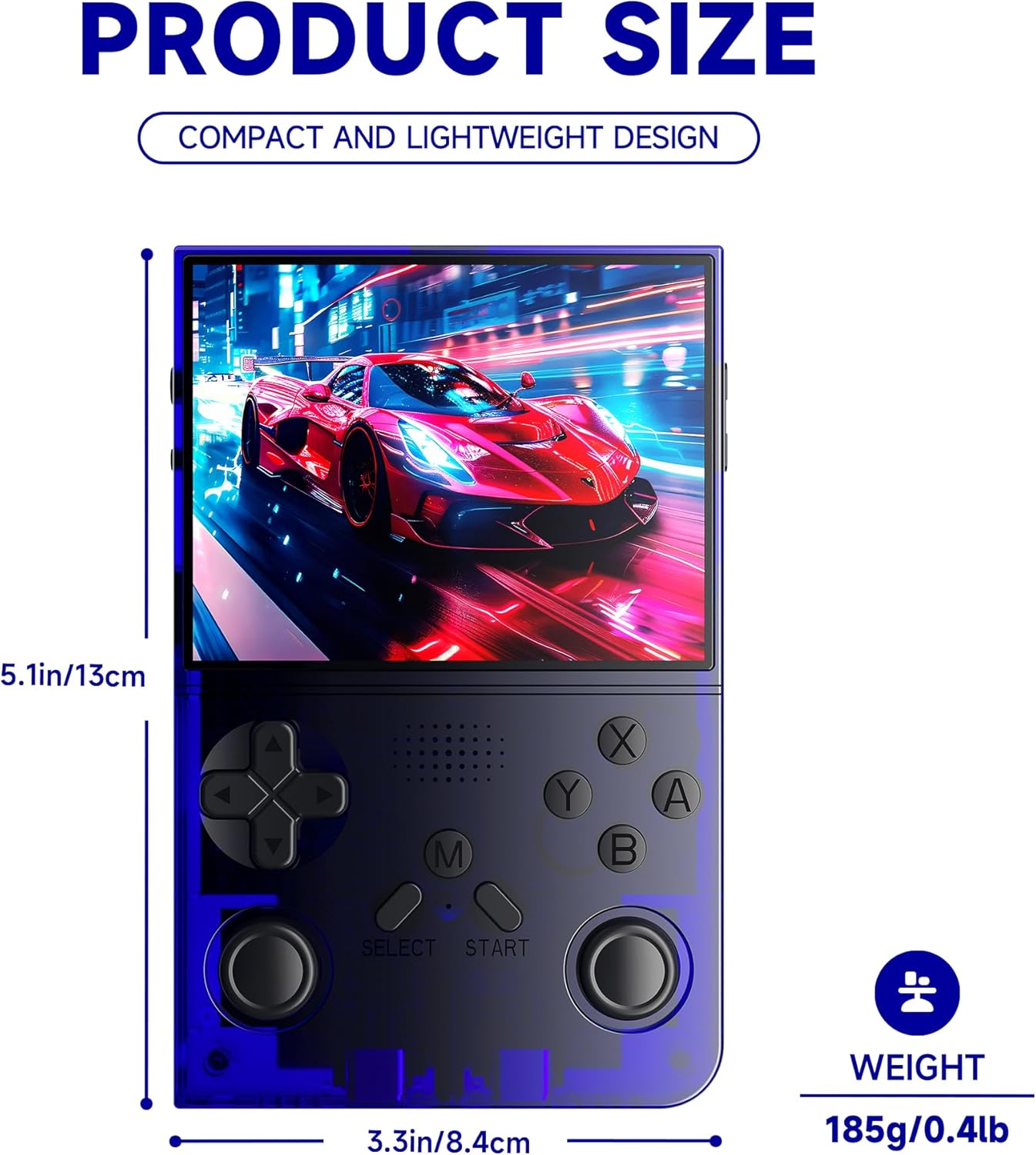
Image: Diagram showing the compact dimensions and weight of the YKASEK R40 console.
6. Warranty Information
Specific warranty details for the YKASEK R40 Retro Handheld Game Console are typically provided with your purchase documentation. Please refer to the warranty card or information included in the product packaging for terms, conditions, and duration of the warranty.
7. Customer Support
For further assistance, technical support, or inquiries regarding your YKASEK R40 Retro Handheld Game Console, please contact the manufacturer or the retailer from whom you purchased the product.
You may also visit the official YKASEK website for potential FAQs, firmware updates, or contact information.
Ask a question about this manual
Ask about setup, troubleshooting, compatibility, parts, safety, or missing instructions. Manuals+ will review the question and use this page’s manual context to help answer it.