
1. Introduction
The RIENOK S17 is a 100W portable voice amplifier designed for clear, long-distance voice projection and versatile audio playback. It features dual wireless microphones, multiple connectivity options, and customizable sound effects, making it suitable for various applications such as public speaking, karaoke, and musical performances.
2. What's in the Box
Carefully unpack the contents and ensure all items are present:
- Amplifier (1 unit)
- Microphone (2 units)
- Charging Cable (1 unit)
- AUX Cable (1 unit)
- Carrying Strap (1 unit)
- User Manual (1 unit)

Image: Contents of the RIENOK S17 package, including the amplifier, two microphones, charging cable, AUX cable, carrying strap, and user manual.
3. Product Overview
The RIENOK S17 features a robust design with intuitive controls and powerful audio components.
3.1 Amplifier Components

Image: Top panel of the RIENOK S17 amplifier showing various control knobs and buttons for volume, echo, bass, treble, and playback.
- Main Volume Knob: Adjusts the overall output volume.
- Microphone Volume Knob: Controls the volume of the connected microphones.
- Echo Knob: Adjusts the echo effect for microphones.
- Bass/Treble Knobs: Fine-tune the bass and treble frequencies.
- Playback Controls: Buttons for play/pause, next/previous track, and mode selection.
- HD Screen Display: Shows current mode, battery level, and other status indicators.
- Dynamic LED Light: Illuminates the speaker grille with various light effects.
3.2 Wireless Microphones

Image: Two wireless microphones included with the RIENOK S17, featuring power buttons, volume controls, and status indicators.
- Power Button: Turns the microphone on/off.
- Volume Buttons (+/-): Adjusts microphone input volume.
- Status Indicator: Shows connection and battery status.
- Type-C Charging Port: For recharging the microphone battery.
4. Setup
4.1 Charging the Amplifier and Microphones
- Connect the provided charging cable to the amplifier's Type-C charging port and a suitable USB power adapter (not included).
- Connect the charging cable to each microphone's Type-C charging port.
- The battery indicator on the amplifier's display and the microphone's status indicator will show charging progress. Charge fully before first use.
4.2 Powering On/Off
- Amplifier: Press and hold the power button on the amplifier until the display lights up.
- Microphones: Press and hold the power button on each microphone until the status indicator lights up.
4.3 Connecting Wireless Microphones
The microphones are pre-paired with the amplifier. Simply power on both the amplifier and microphones, and they should connect automatically. If connection issues occur, refer to the troubleshooting section.
5. Operating Instructions
5.1 Connectivity Options

Image: Side panel of the RIENOK S17 amplifier displaying the 6.35mm instrument jack, USB port, TF card slot, 3.5mm AUX input, and OTG/Type-C charging port.
- Bluetooth 5.3:
1. Turn on the amplifier. The display will show 'BLUE'.
2. Enable Bluetooth on your device (e.g., smartphone, tablet).
3. Select 'RIENOK S17' from the list of available devices to pair.
4. Once connected, the display will show 'BLUE' steadily. - USB/TF Card: Insert a USB drive or TF card into the respective slot. The amplifier will automatically switch to USB/TF mode and begin playing supported audio files.
- AUX Input: Connect an external audio device using the 3.5mm AUX cable. The amplifier will automatically switch to AUX mode.
- 6.35mm Instrument Jack: Plug in an instrument (e.g., guitar) into the 6.35mm jack. Adjust the instrument volume using the dedicated knob.
5.2 Sound Management & Effects
- Volume Control: Use the main volume knob for overall sound level. Adjust microphone volume with its dedicated knob.
- Echo Adjustment: Rotate the Echo knob to add or reduce reverberation to your vocals.
- Bass & Treble: Use the Bass and Treble knobs to customize the audio output to your preference.
- Intelligent Feedback Suppression: The amplifier features a one-knob intelligent feedback suppression system to prevent howling.
- Vocal Cancel: Press the 'Vocal Cancel' button to remove vocals from a playing track, ideal for karaoke.
- Recording: The amplifier supports recording. Refer to the detailed instructions in the included paper manual for specific steps.
5.3 Dynamic LED Light Show

Image: The RIENOK S17 amplifier showcasing its dynamic LED light ring, which changes colors to enhance the atmosphere.
The amplifier features dynamic LED lights around the speaker grille. Short press the dedicated light button (often integrated with playback controls) to cycle through different light modes or turn them off.
5.4 Usage Scenarios

Image: Examples of how the RIENOK S17 amplifier can be used, such as for home karaoke, public speaking, street performances, and providing backing tracks for dance.
The RIENOK S17 is versatile for:
- Home Karaoke
- Conference Speeches
- Street Performances
- Dance Backing Tracks
- Tour Guides and Teachers
6. Maintenance
- Cleaning: Use a soft, dry cloth to clean the amplifier and microphones. Do not use abrasive cleaners or solvents.
- Storage: Store the device in a cool, dry place away from direct sunlight and extreme temperatures.
- Battery Care: To prolong battery life, fully charge the device before long periods of inactivity and recharge every 3 months.
- Water Resistance: The unit features a splash-resistant casing. Avoid submerging it in water or exposing it to heavy rain.
7. Troubleshooting
| Problem | Possible Cause | Solution |
|---|---|---|
| No power | Low battery | Charge the amplifier/microphones fully. |
| No sound from speaker | Volume too low; Incorrect input mode; Device not connected | Increase volume; Select correct input mode (Bluetooth, AUX, USB/TF); Ensure device is properly paired/connected. |
| Microphone not working | Microphone off; Low battery; Not paired | Turn on microphone; Charge microphone; Re-pair microphone with amplifier. |
| Bluetooth connection unstable | Distance too far; Interference | Keep devices within 10 meters; Avoid obstacles; Turn off other Bluetooth devices. |
| Feedback/Howling sound | Microphone too close to speaker; Volume too high | Move microphone away from speaker; Reduce microphone volume or echo; Utilize intelligent feedback suppression. |
8. Specifications
| Feature | Detail |
|---|---|
| Brand | RIENOK |
| Model Number | Rienok S17 |
| Output Wattage | 100 Watts |
| Connectivity Technology | Bluetooth 5.3, USB, TF Card, AUX, 6.35mm Instrument Jack |
| Item Dimensions (L x W x H) | 8.3 x 5.1 x 10.2 inches |
| Enclosure Material | Metal |
| Power Source | Battery Powered |
| Number of Channels | 2 |
| Audio Input | Microphone |
| Mounting Type | Floor Standing, Tabletop |
| Color | Black |
| Speaker Battery Life | Up to 30 hours (at 50% volume) |
| Microphone Battery Life | Up to 16 hours (after 3 hours charging) |
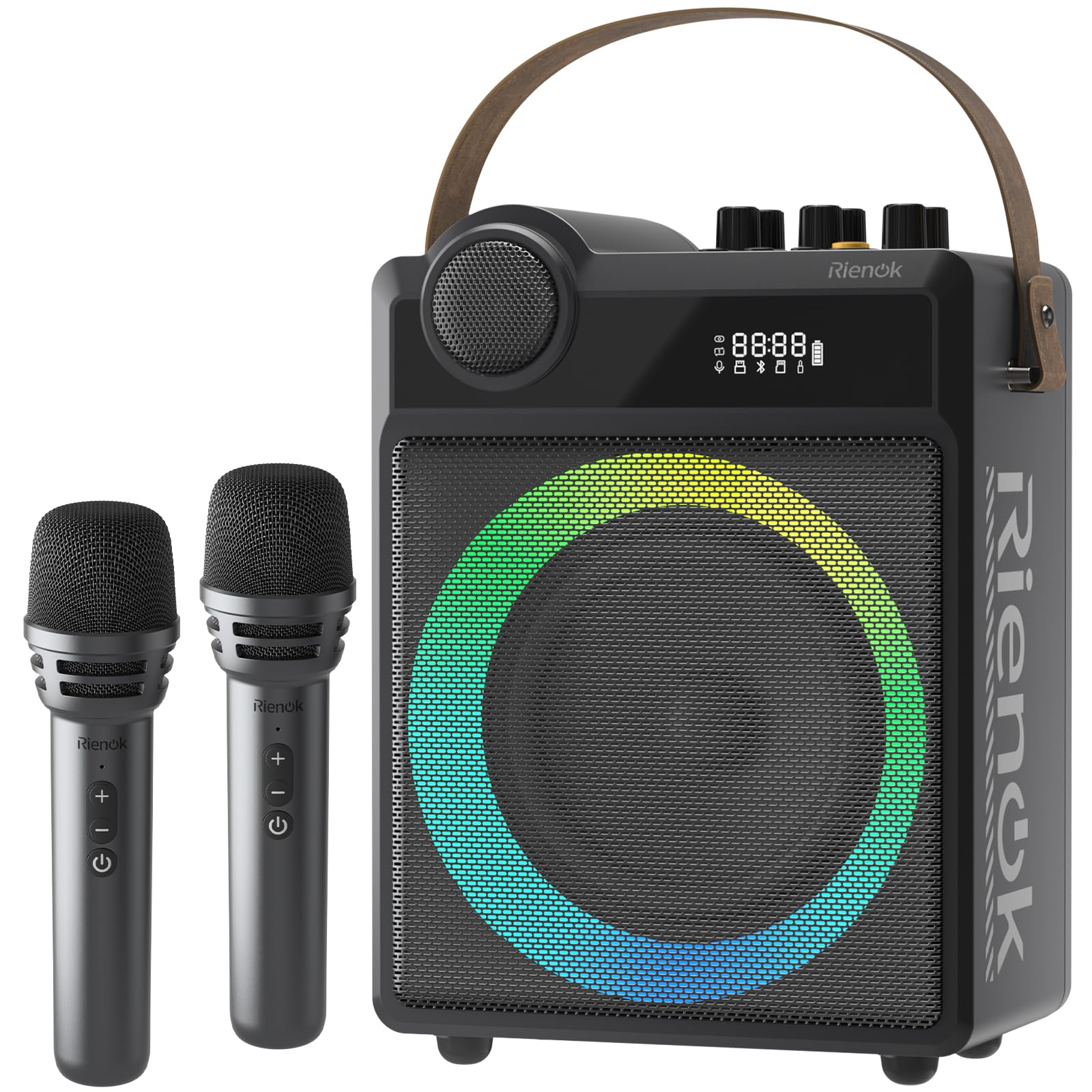
Image: Diagram illustrating the 100W powerful audio components of the RIENOK S17, including a 6.5-inch mid-bass speaker and a 2-inch tweeter.

Image: The RIENOK S17 amplifier highlighting its battery life, indicating up to 30 hours of playtime.
9. Warranty and Support
The RIENOK S17 comes with a 2-year warranty from the date of purchase. This warranty covers manufacturing defects and workmanship under normal use. It does not cover damage caused by misuse, accidents, unauthorized modifications, or natural disasters.
For technical support, warranty claims, or any product-related inquiries, please contact RIENOK customer service through the retailer where the product was purchased or visit the official RIENOK website for contact information.
Video: An official product video from RIENOK demonstrating the features and usage of the PA Portable Voice Amplifier with two wireless microphones.