Please read and understand all instructions before assembly and use. Keep this manual for future reference.
Do not overload shelves. Each shelf has a maximum capacity of 480 lbs. The total unit capacity is 2400 lbs.
Ensure unit is stable before use. Verify all connections are secure.
Distribute weight evenly on shelves to prevent tipping.
Keep children and pets away from the shelving unit during assembly.
Wear gloves during assembly to protect hands from potential sharp edges.
Do not climb on the shelving unit.
2. Package Contents
Verify that all components are present before beginning assembly.
5 Tier Storage Shelves (Metal Frames and MDF Boards)
Instruction Manual
Rubber Mallet
Gloves
3. Product Specifications
Feature
Detail
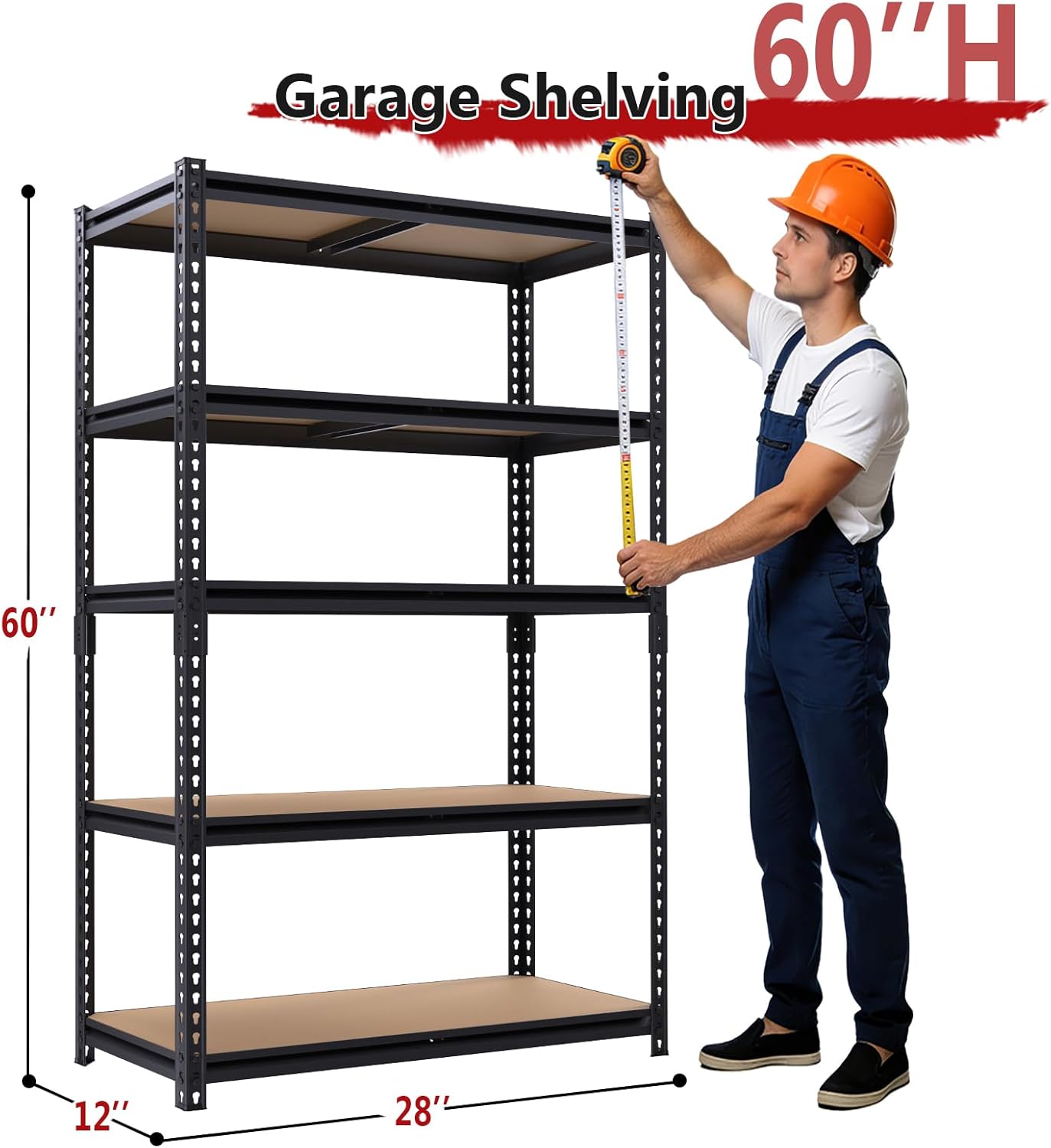
Dimensions (D x W x H)
12" x 28" x 60"
Number of Shelves
5
Material
Engineered Wood (MDF), Metal
Color
Black
Finish Type
Powder Coated
Weight Capacity (Per Shelf)
480 lbs
Total Weight Capacity
2400 lbs
Special Features
Adjustable Shelf Height, Heavy Duty, Can be split into two smaller units
Figure 1: Product Dimensions (12"D x 28"W x 60"H)
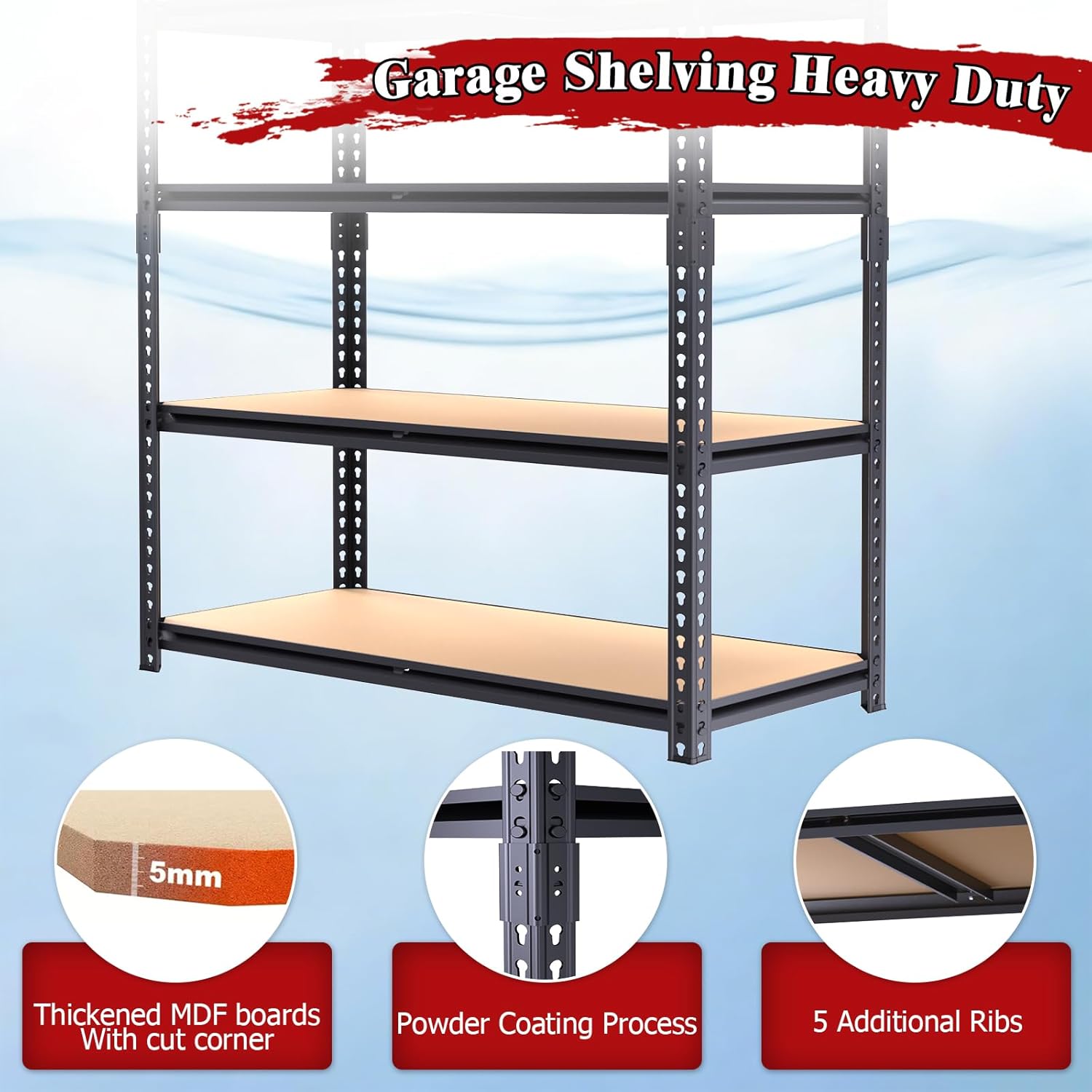
Figure 2: Construction Details (Thickened MDF, Powder Coating, Support Ribs)
4. Assembly Instructions
The ZEUKMXOO shelving unit features a bolt-free interlocking system for quick and easy assembly. No additional tools are required beyond what is provided.
Step-by-Step Assembly:
Prepare Components: Lay out all metal uprights, crossbars, and MDF boards on a clean, flat surface. Wear the provided gloves.
Assemble Base Frame: Connect the bottom crossbars to two uprights to form the base of the unit. Ensure the tabs on the crossbars align with the keyhole slots on the uprights. Gently tap with the rubber mallet to secure the connections.
Build Upright Structure: Continue attaching crossbars for the desired shelf heights to the uprights. The interlocking frame allows for flexible shelf placement.
Secure Connections: Use the included rubber mallet to firmly seat all crossbars into the upright slots. This ensures a stable and wobble-free structure.
Place MDF Boards: Once the metal frame for a shelf is complete, carefully place the MDF board onto the crossbars. Ensure it sits flush and securely.
Repeat for Remaining Shelves: Continue building the frame and placing MDF boards for all five tiers.
Final Check: Once fully assembled, gently push and pull the unit to ensure all connections are secure and the unit is stable.
Assembly Tip: The metal rack interlocking frame allows each storage rack to connect without nuts or bolts, reducing loose hardware and simplifying setup. Use the included hammer to seat the beams fully into the upright slots for better alignment. Most users can assemble each garage shelving unit within 15 minutes.
5. Operating Instructions
Adjusting Shelf Height:
The shelves are fully adjustable in 1-inch increments. To adjust a shelf:
Remove any items from the shelf you wish to adjust.
Carefully lift the MDF board off the crossbars.
Disengage the crossbars from the uprights by gently tapping them upwards with the rubber mallet.
Re-attach the crossbars to the desired height slots on the uprights. Ensure they are level and fully seated with the rubber mallet.
Place the MDF board back onto the crossbars.
Figure 3: Height Adjustable Storage Shelves
Weight Capacity:
Each shelf can hold up to 480 lbs. The total unit capacity is 2400 lbs. Always distribute weight evenly across the shelf surface to prevent stress points and ensure stability.
Figure 4: Heavy Duty 2400 lbs Capacity
Splitting into Two Units:
This shelving unit can be configured as one tall 5-tier unit or split into two separate, shorter units (e.g., a 3-tier and a 2-tier unit) to suit different storage needs. Follow the assembly instructions to create two independent units.
Video 1: ZEUKMXOO Garage Storage Shelves - A brief overview of the product's features and design.
6. Maintenance
Cleaning: Wipe the metal frame and MDF boards with a dry cloth. For stubborn dirt, a slightly damp cloth can be used, followed by immediate drying to prevent moisture damage to the MDF.
Regular Checks: Periodically inspect all connections to ensure they remain secure. Re-tap any loose crossbars with the rubber mallet if necessary.
Avoid Harsh Chemicals: Do not use abrasive cleaners or harsh chemicals, as they may damage the powder-coated finish or the MDF boards.
7. Troubleshooting
Unit is Wobbly:
Ensure all crossbars are fully seated into the upright slots. Use the rubber mallet to tap them firmly into place.
Verify the unit is on a flat, level surface. The non-marring rubber feet provide stability, but extreme unevenness can cause wobbling.
Check that the unit is not overloaded, or that weight is not concentrated on one side.
Shelf Sagging:
Ensure the shelf is not overloaded beyond its 480 lbs capacity.
Distribute items evenly across the shelf surface.
Verify the MDF board is properly seated on all supporting crossbars.
8. Warranty and Support
For warranty information, product support, or to inquire about replacement parts, please contact ZEUKMXOO customer service directly through the retailer where the product was purchased or via the official ZEUKMXOO website.
Please have your model number (12"D x 28"W x 60"H) and purchase details available when contacting support.
Documents and downloads
Ask a question about this manual
Ask about setup, troubleshooting, compatibility, parts, safety, or missing instructions. Manuals+ will review the question and use this page’s manual context to help answer it.