
1. Introduction
Thank you for choosing the INIU P781 10000mAh MagSafe Power Bank. This portable charger is designed to provide efficient and reliable power for your compatible devices, featuring both wireless and wired fast charging capabilities. Please read this manual carefully to ensure proper use and to maximize the lifespan of your device.
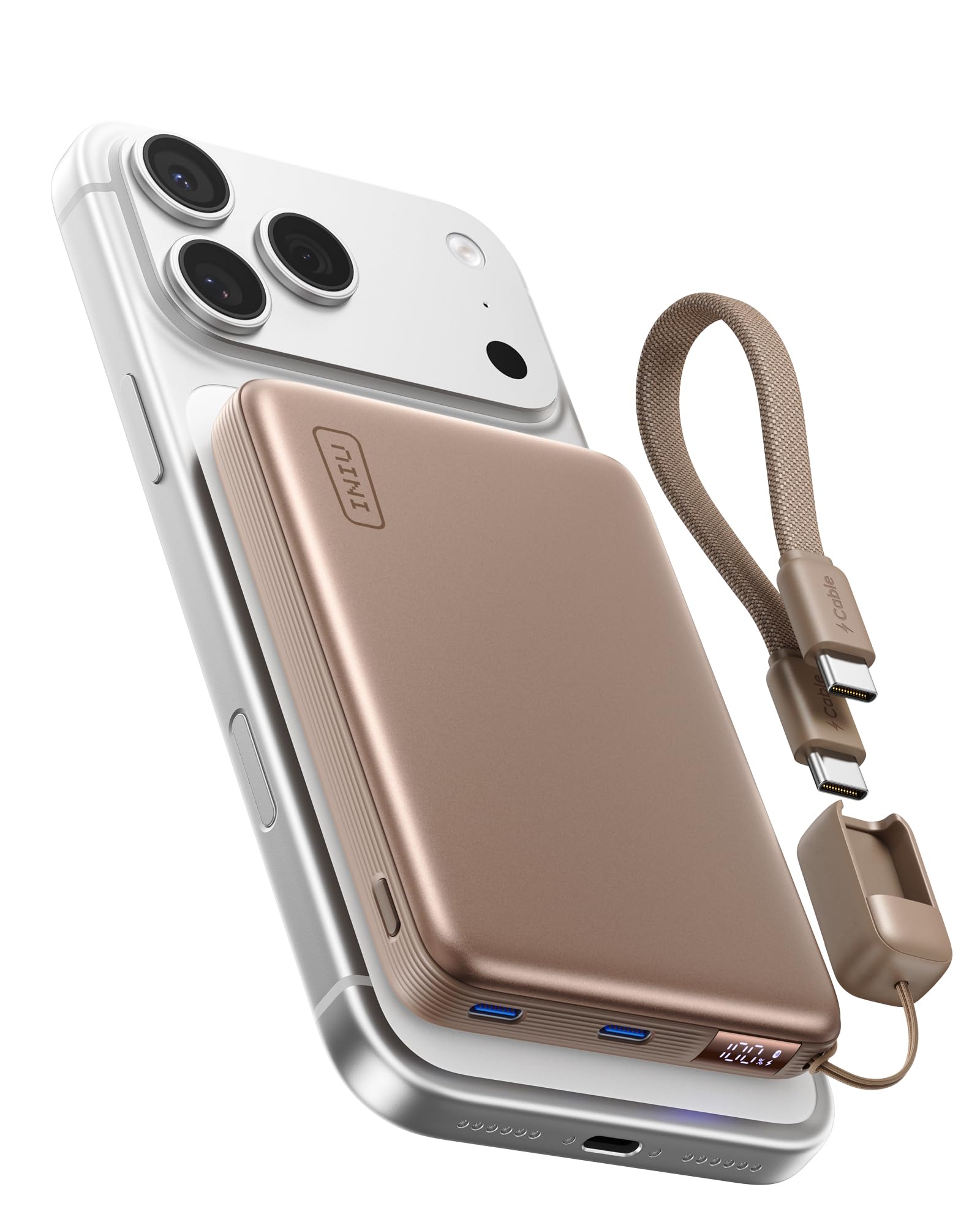
Image 1.1: The INIU P781 10000mAh MagSafe Power Bank, showcasing its slim design and digital display.
2. Package Contents and Setup
2.1 What's in the Box
- INIU SnapGo 10000mAh Power Bank (P781)
- 0.4ft USB-C GoCord (attached)
- User Manual

Image 2.1: The INIU P781 Power Bank, its attached USB-C GoCord, and the user manual as included in the package.
2.2 Initial Charging of the Power Bank
Before first use, fully charge your INIU P781 Power Bank. Connect the attached USB-C GoCord or another USB-C cable to the power bank's input port and a compatible USB power adapter (not included). The digital display will show the charging progress. A full charge is indicated by 100% on the display.
3. Operating Instructions
3.1 Wireless Charging (MagSafe Compatible)
The INIU P781 supports Qi2.2 certified 25W wireless charging. To charge your device wirelessly:
- Ensure your device is MagSafe compatible (e.g., iPhone 12-17 series) or has a MagSafe-compatible case.
- Align the back of your device with the magnetic charging area on the power bank. The magnets will securely attach the power bank to your device.
- Wireless charging will begin automatically. The digital display on the power bank will indicate wireless charging activity.

Image 3.1: The INIU P781 Power Bank demonstrating ultra-fast Qi2 25W magnetic charging on a compatible iPhone.
3.2 Wired Charging (45W USB-C)
For fastest charging, use the attached USB-C GoCord or another USB-C to USB-C cable. The power bank supports up to 45W wired charging.
- Detach the USB-C GoCord from its storage slot on the power bank.
- Connect one end of the GoCord to the USB-C output port on the power bank and the other end to your device's USB-C input port.
- Wired charging will commence. The digital display will show the battery level and indicate wired charging.
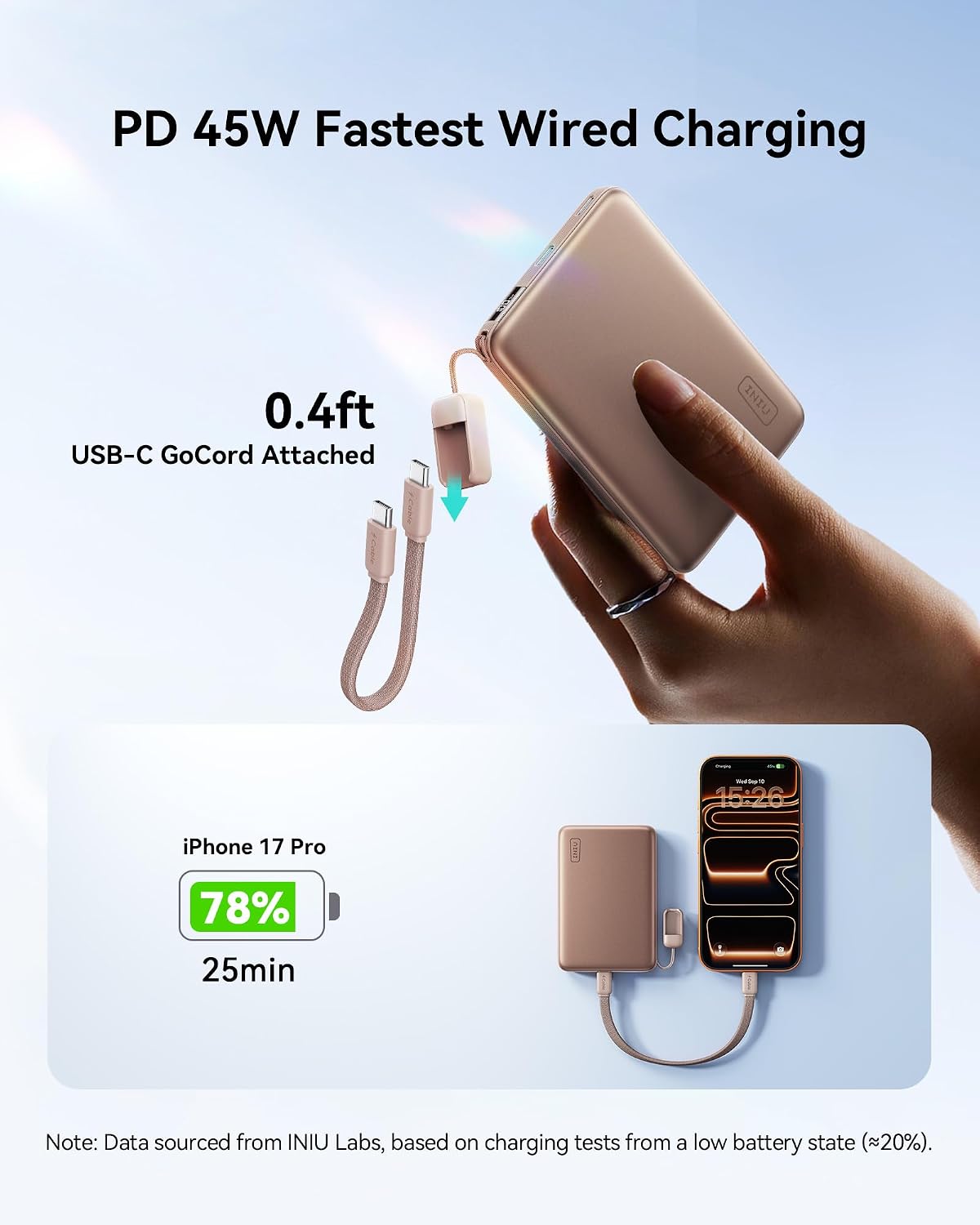
Image 3.2: The INIU P781 Power Bank connected via its USB-C GoCord to an iPhone for 45W wired fast charging.
3.3 Digital Display
The integrated digital display provides real-time information about the power bank's status:
- Battery Level: Shows the precise percentage of remaining battery charge.
- Charging Status: Indicates when the power bank is being charged or is actively charging a device (wired or wireless).

Image 3.3: A detailed view of the INIU P781's digital display, illustrating battery percentage and charging icons.
4. Compatibility
The INIU P781 Power Bank is designed for broad compatibility with various devices.
4.1 Compatible Devices
- Wireless Charging: iPhone 12, 12 mini, 12 Pro, 12 Pro Max, iPhone 13, 13 mini, 13 Pro, 13 Pro Max, iPhone 14, 14 Plus, 14 Pro, 14 Pro Max, iPhone 15, 15 Plus, 15 Pro, 15 Pro Max, iPhone 16, 16 Plus, 16 Pro, 16 Pro Max, iPhone 17, 17 Air, 17 Pro, 17 Pro Max. Also compatible with Magnetic Cases (up to 4mm thick) and AirPods 3 / Pro 2 / Pro 3.
- Wired Charging: Any device with a USB-C input port, including smartphones, tablets, and other portable electronics.
4.2 Incompatible Devices/Conditions
- Wireless Charging: Non-Magnetic Cases, Samsung Phones, and other Android Phones without MagSafe compatibility.

Image 4.1: Visual guide to magnetic charging compatibility, highlighting supported iPhone models, magnetic cases, and AirPods, while noting incompatibility with non-magnetic cases and certain Android phones.
5. Maintenance
To ensure optimal performance and longevity of your INIU P781 Power Bank, follow these maintenance guidelines:
- Cleaning: Use a soft, dry cloth to clean the surface of the power bank. Avoid using harsh chemicals or abrasive materials.
- Storage: Store the power bank in a cool, dry place away from direct sunlight, extreme temperatures, and humidity.
- Battery Care: For best battery health, avoid fully discharging the power bank regularly. Recharge it when the battery level is low.
- Avoid Drops: Protect the device from drops and impacts, which can damage internal components.
6. Troubleshooting
If you encounter issues with your INIU P781 Power Bank, refer to the following common solutions:
- Device Not Charging:
- Ensure the power bank itself is charged. Check the digital display for battery level.
- For wireless charging, verify your device is MagSafe compatible and properly aligned. Remove any non-magnetic cases.
- For wired charging, ensure the cable is securely connected to both the power bank and your device. Try a different USB-C cable if available.
- Slow Charging:
- Ensure your device supports fast charging protocols (Qi2.2 for wireless, PD for wired) and that the cable used is rated for fast charging.
- Close unnecessary background applications on your device.
- Power Bank Overheating:
- It is normal for the power bank to warm up during charging, especially during fast charging or wireless charging.
- If it becomes excessively hot, disconnect it from all devices and allow it to cool down in a well-ventilated area. Avoid charging in direct sunlight or confined spaces.
- Digital Display Not Working:
- Ensure the power bank has sufficient charge.
- If the issue persists, contact customer support.
7. Specifications
| Model Name | P781 |
| Battery Capacity | 10000 Milliamp Hours |
| Wireless Charging Output | 25W (Qi2.2 Certified) |
| Wired Charging Output | 45W (USB Type C) |
| Connector Type | Output: USB Type C * 2 |
| Battery Cell Type | Lithium Polymer |
| Item Dimensions (L x W x Thickness) | 4.1 x 2.8 x 0.5 inches |
| Item Weight | 240 Grams |
| Battery Weight | 160 Grams |
| Power Source | Corded Electric |
| Number of Ports | 2 |
| Special Features | Fast Charging, Pocket Size, Slim, Wireless Charging |
8. Warranty and Support
INIU stands by the quality of its products. The INIU P781 Power Bank comes with an industry-leading 3-Year INIU Care Warranty. If you experience any issues with your product within three years of purchase, a replacement will be provided.
For further assistance, troubleshooting, or warranty claims, please contact INIU customer support through the official INIU website or your purchase platform.
9. Product Overview Video
Video 9.1: An official overview of the INIU Power Bank for MagSafe, highlighting its features and magnetic charging capabilities.
