
Introduction
Thank you for choosing the EZAIoT WiFi Battery-Powered Smart Thermostat. This device is designed to provide intelligent and efficient control over your gas boiler heating system, offering convenience through app control and voice commands. Please read this manual carefully before installation and operation to ensure proper use and safety.
Safety Information
WARNING: This device is designed EXCLUSIVELY for LOW VOLTAGE systems (≤30V DC). Connecting to a 230V mains voltage will cause irreversible damage to the product and poses a severe safety hazard. Always verify your system's compatibility before installation.
This thermostat provides a clean NO/NC/COM dry contact output suitable for compatible gas, pellet, hybrid boilers, and heat pumps. Ensure all wiring is performed by a qualified professional if you are unsure.
Use only alkaline AA/LR6 or Ni-MH rechargeable batteries of good quality, strictly observing polarity (+/-). Do not mix old and new batteries or different types of batteries.

Image: The thermostat is designed for gas boilers and clean contact systems only. It is not compatible with underfloor heating or manifold systems, as indicated by the crossed-out images.
Product Overview
The EZAIoT Smart Thermostat features a clear digital display and intuitive controls for easy temperature management. It integrates seamlessly into standard 502/503 wall boxes.
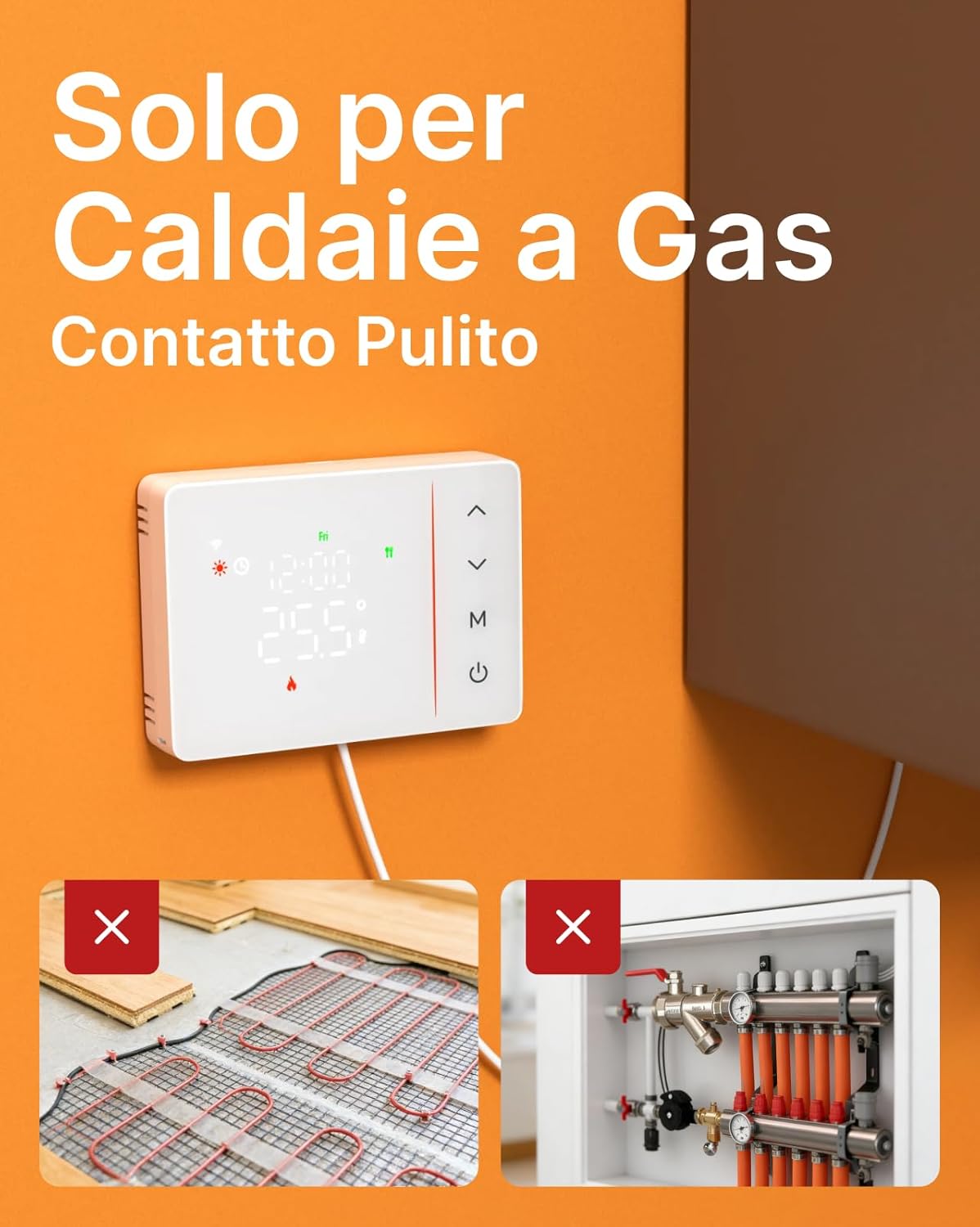
Image: Front view of the thermostat, displaying current temperature, time, and mode icons. Control buttons are located on the right side.

Image: Rear view of the thermostat, illustrating the battery compartment for four AA batteries and the clean contact wiring terminals (NO/NC/COM). Dimensions for 502/503 box compatibility are also shown.
Setup
1. Installation
The thermostat is designed for DIY installation and is compatible with standard recessed wall boxes (503/502, with hole spacing of 60-85 mm). No drilling, complex wiring, or electrician intervention is typically required for mounting.
- Step 1: Remove the thermostat from its base.
- Step 2: Fix the base to the wall box and connect the boiler wires to the clean contact terminals (NO/NC/COM). Ensure power is disconnected before wiring.
- Step 3: Insert 4 AA batteries into the thermostat, observing correct polarity (+/-).
- Step 4: Attach the thermostat unit to its base.

Image: Visual guide showing four steps for simple installation: removing the thermostat from its base, fixing the base and connecting wires, inserting batteries, and reattaching the thermostat.
2. Battery Installation
The thermostat requires 4 AA batteries (not included). Use only high-quality alkaline AA/LR6 or Ni-MH rechargeable batteries. An automatic alert will be sent to your smartphone when the battery charge drops below 20%.
3. App Connection (Tuya Smart / Smart Life)
The thermostat uses 2.4GHz/5GHz auto-switching dual-band WiFi for a stable connection. Download the Tuya Smart or Smart Life app (available in English) from your smartphone's app store. Follow the in-app instructions to connect your thermostat to your home WiFi network. This allows for remote control and real-time notifications on temperature, connection status, and battery level.
Operating Instructions
1. Basic Operation
The thermostat features a professional sensor with 0.1°C step adjustment and adjustable hysteresis, minimizing temperature fluctuations and unnecessary boiler activations. You can manually adjust the temperature directly on the device or via the app.
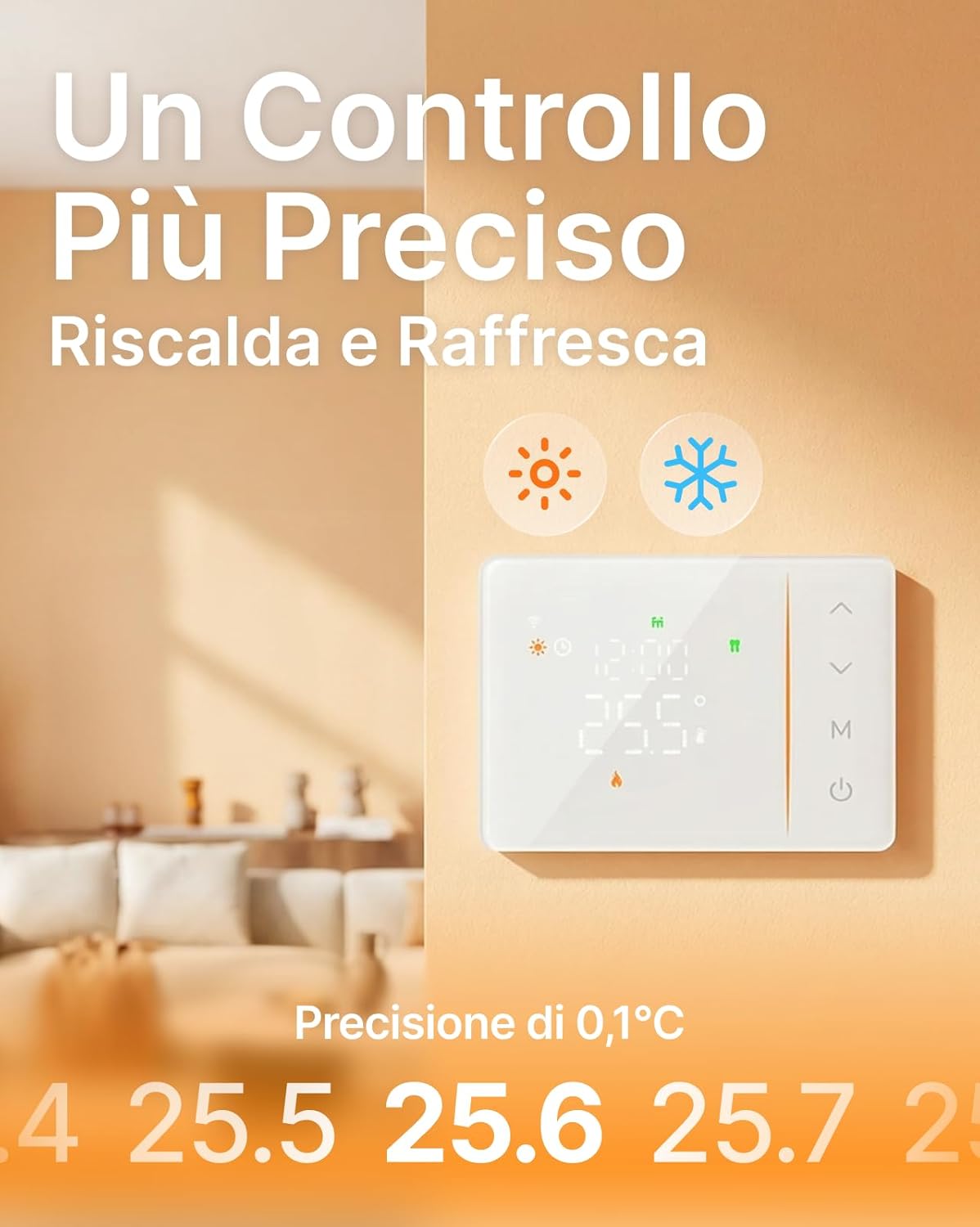
Image: The thermostat mounted on a wall, showing a precise temperature reading of 25.5°C, indicating its accurate control capabilities.
2. Programming (7 Days x 6 Levels)
Customize your heating schedule with independent programming for each day of the week. You can set up to 6 different time periods and temperatures per day. This allows for tailored comfort and energy saving.
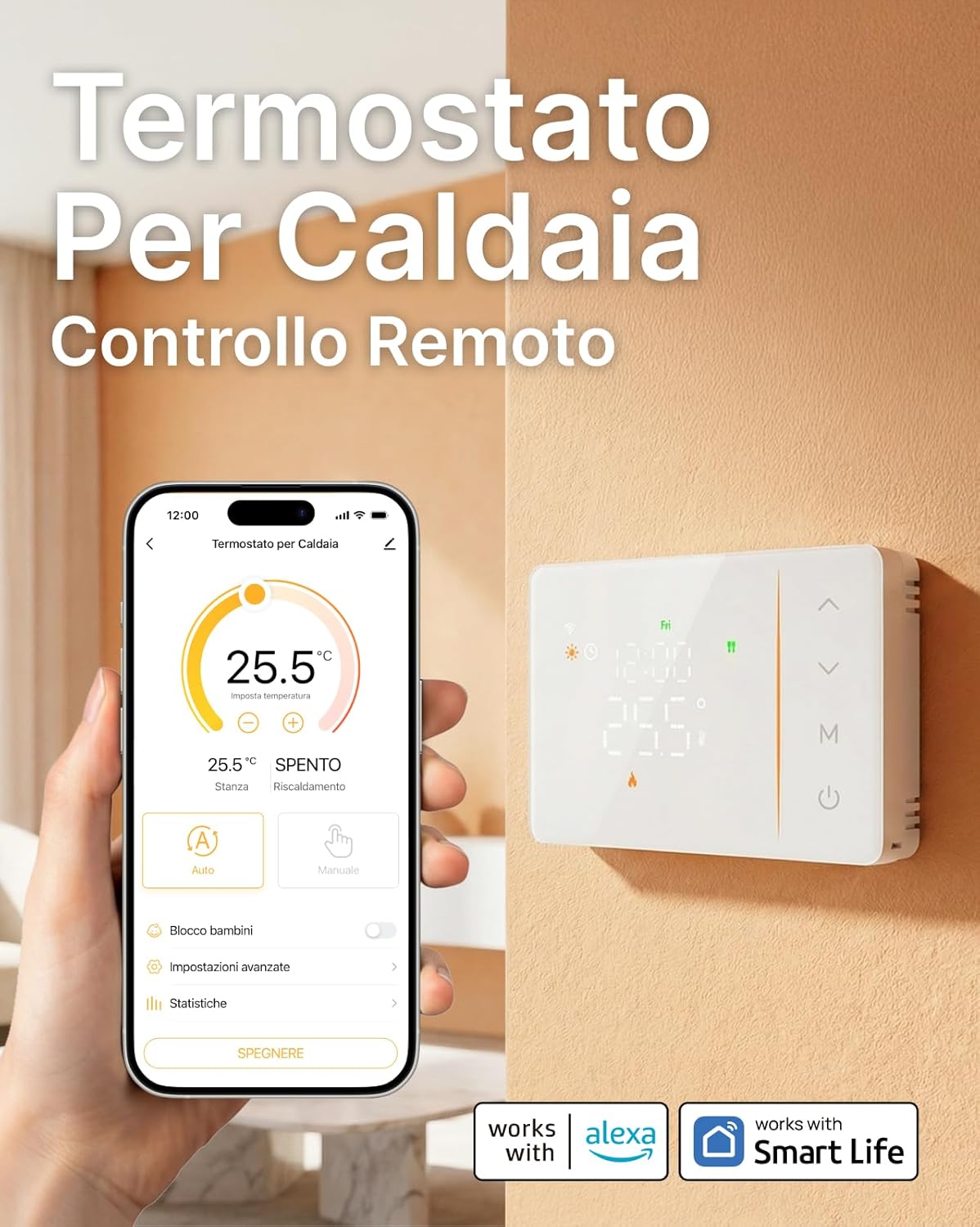
Image: A smartphone displaying the Tuya/Smart Life app interface for the thermostat, showing remote temperature control and scheduling options. The thermostat is visible on the wall in the background.

Image: The physical thermostat unit positioned beside a smartphone displaying its corresponding control application, highlighting the integration of physical and digital control.
3. Voice Control
The thermostat is compatible with Amazon Alexa and Google Assistant. Link your device through the Tuya Smart or Smart Life app to enable voice commands for temperature adjustments and status checks.
4. Child Lock
Activate the integrated Child Lock feature to disable physical controls on the device, preventing accidental changes by children.
5. Anti-Freeze Protection
The automatic Anti-Freeze function maintains a minimum temperature above 5°C to protect your heating system and pipes from freezing during extended absences. This feature ensures complete electrical isolation for maximum protection.
Maintenance
The primary maintenance task is battery replacement. When the app notifies you of low battery (below 20%), replace all four AA batteries with new, high-quality alkaline or Ni-MH rechargeable batteries. Ensure correct polarity during installation.
Troubleshooting
- No Display / Device Not Turning On: Check battery installation and ensure polarity is correct. Replace batteries if they are depleted.
- WiFi Disconnection: Ensure your home WiFi network (2.4GHz) is active and the signal strength is adequate. Restart your router and the thermostat if necessary. Re-pair the device with the Tuya Smart/Smart Life app.
- Incorrect Temperature Reading: Allow the thermostat to stabilize for a few hours after installation. Ensure it is not exposed to direct sunlight, drafts, or heat sources that could affect its sensor.
- Boiler Not Responding: Verify the wiring connections to the boiler (NO/NC/COM). Ensure the boiler is powered on and functioning correctly. Check the thermostat's mode (e.g., heating mode).
- App Control Issues: Ensure your smartphone has an active internet connection. Update the Tuya Smart/Smart Life app to the latest version.
Specifications
| Feature | Specification |
|---|---|
| Brand | EZAIoT |
| Model | V1BW |
| Color | White |
| Material | Acrylonitrile Butadiene Styrene (ABS) |
| Power Source | 4 x AA 1.5V Batteries (not included) |
| Voltage Compatibility | Low Voltage ≤30V DC (Dry Contact) |
| Connectivity | WiFi 2.4GHz/5GHz (Auto-switch) |
| App Control | Tuya Smart / Smart Life |
| Voice Assistant | Alexa, Google Assistant |
| Programming | 7 Days, up to 6 periods per day |
| Temperature Precision | 0.1°C |
| Special Features | Programmable, Child Lock, Anti-Freeze |
| Dimensions | 13.6 x 9.8 x 3.4 cm |
| Weight | 200 g |
Warranty and Support
For warranty information, please refer to the terms and conditions provided at the time of purchase or visit the official EZAIoT website. For technical support, product inquiries, or assistance with installation and operation, please contact:
- Email: support@ezaiot.com
- EU Representative: EUREPSTAR GMBH, Schlüterstr. 3, 85057 Ingolstadt, Germany
Please have your product model (V1BW) and purchase details ready when contacting support.


