
1. Product Overview
The REDLIRO JK06F Foldable Exercise Treadmill is designed for indoor walking and light running, featuring sturdy handrails for enhanced safety and support. Its compact design makes it suitable for home use, providing a stable and gentle exercise option.
Key Features:
- Elderly-Focused Safety Design: Sturdy handrails provide secure support, ideal for stable indoor exercise.
- Durable & Stable Build: Low-carbon steel frame ensures long-lasting sturdiness for safe, steady workouts.
- Compact Home-Fit Size: 48.4"D x 25.2"W x 46.4"H dimensions balance functionality and space efficiency.
2. Safety Information
Read all instructions before using this treadmill. Keep this manual for future reference. Failure to follow these instructions can result in injury or damage to the product.
- Always consult with a physician before starting any exercise program.
- Ensure the treadmill is placed on a flat, stable surface with adequate clearance around it.
- Keep children and pets away from the treadmill during operation.
- The maximum user weight for this treadmill is 300 pounds (136 kg). Do not exceed this limit.
- Always hold onto the handrails when starting or stopping the treadmill, and for added stability during exercise.
- Wear appropriate athletic footwear. Do not operate the treadmill barefoot or in loose-fitting clothing.
- In case of an emergency, press the STOP button immediately or pull the safety key.
- Unplug the treadmill from the power outlet when not in use or before cleaning and maintenance.
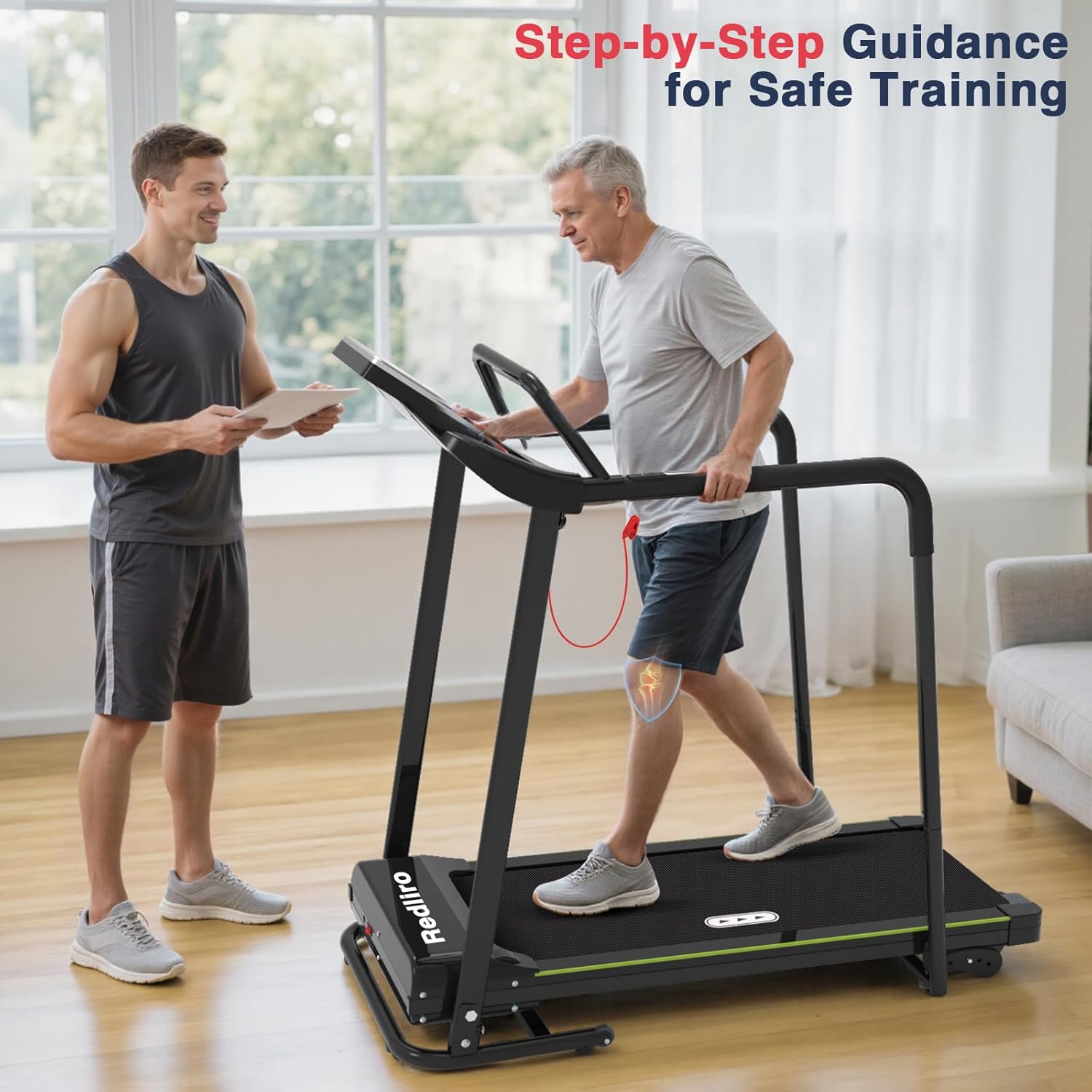
Image: Two individuals demonstrating safe training on the REDLIRO treadmill. One person is walking on the treadmill, holding the handrails, while another person observes. This highlights the importance of using handrails for stability.
3. Package Contents
Carefully unpack the box and ensure all items are present and undamaged. If any parts are missing or damaged, do not assemble or use the treadmill. Contact customer support immediately.
- REDLIRO JK06F Treadmill Unit
- Power Cord
- User Manual (this document)
- Assembly Tools (if included, check packaging)
4. Setup and Storage
Assembly is required for this treadmill. Follow the instructions provided in the separate assembly guide (if applicable) or the quick start guide included with your product. Ensure all bolts and nuts are securely tightened before first use.
Folding for Storage:
The REDLIRO JK06F treadmill features an effortless auto-fold mechanism for convenient storage. To fold the treadmill:
- Ensure the treadmill is turned off and unplugged.
- Gently lift the running deck until it locks into the upright position.
- To unfold, gently push the release mechanism (often a foot pedal or lever) and slowly lower the deck until it rests flat.
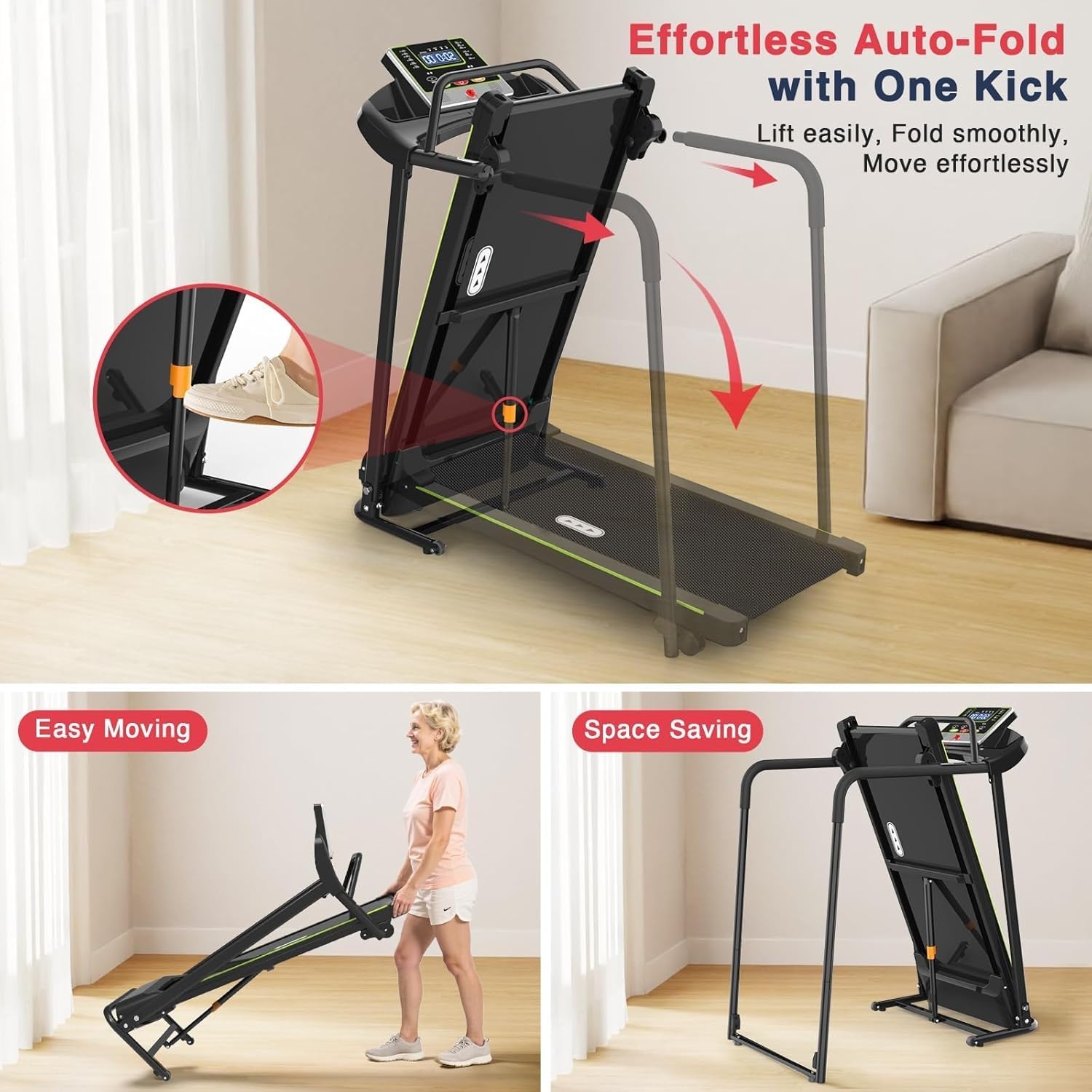
Image: Diagram illustrating the effortless auto-fold feature of the REDLIRO treadmill. The image shows the running deck being lifted and secured in an upright position, demonstrating how it saves space when not in use.
5. Operating Instructions
Powering On/Off:
- Connect the power cord to a grounded electrical outlet.
- Locate the main power switch (usually near the front base of the treadmill) and turn it to the 'ON' position.
- The LED display will illuminate.
- To power off, press the 'STOP' button on the console, then turn off the main power switch and unplug the unit.
Starting Your Workout:
- Attach the safety key clip to your clothing. The treadmill will not operate without the safety key in place.
- Stand on the side rails of the treadmill, not on the running belt.
- Press the 'START' button on the console. The treadmill will typically begin at a low speed (e.g., 0.3 MPH) after a short countdown.
- Carefully step onto the moving belt, holding the handrails for balance.
Adjusting Speed:
- Use the '+' and '-' buttons on the console to increase or decrease the speed.
- The treadmill offers a speed range from 0.3 MPH to 5.5 MPH.
- Adjust speed gradually to avoid sudden changes.
Monitoring Your Workout:
The LED display shows various metrics, including:
- Time
- Speed
- Distance
- Calories Burned
Stopping Your Workout:
- Press the 'STOP' button to gradually slow down and stop the treadmill.
- In an emergency, pull the safety key to immediately stop the treadmill.

Image: An elderly man using the REDLIRO treadmill, demonstrating the low starting speed of 0.3 MPH and the control panel. The image highlights the speed control feature and the user-friendly display.
6. Maintenance
Regular maintenance ensures the longevity and safe operation of your treadmill.
- Cleaning: Wipe down the treadmill surfaces, including the console and handrails, with a damp cloth after each use. Avoid using abrasive cleaners or solvents.
- Belt Lubrication: Refer to your specific product's detailed manual for lubrication instructions. Typically, the running belt requires lubrication every few months, depending on usage. Use only approved treadmill lubricant.
- Belt Tension and Alignment: Periodically check the running belt for proper tension and alignment. If the belt slips or drifts to one side, consult the detailed manual for adjustment procedures.
- Inspecting Components: Regularly check all bolts, nuts, and connections to ensure they are secure. Tighten any loose fasteners.
- Power Cord: Inspect the power cord for any damage. If damaged, discontinue use and contact customer support.
7. Troubleshooting
If you encounter issues with your REDLIRO treadmill, refer to the following common troubleshooting steps:
| Problem | Possible Cause | Solution |
|---|---|---|
| Treadmill does not power on. | Power cord not plugged in; main power switch off; circuit breaker tripped. | Ensure power cord is securely plugged into a working outlet. Turn main power switch ON. Check household circuit breaker. |
| Treadmill starts but belt does not move. | Safety key not in place; motor overload. | Ensure the safety key is correctly inserted into the console. Reduce user weight if exceeding maximum. |
| Running belt slips or hesitates. | Belt tension too loose; belt requires lubrication. | Adjust belt tension according to the detailed manual. Lubricate the running belt as per maintenance instructions. |
| Unusual noises during operation. | Loose components; motor or belt issue. | Check and tighten all visible bolts and nuts. If noise persists, discontinue use and contact customer support. |
For issues not listed here or if troubleshooting steps do not resolve the problem, please contact REDLIRO customer support.
8. Specifications
| Brand | REDLIRO |
| Model Name | JK06F |
| Product Dimensions (D x W x H) | 48.4" x 25.2" x 46.4" (122.9 cm x 64 cm x 117.9 cm) |
| Folded Size | 46.9" x 23.7" x 44.9" (119.1 cm x 60.2 cm x 114 cm) |
| Item Weight | 67.5 Pounds (30.6 kg) |
| Material | Alloy Steel |
| Maximum Speed | 5.5 Miles per Hour (8.8 km/h) |
| Minimum Speed | 0.3 Miles per Hour (0.5 km/h) |
| Maximum Weight Recommendation | 300 Pounds (136 kg) |
| Maximum Horsepower | 2.5 Horsepower |
| Display | LED |
| Metrics Measured | Calories Burned, Time, Speed, Distance |
| Power Source | Corded Electric |
| Assembly Required | Yes |
9. Warranty and Support
Warranty Information:
This REDLIRO treadmill is covered by a 1-year manufacturer's warranty from the date of purchase. This warranty covers defects in materials and workmanship under normal use. Please retain your proof of purchase for warranty claims.
Customer Support:
For technical assistance, warranty claims, or any questions regarding your REDLIRO JK06F treadmill, please contact REDLIRO customer support. Refer to the contact information provided with your product packaging or visit the official REDLIRO website for support details.
When contacting support, please have your model number (JK06F) and purchase information readily available.


