
1. Introduction
Thank you for choosing the Garvee Floating Bed Frame. This manual provides essential information for the safe assembly, operation, and maintenance of your new bed frame. Please read all instructions carefully before beginning assembly and retain this manual for future reference.
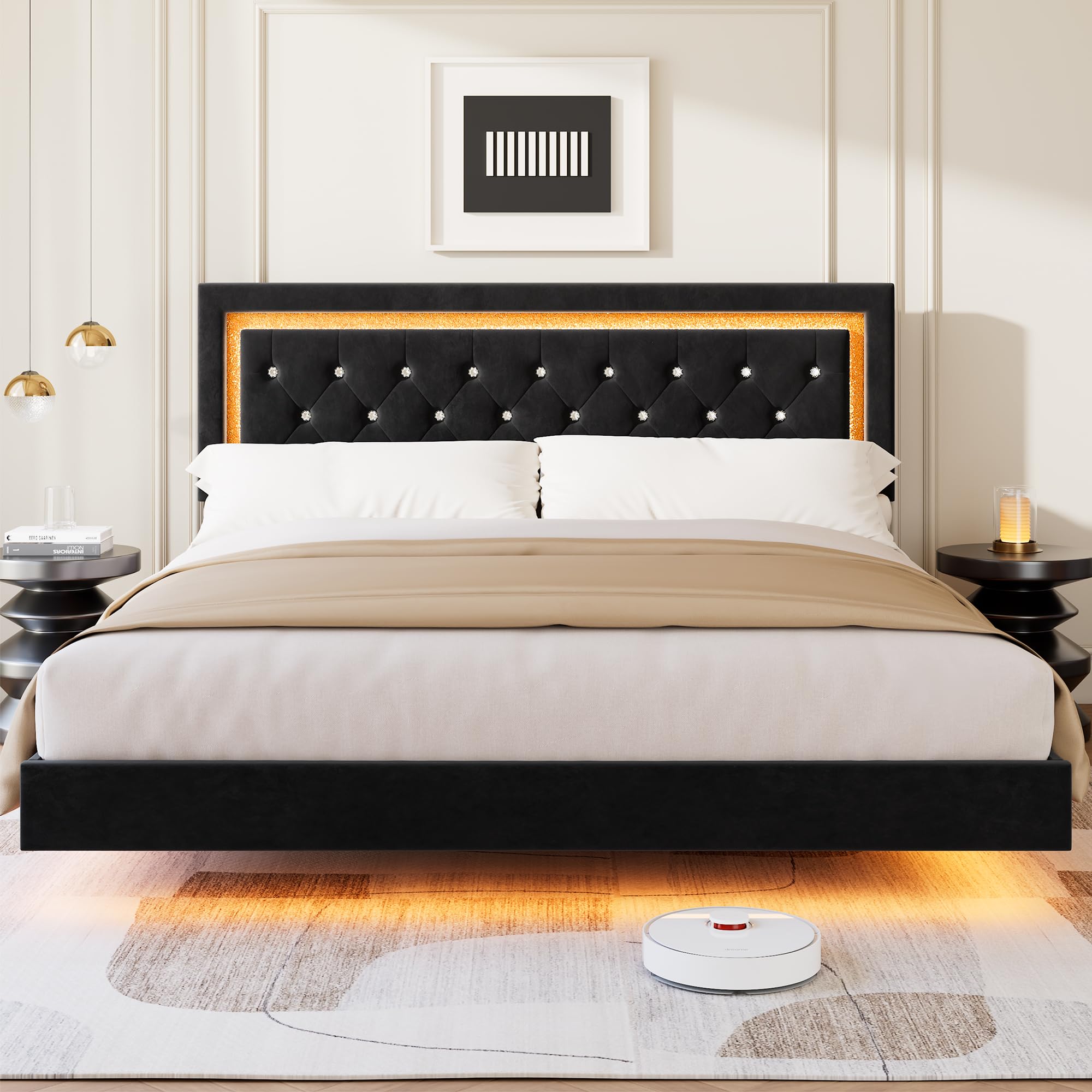
Image 1.1: Garvee King Size Floating Bed Frame with Smart LED Lights.
Safety Information
- Do not exceed the maximum weight capacity of 1000 lbs, evenly distributed.
- Avoid standing or sitting on edge areas for prolonged periods.
- Periodically check joint tightness to maintain stability.
- Keep all assembly hardware out of reach of children.
- Ensure all connections are secure before use.
2. Package Contents
Before assembly, verify that all components are present. Refer to the detailed parts list included in your assembly guide. Typical components include:
- Headboard with integrated LED lights
- Side Rails (Left and Right)
- Footboard
- Center Support Beam(s)
- Support Legs
- Wood Slats
- Hardware Pack (screws, bolts, washers, Allen wrench)
- LED Remote Control
- Power Adapter for LED Lights
- Instruction Manual
If any parts are missing or damaged, please contact customer support immediately.
3. Setup and Assembly Instructions
Assembly of the Garvee Floating Bed Frame is designed to be straightforward, typically requiring two people and less than 60 minutes to complete using the patented slot-and-lock system. All necessary tools are included.
Preparation
- Clear a spacious area for assembly.
- Unpack all components and lay them out on a soft, clean surface to prevent scratches.
- Identify each part using the provided assembly guide.
Assembly Steps (General Overview)
- Assemble the Headboard: Attach any necessary support legs or brackets to the headboard.
- Connect Side Rails: Securely attach the side rails to the headboard and footboard using the provided hardware and slot-and-lock system. Ensure all connections are tight.
- Install Center Support: Place and secure the center support beam(s) and any additional support legs.
- Position Slats: Lay the wooden slats across the bed frame, ensuring they are evenly spaced and secured according to the assembly guide. The solid wood slats provide robust mattress support.
- Connect LED Wiring: Carefully connect the LED light strips to the power adapter and route the wiring as instructed to avoid pinching or damage.

Image 3.1: Dimensions of the Garvee King Size Floating Bed Frame.

Image 3.2: Illustration of the easy assembly bolt-free system for bed frame slats.

Image 3.3: Detailed view of the supportive wood slat system.
4. Operating Instructions (Smart LED Lights)
Your Garvee Floating Bed Frame features integrated Smart LED lighting in the headboard, controllable via a remote or a mobile application.
Remote Control Operation
- Ensure the LED lights are properly connected to the power adapter and plugged into a wall outlet.
- Point the remote control towards the headboard's LED receiver.
- Use the remote to power the lights on/off, change colors, adjust brightness, and select various dynamic modes.
Mobile App Control
For advanced customization and features, download the dedicated mobile application (refer to your assembly guide for app name and QR code).
- Pairing: Follow the in-app instructions to pair your bed frame's LED lights with your smartphone via Bluetooth.
- Color Selection: Access over 60,000 colors to match your mood or decor.
- Adjustable Brightness: Fine-tune the light intensity.
- Dynamic Modes: Choose from pre-set lighting effects.
- Music Sync Mode: Lights can react to music played through your device.
- Mic Mode: Lights can react to sounds picked up by your device's microphone.
- Timing Function: Set schedules for the lights to turn on or off automatically.

Image 4.1: LED lighting ambiance controlled by remote and mobile app.

Image 4.2: Mobile application interface for LED light control.

Image 4.3: LED lighting display with app control options.
5. Maintenance
Proper care and maintenance will extend the life and appearance of your bed frame.
Frame and Upholstery Care
- Cleaning: For general cleaning, wipe the frame with a soft, damp cloth. For upholstered areas, use a soft brush or vacuum cleaner with an upholstery attachment to remove dust and debris.
- Stains: For spills on upholstery, blot immediately with a clean, dry cloth. For stubborn stains, use a mild fabric cleaner, testing on an inconspicuous area first.
- Avoid: Do not use harsh chemicals, abrasive cleaners, or excessive moisture on any part of the bed frame.

Image 5.1: Close-up of the upholstered diamond headboard.
LED Light Care
- Cleaning: Gently wipe the LED strips with a dry, soft cloth. Ensure the power is disconnected before cleaning.
- Protection: The LED strips are designed for durability, but avoid direct impact or excessive bending.

Image 5.2: Upgraded LED strip design for enhanced durability and visual effect.
Structural Integrity
- Periodic Checks: Every 3-6 months, inspect all bolts and screws to ensure they are tight. Re-tighten if necessary to prevent squeaking and maintain stability.
6. Troubleshooting
If you encounter issues with your Garvee Floating Bed Frame, refer to the following common problems and solutions:
| Problem | Possible Cause | Solution |
|---|---|---|
| Bed frame squeaks | Loose connections; improperly installed slats. | Check and tighten all bolts and screws. Ensure slats are correctly seated and secured. |
| LED lights not working | Power connection issue; remote battery dead; app not connected. | Verify power adapter is securely plugged in. Check remote battery and replace if needed. Re-pair the app via Bluetooth. Inspect LED wiring for damage. |
| Bed frame feels unstable | Loose hardware; uneven floor; missing support leg. | Ensure all assembly hardware is fully tightened. Check if the bed is on a level surface. Verify all support legs are installed and making contact with the floor. |
| Missing or damaged parts upon arrival | Shipping damage; packaging error. | Do not proceed with assembly. Contact customer support immediately with your order details and a description of the issue. |
7. Specifications
| Feature | Detail |
|---|---|
| Brand | Garvee |
| Model Number | 2ubmiQ59BX1PmHTjg-6-DQ09Q |
| Size | King |
| Material | Engineered Wood, Fabric (Headboard) |
| Product Dimensions (L x W x H) | 81.1" x 77.4" x 41.14" |
| Item Weight | 92.81 Pounds |
| Maximum Weight Capacity | 1000 lbs (evenly distributed) |
| Special Features | Smart LED Lighting (RGB, Remote/App Control), Floating Design, Upholstered Diamond Headboard, Noise-Free, Underbed Storage Space |
| Included Components | Slat, Headboard, Frame components, Hardware, LED remote, Power adapter |
| Assembly Time | Approx. 60 minutes (2 people) |
| UPC | 800072415982 |
8. Warranty Information
Specific warranty details for the Garvee Floating Bed Frame may vary. Please refer to the warranty card included with your product or contact the seller/manufacturer directly for comprehensive information regarding warranty coverage, terms, and conditions.
9. Customer Support
For any questions, concerns, or assistance with your Garvee Floating Bed Frame, please contact our customer support team. Have your model number and purchase information ready to ensure prompt service.
- Online Support: Visit the Garvee brand store on Amazon or the official Garvee website for FAQs and contact options.
- Email/Phone: Refer to your product packaging or the Garvee brand store for specific contact details.