
1. Introduction
Thank you for choosing the Monster AC328 Open Ear Wireless Earbuds. These earbuds are designed to provide a comfortable and high-quality audio experience while allowing you to remain aware of your surroundings. This manual will guide you through the setup, operation, and maintenance of your new earbuds.
2. Product Overview
The Monster AC328 earbuds feature an open-ear design for enhanced comfort during extended wear, reducing pressure on the eardrum. They are equipped with advanced Bluetooth 6.0 technology for stable connections and a 14.2mm dynamic speaker for rich audio. The lightweight and ergonomic design ensures a secure fit for various activities.

Image: Monster AC328 Open Ear Wireless Earbuds in use, showcasing the ergonomic open-ear design, Bluetooth 6.0 connectivity, and IPX5 water resistance.

Image: A user wearing the Monster AC328 earbuds, demonstrating the comfortable and secure fit for all-day use.
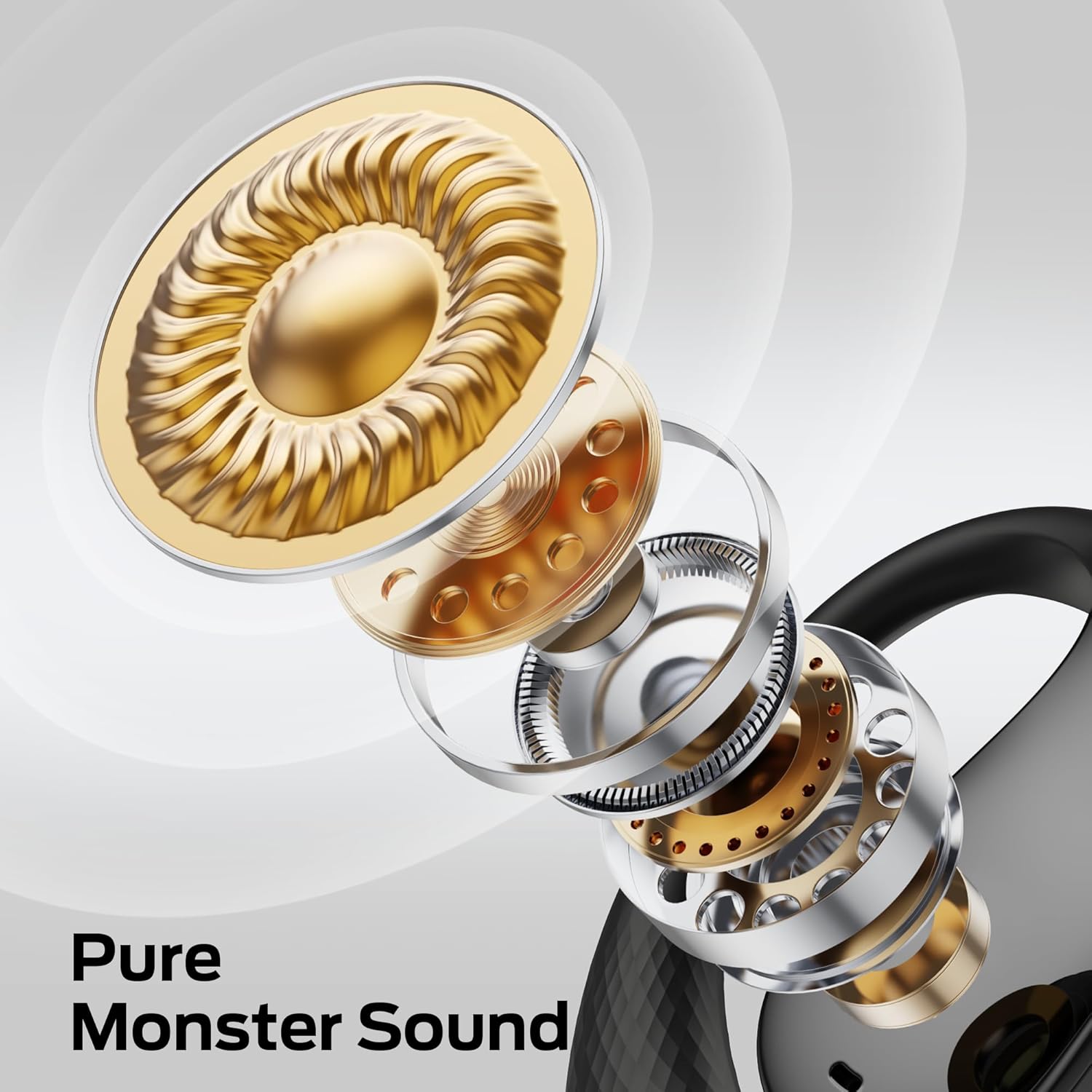
Image: An exploded diagram of the earbud's internal structure, illustrating the components that deliver Pure Monster Sound.
3. Setup and Charging
3.1 Initial Charging
Before first use, fully charge the earbuds and the charging case. Connect the provided USB Type-C cable to the charging port on the case and to a power source. The indicator lights on the case will show the charging status.
3.2 Pairing with a Device
- Open the charging case. The earbuds will automatically enter pairing mode, indicated by flashing lights.
- On your device (smartphone, tablet, etc.), enable Bluetooth.
- Search for "Monster AC328" in the list of available Bluetooth devices.
- Select "Monster AC328" to connect. Once connected, the indicator lights on the earbuds will stop flashing.
The earbuds will automatically reconnect to the last paired device when removed from the case, if Bluetooth is enabled on the device.

Image: A smartphone screen displaying a successful Bluetooth connection to 'Monster Open Ear AC328', highlighting the fast and stable Bluetooth 6.0 technology.

Image: The Monster AC328 charging case, illustrating the impressive 32-hour total battery life with the case, and 8 hours on a single charge.
4. Operating Instructions
4.1 Touch Controls
The Monster AC328 earbuds feature touch-sensitive controls for easy management of music and calls. Specific touch gestures may vary; refer to the quick start guide for detailed commands.
- Play/Pause: Single tap on either earbud.
- Next Track: Double tap on the right earbud.
- Previous Track: Double tap on the left earbud.
- Answer/End Call: Single tap on either earbud.
- Reject Call: Press and hold either earbud for 2 seconds.
- Activate Voice Assistant: Triple tap on either earbud.
4.2 Call Noise Reduction
The earbuds incorporate Environmental Noise Cancellation (ENC) technology to reduce background noise during calls, ensuring clear communication. This feature enhances your calling experience, making conversations feel more natural.

Image: A visual representation of sound before and after noise reduction, illustrating the effectiveness of the Crystal Clear Calls feature.
5. Maintenance
5.1 Cleaning
Regularly clean your earbuds and charging case to ensure optimal performance and hygiene. Use a soft, dry, lint-free cloth. Do not use abrasive cleaners or solvents. Avoid getting moisture into any openings.
5.2 Storage
When not in use, store the earbuds in their charging case to protect them from dust and damage. Store the case in a cool, dry place away from extreme temperatures.
5.3 Water Resistance
The Monster AC328 earbuds are IPX5 water-resistant, meaning they can withstand splashes and sweat. They are suitable for sports and outdoor activities but are not designed for submersion in water. Do not use them while swimming or showering.
6. Troubleshooting
- Earbuds not pairing: Ensure both earbuds are in the charging case, then open the lid to activate pairing mode. Check your device's Bluetooth settings and try reconnecting.
- No sound: Verify that the earbuds are connected to your device and the volume is turned up on both the earbuds and your device.
- Charging issues: Ensure the charging cable is securely connected and the power source is active. Clean the charging contacts on both the earbuds and the case.
- Poor call quality: Ensure the earbuds are properly positioned on your ears. Move closer to your connected device to avoid interference.
If problems persist, try resetting the earbuds (refer to the quick start guide for specific reset instructions) or contact customer support.
7. Specifications
| Feature | Detail |
|---|---|
| Model Name | AC328 / E81 |
| Connectivity Technology | Wireless (Bluetooth) |
| Bluetooth Version | 6.0 |
| Bluetooth Range | 10 Meters |
| Battery Life (Earbuds) | Up to 8 hours |
| Total Playtime (with Case) | Up to 32 hours |
| Audio Driver Type | Dynamic Driver |
| Earpiece Shape | Open Ear |
| Water Resistance Level | IPX5 Water Resistant |
| Noise Control Features | Environmental Noise Cancellation (ENC) |
| Compatible Devices | Bluetooth-enabled Devices |
| Manufacturer | Monster |
8. Warranty and Support
For warranty information and customer support, please refer to the warranty card included with your product or visit the official Monster website. Keep your proof of purchase for any warranty claims.


