
Introduction
This manual provides instructions for the safe operation and maintenance of your LEDIARY 20-inch Outdoor Ceiling Fan with Lights, Model MX-01. This fan is designed for outdoor use in areas such as gazebos, patios, and pergolas, offering both air circulation and adjustable lighting. Please read this manual thoroughly before installation and use, and retain it for future reference.

Image: The LEDIARY outdoor ceiling fan with lights, highlighting its IP65 waterproof rating and readiness for various weather conditions.
Safety Information
- Read all instructions carefully before installing and operating the fan.
- Ensure the power supply is disconnected before installation, cleaning, or maintenance.
- Do not operate the fan with a damaged power cord or plug. Contact customer service for replacement.
- This fan is rated IP65 waterproof, suitable for outdoor use. However, avoid submerging the unit in water.
- Keep hands, hair, and loose clothing away from moving fan blades.
- Do not insert any objects into the fan grille while it is operating.
- Ensure the fan is securely mounted to a stable structure capable of supporting its weight.
- Use only the provided remote control or the designated mobile application for operation.
Package Contents
Verify that all components are present in the package:
- LEDIARY 20-inch Outdoor Ceiling Fan Unit with Integrated LED Light
- Remote Control
- Power Cord (9.8 feet)
- Hanging Hook
- Downrods (10-inch and 6-inch options)
- Mounting Hardware
- User Manual
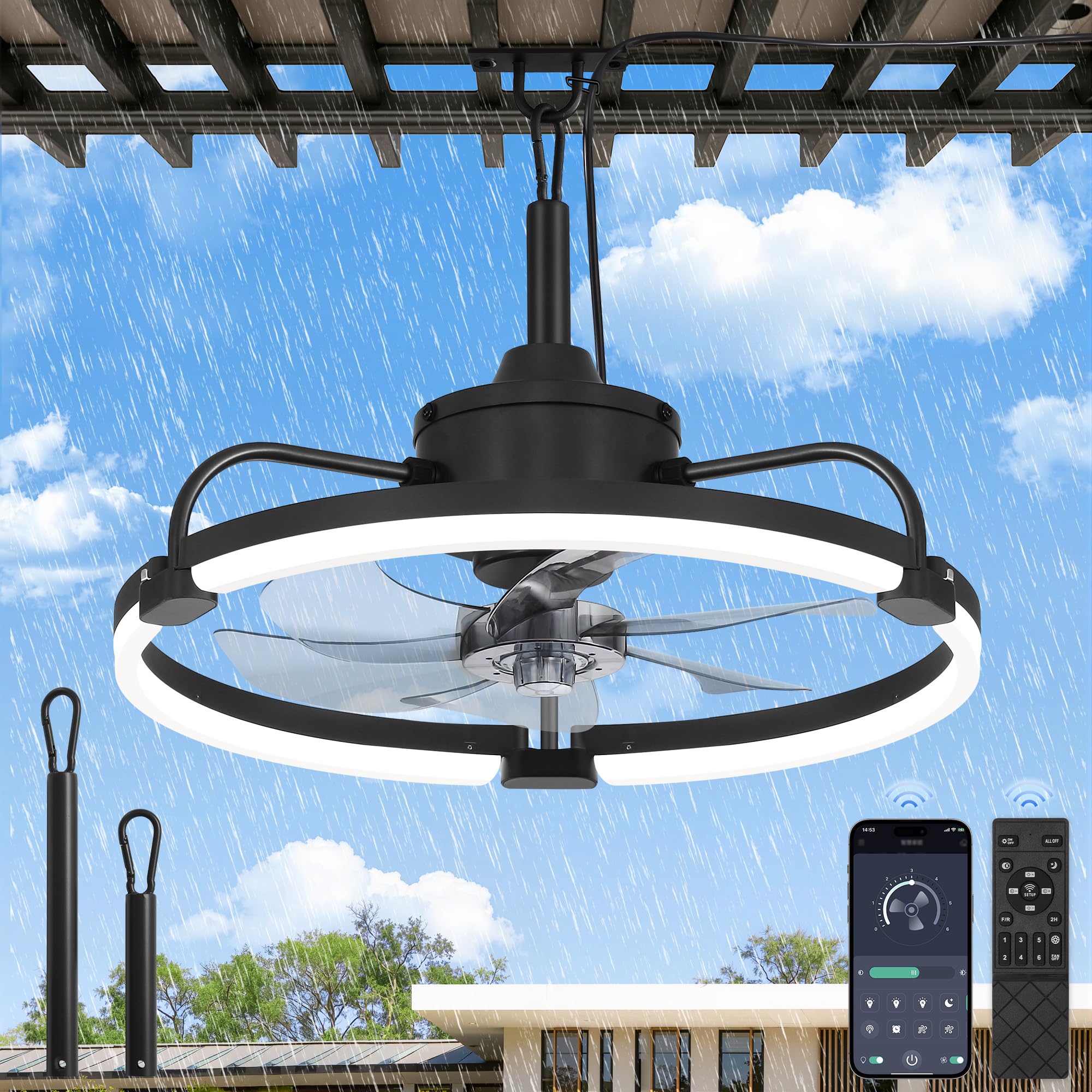
Image: The LEDIARY 20-inch outdoor ceiling fan, remote control, and various hanging accessories included in the package.
Setup and Installation
The LEDIARY outdoor ceiling fan features a convenient plug-and-play design, simplifying installation. Follow these steps for proper setup:
- Connect the Elbows: Attach the support elbows to the fan's canopy securely.
- Insert LED Strips: Carefully insert the LED light strips into the designated ports on the elbows.
- Assemble Fan Blades: Position and assemble the fan blades onto the motor hub.
- Secure Fan Blade Cover: Secure the fan blade cover to the fixture by rotating it anticlockwise until locked.
- Choose Downrod: Select either the 10-inch or 6-inch downrod based on your desired hanging height and attach it to the fan unit.
- Hang the Fan: Use the provided hanging hook to suspend the fan from a suitable, sturdy overhead structure in your gazebo, patio, or pergola.
- Plug In: Connect the 9.8-foot power cord to a standard outdoor electrical outlet.

Image: Visual instructions detailing the four main steps for easy installation of the fan.
Operating Instructions
Remote Control Operation
The fan can be controlled using the included remote. Ensure batteries are installed correctly.
- Light On/Off: Press the light bulb icon button to turn the light on or off.
- Fan On/Off: Press the fan icon button to turn the fan on or off.
- CCT Change: Cycle through 3000K (warm), 4500K (neutral), and 6000K (cold) light temperatures using the CCT button.
- Brightness Adjustment: Use the '+' and '-' buttons to adjust light brightness from 10% to 100%.
- Fan Speed: Select from 6 fan speeds using the numbered buttons (1-6).
- Forward/Reverse (F/R): Change the fan's rotation direction for summer (downward airflow) or winter (upward airflow) modes.
- Natural Wind: Activates a mode that simulates natural breeze.
- Night Light: Activates a low-brightness light setting.
- Timer: Set the fan to turn off automatically after 2 hours.
- Pairing: If the remote is not responding, press the 'SETUP' button to pair it with the fan.

Image: The remote control for the fan, highlighting its various functions including 6 wind speeds, 3 color temperatures, reversible DC motor, natural wind, and timer setting.
Mobile App Control
For advanced control and convenience, download the "Fanlamp Pro" app from your device's app store (Google Play or Apple App Store).
- Download App: Search for "Fanlamp Pro" and install it on your smartphone or tablet.
- Pairing: Follow the in-app instructions to pair your device with the fan. This usually involves putting the fan into a pairing mode and confirming connection within the app.
- Functions: The app allows control over all fan and light functions, including 6-speed settings, on/off, 3CCT, dimming, and reversible motor settings.

Image: A visual representation of the remote control and the Fanlamp Pro app interface, demonstrating dual control capabilities.
Fan Speed Settings
The fan offers 6 adjustable speeds to suit your comfort needs:
- 1-2 Speeds: Soft Wind, ideal for gentle air circulation.
- 3-4 Speeds: Natural Wind, providing a comfortable breeze.
- 5-6 Speeds: Cool Wind, for maximum airflow and cooling.

Image: The fan operating at various speeds, demonstrating the soft, natural, and cool wind settings.
Light Settings (3CCT & Dimmable)
Customize your lighting experience with 3 color temperatures and dimmable brightness:
- 3 Color Temperatures (3CCT): Choose between 3000K (Warm Light), 4500K (Neutral Light), and 6000K (Cold Light) to match your ambiance.
- Dimmable Brightness: Adjust the light intensity smoothly from 10% to 100% using the remote or app. The 40W circular LED lamp tube provides enhanced brightness and coverage.

Image: The fan's light settings, illustrating the three color temperatures and dimmable brightness options.
Reversible DC Motor
The fan features a reversible DC motor for year-round comfort:
- Summer Mode (Downward Airflow): Creates a cooling effect by pushing air downwards.
- Winter Mode (Upward Airflow): Circulates warm air by drawing air upwards, helping to distribute heat more evenly.

Image: A diagram showing the fan's reversible DC motor, with arrows indicating downward airflow for summer and upward airflow for winter.
Official Product Video
Video: An official product video from LEDIARY showcasing the 20-inch outdoor ceiling fan with light in various settings and demonstrating its features.
Maintenance
Regular maintenance ensures optimal performance and longevity of your fan.
- Power Disconnection: Always disconnect the power cord from the outlet before performing any cleaning or maintenance.
- Cleaning: Use a soft, damp cloth to wipe down the fan blades, motor housing, and light fixture. Do not use abrasive cleaners, solvents, or harsh chemicals, as these can damage the finish or electrical components.
- Inspection: Periodically check the hanging mechanism and power cord for any signs of wear or damage. If any damage is found, discontinue use and contact customer support.
- Storage: If storing the fan for an extended period, ensure it is clean and dry. Store it in a cool, dry place away from direct sunlight and extreme temperatures.
Troubleshooting
If you encounter issues with your LEDIARY outdoor ceiling fan, refer to the following common problems and solutions:
| Problem | Possible Cause | Solution |
|---|---|---|
| Fan does not turn on | No power supply; Remote not paired; Batteries dead in remote. | Check if the power cord is securely plugged in. Ensure the outlet has power. Replace remote batteries. Press the 'SETUP' button on the remote to re-pair. |
| Light does not turn on | Light function off; Power issue. | Press the light bulb icon button on the remote or app. Check power supply. |
| Remote not responding | Dead batteries; Out of range; Not paired. | Replace remote batteries. Ensure you are within range of the fan. Press the 'SETUP' button on the remote to re-pair. |
| App connectivity issues | Incorrect pairing; Weak Wi-Fi signal; App error. | Ensure the fan is in pairing mode. Check your Wi-Fi signal strength. Restart the app and try pairing again. Refer to the 'Fanlamp Pro' app's help section for specific pairing instructions. |
| Fan wobbles at high speed | Improper installation; Unbalanced blades. | Ensure the fan is securely mounted and all connections are tight. Check if fan blades are properly assembled and balanced. If the issue persists, contact customer support. |
Specifications
Technical specifications for the LEDIARY 20-inch Outdoor Ceiling Fan with Lights (Model MX-01):
| Feature | Detail |
|---|---|
| Brand | LEDIARY |
| Model Number | MX-01 |
| Size | 20 Inch Blade Length |
| Product Dimensions | 13"D x 17"W x 7"H |
| Color | Black |
| Material | Metal, Plastic |
| Power Source | DC (Plug-in) |
| Voltage | 110 Volts |
| Wattage | 90 watts |
| Number of Speeds | 6 |
| Noise Level | 35 Decibels |
| Air Flow Capacity | 3500 Cubic Centimeters Per Minute |
| Light Features | 3CCT (3000K, 4500K, 6000K), Dimmable (10-100%) |
| Controller Type | App Control, Remote Control |
| Special Features | IP65 Waterproof, Portable, Quiet Operation, Reversible DC Motor |
| Indoor/Outdoor Usage | Outdoor (Gazebo, Patios, Pergolas) |
| Certification | FCC |

Image: Detailed dimensions of the 20-inch outdoor ceiling fan, including the fan diameter, light ring diameter, and available downrod lengths (10" and 6").
Warranty and Support
LEDIARY stands behind the quality of its products.
- Warranty: This product is covered by a two-year warranty from the date of purchase. This warranty covers manufacturing defects and material flaws under normal use.
- Customer Support: If you have any questions, require technical assistance, or need to claim warranty service, please contact LEDIARY customer service. Refer to the product packaging or the official LEDIARY website for contact information.

