
Levida UD710
Contents
Levida UD710 256GB 3-in-1 USB 3.0 Flash Drive User Manual
Model: UD710 | Brand: Levida
1. Product Overview
The Levida UD710 is a versatile 256GB 3-in-1 USB 3.0 Flash Drive designed for efficient data transfer and storage across multiple devices. It features three distinct connectors: iOS, USB-C, and USB-A, ensuring broad compatibility with various smartphones, tablets, and computers.
- 3-in-1 Connectivity: Equipped with iOS, USB-C, and USB-A connectors for universal compatibility.
- High-Speed Data Transfer: Utilizes USB 3.0 technology for fast and stable file transfers.
- Plug & Play: No application or Wi-Fi connection is required for operation.
- Ample Storage: Provides 256GB of external storage to free up space on your devices.
- Durable Design: Features a 360-degree rotatable metal casing for connector protection and easy portability.

Image: The Levida 3-in-1 USB Flash Drive showcasing its iOS, USB-C, and USB-A connectors for broad device compatibility.

Image: The Levida USB-Stick demonstrating its practical 360-degree swivel design for connector protection and portability.
2. Setup and Initial Use
The Levida UD710 Flash Drive is designed for immediate use without the need for additional applications or network connections. Simply plug it into your compatible device.
2.1 Connecting to iOS Devices (iPhone/iPad)
- Insert the iOS connector into your iPhone or iPad's Lightning port.
- Your iOS device will automatically recognize the flash drive, typically labeled as "NO NAME" in the Files app.
- Navigate to the "NO NAME" drive within the Files app to access or transfer files.
2.2 Connecting to Android Devices
Note: Your Android device must support USB OTG (On-The-Go) functionality.
- Insert the USB-C connector into your Android smartphone or tablet's USB-C port.
- Open your device's file manager application.
- The flash drive will appear as "USB-Speicher" (USB Storage) or similar. Access this location to manage files.
2.3 Connecting to PC/Mac/Laptop
- Insert the USB-A connector into an available USB port on your computer.
- The flash drive will be recognized as a removable storage device.
- Open File Explorer (Windows) or Finder (Mac) to access the drive.

Image: Screenshots illustrating how the flash drive is recognized as "NO NAME" on iOS and "USB-Speicher" on Android devices.

Image: Visual guide demonstrating app-free file management on Android and iOS devices with the flash drive.
3. Operating Instructions
3.1 Transferring Files
To transfer files, use the native file management system of your device (e.g., Files app on iOS, File Manager on Android, File Explorer on Windows, Finder on Mac).
- Connect the flash drive to your device.
- Locate the files you wish to transfer on your device or the flash drive.
- Select the files and use the 'Copy' or 'Move' function.
- Navigate to the desired destination (either on your device or the flash drive) and select 'Paste'.

Image: A visual representation of three steps to transfer data from a smartphone to the flash drive.
3.2 Supported File Types
The Levida UD710 supports a wide range of file formats for documents, photos, music, and videos:
| Category | Supported Formats |
|---|---|
| Documents | DOC, DOCX, PDF, PPT, PPTX, TXT, KEY, NUMBERS, HTML PAGES, XLS, XLSX |
| Photos | PNG, JPG, TIF, NEF, BMP, JPEG, TIFF, GIF, HEIC |
| Music | MP3, WAV, APE, ACE, AAC, FLAC, AIFF, CAF |
| Videos | MP4, VOB, FLV, MPG, WMV, M4V, AVI, MOV, 3GP, TS, RMVB, RM, MKV, DIVX |
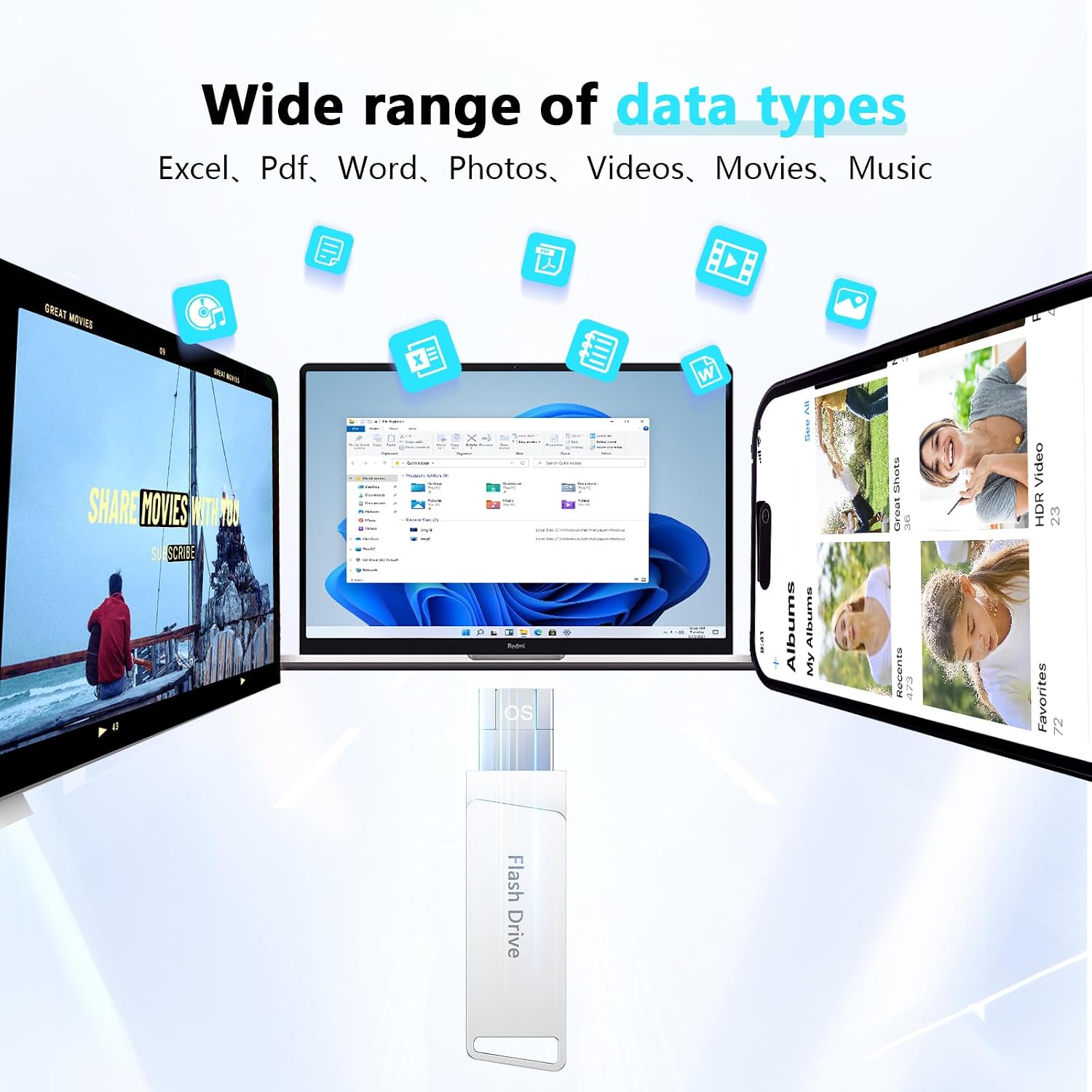
Image: A visual representation of the wide range of data types supported by the flash drive, including Excel, PDF, Word, Photos, Videos, Movies, and Music.

Image: A detailed chart listing supported file types across document, photo, music, and video categories.
3.3 Data Protection (Password Function)
The flash drive includes a password protection feature to secure specific files. This helps keep your data private and protected from unauthorized access.
- Consult your device's file management system or the flash drive's internal PDF manual for instructions on enabling and managing password protection.

Image: Graphic illustrating the data protection feature, emphasizing security with a fingerprint icon.
4. Maintenance
To ensure the longevity and optimal performance of your Levida UD710 Flash Drive, follow these maintenance guidelines:
- Safe Removal: Always safely eject the flash drive from your computer or device before physically removing it to prevent data corruption.
- Physical Care: Keep the flash drive clean and free from dust and debris. Avoid exposing it to extreme temperatures, direct sunlight, or moisture.
- Connector Protection: Utilize the 360-degree swivel design to protect the connectors when not in use.
- Data Backup: Regularly back up important data stored on the flash drive to another storage medium.
5. Troubleshooting
If you encounter issues with your Levida UD710 Flash Drive, consider the following troubleshooting steps:
- Device Not Recognized:
- Ensure the flash drive is fully inserted into the port.
- Try connecting to a different port or a different device to rule out port issues.
- For smartphones, ensure any protective phone cases are removed to allow for a stable connection.
- For Android devices, confirm that USB OTG is supported and enabled in settings if necessary.
- Slow Data Transfer:
- Ensure you are using a USB 3.0 compatible port on your computer for optimal speeds.
- Large numbers of small files can transfer slower than a few large files.
- Close other applications that might be using system resources.
- Files Not Visible:
- Check if files are hidden on your operating system.
- Ensure the file type is supported by the device you are using to view them.
If issues persist, please refer to the support section for further assistance.
6. Specifications
| Feature | Detail |
|---|---|
| Brand | Levida |
| Model Number | UD710 |
| Memory Storage Capacity | 256 GB |
| Hardware Interface | USB, USB Type A |
| Connectivity Technology | USB 3.0 |
| Flash Memory Type | USB Flash Drive |
| Color | Silver (for this variant) |
| Compatible Devices | iOS devices, Android phones with USB OTG support, PC, Mac, Laptops, Pad |
| UPC | 766122426929 |
| GTIN | 766122426929 |

Image: A chart detailing compatible devices for iOS, Type-C, and standard USB connections.
7. Warranty Information
Levida products typically come with a standard limited warranty. For specific warranty terms and conditions, please refer to the product packaging or contact Levida customer support directly.
8. Customer Support
For any questions, technical assistance, or support regarding your Levida UD710 Flash Drive, please contact our customer service team. We are committed to providing reliable support.
- Digital Manual: A detailed PDF manual is available for download. You may find it pre-loaded on the flash drive or request it from customer support. Download PDF Manual
- Contact: Refer to the contact information provided on the product packaging or the official Levida website for direct support.
Ask a question about this manual
Ask about setup, troubleshooting, compatibility, parts, safety, or missing instructions. Manuals+ will review the question and use this page’s manual context to help answer it.