
1. Product Overview
The ABBIDOT AB-625 Long Range Dog Training Collar is designed to assist in effective dog training through various modes. It features a remote control with a range of up to 5280 feet, offering tone, vibration, and adjustable stimulation. Both the collar and remote are IPX7 waterproof and rechargeable, suitable for diverse training environments.

Image: The ABBIDOT AB-625 dog training collar and remote control unit.
2. Package Contents
Ensure all items are present in the package:
- Collar Receiver
- Collar Strap
- Remote Control
- Stimulation Accessories (contact points, silicone caps)
- Test Light Tool
- Charging Cable
- Lanyard
- Belt Clip
- User Manual

Image: Diagram showing all components included in the ABBIDOT AB-625 package.
3. Setup and Installation
3.1 Charging the Devices
Before first use, fully charge both the remote control and the collar receiver. The devices can be fully charged in approximately 2 hours and offer up to 200 days of standby time.
- Connect the charging cable to the charging port on both the remote and the collar.
- Plug the other end of the cable into a compatible USB power adapter (not included), computer, or power bank.
- Once charging is complete, ensure the charging port cover on the collar is securely sealed to maintain its waterproof rating.

Image: Illustration of charging the remote control and collar receiver using a USB cable.
3.2 Installing Contact Points (Optional for Stimulation)
If you plan to use the stimulation feature, install the appropriate contact points. For long-haired dogs, use the longer metal sheets to ensure proper contact with the dog's skin. For short-haired dogs, the shorter contact points or silicone caps may be sufficient.
- Select the appropriate metal sheet or contact points based on your dog's coat length.
- Screw the chosen contact points securely onto the collar receiver.
- If not using stimulation, install the silicone caps over the contact points for comfort.

Image: Close-up of hands installing the metal contact points onto the collar receiver.
3.3 Attaching the Belt Clip
The remote control comes with a removable belt clip for convenient carrying.
- Align the belt clip with the groove on the back of the remote control.
- Pinch the latch on the belt clip and press it down firmly until it clicks into place.

Image: Steps for attaching the belt clip to the remote control unit.
3.4 Adjusting the Collar Strap
The collar strap is adjustable to fit dogs with a neck circumference of 7.8 to 24.4 inches and weighing 10 to 120 pounds. Ensure a snug but comfortable fit, allowing two fingers to fit between the collar and your dog's neck.
- Thread the collar strap through the receiver unit.
- Adjust the strap length using the buckle to achieve the appropriate size for your dog.
- Trim any excess strap if necessary, ensuring the cut end is smooth.

Image: Visual guide on how to adjust the collar strap for a proper fit.
3.5 Pairing the Remote and Collar
The remote and collar are pre-paired in the package. If re-pairing is needed or for multi-dog setup:
- Ensure the collar receiver is turned off.
- Press and hold the power button on the collar receiver for 5 seconds until the red and green lights flash alternately.
- On the remote, press the "Tone" and "Vibration" buttons simultaneously to pair. The collar lights will stop flashing when successfully paired.
- To select a different dog channel (e.g., Dog 2), press and hold the "dog 1/2" button on the remote for 3 seconds to unlock, then press it again to switch channels.
Video: This video demonstrates the pairing process between the remote control and the collar receiver, including unlocking the dog selection feature. It also covers an overview of modes, remote control parts, tone, vibration, stimulation, light modes, charging, contact point installation, belt clip installation, and collar adjustment.
4. Operating the Device
4.1 Training Modes
The ABBIDOT AB-625 offers four training modes:
- Tone: Emits an audible sound.
- Vibration: Provides a continuous vibration for up to 10 seconds.
- Momentary Stimulation: Delivers an instant pulse of static stimulation (levels 1-99).
- Continuous Stimulation: Delivers continuous static stimulation (levels 1-99) for up to 10 seconds.
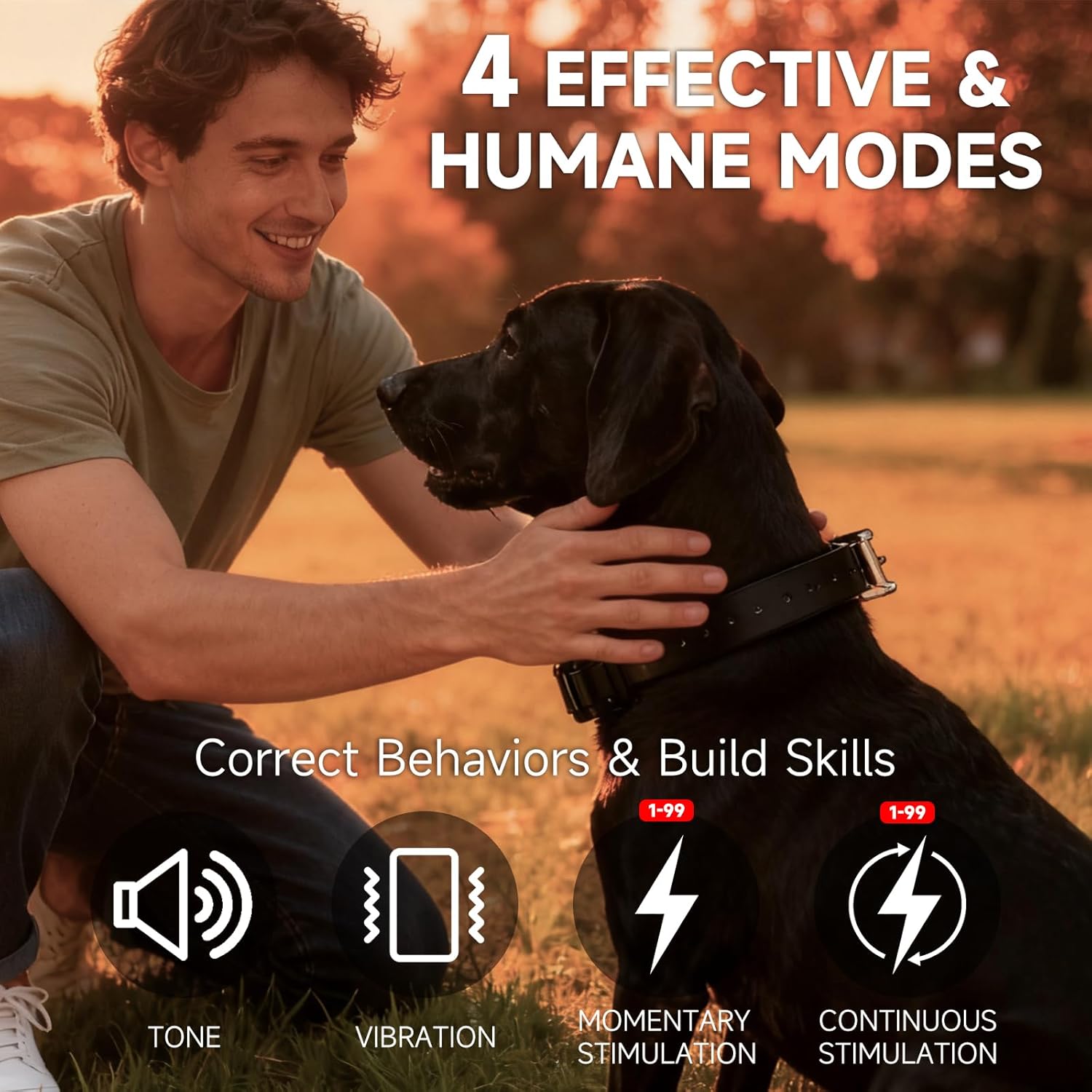
Image: Visual representation of the four effective training modes available on the collar.
4.2 Adjusting Stimulation Levels
The stimulation intensity can be adjusted from 1 to 99 using the multi-control knob on the remote.
- Rotate the multi-control knob to adjust the stimulation level. The current level will be displayed on the remote's screen.
- To save the adjusted level, push the knob down for 3 seconds.
4.3 Night Light Modes
The collar features three night light modes for visibility in low-light conditions:
- Constant On: Provides continuous illumination.
- Flashing: Flashes to attract attention.
- SOS Signal: Emits an SOS pattern for emergency situations.
Press the "Light" button on the remote to cycle through Constant On, Flashing, and Off. Press and hold the "Light" button for 3 seconds to activate the SOS signal.

Image: Depicts the three super-bright light modes (Constant On, Flashing, SOS) on the collar for tracking and visibility.
5. Maintenance
Proper maintenance ensures the longevity and performance of your ABBIDOT AB-625 training collar.
5.1 Waterproof Features
Both the collar receiver and the remote control have an IPX7 waterproof rating, meaning they can withstand immersion in water up to 1 meter for 30 minutes. This makes them suitable for use in rain, splashes, and even swimming.
- Always ensure the charging port covers are securely sealed after charging to maintain waterproofing.
- Rinse the collar with fresh water after use in saltwater or muddy conditions.

Image: Demonstrates the IPX7 waterproof capability of both the remote and collar, suitable for various water conditions.
5.2 Cleaning
Clean the collar and remote regularly with a damp cloth. Avoid using harsh chemicals or abrasive cleaners.
5.3 Battery Care
To maximize battery life, avoid fully discharging the devices frequently. Charge them when the battery indicator shows low power.


