
Introduction
Thank you for choosing the PINDOWS Men's Chronograph Quartz Watch, Model PDS-654. This watch combines a minimalist business design with practical functionality, featuring a clean black dial, chronograph sub-dials, and an auto date window. Crafted with premium 304 stainless steel, it offers a sleek and modern aesthetic suitable for various occasions.
This manual provides detailed instructions for setting up, operating, and maintaining your watch to ensure optimal performance and longevity.
Product Features
- Minimalist Design: Clean black dial with functional chronograph sub-dials and an auto date window.
- Precision Quartz Movement: Powered by imported Japanese quartz movement for accurate timekeeping.
- Durable Construction: Crafted with premium 304 stainless steel case and bracelet, featuring scratch-resistant mineral glass.
- Water Resistance: 30m (3ATM) water resistance for daily splashes, hand washing, and rain. Not suitable for swimming or diving.
- Comfortable Wear: Stainless steel strap designed for all-day comfort.
Setup Instructions
1. Setting Time and Date
The watch crown is located on the right side of the watch case. It has multiple positions for setting the time and date.

Image: Close-up view of the watch dial, showing the easy-to-read time markers, the date displayed in a window, and the easy-to-operate crown.

Image: Diagram illustrating the crown positions for adjusting the date and time on the PINDOWS watch.
- To Set the Date: Gently pull the crown out to the first click position. Rotate the crown either clockwise or counter-clockwise until the correct date is displayed in the date window.
- To Set the Time: Pull the crown out to the second click position. Rotate the crown to move the hour and minute hands to the desired time. Ensure you set the correct AM/PM by observing if the date changes when passing midnight.
- To Start the Watch: Once the time and date are set, push the crown back in completely to the normal operating position. The second hand will begin to move.
2. Adjusting the Watch Strap Length
Your PINDOWS watch comes with an adjustable stainless steel strap that accommodates wrist circumferences from 5.9 inches (150mm) to 8.7 inches (220mm). A watch band link remover tool is included for adjustment.

Image: Step-by-step guide on using the included watch band link remover tool to adjust the strap length.
- Prepare the Tool: Place the watch band into the regulator's fixed slot and secure it.
- Identify Links: Align the links to be removed with the regulator's notch.
- Remove Pins: Rotate the screw rod to push out the pin in the direction indicated by the arrow on the watch band. Remove the desired number of excess links. Note: The pin has different ends; reversing the pin may damage your watch band.
- Reconnect Band: After removing links, reconnect the band by inserting the removed pin in the opposite direction of the arrow mark.
- Secure Pin: Align the tool's pin pusher with the connecting pin and push it in to secure the band.
- Check Fit: Try on the watch to ensure a comfortable fit. Repeat steps if further adjustment is needed.
Operating the Chronograph
Your PINDOWS watch features a chronograph function for measuring elapsed time. The chronograph is operated using the two push-buttons located on the side of the watch case, above and below the crown.
Image: Diagram illustrating the chronograph sub-dials (1/10 second, second subdial) and the functions of the upper and lower push-buttons.
- Upper Button: Controls the Start/Stop function of the chronograph.
- Lower Button: Resets the chronograph to zero.
- To Start: Press the upper button to start the chronograph. The chronograph second hand and sub-dials will begin to measure elapsed time.
- To Stop: Press the upper button again to stop the chronograph. The elapsed time will be displayed on the sub-dials.
- To Reset: After stopping the chronograph, press the lower button to reset all chronograph hands to their zero positions.
- Continuous Measurement: The 1/10 second sub-dial operates for the first minute of chronograph use. After one minute, it continues to track in the background and will display the correct 1/10 second reading when the chronograph is stopped.
Care and Maintenance
1. Water Resistance
Your PINDOWS watch has a water resistance rating of 30 meters (3ATM). This means it is designed to withstand daily water exposure.
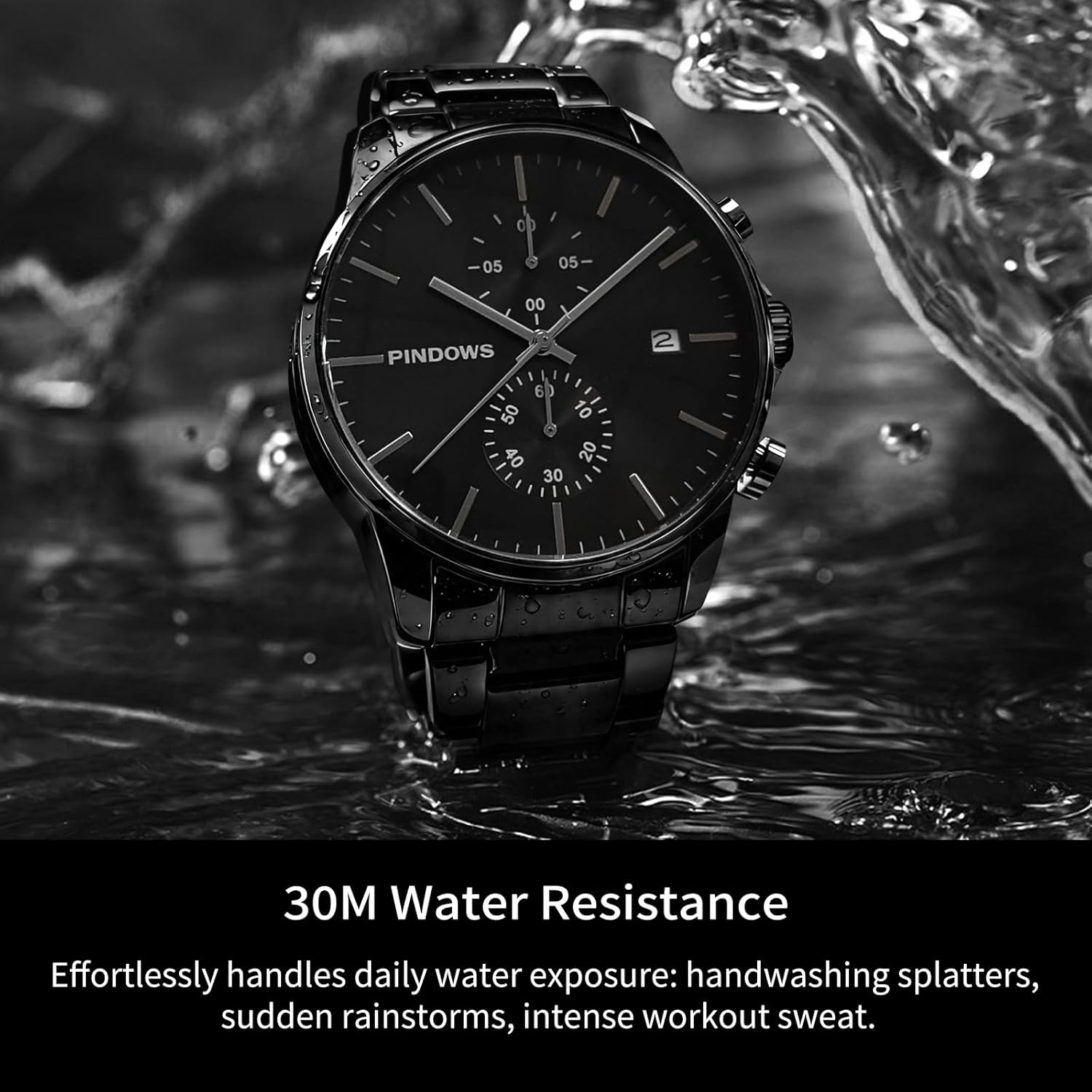
Image: The PINDOWS watch demonstrating its 30M water resistance, handling splashes of water.
- It is suitable for: Hand washing, rain, accidental water spills, and light sweat.
- It is NOT suitable for: Swimming, showering, bathing, diving, snorkeling, or any activities involving prolonged water immersion or high-pressure water.
- Always ensure the crown is fully pushed in before any contact with water.
2. Cleaning
To maintain the appearance of your watch:
- Wipe the watch case and strap regularly with a soft, dry cloth.
- For stainless steel parts, a slightly damp cloth can be used, followed by a dry cloth. Avoid harsh chemicals or abrasive materials.
3. Battery Replacement
The watch is powered by a high-quality Japanese quartz movement with a battery life of over 2 years. When the battery needs replacement, it is recommended to take your watch to a qualified watch technician to ensure proper sealing and water resistance are maintained.
Troubleshooting
| Problem | Possible Cause | Solution |
|---|---|---|
| Watch not running or stopping intermittently. | Battery depleted or crown not fully pushed in. | Ensure the crown is fully pushed in. If the issue persists, the battery may need replacement. |
| Time or date is incorrect. | Incorrect setting or accidental crown movement. | Refer to the "Setting Time and Date" section to reset. |
| Chronograph hands do not reset to zero. | Chronograph was not stopped before resetting, or a calibration issue. | Ensure the chronograph is stopped (press upper button) before pressing the lower button to reset. If issues persist, consult customer service. |
| Moisture under the crystal. | Exposure to water beyond rated resistance or extreme temperature changes. | Immediately take the watch to a professional watch repair service. Do not attempt to open the watch yourself. |
Specifications
| Feature | Detail |
|---|---|
| Model Number | PDS-654 |
| Movement Type | Japanese Quartz |
| Display Type | Analog |
| Case Material | Stainless Steel |
| Band Material | Stainless Steel |
| Crystal Material | Mineral Glass |
| Case Diameter | 42 mm |
| Case Thickness | 12 mm |
| Band Width | 20 mm |
| Band Length | 220 mm (Adjustable from 150mm to 220mm) |
| Water Resistance | 30 Meters (3ATM) |
| Clasp Type | Push Button Foldover Clasp With Safety |
| Additional Features | Chronograph, Second Hand, Auto Date |

Image: Side profile of the watch with a size guide indicating case thickness, crown diameter, and strap thickness.
Warranty and Support
PINDOWS stands by the quality of its products. Your watch is covered by a:
- 30-Day Refund Guarantee: For any dissatisfaction within 30 days of purchase.
- 1-Year Manufacturer Warranty: Covers manufacturing defects from the date of purchase.
If you have any questions, encounter issues, or require assistance, please contact PINDOWS customer service. Our team is dedicated to providing satisfactory solutions.
For support, please refer to the contact information provided with your purchase or visit the official PINDOWS website.