
1. Introduction
The MORAYELEC Smart WiFi Oil Tank Level Sensor ME202D 5m provides remote monitoring of liquid levels in various tanks. This ultrasonic sensor offers accurate measurements up to 5 meters (197 inches) and integrates with the Tuya Smart Life APP via 2.4GHz WiFi. Users can receive real-time data and customizable alerts for high or low liquid levels, ensuring efficient management and preventing issues like overflows or dry pump operation. Designed for easy top-mount installation, the sensor is suitable for domestic, agricultural, and industrial applications.

Image 1.1: Overview of the Moray Smart WiFi Tank Level Sensor system, showing sensor installation and app interface.
2. Product Features
- Smart Remote Monitoring: Check tank levels anytime via the Tuya Smart Life APP. Supports monitoring of multiple tanks (up to 10 sensors).
- Long Range & High Accuracy: Measures liquid levels up to 5 meters (197 inches) with precise ultrasonic detection.
- Stable 2.4G WiFi Connection: Connects easily to your home WiFi network with a 30m signal range (without obstacles). Compatible with Tuya smart systems.
- IP67 Waterproof: Durable design suitable for most weather conditions, operating from -20℃ to +70℃.
- Smart Alerts & Easy Installation: Receive full/low level notifications or set custom alarm limits. Simple top-mount installation with included parts.
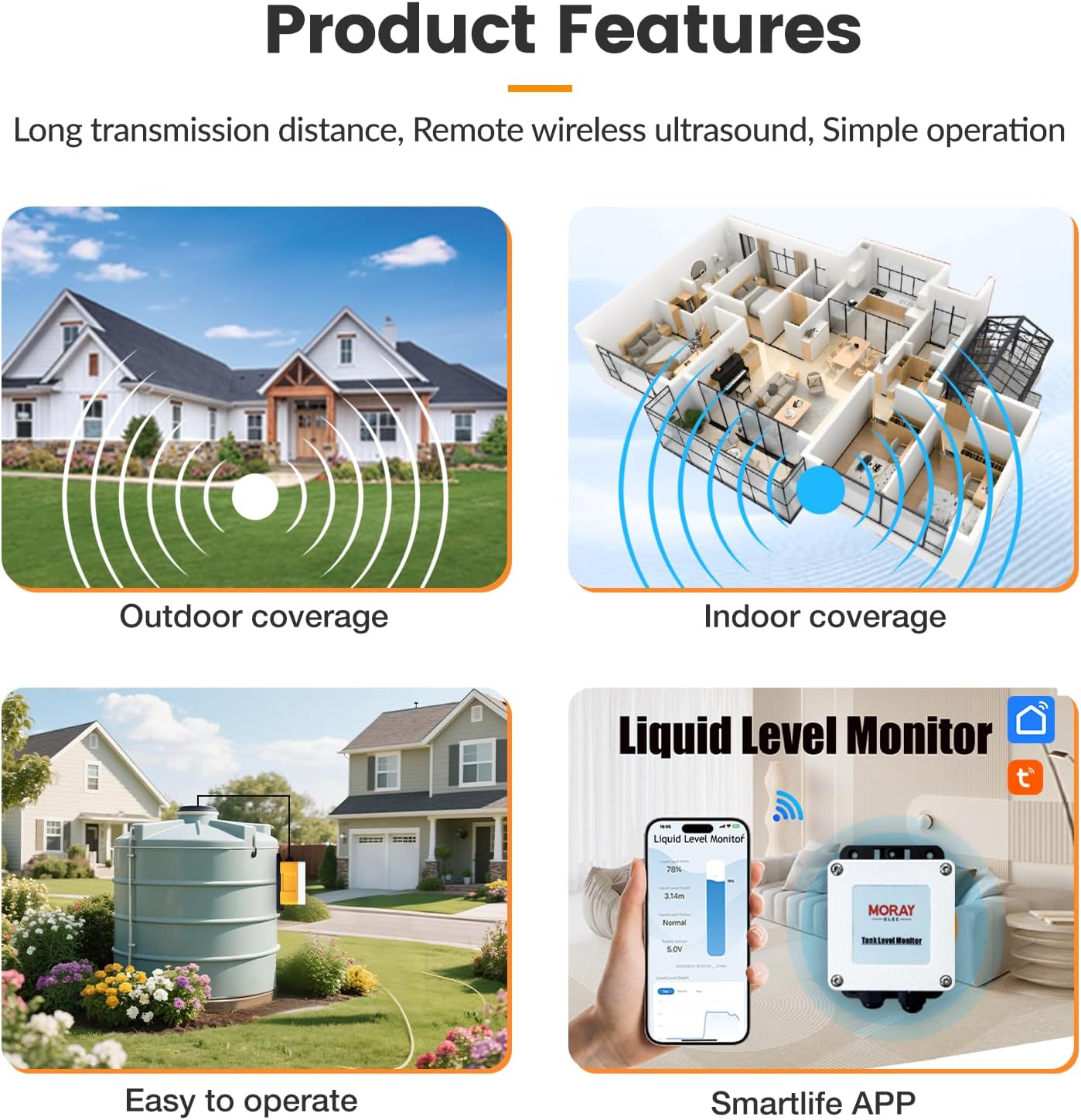
Image 2.1: Visual representation of the sensor's features, including wireless coverage and app integration.
3. Package Contents
Please verify that all items are present in the package:
- MORAYELEC Smart WiFi Oil Tank Level Sensor
- 5M Stainless Steel Cable
- Cotton for Installation
- Instruction Manual
- Mounting Screws
- Power Adapter
4. Setup Guide
4.1 Physical Installation
- Choose Location: Select a suitable top-mount position on your tank. Ensure the sensor probe can extend freely into the liquid without obstruction.
- Mount Sensor: Securely attach the sensor unit to the top of the tank using the provided nut and screws. No drilling into the tank is required for the sensor itself, as it typically mounts to an existing opening or a specially prepared flange.
- Insert Probe: Carefully lower the 5M stainless steel cable with the submersible sensor into the tank. Ensure the sensor is fully submerged and positioned to accurately measure the liquid level.
- Connect Power: Connect the power adapter to the sensor unit and plug it into a suitable power source.

Image 4.1: Examples of application environments and flexible installation positions for the sensor.
4.2 App Installation and Network Connection
- Download App: Download the 'Tuya Smart Life' APP from your smartphone's app store (iOS or Android).
- Register/Login: Open the app and register for a new account or log in with an existing one.
- Add Device: In the app, tap the '+' icon to add a new device. Select 'Sensors' and then 'Level Sensor' or allow the app to scan for nearby devices.
- Connect to WiFi: Follow the on-screen instructions to connect the sensor to your 2.4GHz WiFi network. Ensure your phone is also connected to the same 2.4GHz network during setup. Enter your WiFi network name and password when prompted.
- Pairing: The app will guide you through the pairing process. Once successfully added, the sensor will appear in your device list.

Image 4.2: Detailed steps for APP installation and device pairing.
5. Operating Instructions
5.1 Monitoring Liquid Levels
Once the sensor is connected to the Tuya Smart Life APP, you can monitor your tank's liquid level remotely:
- Open the Tuya Smart Life APP.
- Select your 'ME202D Level Sensor' from the device list.
- The app will display real-time data, including liquid level ratio (%), liquid level depth (m/inches), and current status (Normal, Lower alarm, Full alarm).
- Historical data and trends can also be viewed within the app.
5.2 Setting Up Alerts
To receive notifications for specific liquid levels:
- In the sensor's interface within the app, navigate to 'Settings' or 'Alarm Settings'.
- Set custom thresholds for 'Low Level Alarm' and 'Full Level Alarm'.
- You will receive instant push notifications on your smartphone when the liquid level crosses these set thresholds.
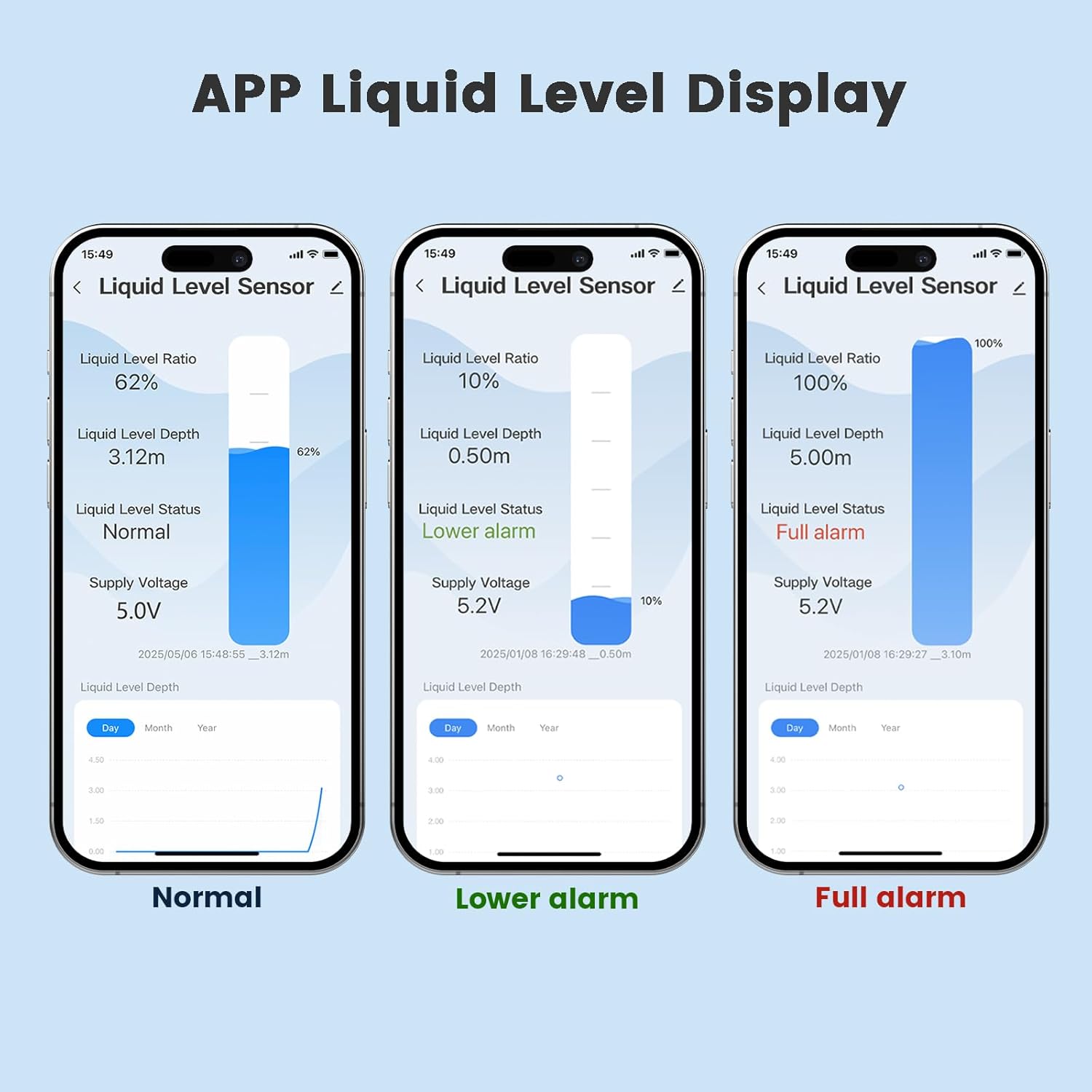
Image 5.1: Examples of liquid level display and alarm notifications within the app.
6. Maintenance
The MORAYELEC Smart WiFi Oil Tank Level Sensor is designed for maintenance-free operation. However, for optimal performance and longevity, consider the following:
- Regular Cleaning: Periodically inspect the sensor probe for any buildup or debris, especially in environments with viscous or dirty liquids. Clean gently if necessary, ensuring not to damage the sensor surface.
- Power Supply: Ensure a stable power supply to the sensor. Avoid frequent power interruptions.
- Firmware Updates: Check the Tuya Smart Life APP periodically for any available firmware updates for the sensor to ensure it has the latest features and bug fixes.
7. Troubleshooting
- Sensor Not Connecting to WiFi:
- Ensure your WiFi network is 2.4GHz. The sensor does not support 5GHz networks.
- Verify the WiFi password entered in the app is correct.
- Make sure the sensor is within range of your WiFi router (up to 30m without obstacles).
- Restart your WiFi router and the sensor, then try pairing again.
- Inaccurate Readings:
- Check if the sensor probe is fully submerged and free from obstructions or heavy buildup.
- Ensure the liquid in the tank is not excessively turbulent, which can affect ultrasonic readings.
- Verify the tank dimensions or calibration settings (if available in the app) are correct.
- No Notifications:
- Confirm that alarm thresholds are set correctly in the Tuya Smart Life APP.
- Check your smartphone's notification settings to ensure the Tuya Smart Life APP has permission to send notifications.
- Ensure the sensor has a stable internet connection.
- App Not Responding:
- Close and reopen the Tuya Smart Life APP.
- Check for app updates in your app store.
- Ensure your smartphone has a stable internet connection.
8. Specifications
| Feature | Specification |
|---|---|
| Model Number | ME202D 5m (also ME202W 5m) |
| Brand | MORAYELEC |
| Control Method | App (Tuya Smart Life) |
| Maximum Range | 5 Meters (197 inches) |
| Voltage | 5 Volts (DC) |
| Wattage | 100 milliamp_hours |
| Connectivity | 2.4GHz WiFi |
| Waterproof Rating | IP67 |
| Operating Temperature | -20℃ to +70℃ |
| Item Weight | 2.65 Pounds |
| Product Dimensions | 10.63 x 9.06 x 3.15 inches |
| Power Source | Corded Electric |
| Compatible Devices | Smartphone |
| UPC | 757060776665 |

Image 8.1: Product dimensions of the sensor unit.
9. Warranty and Support
Warranty: The MORAYELEC Smart WiFi Oil Tank Level Sensor comes with a 1-year manufacturer's warranty.
Support: For technical assistance, troubleshooting, or warranty claims, please contact MORAYELEC customer support. Refer to the contact information provided with your purchase or visit the official MORAYELEC website for support resources.
