Introduction
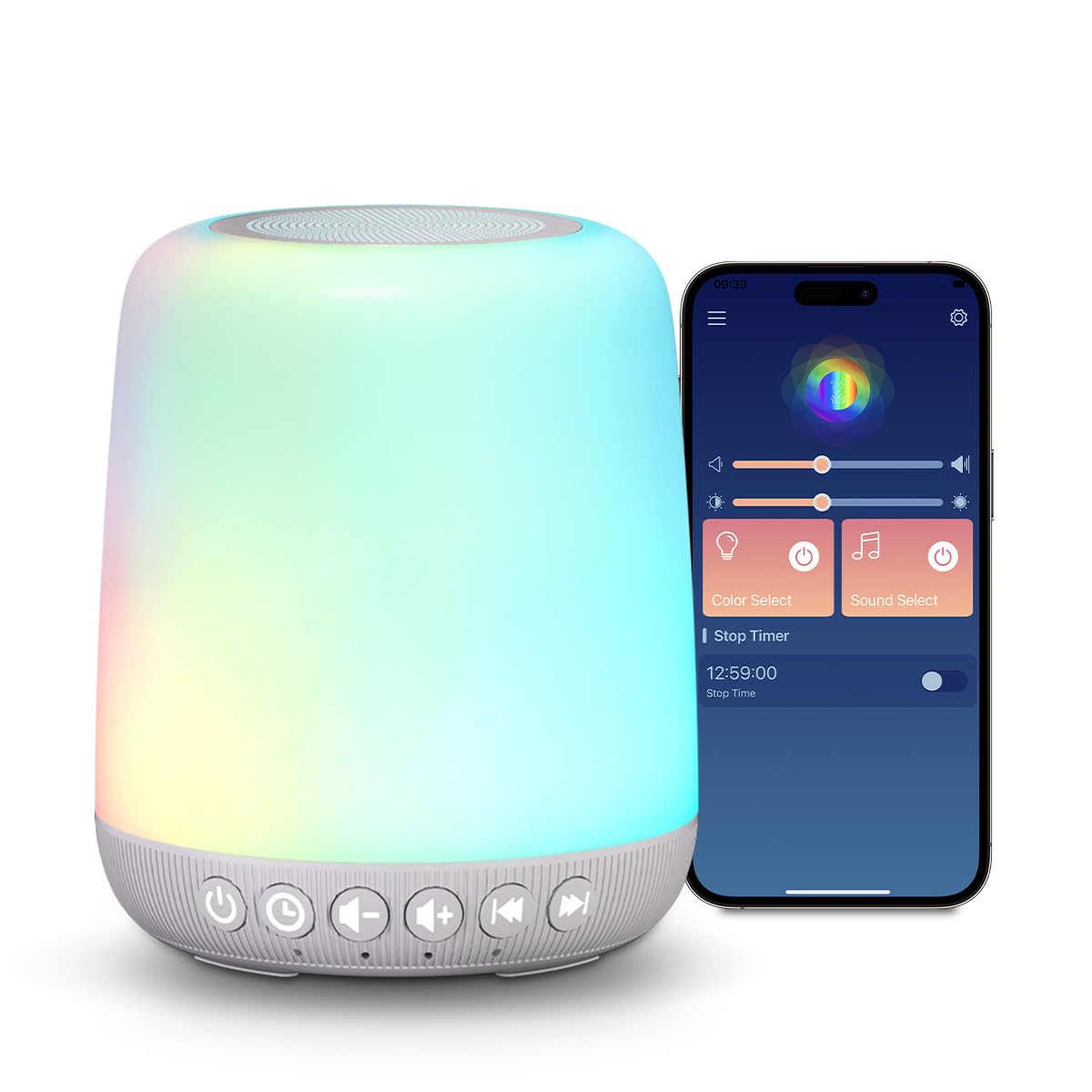
The Easysleep Baby Sound Machine is designed to create a calming and comfortable environment for improved sleep for babies and adults. It features a wide selection of soothing sounds, customizable night light colors, and convenient control options including smart app and touch controls. This manual provides detailed instructions for setup, operation, and maintenance of your device.
1. Getting Started
1.1 Package Contents
- Easysleep Baby Sound Machine
- USB Charging Cable
- Power Adapter
- User Manual

1.2 Unlocking Before Operation
Before first use, locate the 'Unlock Before Operation' switch on the bottom of the device. Slide the switch to the unlocked position to enable all buttons and functions. All buttons are locked by default, but you can press and hold the power button to turn on the sound and light.

1.3 Power Connection
Connect the provided USB cable to the device and the power adapter. Plug the adapter into a standard wall outlet. The device is powered by a 5V/1000mA input.
1.4 App Control Setup
To utilize smart app control, download the 'AnniuSmart' app from your device's app store. Follow the in-app instructions to connect your Easysleep Sound Machine via Bluetooth. This allows for remote customization of settings.

2. Operating Instructions
2.1 Sound Selection and Volume Control
The device offers 30 different high-fidelity soothing sounds, including noise sounds, fan sounds, rain sounds, lullabies, and other relaxing options. Use the dedicated sound selection buttons on the base of the device to cycle through the available sounds. Adjust the volume using the volume up (+) and volume down (-) buttons.

Video demonstrating the selection of various soothing sounds and light colors via the mobile application.
Video showcasing the physical buttons on the device for changing sounds and adjusting light settings.
2.2 Night Light Control
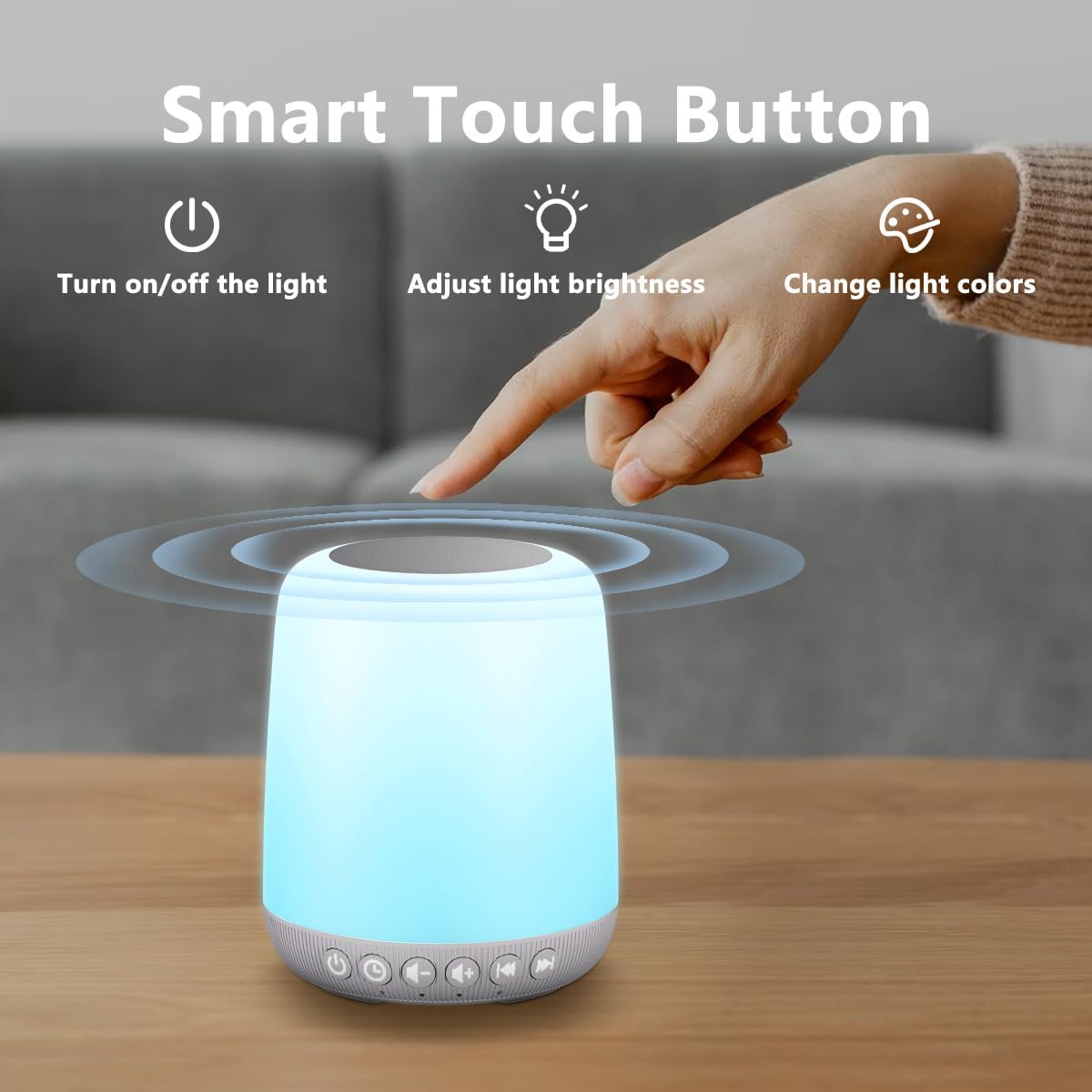
The device features 12 gentle night light colors. The top surface of the sound machine acts as a smart touch control. Tap the top to turn the light on/off, adjust brightness, or cycle through different light colors. This allows for creating a customized ambiance.

2.3 Timer Function
The sound machine includes 4 timer options: 30 minutes, 60 minutes, 90 minutes, or continuous play. Use the timer button on the base of the device to select your desired duration. The device will automatically turn off after the set time, or continue playing until manually turned off.

2.4 Smart App Control
The dedicated 'AnniuSmart' app provides advanced control over your sound machine. You can customize the color, brightness, sound, and volume. Additionally, the app allows you to set schedules for automatically turning the device on or off, offering optimal convenience for your family.

3. Key Features Overview
- 30 Soothing Sounds: A diverse selection of high-fidelity sounds including noise, fan, rain, lullabies, and other relaxing options.
- 12 Night Light Colors: Gentle, customizable night light colors to create a soothing ambiance.
- 4 Timer Options: Set the device to turn off automatically after 30, 60, or 90 minutes, or choose continuous play.
- Smart Touch Control: Easy control of light functions (on/off, brightness, color) by tapping the top of the device.
- Personalized Settings via App: Customize color, brightness, sound, volume, and set schedules using the dedicated mobile application.
- Safety Lock: A feature to prevent accidental changes to settings, ensuring peace of mind.
- Indicator Lights: Option to turn off indicator lights for a distraction-free sleep experience.

4. Care and Maintenance
- Cleaning: Wipe the device with a soft, dry cloth. Do not use liquid cleaners or abrasive materials.
- Storage: Store the device in a cool, dry place when not in use.
- Handling: Avoid dropping the device or exposing it to extreme temperatures or humidity.
- Power: Use only the provided power adapter and USB cable to prevent damage.
5. Troubleshooting
| Issue | Possible Solution |
|---|---|
| Device does not power on. | Ensure the power adapter is securely plugged into a working outlet and the device. Check the 'Unlock Before Operation' switch on the bottom is in the unlocked position. |
| No sound or light. | Verify the device is powered on and not in locked mode. Adjust volume levels. If using the app, ensure it is connected via Bluetooth. |
| App cannot connect to the device. | Ensure Bluetooth is enabled on your smartphone and the device is within range. Restart both the app and the sound machine. |
| Light colors or brightness not changing. | Ensure the device is not in locked mode. Try tapping the top surface multiple times or use the app to adjust settings. |
6. Product Specifications
- Product Dimensions: 4.13 x 4.13 x 4.92 inches
- Item Weight: 12 ounces
- Model Name: LWD-GB-Grey
- Manufacturer: Easysleep
- Input: 5V/1000mA
- Sound Options: 30 Soothing Sounds
- Light Options: 12 Night Light Colors
- Timer Options: 30/60/90 Minutes, Continuous
7. Warranty and Support
Your Easysleep Baby Sound Machine comes with a standard manufacturer's warranty. For detailed warranty information, product support, or to contact customer service, please visit the official Easysleep store or contact your retailer.
Visit the Easysleep Store for more products and support.


