
DOOGEE Blade10 Power
DOOGEE Blade10 Power Rugged Smartphone User Manual
Model: Blade10 Power
Introduction
This manual provides detailed instructions for the safe and efficient use of your DOOGEE Blade10 Power rugged smartphone. Please read this manual thoroughly before operating the device and retain it for future reference.
The DOOGEE Blade10 Power is designed for durability and performance, featuring a large 10300mAh battery, Android 16 with Gemini AI integration, 24GB RAM, 256GB internal storage (expandable to 2TB), a 6.6-inch HD+ 90Hz display, and a 50MP AI main camera. It is built to withstand challenging environments with IP68/IP69K and MIL-STD-810H certifications.
Setup
1. Unboxing
Carefully open the product packaging and ensure all components are present. The package typically includes the DOOGEE Blade10 Power smartphone, a charger, a USB cable, a screen protector, and a user manual.
Video: DOOGEE Blade 10 Power Unboxing. This video demonstrates the unboxing process and contents of the product package.
2. SIM Card and TF Card Installation
The Blade10 Power supports a triple card slot design, allowing for two SIM cards and one TF (microSD) card. Ensure the device is powered off before inserting or removing cards.
- Locate the SIM card tray on the side of the device.
- Use the provided SIM ejector tool to open the tray.
- Place your Nano SIM cards and TF card into the designated slots on the tray.
- Carefully reinsert the tray into the device until it clicks into place.

Image: Illustration of the triple card slot, showing placement for two Nano SIM cards and one TF card.
3. Initial Power On and Charging
Press and hold the power button until the DOOGEE logo appears. For optimal performance, it is recommended to fully charge the device before first use. The device supports 18W fast charging.

Image: The DOOGEE Blade10 Power connected to a charger, highlighting its 10300mAh battery and 18W fast charging capability.
Operating Your Smartphone
1. Android 16 Operating System
The DOOGEE Blade10 Power operates on Android 16, offering enhanced performance, privacy controls, and system efficiency. It integrates Google Gemini AI for features such as real-time translation, text and image recognition, and smart route planning.

Image: The Android 16 operating system interface, showcasing its features and a small Android robot figure.

Image: Visual representation of Gemini AI capabilities, including content creation, image analysis, and code development.
2. Display Features
The device features a 6.6-inch HD+ IPS screen with a 90Hz refresh rate for smooth visuals. It has a notch-less punch design and 380 nits brightness for visibility in various lighting conditions.
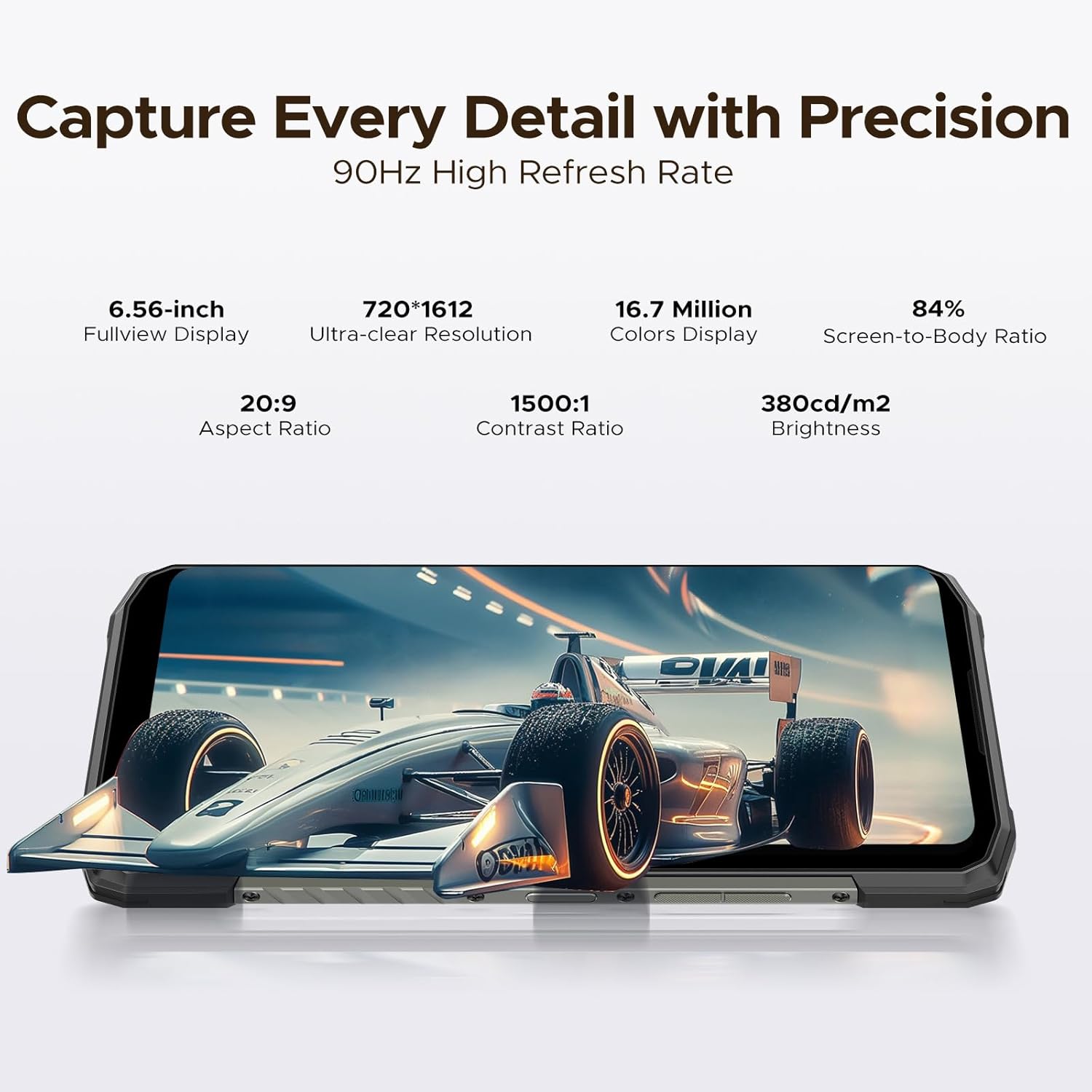
Image: The 6.6-inch HD+ IPS display of the Blade10 Power, highlighting its 90Hz refresh rate and other display specifications.
Glove Mode
The Glove Mode feature allows for accurate and responsive touch input even when wearing gloves, facilitating use in various environments.

Image: A hand wearing a glove interacting with the smartphone screen, demonstrating the Glove Mode functionality.
3. Camera Functionality
The Blade10 Power is equipped with a 50MP AI main camera, supporting HDR, Pro Mode, and Panorama. The 8MP front camera is suitable for selfies and video calls.

Image: A detailed view of the 50MP AI main camera system on the rear of the Blade10 Power.

Image: Examples of various photography modes available on the Blade10 Power, including Portrait, HDR, Pro, and Panorama.
4. Performance and Storage
The device features 24GB RAM (16GB physical + 8GB virtual) and 256GB internal storage, expandable up to 2TB via TF card. It is powered by an efficient T615 Octa-Core Chipset.
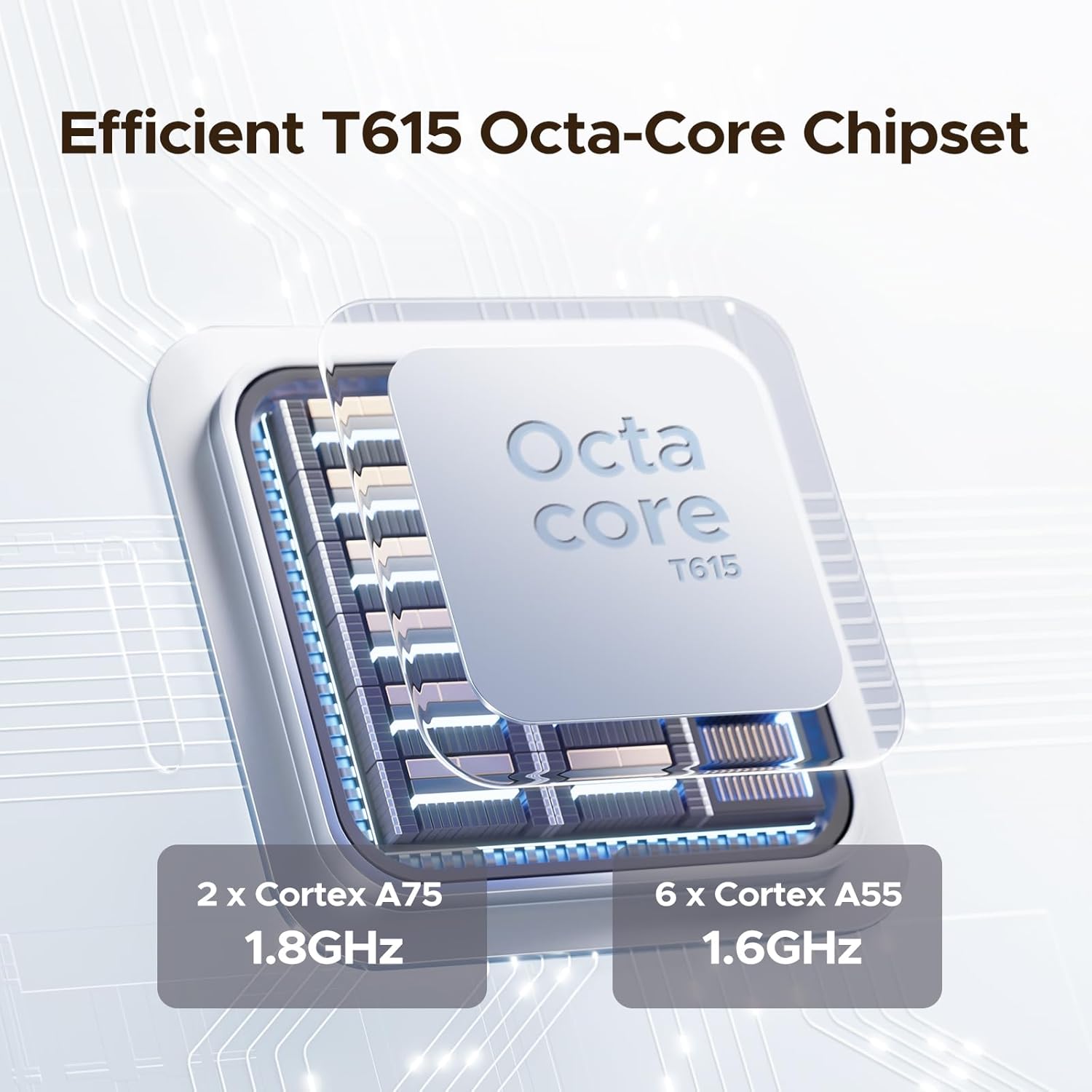
Image: Diagram illustrating the T615 Octa-Core Chipset, detailing its core configuration.

Image: Visual representation of the 24GB RAM and 256GB ROM, emphasizing expandable storage up to 2TB.
5. Biometric Security and Connectivity
The Blade10 Power includes both face recognition and fingerprint recognition for secure unlocking. It supports NFC for convenient transactions and Wi-Fi 6E for fast wireless connectivity.

Image: Demonstrations of the side fingerprint recognition and face recognition features for device security.

Image: Icons illustrating key features such as the triple card slot, navigation system, NFC, custom button, and smart gesture controls.
Maintenance and Durability
The DOOGEE Blade10 Power is built to withstand harsh conditions, featuring IP68/IP69K water and dust resistance, and MIL-STD-810H compliance for shock resistance.
- Water and Dust Resistance: Rated IP68/IP69K, meaning it can withstand submersion in water up to 1.5 meters for 30 minutes and is protected against dust and high-pressure water jets.
- Shock Resistance: MIL-STD-810H compliant, designed to endure drops from up to 1.5 meters.

Image: An exploded view of the smartphone's construction, detailing its robust components like high-strength cover, titanium alloy, and TPU protection.

Image: The Blade10 Power shown in water and mud, illustrating its IP68/IP69K and MIL-STD-810H durability ratings.
Cleaning Instructions
To clean your device, power it off and wipe it with a soft, damp cloth. Avoid using harsh chemicals or abrasive materials that could damage the device's protective coatings.
Troubleshooting
If you encounter issues with your DOOGEE Blade10 Power, consider the following general troubleshooting steps:
- Device not powering on: Ensure the battery is charged. Connect the device to its charger and wait a few minutes before attempting to power it on again.
- Apps freezing or crashing: Close and restart the problematic application. If the issue persists, clear the app's cache or reinstall it.
- Poor network connectivity: Check your SIM card installation. Ensure you are within network coverage. Restart the device. Verify network band compatibility with your carrier.
- Touchscreen unresponsiveness: Restart the device. If the issue continues, perform a factory reset (note: this will erase all data).
- Battery draining quickly: Reduce screen brightness, close unused apps, and disable unnecessary features like Wi-Fi, Bluetooth, or GPS when not in use.
For more complex issues, refer to the official DOOGEE support website or contact customer service.
Specifications
| Feature | Specification |
|---|---|
| Brand | DOOGEE |
| Model | Blade10 Power |
| Operating System | Android 16 |
| RAM | 24 GB (16GB physical + 8GB virtual) |
| Internal Storage | 256 GB |
| Expandable Storage | Up to 2 TB via TF card |
| Screen Size | 6.6 Inches HD+ IPS |
| Resolution | 1280 x 720 (Max Display Resolution: 1920 x 1080) |
| Refresh Rate | 90 Hz |
| Main Camera | 50 MP AI Camera |
| Front Camera | 8 MP |
| Battery Capacity | 10300 mAh |
| Charging | 18W Fast Charging, OTG Reverse Charging |
| Durability | IP68/IP69K, MIL-STD-810H |
| SIM Card Slots | Triple SIM (2 Nano SIM + 1 TF Card) |
| Biometric Security | Face Recognition, Fingerprint Recognition |
| Connectivity | 4G LTE, Wi-Fi 6E, NFC |
| Headphones Jack | 3.5 mm |
Network Band Compatibility: Before purchasing, verify compatibility with your local frequency bands. Supported bands include: GSM: B2/3/5/8; WCDMA: B1/2/4/5/8; TDD: B34/38/39/40/41; FDD: 1/2/3/4/5/7/8/18/19/20/25/26/28AB/66.
Warranty and Support
DOOGEE offers comprehensive customer support for your Blade10 Power smartphone.
- 30-Day Money Back Guarantee: If you are not satisfied with your purchase, you may be eligible for a money-back guarantee and free return within 30 days.
- 2-Year Limited Warranty: The device comes with a 2-year limited warranty covering manufacturing defects. Please retain your proof of purchase for warranty claims.
- 24/7 Online Support: For any inquiries or technical assistance, 24/7 online support is available. Refer to the official DOOGEE website for contact details.

Image: Summary of customer service offerings, including money-back guarantee, limited warranty, and online support.
Additional Resources
For more information, updates, or to access additional support, please visit the official DOOGEE website:
Video: DOOGEE Blade 10 Power Android 16 Rugged Phone overview. This video provides a general overview of the smartphone's features and capabilities.
Related documentsBlade10 Power


Ask a question about this manual
Ask about setup, troubleshooting, compatibility, parts, safety, or missing instructions. Manuals+ will review the question and use this page’s manual context to help answer it.