
1. Introduction
Thank you for choosing the chartustriable 62" Large White Vanity Desk. This manual provides essential information for the safe assembly, operation, and maintenance of your new vanity desk. Please read these instructions thoroughly before beginning assembly and retain them for future reference.
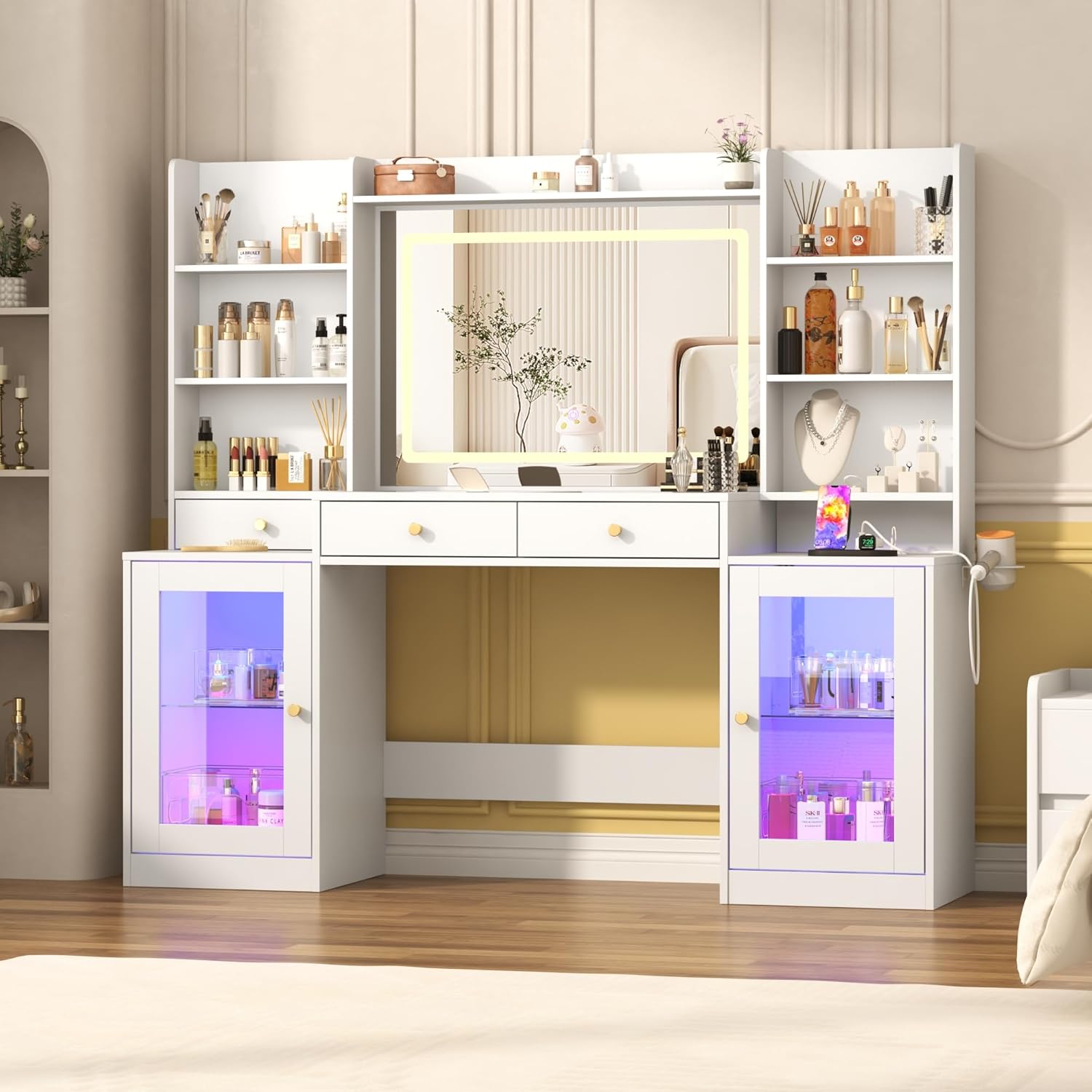
Figure 1: Overview of the chartustriable 62" Large White Vanity Desk.
2. Safety Instructions
- Always follow the assembly instructions carefully. Incorrect assembly can lead to instability and injury.
- Ensure all screws and fasteners are securely tightened before use. Periodically check and re-tighten as necessary.
- Do not overload drawers or shelves. Distribute weight evenly.
- Keep electrical components (LED lights, power outlet) away from water and moisture.
- Use the provided anti-toppling device to secure the vanity to a wall, especially if children or pets are present. This prevents accidental tipping.
- Unplug the vanity from the power outlet before cleaning or performing any maintenance.
- Avoid placing hot items directly on the tempered glass or wooden surfaces without protection.
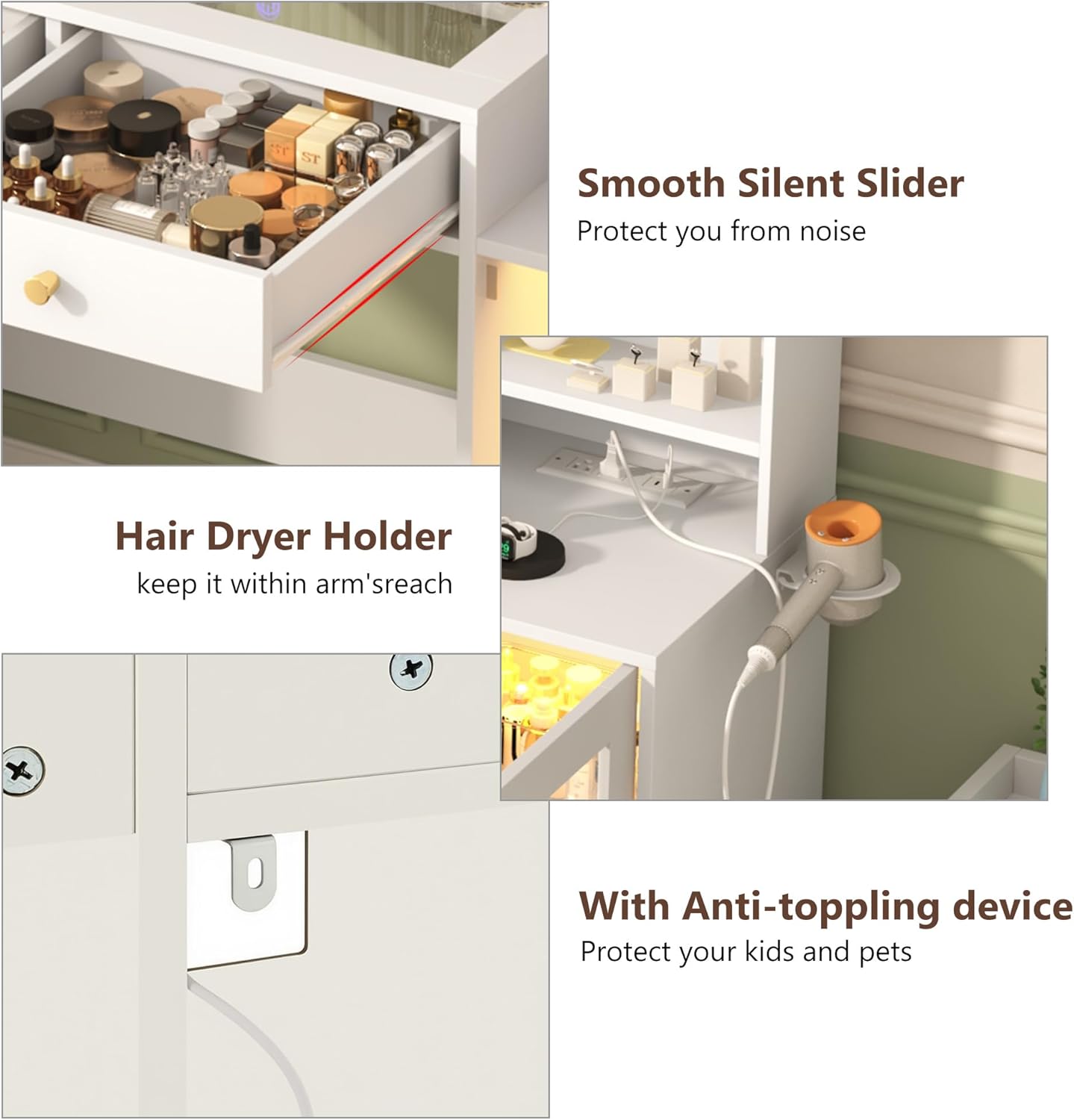
Figure 2: Safety features including the anti-toppling device.
3. Package Contents
Before assembly, verify that all components listed in the packing list are present and undamaged. If any parts are missing or damaged, please contact customer support.
Typical package contents include:
- Wooden panels for desk frame, drawers, and shelves
- Tempered glass panels
- LED mirror assembly
- RGB LED light strips and control unit
- Power outlet module with USB ports
- Hardware kit (screws, cam locks, dowels, drawer slides, handles)
- Anti-toppling device
- Instruction manual
4. Setup and Assembly
Assembly of this vanity desk requires careful attention to detail. It is recommended to have at least two people for assembly. A power drill may be helpful for certain steps, but exercise caution to avoid overtightening screws.
4.1 Tools Required (Not Included)
- Phillips head screwdriver
- Hammer (for dowels)
- Measuring tape
- Level
- Optional: Power drill (low torque setting recommended)
4.2 Assembly Steps
- Unpack and Organize: Lay out all parts and hardware. Compare them with the packing list to ensure everything is present.
- Assemble Base Frame: Follow the numbered diagrams in the separate assembly guide to construct the main base of the vanity.
- Install Drawers: Attach drawer slides to the desk frame and assemble the drawers. Ensure smooth operation.
- Place Tempered Glass Top: Carefully position the tempered glass panels into their designated slots on the desktop.
- Mount Mirror and Shelves: Attach the LED mirror and the surrounding open shelves to the main structure.
- Install RGB Cabinet Lights: Adhere the RGB LED strips inside the clear glass cabinets. Connect them to the control unit.
- Integrate Power Outlet: Secure the power outlet module into its designated location.
- Attach Anti-Toppling Device: Securely fasten the anti-toppling device to the back of the vanity and to a wall stud.
- Final Checks: Verify all connections are secure and the vanity is stable.

Figure 3: Vanity Desk Dimensions for planning and assembly.
5. Operating Instructions
5.1 LED Mirror Lights
The integrated LED mirror features three light modes and adjustable brightness.
- Power On/Off: Tap the touch sensor on the mirror to turn the lights on or off.
- Change Light Mode: Short press the touch sensor to cycle through Warm Light, Natural Light, and Cold Light modes.
- Adjust Brightness: Long press the touch sensor to continuously adjust the brightness level within the selected mode. Release when desired brightness is reached.

Figure 4: LED Mirror Light Modes and Brightness Adjustment.
5.2 RGB Cabinet LED Lights
The clear tempered glass cabinets are equipped with 60,000-color RGB LED lights and multiple lighting modes.
- Control Methods: The RGB lights can be controlled via a dedicated mobile application (APP) or an RF remote switch. Refer to the separate RGB light instruction manual for APP download and pairing instructions.
- Color Selection: Choose from 60,000 colors using the APP or remote.
- Lighting Modes: Explore various modes including timing function, music sync, and microphone sync for dynamic lighting effects.

Figure 5: RGB Cabinet LED Lighting Features.
5.3 Integrated Power Outlet
The vanity desk includes a charging station with two standard AC outlets and two USB ports.
- AC Outlets (125V/12A): Use for hair dryers, curling irons, or other small appliances.
- USB Ports (5V/2A): Charge smartphones, tablets, and other USB-powered devices.
- Power Cord: The vanity is equipped with a 4.9-foot power cord. Ensure it is plugged into a grounded electrical outlet.

Figure 6: Power Outlet and USB Charging Station.
6. Maintenance
6.1 Cleaning
- Wooden Surfaces: Wipe with a soft, damp cloth. Avoid harsh chemicals or abrasive cleaners that can damage the finish.
- Tempered Glass: Use a glass cleaner and a microfiber cloth for streak-free cleaning.
- Mirror: Clean with a soft, lint-free cloth and a non-abrasive glass cleaner. Do not spray cleaner directly onto the mirror; apply to the cloth first.
- Electrical Components: Ensure the vanity is unplugged before cleaning around the power outlet or LED lights. Use a dry cloth only.
6.2 General Care
- Periodically check all fasteners and re-tighten if necessary to maintain stability.
- Avoid prolonged exposure to direct sunlight or extreme temperature changes, which can cause warping or fading.
- Use coasters or protective pads under hot items or liquids to prevent damage to surfaces.
7. Troubleshooting
| Problem | Possible Cause | Solution |
|---|---|---|
| Vanity is unstable/wobbly | Loose fasteners; uneven floor; anti-toppling device not installed. | Check and tighten all screws. Ensure the vanity is on a level surface. Install the anti-toppling device as per instructions. |
| LED mirror lights not working | Power cord unplugged; touch sensor malfunction; LED failure. | Ensure the vanity is plugged in. Try tapping the touch sensor multiple times. If issue persists, contact customer support. |
| RGB cabinet lights not working/responding | Power connection loose; APP/remote not paired; LED strip damage. | Check power connections to the RGB controller. Re-pair the APP/remote according to the separate RGB light manual. |
| Power outlets/USB ports not functioning | Vanity unplugged; circuit breaker tripped; internal wiring issue. | Verify the vanity is plugged into a live outlet. Check your home's circuit breaker. If still not working, discontinue use and contact support. |
| Drawers do not slide smoothly | Incorrectly installed drawer slides; obstruction in slides; overloaded drawer. | Review assembly steps for drawer slides. Clear any obstructions. Reduce weight in the drawer. |
8. Specifications
- Brand: chartustriable
- Model Number: Large Vanity Desk
- ASIN: B0G51L9PNL
- Product Dimensions: 15.6"D x 62"W x 54"H
- Item Weight: 133 pounds
- Color: White
- Frame Material: Engineered Wood
- Furniture Finish: Ivory
- LED Mirror: 3 Light Modes (Warm, Natural, Cold), Adjustable Brightness
- RGB Cabinet Lights: 60,000 Colors, Multiple Modes (Timing, Music Sync, Mic Sync), APP/RF Control
- Power Outlet: 2 x 125V/12A AC Outlets, 2 x 5V/2A USB Ports
- Power Cord Length: 4.9 feet

Figure 7: Storage features including open shelves, middle drawers, and glass cabinets.

Figure 8: Embedded Tempered Glass Tabletop.
9. Warranty and Support
9.1 Warranty Information
Please refer to your purchase documentation, retailer's website, or the warranty card included with your product for detailed warranty terms and conditions. Warranty coverage typically includes defects in materials and workmanship under normal use.
9.2 Customer Support
For assistance with assembly, missing parts, technical issues, or warranty claims, please contact the retailer or manufacturer directly. Have your product model number (Large Vanity Desk) and ASIN (B0G51L9PNL) ready when contacting support.