
1. Introduction
This manual provides essential information for setting up, operating, and maintaining your DOOGEE S118 Pro rugged smartphone. Please read it thoroughly to ensure proper use and to maximize the device's capabilities.
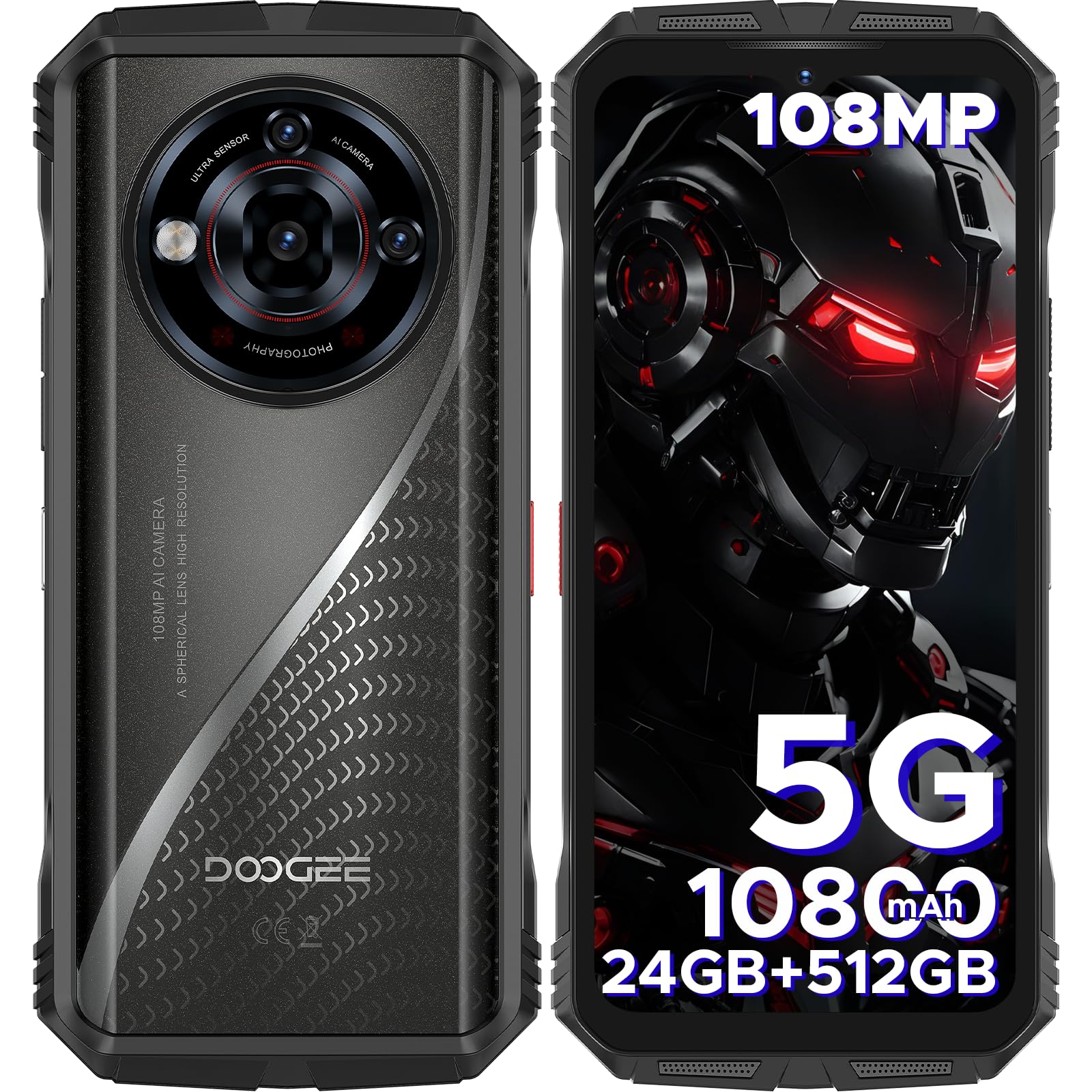
Image: Front view of the DOOGEE S118 Pro rugged smartphone.
2. What's in the Box
Verify that all items are present in your package:
- 1 x DOOGEE S118 Pro Rugged Smartphone
- 1 x Charger
- 1 x Type-C USB Cable
- 1 x Screen-printed Protective Film (Pre-applied)
- 1 x Anti-explosion film
- 1 x Packing Box
- 1 x User Manual
- 1 x Warranty Card

Image: Contents of the DOOGEE S118 Pro retail package.
Unboxing Video
Video: An unboxing demonstration of the DOOGEE S118 Pro rugged smartphone, showing the device and its accessories.
3. Setup
3.1 SIM Card and TF Card Installation
The DOOGEE S118 Pro supports dual SIM cards and TF card expansion. Locate the SIM/TF card slot on the side of the device. Use the provided SIM ejector tool to open the tray. Insert your Nano-SIM cards and/or TF card into the designated slots, ensuring correct orientation. Close the tray securely.

Image: Close-up view of the dual SIM and TF card slots on the DOOGEE S118 Pro.
3.2 Initial Power On
Press and hold the Power button (located on the side) until the DOOGEE logo appears. Follow the on-screen instructions to complete the initial setup, including language selection, Wi-Fi connection, and Google account setup.
3.3 Charging the Device
Connect the Type-C USB cable to the phone's charging port and the other end to the provided 33W charger. Plug the charger into a power outlet. The battery indicator on the screen will show charging status. For optimal battery life, fully charge the device before first use.

Image: Illustration of the DOOGEE S118 Pro connected to its 33W fast charger.
4. Operating Your Device
4.1 Basic Navigation
The DOOGEE S118 Pro runs on Android 14. Navigate the interface using gestures or the traditional three-button navigation bar. Swipe up from the bottom to access the app drawer, swipe down from the top for notifications and quick settings.
4.2 Display Features
Experience smooth visuals on the 6.6-inch FHD+ IPS Waterdrop screen with a 120Hz refresh rate. The display offers a resolution of 1080x2408 pixels, 480 nits peak brightness, and 1500:1 contrast ratio, protected by Corning Gorilla Glass Victus for enhanced durability.

Image: Visual representation of the 120Hz refresh rate on the DOOGEE S118 Pro display.
4.3 Processor and Performance
The device is powered by the MediaTek Dimensity 7050 5G Octa-core processor, built on a 6nm architecture with a 2.6GHz operating frequency. This ensures efficient multitasking, gaming, and overall smooth operation.

Image: Diagram illustrating the MediaTek Dimensity 7050 5G Octa-core processor.
4.4 Memory and Storage
The S118 Pro features 24GB RAM (8GB physical + 16GB virtual) and 512GB internal storage, expandable up to 2TB with a TF card. This ample memory and storage capacity support demanding applications and extensive media libraries.

Image: Visual detailing the 24GB RAM (8GB base + 16GB extended) and 512GB ROM with 2TB expandable storage.
4.5 Camera Features
Capture high-quality images with the 108MP AI main camera (f/1.89, 85° FOV), 20MP night vision camera (f/1.8, 78° FOV), and 8MP wide-angle & macro camera (f/2.2, 119° FOV). The 32MP front camera ensures clear selfies. Features include EIS anti-shake, Super Night Mode, AI Camera modes, and AI functions like background replacement, digital human, and portrait modes.

Image: Overview of the DOOGEE S118 Pro's camera system, highlighting the 108MP main camera and other lenses.

Image: Example of AI Background Replacement feature on the DOOGEE S118 Pro.
4.6 Audio
The DOOGEE S118 Pro features high-quality dual-speaker performance, providing an enhanced audio experience for media consumption and calls.

Image: Illustration of the dual-speaker setup on the DOOGEE S118 Pro.
4.7 Security Features
Unlock your device securely using either face unlock or the side-mounted fingerprint recognition sensor.

Image: Depiction of the side fingerprint recognition feature on the DOOGEE S118 Pro.
4.8 Connectivity
The S118 Pro supports Dual 5G SIM, Bluetooth 5.2, and WiFi 6 for fast and reliable connections. It includes NFC for Google Pay and accurate navigation systems such as GPS, GLONASS, Galileo, and Beidou.
4.9 Android 14 Operating System
The device runs on Android 14, offering advanced features, AI functionality, Smart Motion Sensing, and app slicing for a seamless and secure user experience.

Image: Graphic indicating the DOOGEE S118 Pro runs on the Android 14 operating system.
4.10 Custom Button
The S118 Pro features a personalized custom button that can be configured for quick access to frequently used functions or applications.
Operating Video
Video: A demonstration of the DOOGEE S118 Pro's smooth operation and responsiveness when opening various applications.
5. Maintenance
5.1 Durability and Protection
The DOOGEE S118 Pro is built to withstand extreme conditions, meeting IP68/IP69K and MIL-STD-810H standards. It is resistant to 1.5-meter drops, submersion in 1.5 meters of water for 30 minutes, and operates in temperatures from -10°C to 70°C. Its metal body and reinforced corners provide robust protection.

Image: Visual representation of the DOOGEE S118 Pro's IP68, IP69K, and MIL-STD-810H certifications for ruggedness.
5.2 Battery Care
The 10800mAh battery provides extended usage. To prolong battery life, avoid extreme temperatures, use the original charger, and avoid fully discharging the battery frequently. The device supports OTG reverse charging to power other devices.

Image: Diagram highlighting the 10800mAh mega battery capacity of the DOOGEE S118 Pro.
5.3 Software Updates
Regularly check for and install software updates to ensure your device has the latest features, security patches, and performance improvements. Updates can be found in the device's settings menu.
6. Troubleshooting
If you encounter issues with your DOOGEE S118 Pro, try the following steps:
- Device not powering on: Ensure the battery is charged. Connect to the charger and wait a few minutes before attempting to power on again.
- Apps crashing or freezing: Close the problematic app and reopen it. If the issue persists, restart the phone. Check for app updates in the Play Store.
- Poor network connectivity: Check your SIM card installation. Ensure mobile data is enabled and you are within network coverage. Try restarting the device.
- Battery draining quickly: Reduce screen brightness, disable unnecessary background apps, and turn off Wi-Fi, Bluetooth, or GPS when not in use.
- Touchscreen unresponsive: Restart the device. If the issue continues, perform a factory reset (backup your data first).
For more complex issues, refer to the official DOOGEE support resources or contact customer service.
7. Specifications
| Feature | Specification |
|---|---|
| Model Name | S118PRO |
| Operating System | Android 14 |
| Processor | MediaTek Dimensity 7050 5G Octa-core (2.6 GHz) |
| RAM | 24 GB (8GB physical + 16GB virtual) |
| Internal Storage | 512 GB (Expandable up to 2TB with TF card) |
| Display | 6.6-inch FHD+ IPS Waterdrop Screen, 1080 x 2408 Resolution, 120Hz Refresh Rate, Corning Gorilla Glass Victus |
| Rear Camera | 108MP AI Main Camera, 20MP Night Vision Camera, 8MP Wide Angle & Macro Camera |
| Front Camera | 32MP |
| Battery Capacity | 10800 mAh |
| Charging | 33W Fast Charging, OTG Reverse Charging |
| Connectivity | Dual 5G SIM, Wi-Fi 6, Bluetooth 5.2, NFC |
| Navigation | GPS, GLONASS, Galileo, Beidou |
| Durability | IP68, IP69K, MIL-STD-810H |
| Security | Face Unlock, Side Fingerprint Recognition |
| Dimensions | 7.64 x 4.06 x 2.24 inches |
| Item Weight | 9.2 ounces (262 grams) |
Product Overview Video
Video: A comprehensive overview of the DOOGEE S118 Pro rugged smartphone, showcasing its design and key features.
8. Warranty and Support
The DOOGEE S118 Pro comes with a 2-year warranty service. This includes a 30-day no-reason return policy, long-term technical support, and 24-hour online customer service. For any questions or assistance, please contact DOOGEE customer support.
You can find more information and support on the official DOOGEE website or through your retailer.


