
1. Introduction
Thank you for choosing the T-SUNUS 16-inch Solar Powered Fan. This manual provides essential information for the safe and efficient operation, maintenance, and troubleshooting of your fan. Please read it thoroughly before use and retain it for future reference.
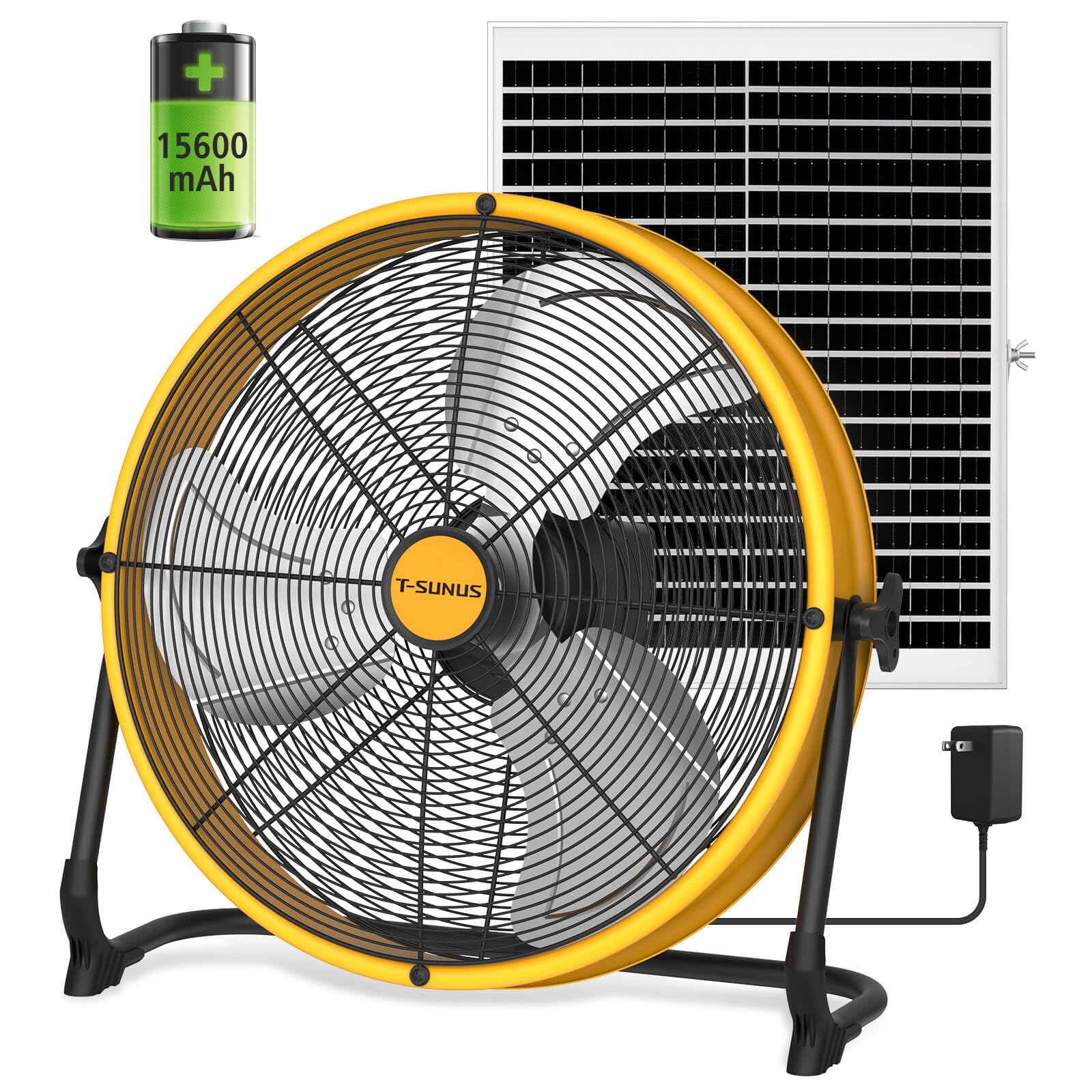
Image: T-SUNUS 16-inch Solar Powered Fan with solar panel.
2. Important Safety Instructions
To reduce the risk of fire, electric shock, or injury, observe the following safety precautions:
- Do not operate any fan with a damaged cord or plug. Discard fan or return to an authorized service facility for examination and/or repair.
- Do not run cord under carpeting. Do not cover cord with throw rugs, runners, or similar coverings. Arrange cord away from traffic area and where it will not be tripped over.
- Always unplug the fan before moving, cleaning, or servicing.
- Do not immerse the fan in water or other liquids.
- This fan is rated IPX4 water-resistant, protecting against splashes. It is not designed for use in direct rain or submersion.
- Keep fingers and other objects away from the fan blades and openings during operation.
- Do not block air openings.
- Ensure the fan is placed on a stable, level surface to prevent tipping.
- Keep the fan away from heat sources, open flames, and flammable materials.
- Use only the provided adapter and solar panel for charging.
3. Package Contents
Verify that all items are present in the package:
- 1x T-SUNUS 16-inch Rechargeable Fan
- 1x 25W Solar Panel
- 1x 12.6V 1.5A AC Adapter
- 1x Type-C Charging Cable
- 1x User Manual
- 2x Adjustable Knobs
- 2x Replacement Screws

Image: Contents of the T-SUNUS 16-inch Solar Powered Fan package, including fan, solar panel, cables, and manual.
4. Setup
4.1 Assembly
The fan typically comes pre-assembled. If any components like the stand or adjustable knobs require attachment, refer to the diagrams in the included user manual for specific instructions. Ensure all screws and knobs are securely tightened before use.
4.2 Initial Charging
Before first use, fully charge the fan's internal 15600mAh battery using either the AC adapter or the solar panel.
- AC Charging: Connect the 12.6V 1.5A AC adapter to the fan's charging port and plug it into a standard wall outlet. A full charge takes approximately 3-4 hours.
- Solar Charging: Connect the 25W solar panel to the fan's solar charging port. Place the solar panel in direct sunlight for optimal charging. A full charge via solar panel takes approximately 4-6 hours, depending on sunlight intensity.

Image: Illustration showing the two charging methods for the fan: AC adapter and solar panel.
4.3 Placement
Place the fan on a firm, level surface. The 360° adjustable tilt allows you to direct airflow as needed. For solar charging, position the solar panel to receive maximum direct sunlight.
5. Operating Instructions
5.1 Power ON/OFF
Locate the power switch on the fan. Press the 'I' side to turn the fan ON and the 'O' side to turn it OFF.

Image: Close-up of the power ON/OFF switch on the fan.
5.2 Adjusting Fan Speed
The fan features a 270° stepless speed knob. Rotate the knob clockwise to increase the fan speed and counter-clockwise to decrease it. This allows for precise control over airflow, from a gentle breeze to a powerful 2500 CFM.

Image: Diagram illustrating the 270-degree stepless speed knob and maximum airflow of 4.5 m/s.
5.3 Battery Indicator
The fan is equipped with a battery indicator to show the remaining power level. Monitor this indicator to know when recharging is necessary.
5.4 Using as a Power Bank
The fan includes a built-in USB-A output port, allowing it to function as an emergency power bank. Connect your mobile devices (e.g., smartphones, tablets) to this port using a compatible USB cable to charge them during power outages or when off-grid.

Image: The T-SUNUS fan and solar panel on a beach, demonstrating its use as a power bank for charging a smartphone.
5.5 Adjusting Fan Angle
The fan head can be adjusted 360° vertically. Loosen the adjustable knobs on the sides of the fan, tilt the fan to your desired angle, and then tighten the knobs securely to lock it in place.

Image: Visual representation of the fan's 360-degree adjustable tilt feature.
6. Maintenance
6.1 Cleaning
Regular cleaning helps maintain optimal performance and extends the life of your fan.
- Always ensure the fan is turned OFF and unplugged before cleaning.
- Use a soft, damp cloth to wipe down the exterior surfaces of the fan and solar panel.
- For stubborn dirt, a mild soap solution can be used, followed by wiping with a clean, damp cloth.
- Do not use abrasive cleaners, solvents, or harsh chemicals, as these can damage the finish.
- Carefully clean the fan blades and grille using a soft brush or vacuum cleaner attachment to remove dust and debris.
- Ensure all parts are completely dry before reconnecting to power or operating.
6.2 Storage
When not in use for extended periods, store the fan in a cool, dry place, away from direct sunlight and extreme temperatures. It is recommended to fully charge the battery before storage and recharge it every 3-6 months to maintain battery health.
7. Troubleshooting
| Problem | Possible Cause | Solution |
|---|---|---|
| Fan does not turn on. | Battery is depleted. Power switch is OFF. Faulty connection. | Charge the battery using AC adapter or solar panel. Ensure the power switch is in the 'ON' position. Check all cable connections. |
| Low airflow. | Fan speed set too low. Obstruction in front/back of fan. Dirty blades/grille. | Increase fan speed using the stepless knob. Ensure clear space around the fan. Clean fan blades and grille as per maintenance instructions. |
| Battery not charging. | AC adapter not connected properly. Solar panel not in direct sunlight or obstructed. Damaged charging cable/adapter. | Ensure AC adapter is securely plugged into fan and outlet. Reposition solar panel for maximum direct sunlight; clear any obstructions. Try a different compatible charging cable or adapter if available. |
| Fan makes unusual noise. | Loose parts. Debris in fan blades. | Turn off and unplug the fan. Check for any loose components and tighten if necessary. Remove any debris from the fan blades. |
8. Specifications
| Feature | Detail |
|---|---|
| Brand | T-SUNUS |
| Model Number | TS-F6450-D16-YE-US-V2 |
| Fan Size | 16 inches |
| Power Source | Solar Powered, Battery Powered |
| Battery Capacity | 15600mAh Rechargeable Battery |
| Solar Panel | 25W Monocrystalline |
| AC Charging Time | Approx. 3.5 hours |
| Runtime (Low Speed) | Up to 25 hours |
| Runtime (High Speed) | Approx. 4 hours |
| Air Flow Capacity | 2500 CFM (Cubic Feet Per Minute) |
| Motor Type | High-Speed 1050 RPM Pure Copper Brushless Motor |
| Noise Level | 31 dB (Max Speed) |
| Control Type | 270° Stepless Speed Knob, Push Button |
| Adjustability | 360° Adjustable Tilt |
| Material | Aluminum, Metal |
| Water Resistance | IPX4 (Splash Resistant) |
| Product Dimensions (D x W x H) | 24" x 20" x 24" |
| Item Weight | 12.5 Pounds |
9. Warranty Information
This T-SUNUS product comes with a limited warranty. For specific details regarding warranty coverage, duration, and terms, please refer to the warranty card included in your product packaging or contact T-SUNUS customer support.
10. Customer Support
If you have any questions, require assistance, or encounter issues not covered in this manual, please contact T-SUNUS customer support. Contact information can typically be found on the product packaging, the official T-SUNUS website, or the warranty card.