
Razor E Prime III
Contents
Razor Electric Scooter E Prime 3 Instruction Manual
Model: E Prime III
Introduction
The Razor Electric Scooter E Prime 3 is designed for efficient urban travel and recreational use. It features a powerful motor, a long-lasting battery, and a lightweight, foldable design for portability. This manual provides essential information for assembly, operation, maintenance, and safety to ensure a reliable and enjoyable experience.

Image: The Razor E Prime 3 Electric Scooter in its upright position, showcasing its sleek design.
Safety Guidelines
Always prioritize safety when operating the scooter. Wear appropriate safety gear, including a helmet. Be aware of your surroundings and adhere to local traffic laws and regulations. The scooter is designed for adults and older teens, with a maximum weight limit of 220 pounds.
- Helmet Use: Always wear a helmet when riding.
- Weight Limit: Do not exceed the maximum rider weight of 220 pounds.
- Visibility: Utilize the LED headlight and brake-activated taillight, especially during low-light conditions.
- Braking: Familiarize yourself with the dual braking system for effective stopping.
- Surface Awareness: Exercise caution on uneven terrains, wet surfaces, or loose debris.
Video: Official Razor E Prime III overview, demonstrating key features and usage scenarios. This video highlights the scooter's design and functionality.
Setup
The Razor E Prime 3 scooter comes mostly pre-assembled. Follow these steps for initial setup:
- Unboxing: Carefully remove all components from the packaging. Ensure all parts listed in the packing list are present.
- Handlebar Attachment: Attach the handlebar assembly to the main stem. Secure it firmly using the provided tools and fasteners.
- Initial Charge: Fully charge the scooter's battery before its first use. Refer to the "Charging the Battery" section for detailed instructions.
- Tire Inflation: Ensure the front pneumatic tire is inflated to the recommended pressure for optimal performance and ride comfort.
Operating Instructions
Operating the Razor E Prime 3 is straightforward. Familiarize yourself with the controls before riding.
- Power On: Press the power button located on the stem to turn on the scooter. The LED battery indicator will illuminate.
- Acceleration: To accelerate, gently press the thumb-activated paddle on the handlebar. The scooter features 3 speeds, reaching up to 18 MPH.
- Braking: The scooter is equipped with a dual braking system. Use the electronic thumb-activated paddle brake or the rear-fender foot brake to slow down or stop. The brake-activated taillight will illuminate when braking.
- Folding Mechanism: To fold the scooter for storage or transport, locate the folding mechanism near the base of the stem. Pull the lever and fold the handlebar down until it locks into place.
- Battery Indicator: Monitor the 5-level LED battery display on the stem to track the remaining charge. Recharge when the indicator shows low battery.
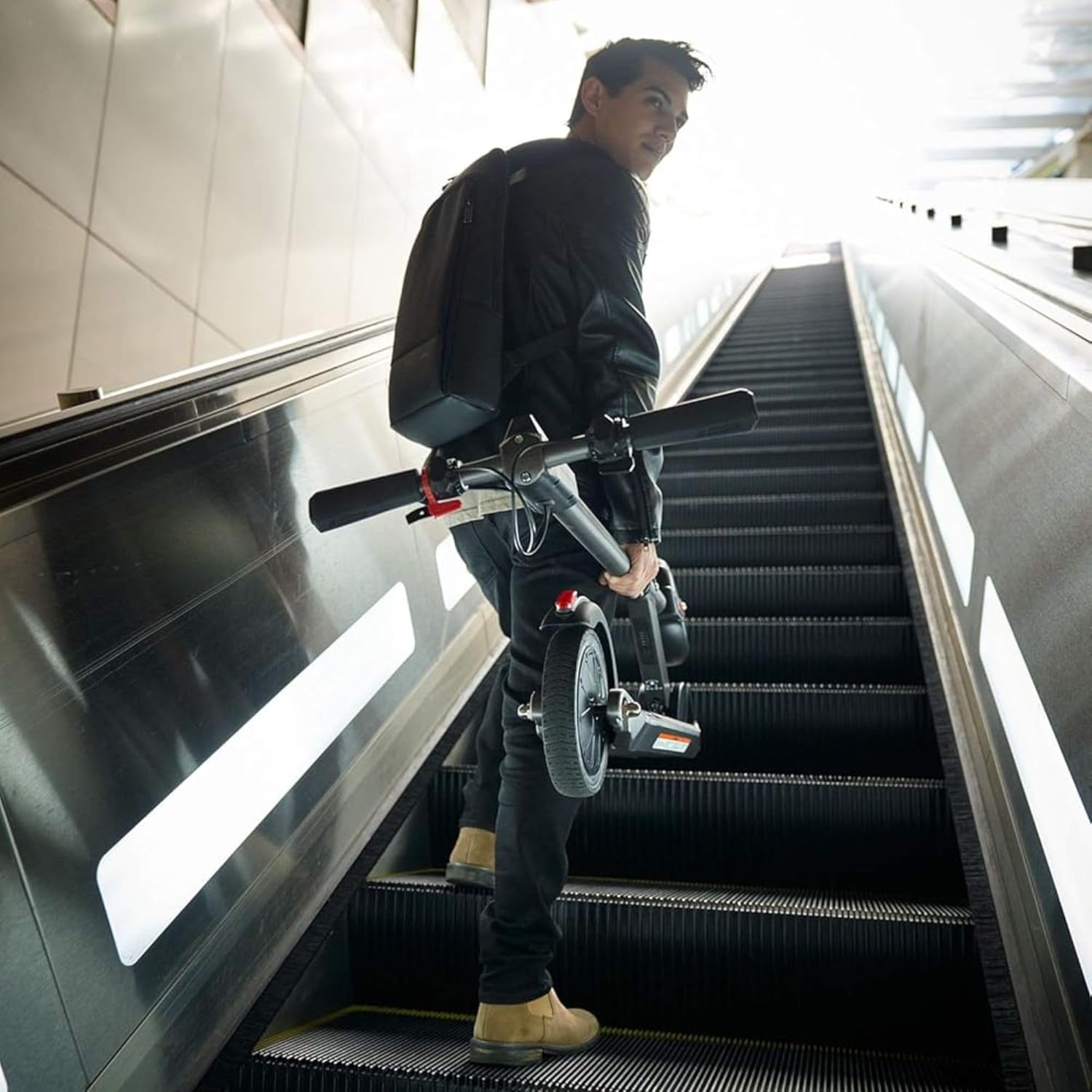
Image: An adult riding the Razor E Prime 3 Electric Scooter on a paved path, demonstrating its use in motion.

Image: A close-up view of the handlebar, showing the thumb-activated throttle and brake levers.

Image: A detailed view of the rear wheel and the brake-activated taillight, emphasizing safety features.
Video: A rider demonstrates the Razor E Prime III in various urban settings, showcasing its maneuverability and speed.
Maintenance
Regular maintenance ensures the longevity and safe operation of your scooter.
- Cleaning: Wipe down the scooter with a damp cloth after each use. Avoid using harsh chemicals or excessive water.
- Tire Pressure: Periodically check and maintain the correct air pressure in the front pneumatic tire.
- Brake Inspection: Regularly inspect the brakes for wear and tear. Ensure they are functioning correctly.
- Battery Care: Charge the battery fully after each ride and avoid completely draining it to prolong its lifespan. The charging time is approximately 6 hours.
- Storage: Store the scooter in a dry, cool place away from direct sunlight and extreme temperatures.
Troubleshooting
Here are some common issues and their potential solutions:
| Problem | Possible Cause | Solution |
|---|---|---|
| Scooter not turning on | Low battery; loose connections | Charge the battery; check all connections are secure. |
| Reduced speed or range | Low tire pressure; battery degradation; heavy load | Inflate tires to correct pressure; ensure full charge; reduce load. |
| Brakes not responsive | Worn brake pads; cable adjustment needed | Inspect and replace brake pads if necessary; adjust brake cables. |
Specifications
| Feature | Detail |
|---|---|
| Brand | Razor |
| Model Name | E Prime III |
| Top Speed | Up to 18 MPH |
| Maximum Distance Range | 15 Miles |
| Weight Limit | 220 Pounds |
| Item Weight | 24.2 Pounds |
| Product Dimensions | 40.94"L x 18.31"W x 40.75"H |
| Charging Time | 6 Hours |
| Front Wheel Type | 8-inch Pneumatic |
| Rear Wheel Type | 8-inch Airless Polyurethane |
| Brake Style | Rear Braking (Electronic thumb-activated paddle and rear-fender controlled) |
| Special Features | Foldable, LED Headlight, Brake-activated Taillight, Portable, Security Lock Point |
| Included Components | E Prime III Scooter and charger |
Warranty and Support
The Razor Electric Scooter E Prime 3 comes with a 90-day Limited Manufacturer Warranty. For warranty claims or technical support, please refer to the official Razor website or contact their customer service directly. Keep your purchase receipt as proof of purchase.
For additional information and support, visit the official Razor Store.
Ask a question about this manual
Ask about setup, troubleshooting, compatibility, parts, safety, or missing instructions. Manuals+ will review the question and use this page’s manual context to help answer it.