
Introduction
This manual provides detailed instructions for the setup, operation, maintenance, and troubleshooting of your uaue Y10 Military Smart Watch. Please read this manual thoroughly to ensure proper use and to maximize the functionality of your device.
Setup Guide
1. Device Compatibility
The uaue Y10 Smart Watch is compatible with most smartphones running Android 6.0 and above, and iOS 9.0 and above.
2. App Download and Pairing
- Download the App: Search for and download the "FitCloudPro" app from your phone's App Store (for iOS) or Google Play Store (for Android).
- Enable Bluetooth: On your smartphone, go to settings and ensure Bluetooth is turned on.
- Pair the Watch: Open the "FitCloudPro" app. Follow the in-app instructions to find and bind your Y10 watch. Select "Pair" when prompted to complete the Bluetooth pairing request.
- Activate Call Function: Once pairing is complete, turn on the Bluetooth call function within the app to enable answering and making calls directly from your watch.

Operating Instructions
1. Display and Watch Faces
The watch features a 1.43-inch AMOLED 3D screen with a resolution of 466x466 pixels, providing clear visuals. You can adjust screen brightness manually. Over 250 watch faces are available in the "FitCloudPro" app, and you can also customize watch faces with personal photos.

2. Communication Features
- Bluetooth Calls: With Bluetooth 5.4 technology and a built-in microphone, you can make and receive calls directly from your wrist.
- Smart Notifications: The watch receives messages and notifications from applications such as Gmail, WhatsApp, Instagram, Facebook, Snapchat, and Telegram. Note: Replying to messages directly from the watch is not supported.

3. Health Monitoring
The fitness tracker includes a high-precision photoelectric sensor for continuous health monitoring:
- Heart Rate Monitoring: Tracks heart rate 24/7. Enable continuous monitoring in the app.
- Sleep Monitoring: Monitors sleep patterns, including deep sleep, light sleep, and wake-up times, to help improve sleep habits.
- Blood Oxygen (SpO2) Monitoring: Keeps track of blood oxygen levels.
- Sedentary Reminders: Prompts you to move after periods of inactivity.
- Breathing Exercises: Guides you through breathing exercises for relaxation.
- Women's Health: Provides menstrual cycle recording.
Note: This product is not a medical device. Test data is for reference only and should not be used for diagnosing or monitoring medical conditions.

4. Sports Modes and Activity Tracking
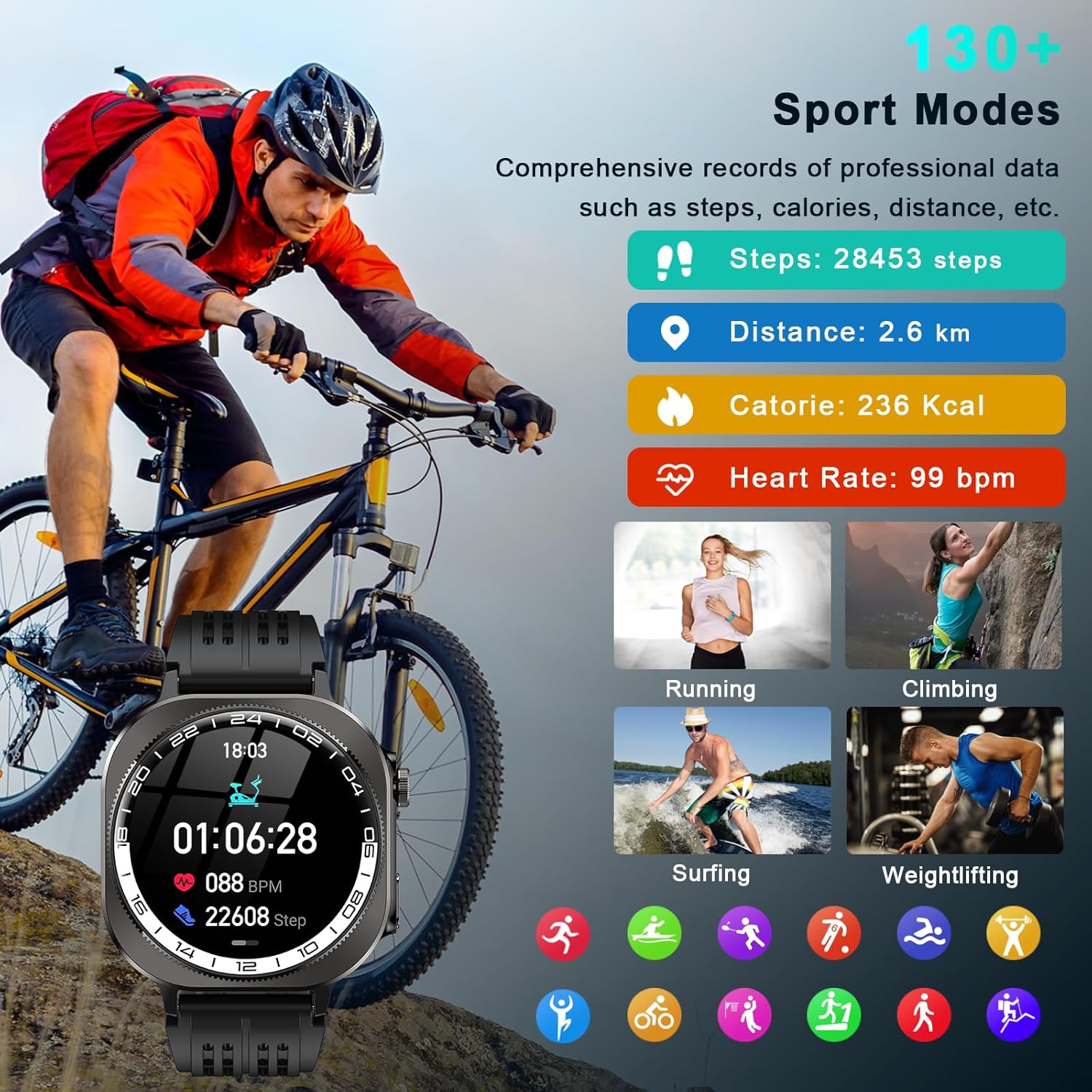
The watch supports over 130 sports modes, including cycling, running, basketball, hiking, skiing, and more. Connect to the "FitCloudPro" app via Bluetooth to track daily statistics such as steps, time, distance, and calories. The app can also use your phone's GPS to record training routes and fitness data.

5. Additional Features
The uaue Y10 Smart Watch offers several practical tools:
- LED Flashlight: A high-brightness LED flashlight can be activated with one click for convenience in low-light conditions.
- Music Control: Control music playback on your smartphone.
- Camera Control: Remotely trigger your phone's camera.
- Weather Forecast: View current weather conditions.
- Alarm Clock, Stopwatch, Timer: Standard timekeeping functions.
- Calculator: Basic calculation utility.
- Find Phone: Helps locate your paired smartphone.
- Voice Assistant: Interact with your phone's voice assistant.


Maintenance
1. Charging the Device
The watch is equipped with a 660 mAh battery. A full charge takes approximately 2.5 hours. Use the provided charging cable to connect the watch to a USB power source.
- Typical Usage: Up to 20 days.
- Standby Time: Up to 60 days.
Note: Actual battery life may vary based on individual usage patterns and feature activation.
2. Water and Dust Resistance
The uaue Y10 Smart Watch has an IP68 waterproof and dustproof rating. This means it is resistant to dust ingress and can withstand immersion in water up to 1.5 meters for 30 minutes. It is suitable for daily use, including washing hands, rain, and swimming in shallow water.
Important: The watch is not suitable for hot water baths, saunas, or diving, as steam and high water pressure can compromise the seals. Avoid contact with chemical liquids.

3. Cleaning
Wipe the watch and strap with a soft, damp cloth. Do not use harsh chemicals or abrasive materials.
Troubleshooting
1. Watch Not Connecting to Phone
- Ensure Bluetooth is enabled on your phone and the watch.
- Make sure the watch is within the Bluetooth range of your phone.
- Restart both your phone and the watch.
- Try unpairing and re-pairing the device through the "FitCloudPro" app.
2. Notifications Not Appearing
- Check notification settings within the "FitCloudPro" app to ensure desired apps are enabled.
- Verify that your phone's notification settings allow the "FitCloudPro" app to display notifications.
- Ensure the watch is properly connected via Bluetooth.
3. Inaccurate Health Data
- Ensure the watch is worn snugly on your wrist, but not too tight.
- Clean the sensor on the back of the watch regularly.
- Remember that environmental factors and individual physiology can affect readings. The data is for reference and not for medical diagnosis.
4. Short Battery Life
- Frequent use of features like Bluetooth calls, continuous heart rate monitoring, and high screen brightness will consume more battery.
- Reduce screen brightness or disable unnecessary features to extend battery life.
- Ensure the watch is fully charged (approx. 2.5 hours).
Specifications
| Brand | uaue |
| Model Number | Y10 |
| Screen | 1.43-inch AMOLED 3D, 466x466 Resolution |
| Connectivity | Bluetooth 5.4 |
| Battery Capacity | 660 mAh |
| Charging Time | Approximately 2.5 hours |
| Battery Life (Typical) | Up to 20 days |
| Standby Time | Up to 60 days |
| Water Resistance | IP68 (Dustproof and Waterproof) |
| Compatibility | Android 6.0+ / iOS 9.0+ |
| Item Weight | 4.2 ounces |
| Package Dimensions | 11.26 x 3.35 x 0.79 inches |
| What's in the Box | uaue Y10 Smart Watch, Charging Cable |

Warranty Information
Specific warranty details are not provided within this manual. For information regarding the product warranty, please refer to the warranty card included with your purchase, the product packaging, or contact uaue customer support directly.
Customer Support
If you encounter any issues or have questions not covered in this manual, please contact uaue customer support. Refer to the product packaging or the official uaue website for contact details.