
Introduction
This manual provides detailed instructions for the setup, operation, and maintenance of your CINMOORE Smart Solar Bird Feeder with 4MP Camera, Model P3U. Please read this manual thoroughly before using the product to ensure proper function and longevity. This device allows for remote bird watching, species identification, and recording of bird visits.
Product Overview
The CINMOORE Smart Solar Bird Feeder is designed to provide an interactive bird watching experience. It features a 4MP camera for clear video capture, AI-powered bird species identification, and solar charging capabilities for continuous operation. The feeder is built to withstand outdoor conditions and offers various mounting options.
- High-Resolution Camera: Equipped with a 2.5K 4MP camera for detailed video and image capture, including full-color night vision.
- AI Bird Identification: Integrated AI technology identifies over 10,000 bird species.
- Solar Powered: Features a 5200mAh rechargeable battery and a 3W solar panel for wireless operation.
- Weatherproof Design: IP65 rated for outdoor use, resistant to rain, snow, and sun.
- Smart Alerts: Provides instant notifications for bird arrivals and low feed levels.
- Storage Options: Supports cloud storage (30-day free trial included) and local SD card storage (SD card not included).

Image: The CINMOORE Smart Solar Bird Feeder shown in a rainy environment, illustrating its IP65 weatherproof design.
Package Contents
Please verify that all components are present in the package:
- CINMOORE Smart Solar Bird Feeder with Camera
- Solar Panel
- Mounting Kit (screws, anchors, straps)
- User Manual (this document)
Setup Guide
1. Charging the Device
Before initial use, ensure the bird feeder's internal battery is fully charged. Connect the solar panel to the feeder and place it in direct sunlight for several hours, or use a compatible USB charger (not included) to charge the camera directly.
2. App Installation and Connection
- Download the CINMOORE app from your smartphone's app store (iOS or Android).
- Create an account and log in.
- Follow the in-app instructions to add your new bird feeder. Ensure your smartphone is connected to a 2.4GHz Wi-Fi network during the setup process.
- Pair the feeder with the app as directed. This typically involves scanning a QR code on the device or pressing a pairing button.
3. Mounting the Feeder
The feeder offers versatile mounting options. Choose a location with good sunlight exposure for the solar panel and a clear view for the camera.
- Tree Mount: Use the provided straps to secure the feeder to a tree trunk.
- Fence Mount: Attach the feeder to a fence post using screws and anchors.
- Wall Mount: Secure the feeder to a wall using screws and anchors.
Ensure the feeder is stable and the camera has an unobstructed view of the feeding area.

Image: The CINMOORE Smart Solar Bird Feeder with its solar panel, mounted on a tree, showcasing its design and placement.

Image: Illustration showing different mounting options for the bird feeder, including fence, tree, and wall mounts.
Operating Instructions
1. Filling the Feeder
Open the top lid of the feeder and fill the reservoir with your preferred bird seed. Ensure the lid is securely closed to protect the seeds from weather and pests.
2. Live View and Playback
Access the CINMOORE app on your smartphone to view live footage from the camera. You can also review recorded events and playback past bird visits.

Image: A smartphone screen displaying a live feed from the CINMOORE bird feeder, showing a bird on the perch.
3. AI Bird Identification
The feeder's AI system automatically identifies bird species that visit. Notifications will be sent to your app, providing details about the identified bird.
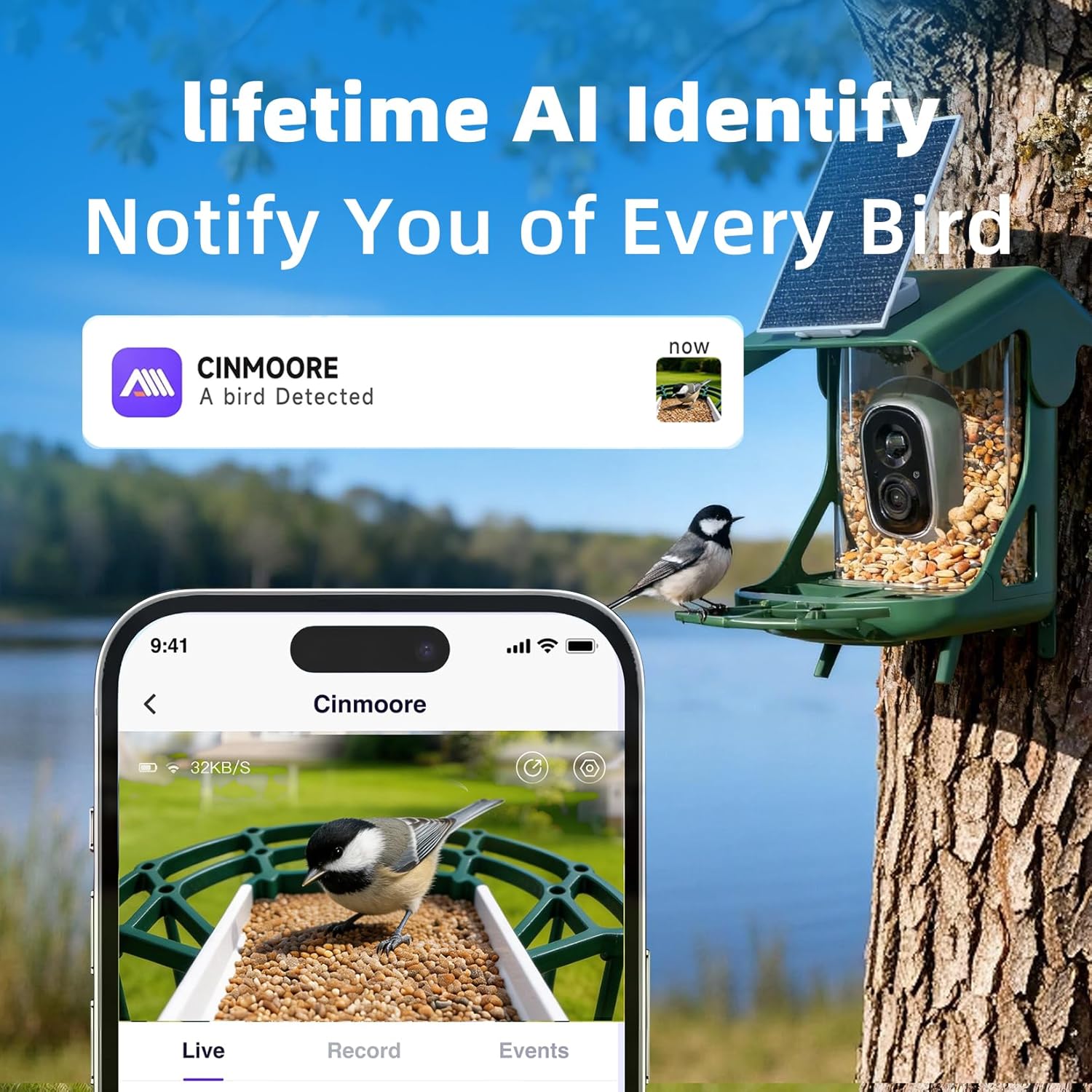
Image: The CINMOORE app interface showing a bird detection notification and detailed information about a Black-capped Chickadee.
4. Night Vision
The camera is equipped with full-color night vision, allowing for clear observation of birds even in low-light conditions or at night.

Image: A split image demonstrating the full-color night vision capability of the camera, showing a bird clearly visible in the dark.
5. Sharing Function
The app allows you to share access to your bird feeder's live stream and recordings with family and friends, enabling multiple users to enjoy bird watching.

Image: An illustration depicting multiple individuals viewing bird feeder footage on their smartphones, highlighting the multi-user sharing feature.
6. Video Playback Examples
Video: A red cardinal and a nuthatch visiting the CINMOORE bird feeder. This video demonstrates the camera's ability to capture interactions between different bird species.
Video: Various birds visiting the CINMOORE feeder. This footage highlights the feeder's capability to attract and record different bird species.
Maintenance
1. Cleaning the Feeder
Regular cleaning is essential to prevent the spread of diseases among birds and to ensure the feeder remains attractive. Clean the feeder every two weeks, or more frequently during wet weather or high bird traffic.
- Empty any remaining seeds.
- Disassemble the feeder components if possible.
- Wash all parts with a mild soap solution and warm water. Use a brush to remove stubborn debris.
- Rinse thoroughly with clean water to remove all soap residue.
- Allow all parts to dry completely before reassembling and refilling with fresh seed.
2. Solar Panel Care
Keep the solar panel clean and free of dirt, dust, and debris to ensure optimal charging efficiency. Wipe it periodically with a soft, damp cloth.
3. Battery and Storage
The built-in 5200mAh battery is designed for long-lasting power. If storing the feeder for an extended period, ensure the battery is partially charged (around 50%) and store it in a cool, dry place.
Troubleshooting
| Problem | Possible Cause | Solution |
|---|---|---|
| Feeder not powering on | Low battery; Solar panel obstructed | Charge the battery via solar panel or USB. Ensure solar panel is clean and in direct sunlight. |
| Cannot connect to Wi-Fi | Incorrect Wi-Fi password; Not 2.4GHz network; Feeder too far from router | Verify Wi-Fi password. Ensure you are connecting to a 2.4GHz network. Move feeder closer to the router or use a Wi-Fi extender. |
| Poor video quality | Dirty camera lens; Weak Wi-Fi signal; Low light conditions | Clean the camera lens. Improve Wi-Fi signal strength. Ensure adequate lighting or rely on night vision. |
| No bird detection alerts | Motion detection settings off; No birds visiting; App notifications disabled | Check motion detection settings in the app. Ensure birds are visiting the feeder. Enable app notifications for the CINMOORE app. |
| Low feed alert not working | Sensor obstructed or dirty; Feature disabled in app | Clean the feed level sensor. Verify low feed alert settings in the app. |
Specifications
| Feature | Detail |
|---|---|
| Brand | CINMOORE |
| Model Number | P3U |
| Camera Resolution | 2.5K (4MP) |
| Night Vision | Full-Color |
| AI Identification | 10,000+ Bird Species |
| Power Source | Solar Powered, Battery Powered (5200mAh) |
| Solar Panel | 3W |
| Material | Acrylonitrile Butadiene Styrene (ABS) |
| Weather Resistance | IP65 Waterproof |
| Connectivity | 2.4GHz Wi-Fi |
| Storage | Cloud Storage (30-day free trial), SD Card (not included) |
| Product Dimensions | 10.2"L x 6.8"W x 12.6"H |
| Item Weight | 3.1 pounds |
Warranty and Support
For warranty information and technical support, please refer to the official CINMOORE website or contact customer service through the CINMOORE app. Keep your purchase receipt for warranty claims.
Online Support: Visit the CINMOORE official website for FAQs and support resources.
Customer Service: Contact information can typically be found within the CINMOORE application or on the product packaging.