
1. Introduction
This manual provides essential information for the proper installation, operation, and maintenance of your Sunster S-A2302B LCD Bluetooth Diesel Air Heater Controller. Please read this manual thoroughly before using the device to ensure safe and efficient operation.
The S-A2302B controller is designed to manage diesel air heaters, featuring an LCD display for clear information, Bluetooth connectivity for remote control, and an intuitive interface for setting operational parameters.
What's in the Box:
- S-A2302B LCD Bluetooth Switch
- Remote Control (if applicable to your package)
- Connection Cables
- User Manual (this document)
2. Safety Information
Always observe the following safety precautions to prevent injury or damage to the device and associated equipment:
- Electrical Safety: Ensure all connections are secure and correctly wired according to the heater's specifications. Disconnect power before performing any installation or maintenance.
- Ventilation: Ensure the diesel air heater itself is installed in a well-ventilated area to prevent carbon monoxide buildup. This controller does not monitor air quality.
- Temperature: Do not expose the controller to extreme temperatures or direct sunlight for prolonged periods.
- Moisture: Keep the controller dry. Avoid exposure to water or high humidity.
- Children: Keep the device out of reach of children.
- Modifications: Do not attempt to modify or repair the controller yourself. Contact qualified personnel for service.
3. Product Overview
The Sunster S-A2302B controller features a clear LCD screen and intuitive controls for managing your diesel air heater.
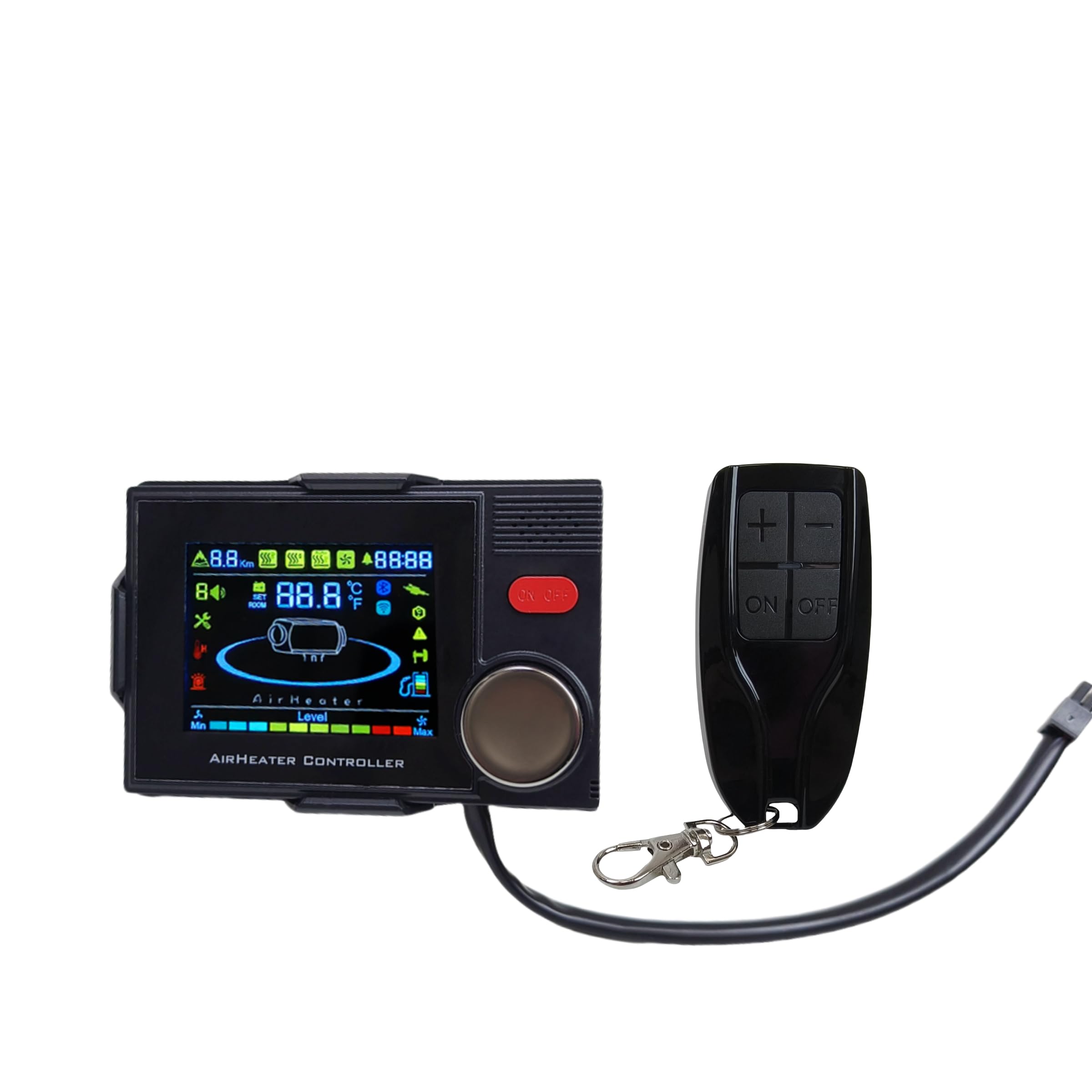
Image 3.1: The Sunster S-A2302B LCD Bluetooth Diesel Air Heater Controller, shown with its accompanying remote control. The controller features a large LCD screen, an 'ON/OFF' button, and a rotary knob for navigation and selection.
Controller Components:
- LCD Display: Shows current status, temperature, mode, and settings.
- ON/OFF Button: Powers the heater on or off.
- Rotary Knob: Used for navigating menus, adjusting values, and confirming selections.
- Bluetooth Module: Enables wireless connection to compatible devices for remote control.
- Connection Ports: For connecting to the diesel air heater and power supply.
4. Setup
4.1. Installation
Before installation, ensure the diesel air heater is powered off and disconnected from its power source. Refer to your diesel air heater's manual for specific wiring diagrams if necessary.
- Identify Connection Points: Locate the control unit connection port on your diesel air heater.
- Connect Cables: Carefully connect the provided cables from the S-A2302B controller to the corresponding ports on your diesel air heater. Ensure the connectors are fully seated and secure.

Image 4.1: Example of the electrical connectors used to link the controller to the diesel air heater system. Ensure proper alignment and secure connection.

Image 4.2: A detailed view of one type of connector, highlighting the pins and housing for correct mating.
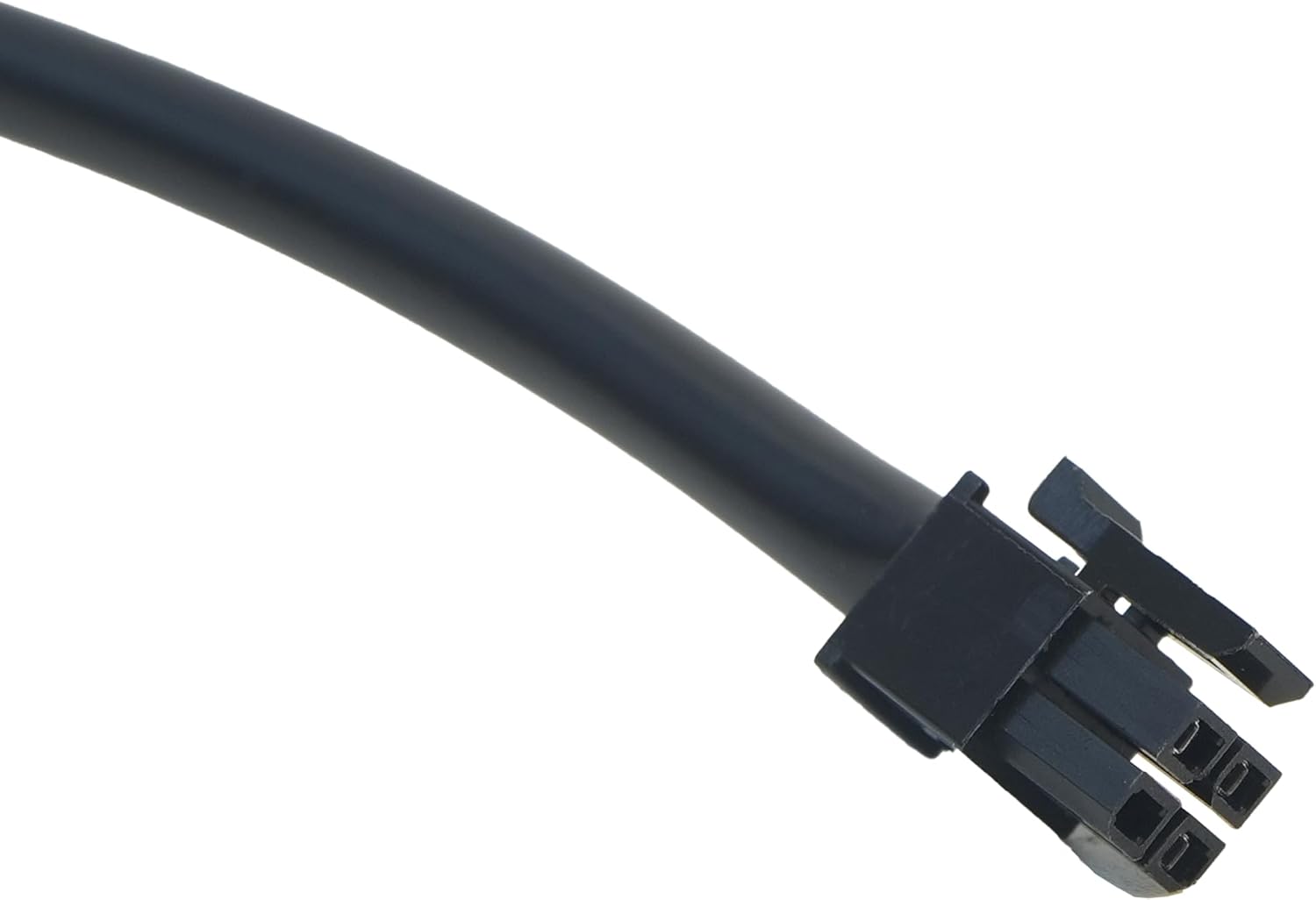
Image 4.3: An additional perspective of the connector, showing its robust design for reliable electrical contact.
- Mount the Controller: Secure the S-A2302B controller in a convenient and accessible location using appropriate mounting hardware (not included, unless specified by your heater kit).
4.2. Initial Power-On
After installation, reconnect power to your diesel air heater. The S-A2302B controller's LCD screen should illuminate, indicating it is receiving power. The display may show a startup sequence or default settings.
5. Operating Instructions
5.1. Basic Operation
- Power On/Off: Press the 'ON/OFF' button to turn the heater on or off. The LCD will display the operational status.
- Navigation: Rotate the rotary knob to scroll through menu options or adjust values.
- Selection/Confirmation: Press the rotary knob to select an option or confirm a setting.
5.2. Setting Temperature and Mode
- From the main screen, rotate the knob to highlight the temperature setting or mode selection.
- Press the knob to enter the adjustment mode.
- Rotate the knob to increase or decrease the desired temperature or select the operating mode (e.g., constant heat, thermostat mode).
- Press the knob again to confirm your selection.
5.3. Bluetooth Connection
The S-A2302B controller can be controlled via a Bluetooth-enabled device (e.g., smartphone) using a compatible application.
- Enable Bluetooth: Ensure Bluetooth is enabled on your mobile device.
- Download App: Download the official Sunster heater control application from your device's app store.
- Pairing: Open the application and follow the on-screen instructions to search for and pair with your S-A2302B controller. The controller may appear as 'Sunster Heater' or a similar identifier.
- Control: Once paired, you can adjust settings, monitor status, and control the heater remotely through the application.
5.4. Remote Control Usage
If your package includes a remote control, it can be used for convenient operation.
- Power Button: Press to turn the heater on or off.
- Temperature Adjustment: Use the designated buttons (e.g., '+' and '-') to adjust the target temperature.
- Mode Selection: Some remotes may have buttons for switching between operating modes.
- Battery Replacement: If the remote stops responding, replace its battery according to the instructions on the remote itself.
6. Maintenance
- Cleaning: Wipe the controller's surface with a soft, dry cloth. Do not use abrasive cleaners or solvents.
- Inspection: Periodically check all cable connections to ensure they remain secure.
- Storage: If storing the heater and controller for an extended period, ensure they are kept in a dry, dust-free environment.
7. Troubleshooting
| Problem | Possible Cause | Solution |
|---|---|---|
| Controller display is blank. | No power supply; loose connection. | Check power to the heater; ensure all cables are securely connected. |
| Heater not responding to controller. | Incorrect wiring; heater fault; controller fault. | Verify wiring connections; consult heater manual for troubleshooting; contact support if controller is suspected faulty. |
| Bluetooth connection fails. | Bluetooth off on device; app issue; controller not in pairing mode. | Ensure Bluetooth is enabled on your device; restart the app; restart the controller; try re-pairing. |
| Remote control not working. | Dead battery; out of range. | Replace remote control battery; ensure remote is within operational range of the controller. |
If you encounter issues not listed here or if the suggested solutions do not resolve the problem, please contact Sunster customer support.
8. Specifications
- Model: S-A2302B LCD Bluetooth Switch
- Item Model Number: US-PJ-011
- Brand: Sunster
- Manufacturer: Sunster
- Connectivity: Bluetooth
- Display: LCD
- Compatibility: Designed for diesel air heaters (specific models may vary, refer to heater documentation).
9. Warranty and Support
For warranty information regarding your Sunster S-A2302B controller, please refer to the warranty card included with your purchase or contact the seller/manufacturer directly. Warranty terms and conditions may vary by region and retailer.
For technical support or assistance with your product, please reach out to Sunster customer service through their official website or the contact information provided at the point of purchase.

