
1. Safety Information
Please read all instructions carefully before installation and operation. Retain this manual for future reference.
- Electrical Safety: Ensure the power supply matches the fan's requirements (120V). Always unplug the fan before performing any maintenance or cleaning. Do not operate with a damaged cord or plug.
- Moving Parts: Keep hands, hair, and loose clothing away from the fan blades during operation. Ensure the fan is securely mounted to prevent accidental dislodgement.
- Installation: Install the fan in a location that allows for proper airflow and is free from obstructions. Follow all local electrical and building codes.
- FCC Compliance: This device complies with FCC regulations. Any modifications not expressly approved by the manufacturer could void the user's authority to operate the equipment.
2. Product Overview
The Amico 14-inch Smart Shutter Exhaust Fan is designed for efficient ventilation in various spaces such as garages, attics, greenhouses, and sheds. It features a smart thermostat, 8-speed control, and automatic gravity shutters for optimal performance and energy efficiency.
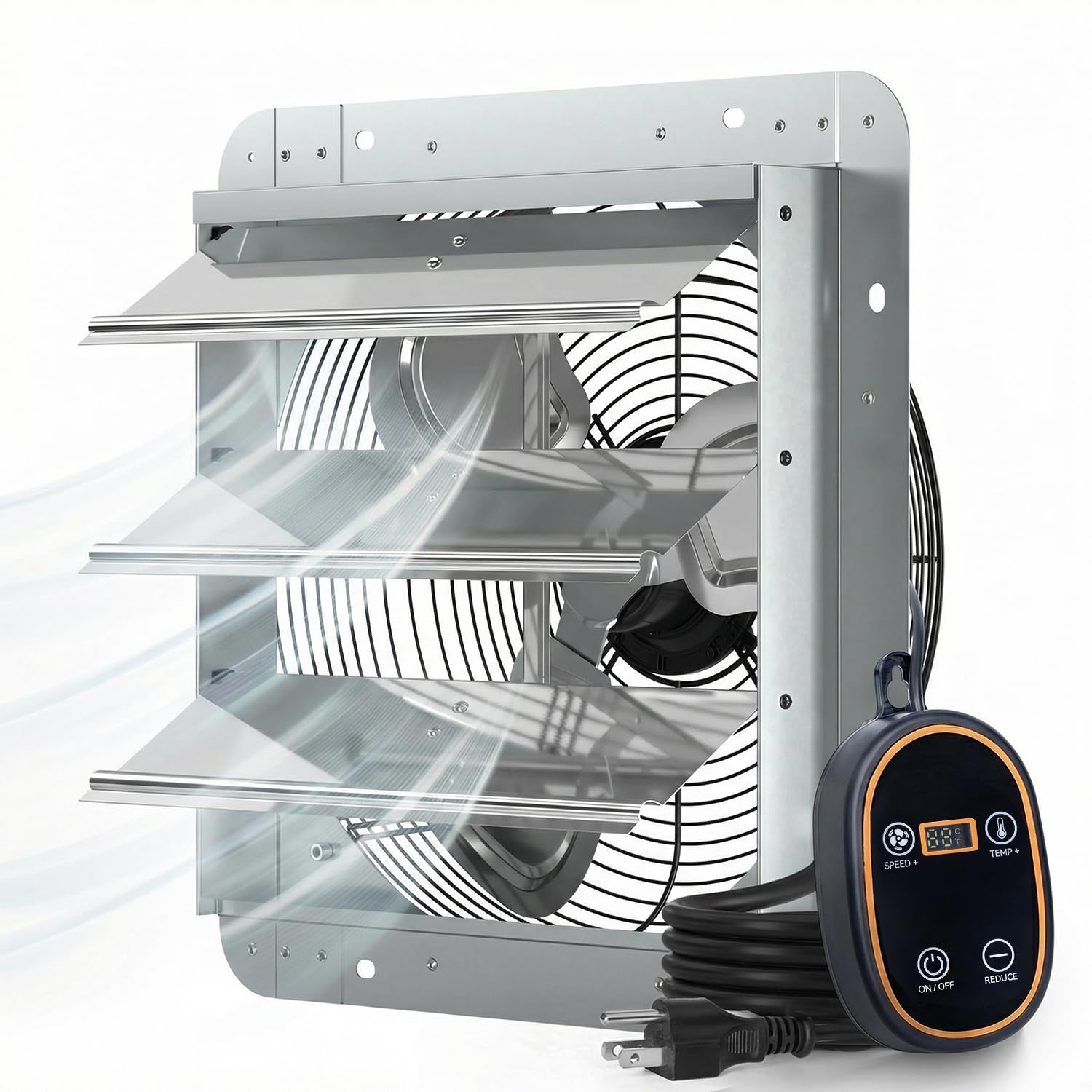
The Amico 14-inch Smart Shutter Exhaust Fan, designed for effective ventilation.
Key Features:
- Massive Airflow: Delivers 1775 CFM, capable of rapidly refreshing air in spaces up to 2500 Sq.Ft.
- Smart Thermostat & 8-Speed Control: Automatically activates based on preset temperature and offers 8 adjustable speeds for customized airflow.
- Premium 35W EC Motor: Energy-efficient motor operates quietly at 50 dB and reduces energy consumption significantly compared to traditional AC motors.
- Weatherproof Shutters: Automatic gravity louvers open when the fan is on and seal tightly when off to protect against drafts, rain, and insects.
- Durable Build: Constructed with a corrosion-resistant galvanized steel frame and rust-proof aluminum blades.
- Plug & Play Installation: Comes pre-wired with a standard 120V plug for easy setup.
3. Setup & Installation
The Amico Smart Shutter Exhaust Fan is designed for straightforward, plug-and-play installation. A mounting template is included to simplify the process.
Installation Steps:
- Mark & Cut: Use the provided 1:1 mounting template to mark the precise location and size for the opening on your wall. Carefully cut the opening.
- Insert Fan Unit: Gently insert the fan unit into the prepared opening, ensuring it fits snugly and is oriented correctly for exhaust.
- Secure Fan: Fasten the fan securely to the wall using appropriate hardware (not included, depending on wall material) through the designated mounting holes.
- Plug & Play: Connect the pre-wired 120V plug into a standard electrical outlet. Your fan is now ready for operation.

Visual guide for the four-step installation process: Mark & Cut, Insert Fan Unit, Secure Fan, and Plug & Play.

The fan features a pre-wired cord for instant plug-and-play setup, eliminating complex wiring.
4. Operating Instructions
The Amico Smart Shutter Exhaust Fan offers intelligent temperature control and variable speed settings.
Smart Thermostat Control:
- The fan is equipped with an intelligent probe that automatically activates the fan when the ambient temperature reaches your preset level.
- To set the desired turn-on temperature, press and hold the 'TEMP+' button on the controller. The display will show the current setting. Use 'TEMP+' or 'REDUCE' to adjust the temperature. Release the button to save the setting.
- When the temperature drops below the set point, the fan will automatically turn off or enter standby mode.
8-Speed Control:
- The fan offers 8 adjustable speed levels to customize airflow intensity.
- Use the 'SPEED+' or 'REDUCE' buttons on the controller to cycle through the speed settings. The display will indicate the current speed level.
- You can also customize the trigger speed for automatic operation, allowing the fan to start at a specific speed when the thermostat activates.
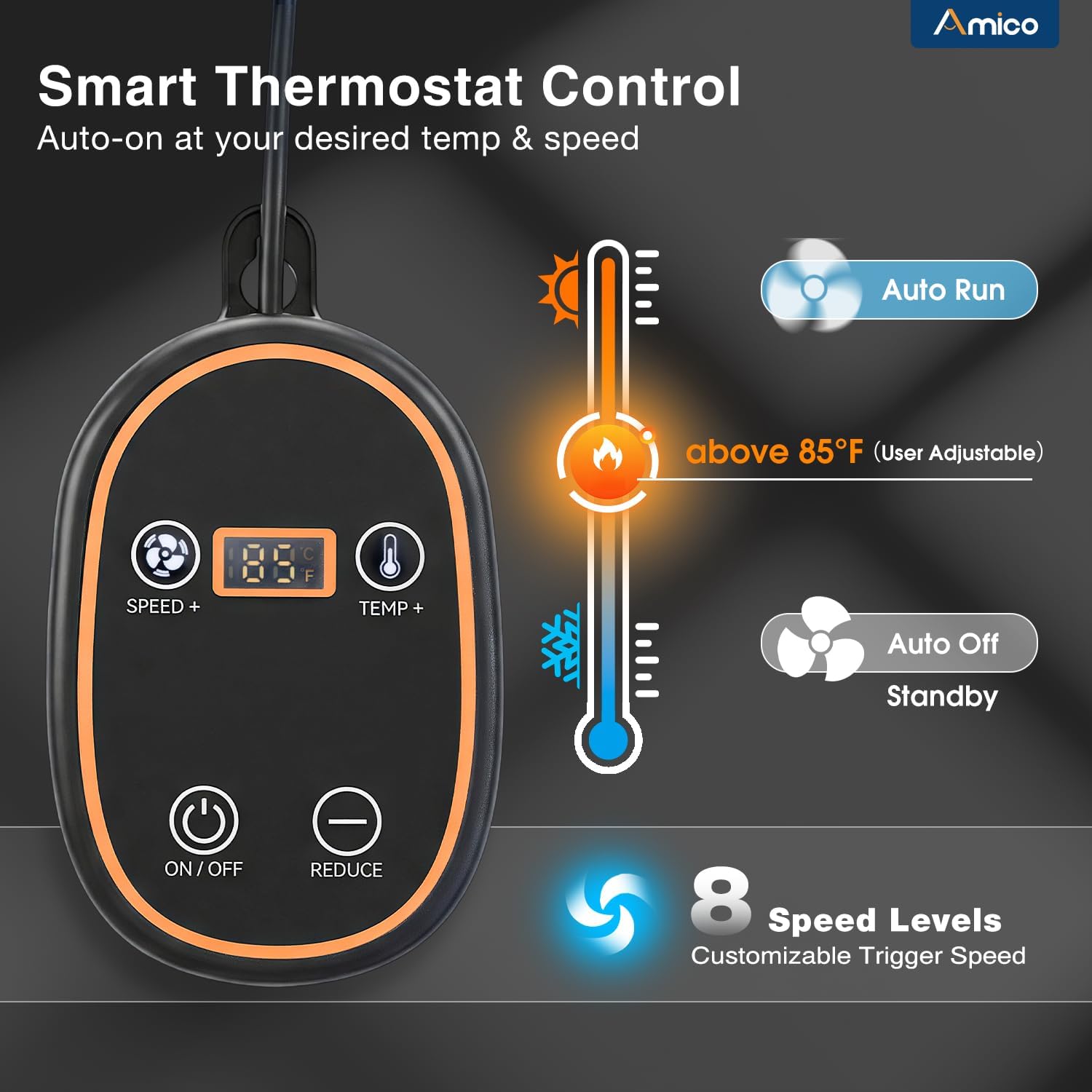
The control panel allows for setting the thermostat trigger temperature and adjusting the fan's 8 speed levels.
5. Maintenance
Regular maintenance ensures optimal performance and longevity of your Amico exhaust fan.
- Cleaning Fan Blades: Periodically, disconnect power and carefully clean the fan blades with a soft cloth to remove dust and debris. This prevents reduced airflow and motor strain.
- Cleaning Shutters: Ensure the automatic gravity shutters are free from obstructions and can open and close smoothly. Clean any dirt or debris that may accumulate on them.
- Cord and Plug Inspection: Regularly inspect the power cord and plug for any signs of damage. If damage is found, discontinue use and contact customer support.
- General Inspection: Check all mounting hardware to ensure the fan remains securely attached to the wall.
Caution: Always ensure the fan is unplugged and completely stopped before performing any cleaning or maintenance.
6. Troubleshooting
If you encounter issues with your Amico exhaust fan, refer to the following troubleshooting guide:
| Problem | Possible Cause | Solution |
|---|---|---|
| Fan does not turn on. | No power supply. | Check if the fan is properly plugged into a working outlet. Verify the circuit breaker. |
| Thermostat setting not met. | Ensure the ambient temperature is above the preset thermostat turn-on temperature. Adjust the setting if necessary. | |
| Reduced airflow. | Fan blades or shutters are dirty/obstructed. | Disconnect power and clean the fan blades and automatic shutters. Remove any obstructions. |
| Incorrect speed setting. | Increase the fan speed using the controller. | |
| Unusual noise during operation. | Loose mounting or foreign object. | Disconnect power and check all mounting screws for tightness. Inspect fan blades and housing for any foreign objects. |
If the problem persists after attempting these solutions, please contact Amico customer support.
7. Specifications
Detailed technical specifications for the Amico 14-inch Smart Shutter Exhaust Fan.
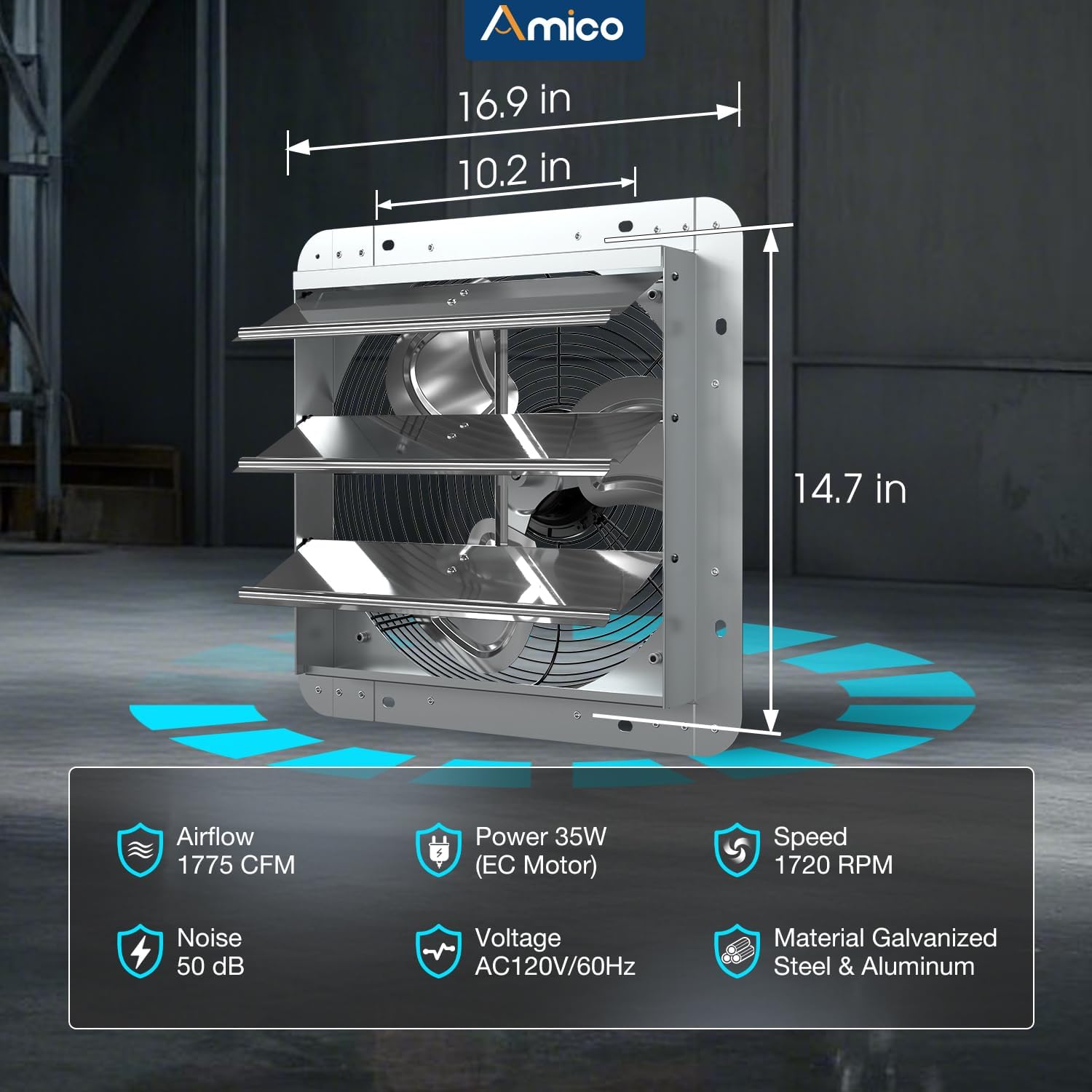
Visual representation of the fan's dimensions and key performance metrics.
| Specification | Detail |
|---|---|
| Model Name | DLT-E250EXK14IN |
| Size | 14 inch |
| Air Flow Capacity | 1775 Cubic Feet Per Minute (CFM) |
| Wattage | 35 watts |
| Motor Type | Brushless EC Motor |
| Speed | 1720 RPM |
| Voltage | 120 Volts |
| Noise Level | 50 Decibels |
| Number of Speeds | 8 |
| Controller Type | Thermostat (Touch Control) |
| Product Dimensions (D x W x H) | 17.1"D x 17.1"W x 6.3"H |
| Material | Alloy Steel, Aluminum |
| Installation Type | Wall Mount |
| Certification | FCC Certified |
8. Warranty & Support
Amico stands behind the quality of its products.
Warranty Information:
This Amico Smart Shutter Exhaust Fan comes with a 3-Year Warranty from the date of purchase. This warranty covers defects in materials and workmanship under normal use. Please retain your proof of purchase for warranty claims.
Customer Support:
For any questions, technical assistance, or warranty claims, our dedicated customer support team is available 24/7 to assist you.
Email Support: support@amicolight.com
This video demonstrates the features and installation of a similar Amico Smart Thermostat Exhaust Fan (12-inch model), providing a visual guide to its operation and benefits.