
1. Overview
The Ankilo Bluetooth 5.4 Transmitter Receiver 2-in-1 (Model CP342) is a versatile wireless audio adapter designed to enhance your audio experience across various devices. It seamlessly switches between Transmitter (TX) and Receiver (RX) modes, offering broad compatibility with devices featuring a 3.5mm AUX port. Equipped with Bluetooth 5.4 technology and a dual link feature, it ensures stable, low-latency audio for shared listening and hands-free communication.
2. Product Features
- 2-in-1 Bluetooth Adapter: Easy RX/TX Mode Switching: Easily switch between Receiver (RX) and Transmitter (TX) modes. In RX mode, stream audio from your smartphone or tablet to non-Bluetooth devices like older car stereos or wired speakers. In TX mode, transmit audio from TVs, PCs, or in-flight entertainment systems to your Bluetooth headphones or speakers. The built-in microphone enables hands-free calling.
- Bluetooth 5.4 & Dual Link: Low-Latency Audio: Equipped with advanced Bluetooth 5.4 technology for stable connectivity and lag-free audio sync, ideal for videos and gaming. The Dual Link feature allows two Bluetooth headphones to connect simultaneously, perfect for shared listening without interruptions.
- Long Battery Life & Fast USB-C Charging: The 300mAh battery provides up to 11.5 hours in RX mode and 10 hours in TX mode. Fully recharges in just 1.5 hours via USB-C. The LED screen clearly displays real-time battery level and mode status.
- Compact & Portable with Retractable Cable: Ultra-lightweight and compact with a retractable cable, designed for easy carrying. Ideal for travel, gym, or daily commutes. The bright LED screen shows connection status and battery life at a glance.
- Wide Compatibility: For Home & On-The-Go: Works seamlessly with any device featuring a 3.5mm AUX port. Enjoy wireless audio with a wide range of equipment, including TVs, car audio systems, PCs, home stereos, as well as popular Bluetooth headphones and speakers.

Image: The Ankilo Bluetooth Adapter demonstrating its wide compatibility in both TX (Transmitter) and RX (Receiver) modes. TX mode connects to devices like TVs, gym equipment, and desktops, transmitting audio to Bluetooth earbuds, headphones, or other Bluetooth audio devices. RX mode connects to car audio, speakers, or amplifiers, receiving audio from telephones, tablets, or laptops.
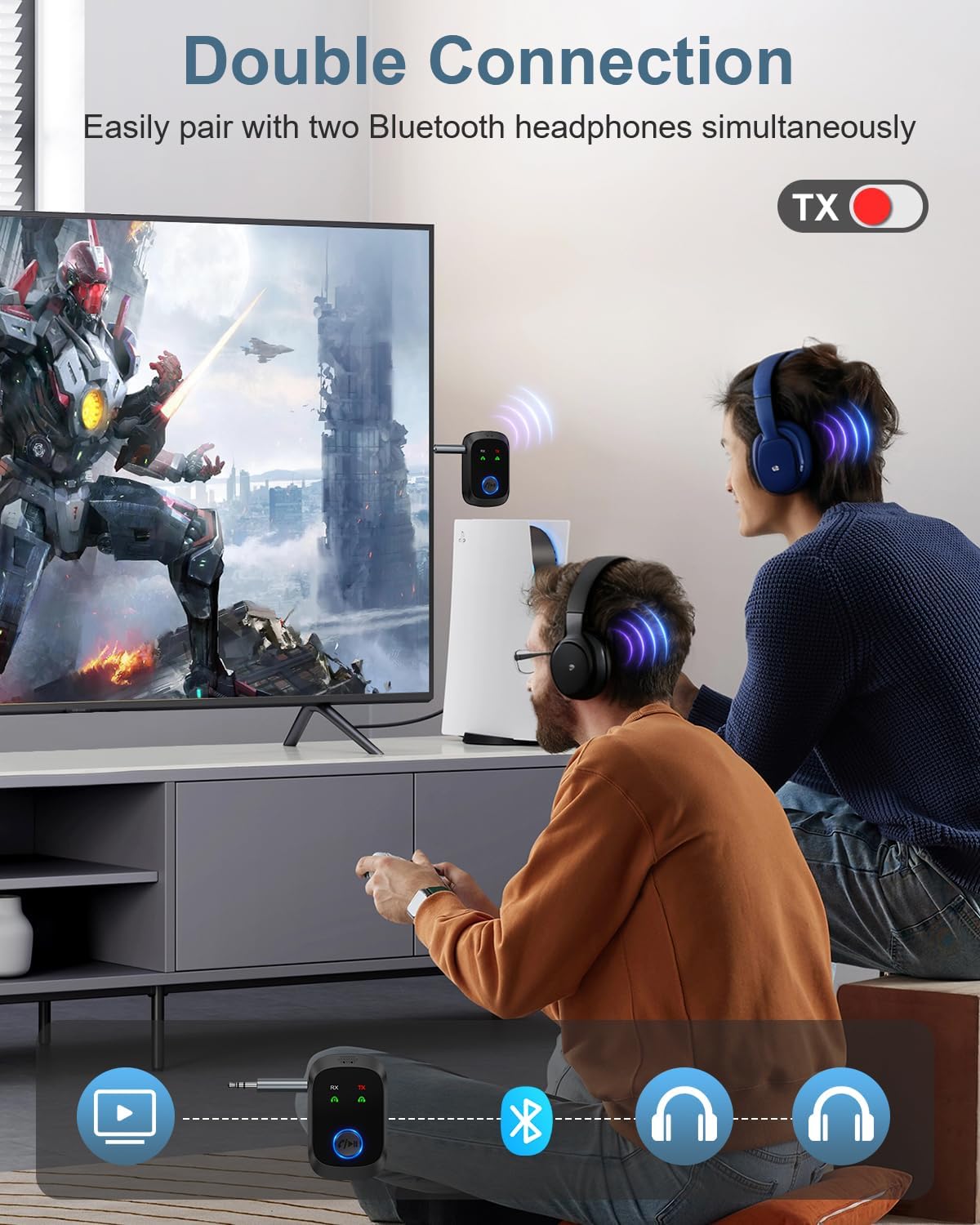
Image: The Ankilo Bluetooth Adapter in TX mode, illustrating its dual connection capability. Two individuals are shown wearing Bluetooth headphones, both connected simultaneously to the adapter, which is plugged into a TV, allowing for shared audio listening.
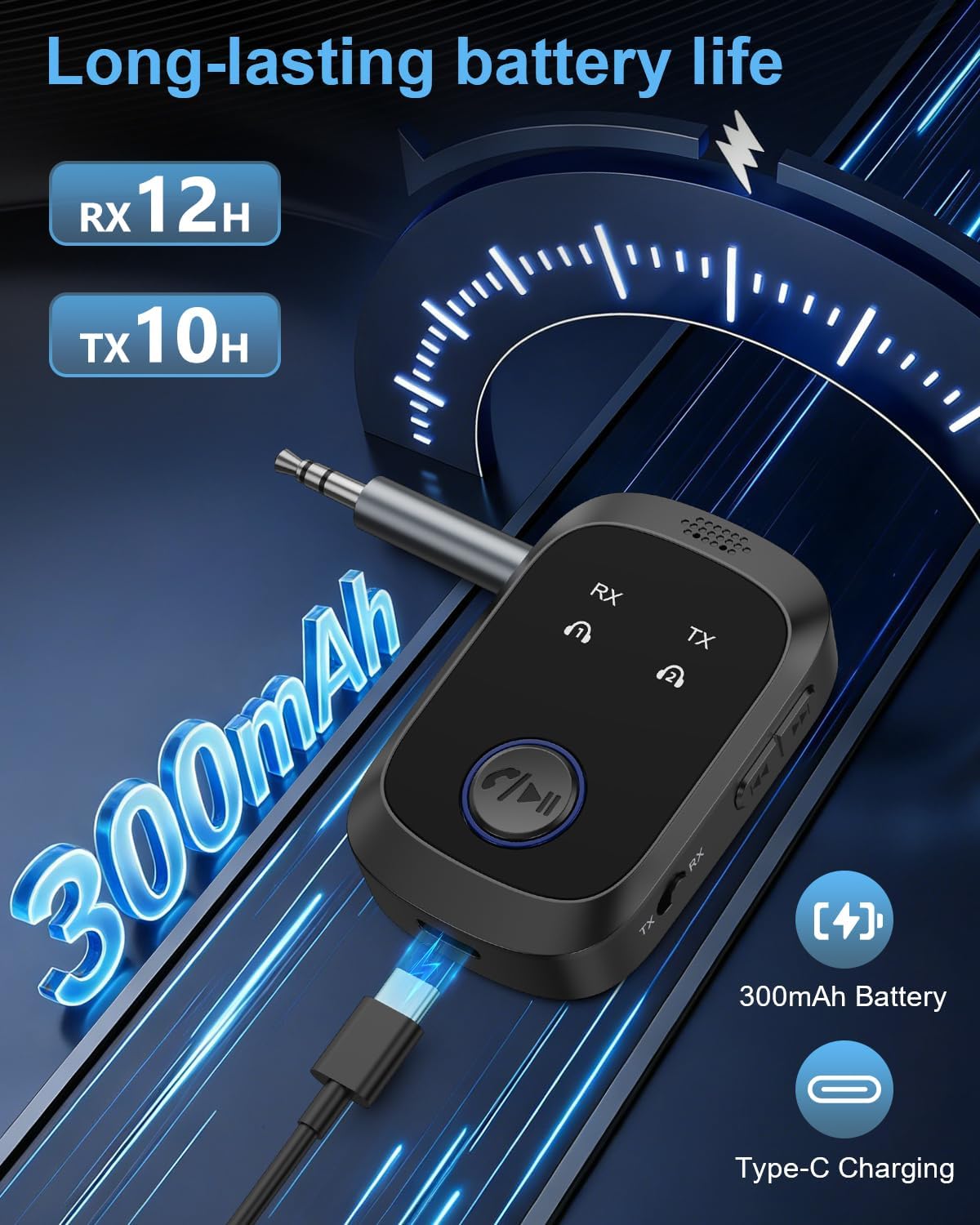
Image: The Ankilo Bluetooth Adapter highlighting its long-lasting battery life (12H RX, 10H TX) and 300mAh capacity. It also shows the device being charged via a USB-C cable, emphasizing its fast charging capability.
3. Setup
3.1 Charging the Device
Before initial use, fully charge the Ankilo Bluetooth adapter. Connect the provided USB-C cable to the charging port on the device and the other end to a USB power source (e.g., computer USB port, USB wall adapter). The LED screen will display the battery level during charging. A full charge takes approximately 1.5 hours.
3.2 Switching Modes (TX/RX)
The device features a physical switch to toggle between Transmitter (TX) and Receiver (RX) modes. Locate the switch on the side of the device and slide it to your desired mode. Ensure the device is in the correct mode for your intended use before connecting.
3.3 Pairing in Transmitter (TX) Mode
- Switch the device to TX mode.
- Plug the 3.5mm audio jack into the audio output port of your source device (e.g., TV, PC, in-flight entertainment system).
- Turn on your Bluetooth headphones/speakers and put them into pairing mode.
- The Ankilo adapter will automatically search for nearby Bluetooth devices. The LED screen will show "Pairing..."
- Once connected, the LED screen will display the name of the connected device.
3.4 Pairing in Receiver (RX) Mode
- Switch the device to RX mode.
- Plug the 3.5mm audio jack into the audio input port of your target device (e.g., car stereo, wired speaker, home stereo).
- Enable Bluetooth on your smartphone or tablet and search for new devices.
- Select "Ankilo CP342" (or similar name displayed on the device's LED screen) from the list of available devices to pair.
- Once connected, the LED screen will display the name of your paired smartphone/tablet.

Image: A step-by-step guide demonstrating convenient operation of the Ankilo Bluetooth Adapter in RX mode within a car. Steps include choosing the mode, powering on, pairing with a phone (showing 'C86S' as the device name), and enjoying music through the car's audio system.
4. Operating
4.1 Dual Link Functionality (TX Mode)
In TX mode, the Ankilo adapter supports connecting to two Bluetooth headphones simultaneously. After successfully pairing the first headphone, put the second headphone into pairing mode. Press the multi-function button on the Ankilo adapter to initiate pairing with the second device. Both headphones will then receive audio from the source device.
4.2 Hands-Free Calling (RX Mode)
When in RX mode and paired with a smartphone, the built-in microphone allows for hands-free calling. When a call comes in, press the multi-function button once to answer, press again to hang up. Double-press to reject a call.
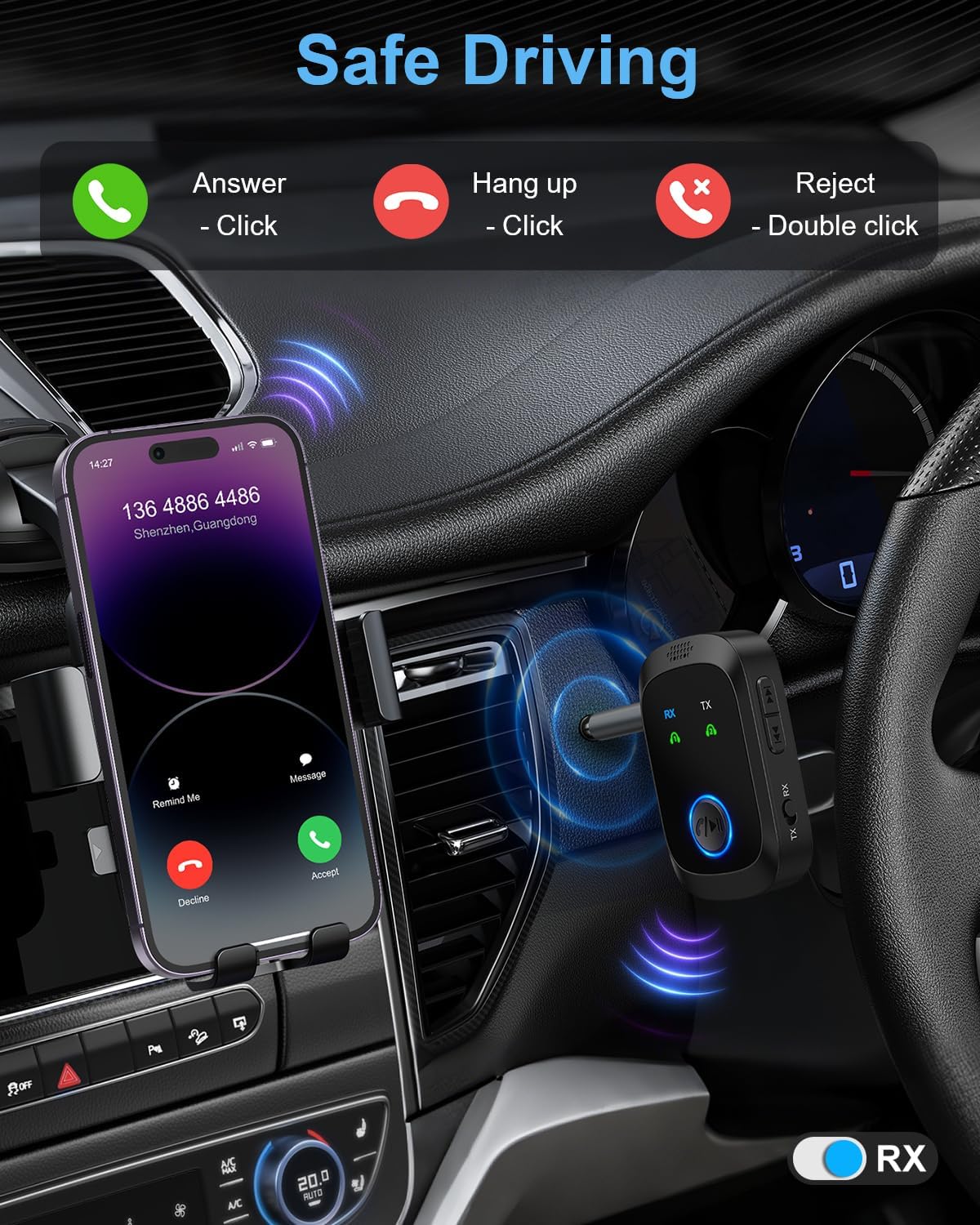
Image: The Ankilo Bluetooth Adapter in RX mode, demonstrating safe driving features. It shows a smartphone receiving a call, with instructions to click to answer/hang up, and double-click to reject, utilizing the adapter's built-in microphone for hands-free communication.
5. Maintenance
5.1 Cleaning
Wipe the device with a soft, dry cloth. Avoid using harsh chemicals or abrasive cleaners.
5.2 Storage
Store the device in a cool, dry place away from direct sunlight and extreme temperatures. When not in use, retract the cable to prevent tangling and damage.
6. Troubleshooting
6.1 Device Not Powering On
Ensure the device is fully charged. Connect it to a power source using the USB-C cable and allow it to charge for at least 30 minutes before attempting to power on again.
6.2 Unable to Pair
- Make sure the adapter is in the correct TX or RX mode.
- Ensure your target Bluetooth device (headphones/speakers) or source device (smartphone/tablet) is in pairing mode.
- Keep the adapter and the device you are trying to pair within close proximity (within 1 meter).
- Clear previous pairing records on both the adapter and your Bluetooth device, then try pairing again.
6.3 No Sound or Poor Audio Quality
- Check that all audio cables are securely connected.
- Ensure the volume on both the adapter and the connected audio device is turned up.
- Verify that the adapter is successfully paired and connected to the correct device.
- Reduce interference by moving away from other wireless devices or obstacles.
7. Specifications
| Feature | Value |
|---|---|
| Brand | Ankilo |
| Model Name | CP342 |
| Connectivity Technology | Bluetooth 5.4 |
| Power Source | Corded Electric (USB-C for charging) |
| Special Feature | Low Latency, Dual Link, Built-in Microphone, LED Display, Retractable Cable |
| Battery Capacity | 300mAh |
| Battery Life (RX Mode) | Up to 11.5 hours |
| Battery Life (TX Mode) | Up to 10 hours |
| Charging Time | Approx. 1.5 hours |
| Connector Type | 3.5mm Auxiliary |
8. Warranty
This Ankilo product comes with a 1-Year Manufacturer Warranty. Please retain your proof of purchase for warranty claims. For detailed warranty terms and conditions, refer to the product packaging or contact Ankilo customer support.
9. Support
For further assistance, technical support, or inquiries regarding your Ankilo Bluetooth 5.4 Transmitter Receiver 2-in-1, please visit the official Ankilo website or contact their customer service team. Contact information can typically be found on the product packaging or within the included documentation.

