
OUKITEL Smart Watch V3 User Manual
Model: B0G4V1QQPL
1. Setup Guide
1.1 Package Contents
- OUKITEL Smart Watch
- Charging Cable
- User Manual (QR code for digital version)
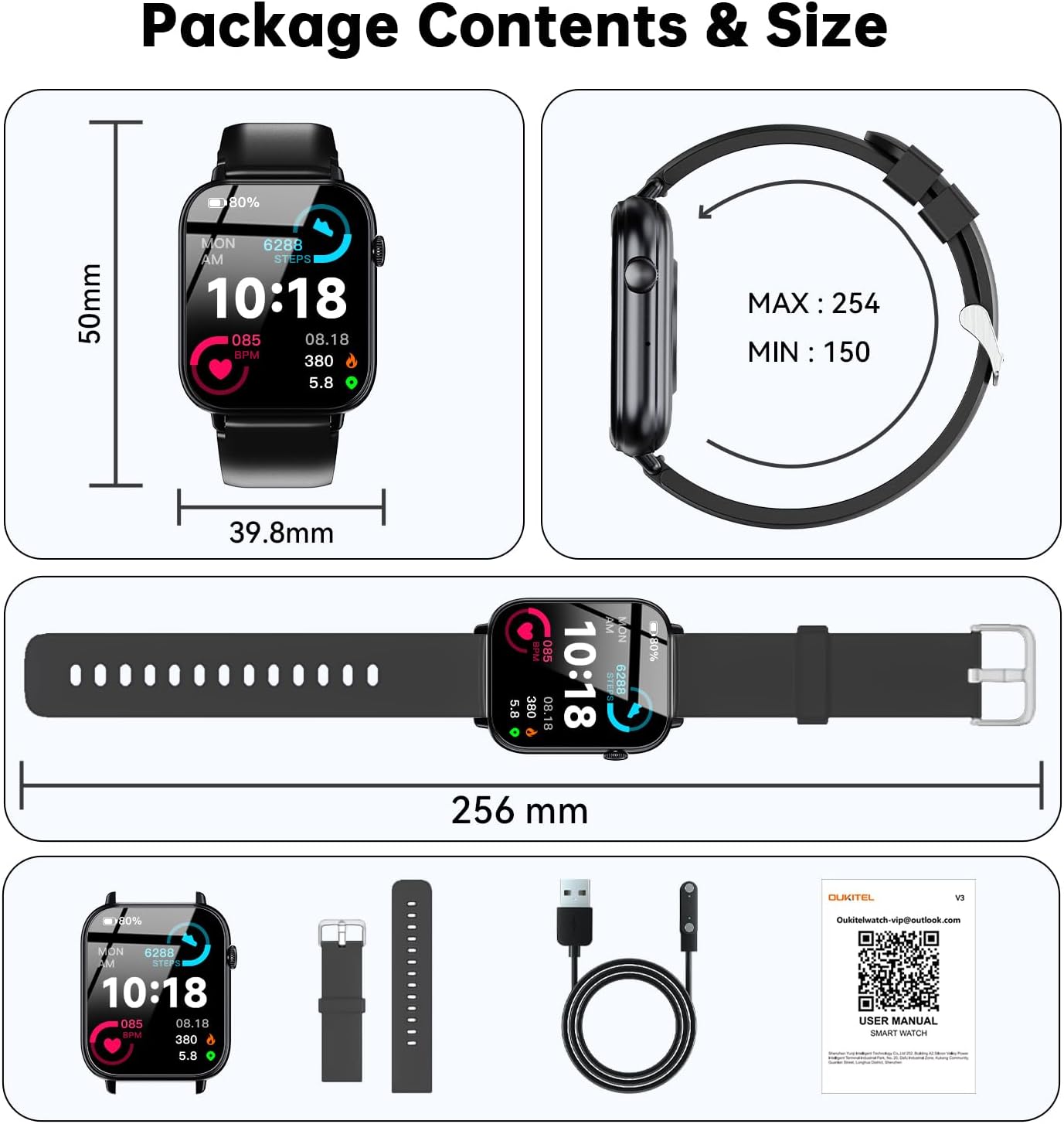
Image: Contents of the OUKITEL Smart Watch package, including the watch, an additional strap, charging cable, and user manual.
1.2 App Download and Installation
To utilize all features of your OUKITEL Smart Watch, download the companion application. Scan the QR code in the physical manual or visit the provided link:
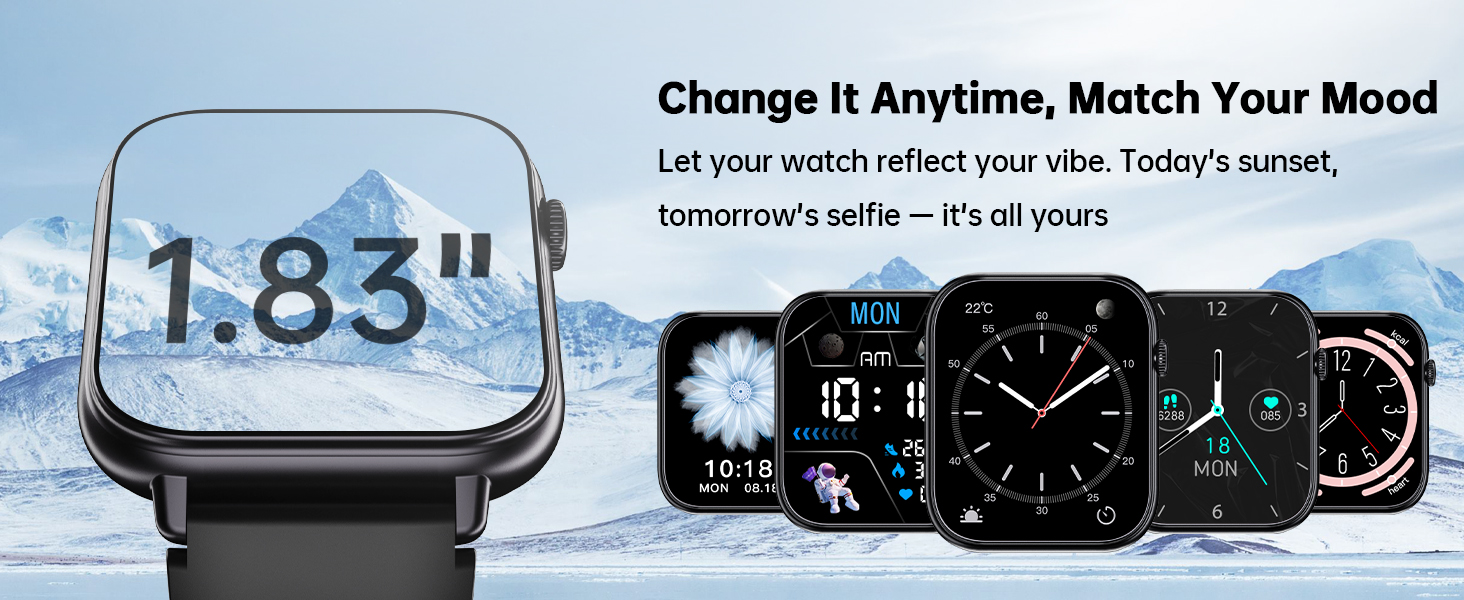
Image: Smartwatch displaying a QR code for app download, and screenshots of the DeeFit app in an app store and the binding process.
1.3 Device Pairing
- Ensure your smartphone's Bluetooth is enabled.
- Open the DeeFit app and select "Add Device".
- Locate and select "V3 (D824)" from the list of available devices.
- Confirm the pairing request on both your phone and the smartwatch.
- Allow necessary notifications and permissions for full functionality.
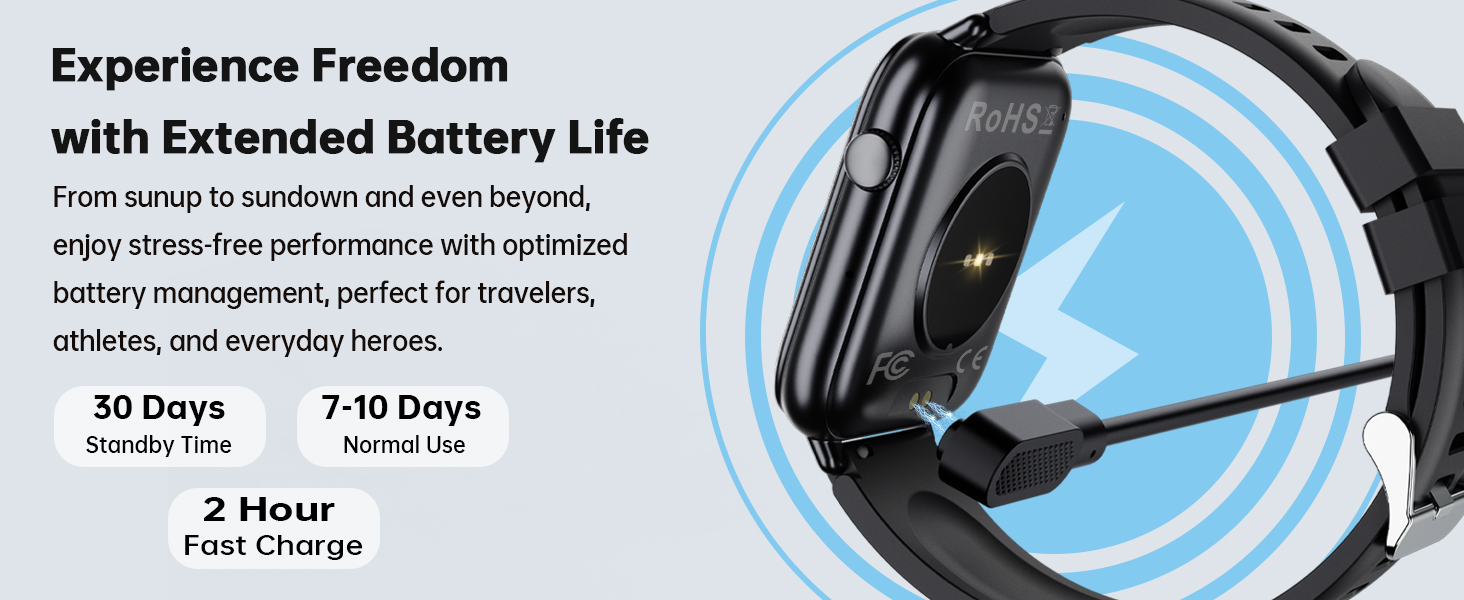
Image: Step-by-step guide for pairing the smartwatch with a smartphone via the DeeFit app, including Bluetooth activation and device selection.
2. Operating Instructions
2.0 Product Overview Video
Video: An official overview of the OUKITEL V3 Smart Watch, showcasing its design, various watch faces, Bluetooth calling, smart notifications, health monitoring (sleep, heart rate, SpO2), sport modes, water resistance, and magnetic charging.
2.1 Basic Navigation
- Touchscreen: The 1.83" HD touchscreen allows for intuitive navigation. Swipe left, right, up, or down to access different features and menus.
- Side Button: Press the side button to return to the home screen or wake the device.
- Auto-Wake: The screen automatically activates when you lift your wrist.
2.2 Bluetooth Calling and Notifications
The smartwatch supports Bluetooth 5.3 for calls and message notifications. You can answer or make calls directly from your wrist using the built-in HD speaker and microphone. Receive notifications from apps like WhatsApp, Telegram, and Facebook.
Note: Message replies are not supported directly from the watch.
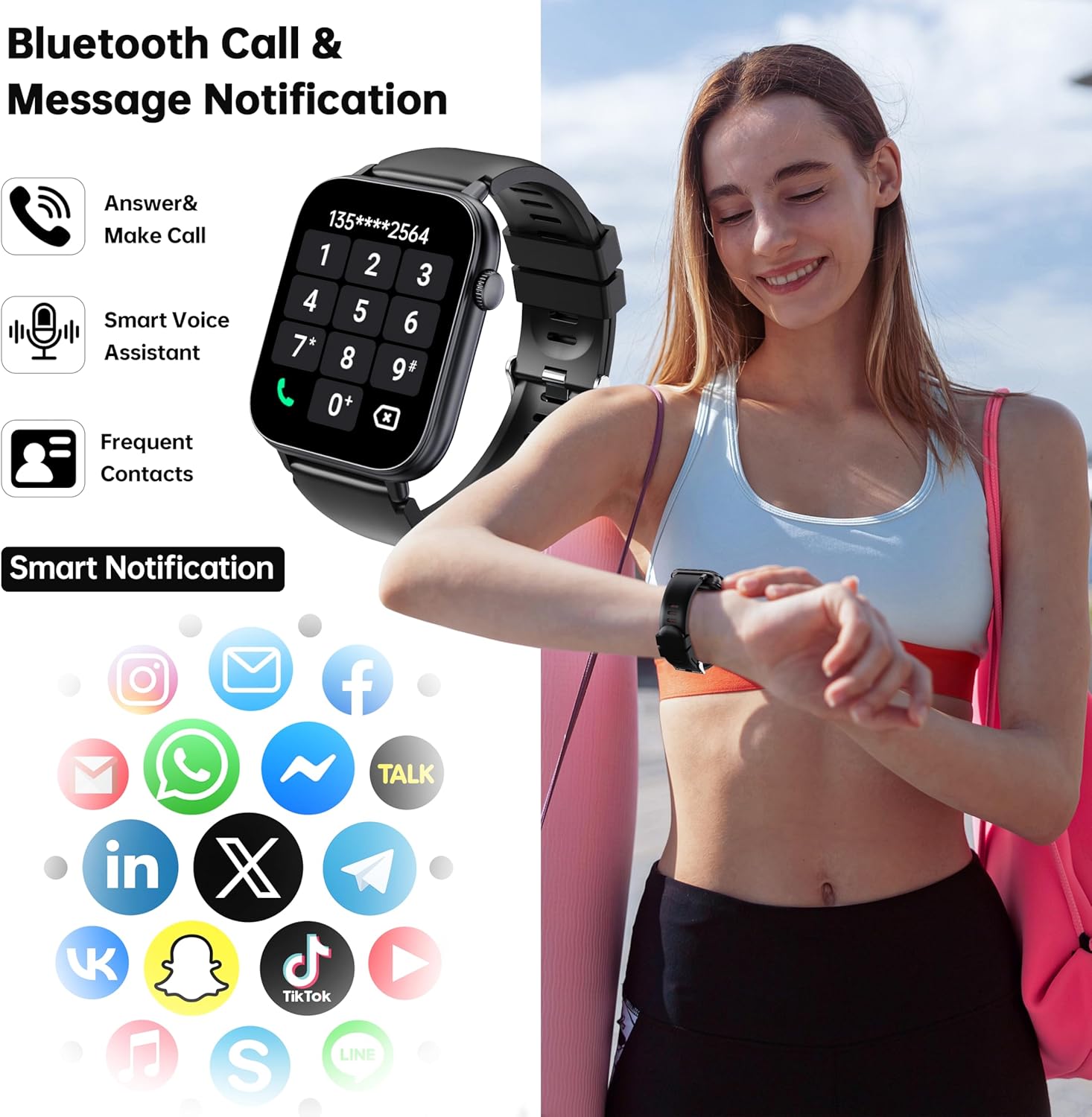
Image: A user interacting with the smartwatch, which displays a phone dialer and various social media app icons, illustrating Bluetooth call and notification capabilities.
2.3 Customizing Watch Faces
Choose from over 100 watch faces available through the companion app to personalize your device. You can also create custom watch faces using your own images.
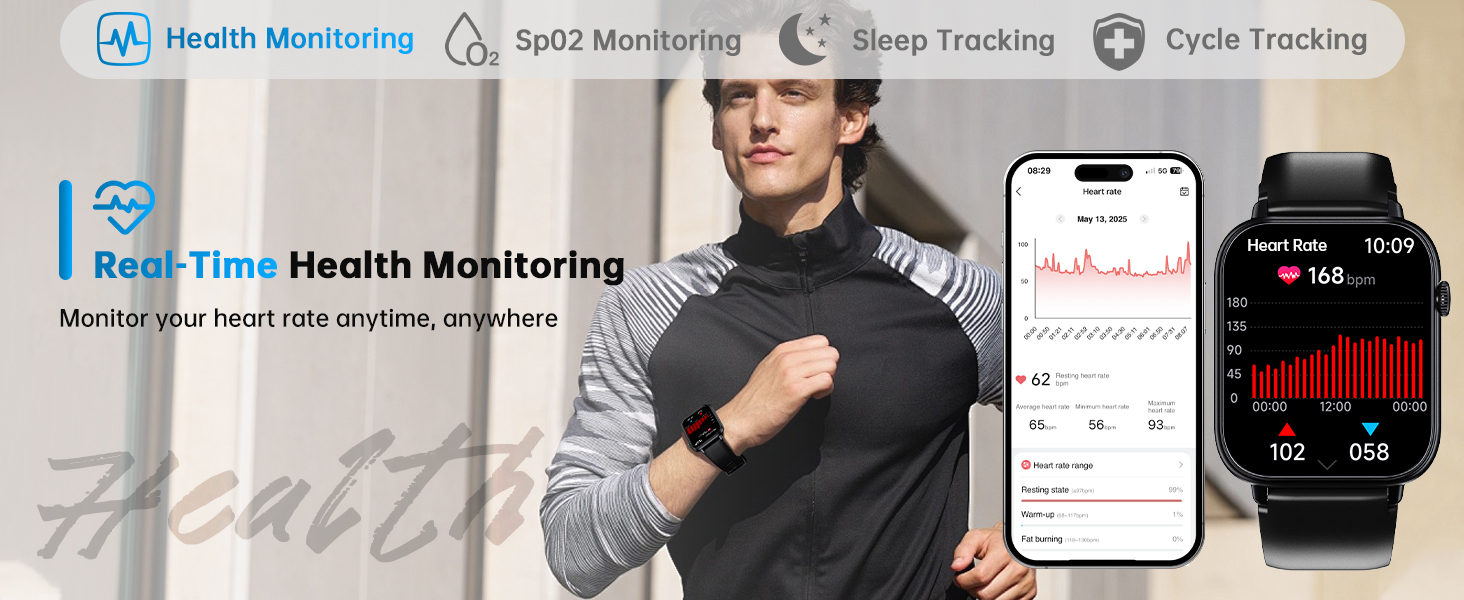
Image: A collection of diverse watch faces shown on the smartwatch, highlighting the customization options available to users.
2.4 Health Monitoring
The smartwatch features a built-in optical sensor for continuous health tracking.
- Heart Rate Monitor: Continuously monitors your heart rate throughout the day.
- Sleep Monitor: Provides comprehensive analysis of your sleep quality, including deep, light, and REM sleep stages.
- Stress Monitor: Tracks your stress levels.
- SpO2 Monitoring: Monitors blood oxygen saturation levels.
- Cycle Tracking: Offers personalized reminders and health insights for menstrual cycles.

Image: The smartwatch displaying real-time heart rate and sleep quality data, alongside corresponding screens from the mobile application.
2.5 Sport Modes
Access over 100 sport modes to track various physical activities. Set exercise duration and intensity goals for standardized workouts. The watch tracks calories burned, steps taken, and distance covered.
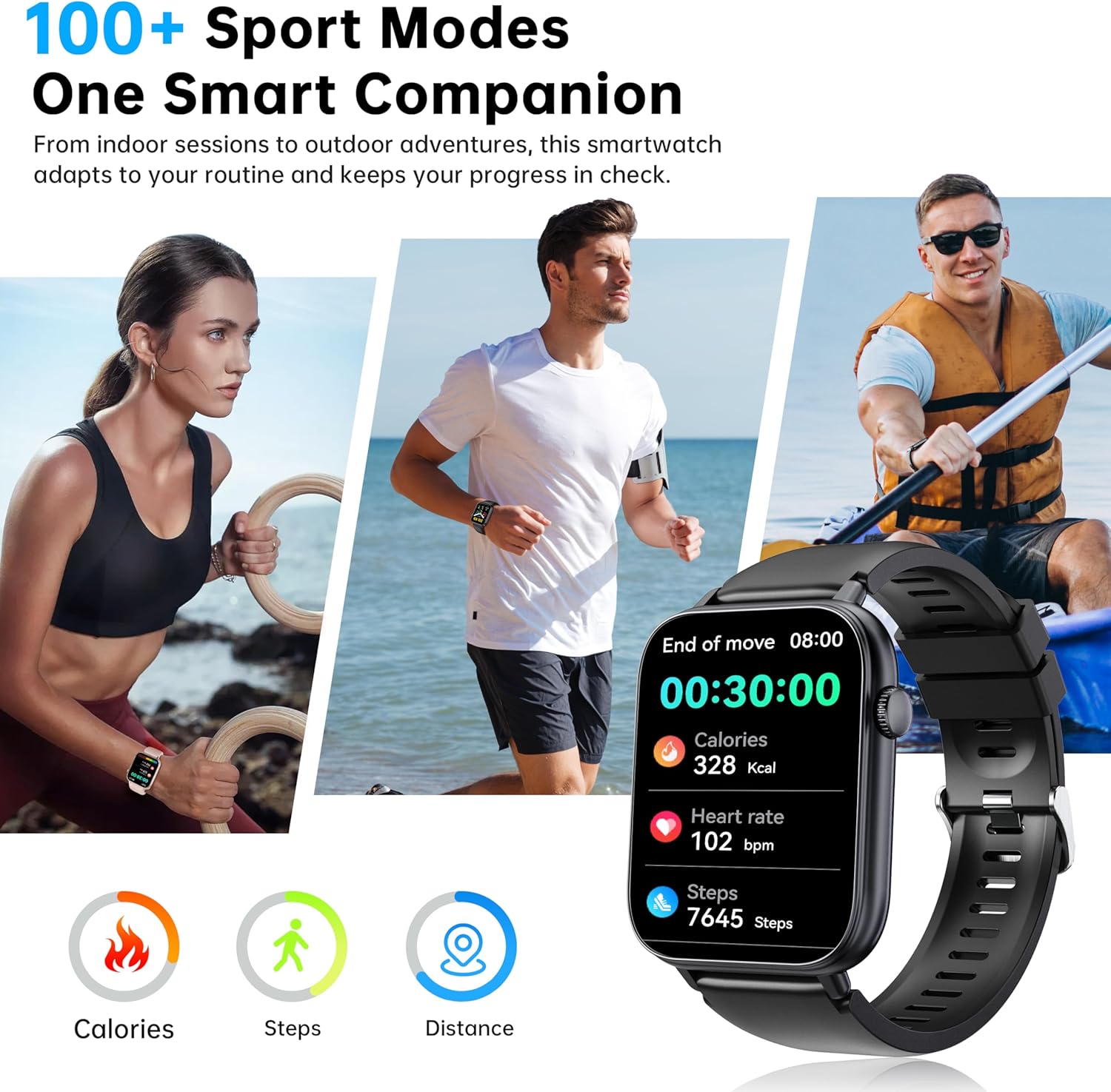
Image: The smartwatch interface showing exercise data such as calories, steps, and heart rate, with various sports activities depicted in the background.
2.6 Additional Functions
- Voice Assistant: Interact with your device using voice commands.
- Weather Forecast: Get real-time weather updates.
- Camera Control: Remotely control your smartphone camera.
- Music Control: Manage music playback on your smartphone.
- Alarm Clock: Set alarms and reminders.
- Sedentary Reminder: Receive alerts to move after periods of inactivity.
- Find Phone: Locate your paired smartphone.
- Luminance Regulation: Adjust screen brightness.
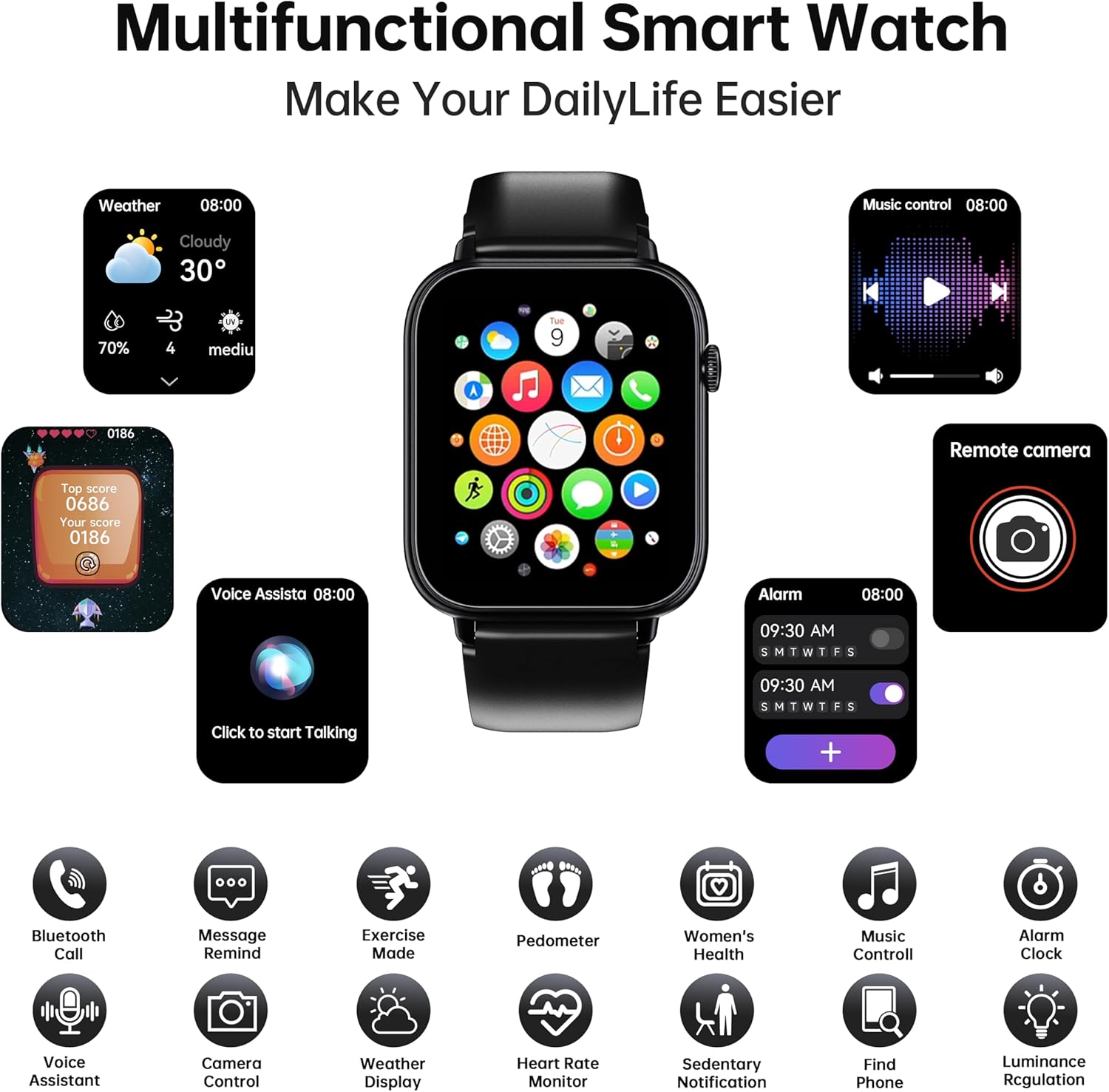
Image: A visual representation of the smartwatch's diverse functions, such as weather display, voice assistant, music control, and remote camera operation.
3. Maintenance
3.1 Water Resistance
The OUKITEL Smart Watch is IP68 rated, making it resistant to water intrusion during activities like hand washing, face washing, and daily sweating. It is suitable for swimming.
Important: Do not use the smartwatch for baths, saunas, hot springs, or diving, as extreme temperatures and steam can compromise the water resistance.
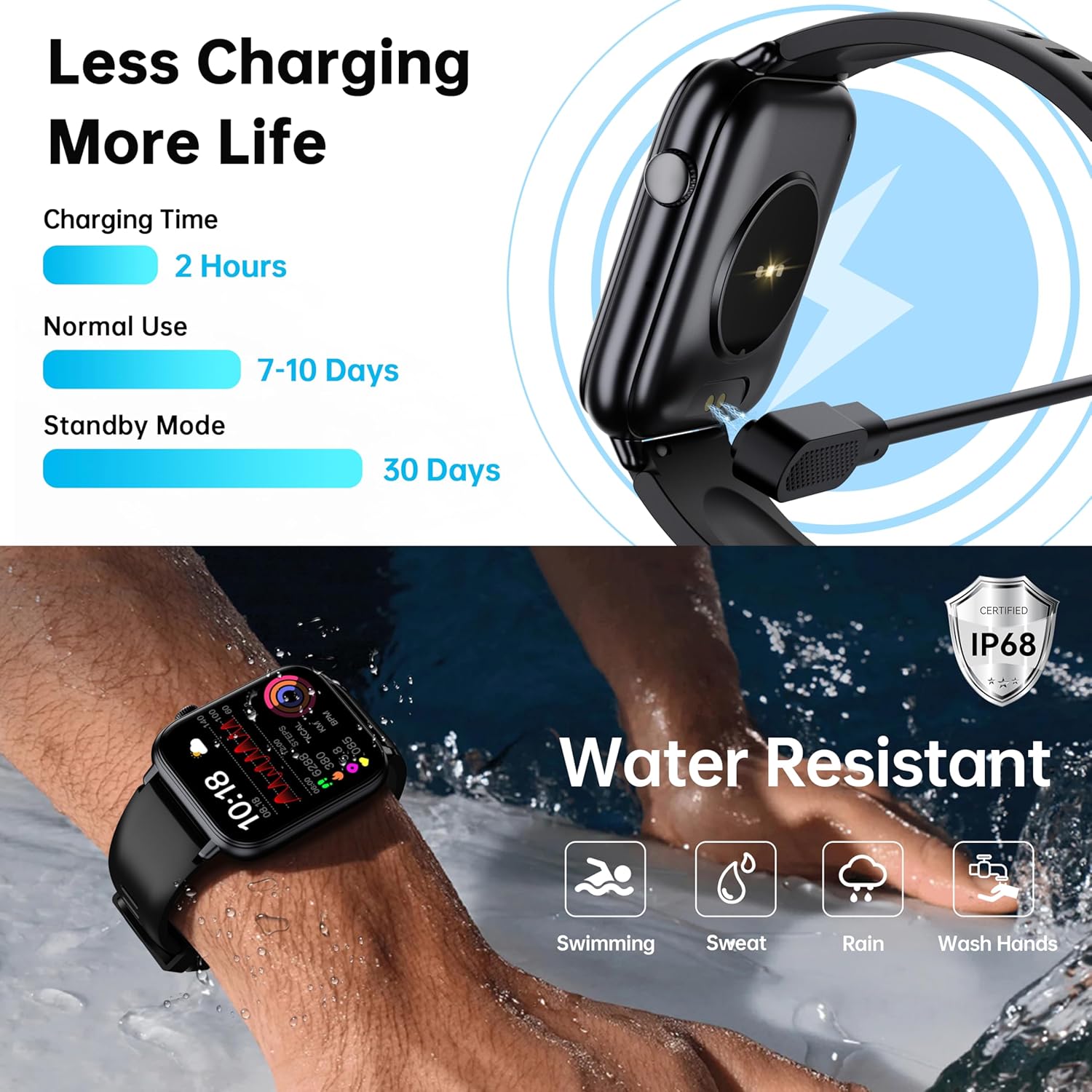
Image: The smartwatch submerged in water, with icons indicating its suitability for swimming, sweat, rain, and hand washing, confirming its IP68 water resistance.
3.2 Charging
Charge the smartwatch using the provided magnetic charging cable. A full charge typically takes 2 hours. The battery provides 7-10 days of normal use and up to 30 days in standby mode.

Image: The smartwatch connected to its magnetic charger, detailing charging time and expected battery life under normal use and standby conditions.
3.3 Cleaning
To clean your smartwatch, gently wipe the screen and strap with a soft, damp cloth. Avoid using harsh chemicals or abrasive materials, as these can damage the device.
4. Troubleshooting
If you encounter issues with your OUKITEL Smart Watch, refer to the following common solutions:
4.1 Connectivity Issues
- Bluetooth Disconnection: Ensure the smartwatch is within range of your paired smartphone. Check that Bluetooth is active on both devices. Restarting both the watch and phone can often resolve connection problems.
- App Sync Problems: Verify that the DeeFit app is running in the background and has all necessary permissions enabled on your smartphone. Ensure the app and watch firmware are up to date.
4.2 Health Tracking Inaccuracies
- Sleep Tracking: If sleep tracking is inaccurate, especially for non-traditional sleep schedules (e.g., third shift), ensure the watch is worn snugly on your wrist. The watch may have limitations in tracking sleep outside of typical nighttime hours.
- Heart Rate/SpO2: Ensure the watch is worn correctly, not too loose or too tight, and that the sensor is clean and in direct contact with your skin.
4.3 Display Issues
- Screen Visibility with Polarized Glasses: The OLED display may appear black or difficult to see when viewed through polarized sunglasses. This is a characteristic of OLED technology and not a defect. Remove polarized glasses for better visibility.
4.4 App Functionality
- Incorrect Units/Data: If the app displays incorrect units (e.g., weight in kg instead of lbs, temperature in Celsius instead of Fahrenheit), check the app settings for unit preferences. Ensure the app is properly synced for weather data.
For further assistance, please contact customer support.
5. Specifications
| Feature | Detail |
|---|---|
| Model Number | B0G4V1QQPL |
| Brand | OUKITEL |
| Screen Size | 1.83 Inches |
| Display Type | OLED |
| Resolution | 320 x 386 |
| Wireless Communication | Bluetooth 5.3 |
| Water Resistance Rating | IP68 (1.5 Meters) |
| Battery Life (Normal Use) | 7-10 Days |
| Battery Life (Standby) | 30 Days |
| Charging Time | 2 Hours |
| Metrics Measured | Heart Rate, Sleep Duration, SpO2, Stress |
| Sport Modes | 100+ |
| Compatibility | Android 6.0+ / iOS 10.0+ |
| Band Material | Silicone |
| Human Interface Input | Touchscreen |
6. Warranty and Support
6.1 Warranty Information
This OUKITEL Smart Watch comes with a 2-year warranty from the date of purchase. This warranty covers manufacturing defects and malfunctions under normal use. Please retain your proof of purchase for warranty claims.
6.2 Return Policy
A 30-day right of withdrawal is provided without justification, allowing returns within 30 days of purchase.
6.3 Customer Support
For technical assistance, warranty claims, or any other inquiries, OUKITEL offers 24/7 customer service and lifetime support with satisfactory solutions.
You can also join the official OUKITEL Smart Watch Facebook group for community support and updates: OUKITEL Smart Watch Facebook Group

Image: OUKITEL's service commitment details, including warranty, return policy, and customer support availability.