Introduction
This manual provides essential information for setting up, operating, maintaining, and troubleshooting your Samsung Galaxy S26 Ultra smartphone. Please read this guide thoroughly to ensure optimal performance and longevity of your device.
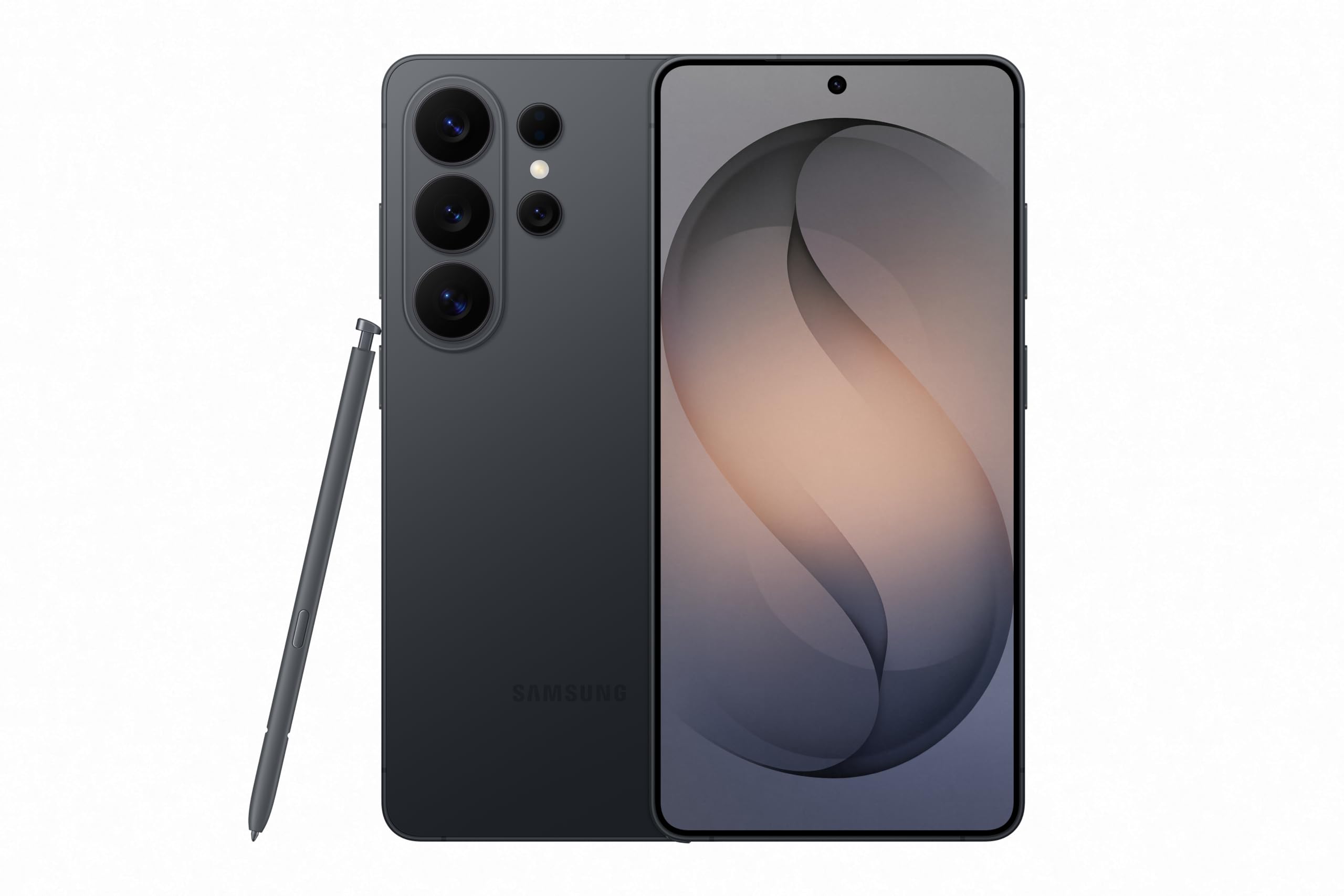
The Galaxy S26 Ultra is an advanced Android smartphone featuring Galaxy AI capabilities, a privacy display, and an enhanced camera system. It is designed for efficient daily use with a powerful processor and super-fast charging.
What's in the Box
Upon unboxing your Samsung Galaxy S26 Ultra, you should find the following items:
- Samsung Galaxy S26 Ultra Smartphone
- USB Cable (USB Type-C)
- SIM Tray Ejector
- Quick Start Guide
- Stylus (S Pen)

Setup
- Insert SIM Card: Use the provided SIM tray ejector to open the SIM card slot. Insert your Nano-SIM card into the tray and reinsert it into the phone.
- Power On: Press and hold the Power button on the side of the device until the Samsung logo appears.
- Initial Setup: Follow the on-screen prompts to select your language, connect to a Wi-Fi network, sign in to your Samsung and Google accounts, and set up security features like fingerprint recognition.
- Data Transfer: If upgrading from an old device, use Samsung Smart Switch to transfer your data, apps, and settings.
Operating Your Device
Privacy Display
The built-in Privacy Display feature automatically hides your screen content from unwanted onlookers. It can be preset to activate when receiving notifications, typing passwords, or using specific applications. This feature must be enabled in the device settings.

Photo Assist with Galaxy AI
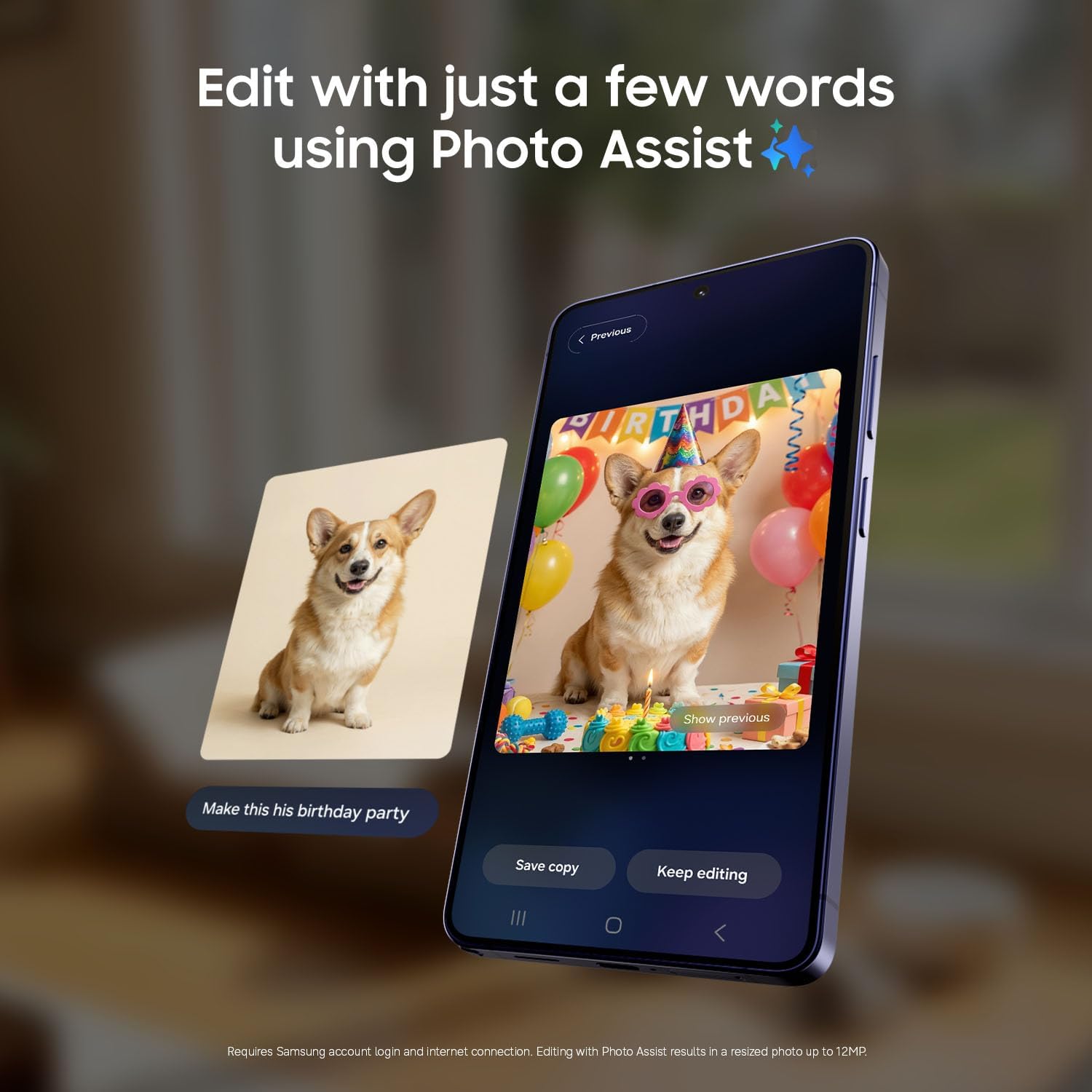
Enhance your photos in seconds using Photo Assist with Galaxy AI. This feature allows you to add objects, restore details, reframe photos, or apply new styles by simply typing or tapping. It naturally blends objects with existing lighting and shadows. A Samsung account login and internet connection are required, and edited images may be resized up to 12MP.

Nightography
Capture clear and bright moments even in low-light conditions with Nightography. This feature automatically adjusts in real-time to illuminate videos and photos taken after dark, ensuring crisp and clear results without manual adjustments.

Creative Studio
Turn everyday moments into personalized creations with Creative Studio. Generate playful illustrations and 3D cartoons for custom wallpapers, stickers, and more. An internet connection and Samsung account login are required. Edited images may be resized and will include a visible AI watermark.

Now Nudge with Galaxy AI
Stay organized and respond faster with Now Nudge. This Galaxy AI feature provides smart suggestions and relevant information exactly when you need it, working in the background to prioritize apps, reminders, and notifications. Location permission should be enabled for location-based information.

Camera System
The Galaxy S26 Ultra features a versatile camera system:
- Front Camera: 12 MP, f/2.2 Selfie Camera with Wider Selfie Capture for group shots.
- Rear Cameras:
- 50 MP, f/1.9 Ultra Wide
- 200 MP, f/1.4 Wide with 2x Optical-Quality Zoom
- 50 MP, f/2.9 Telephoto with 5x Optical Zoom and 10x Optical-Quality Zoom
- 10 MP, f/2.4 Telephoto with 3x Optical Zoom
The ProVisual Engine and Nightography features enhance photo and video quality, especially in low light. The phone supports 4K and 8K video recording.
Super Fast Charging 3.0
The Galaxy S26 Ultra supports Super Fast Charging 3.0, allowing for rapid recharging. A 60W Super Fast Charger (sold separately) is required. Charging speed depends on battery level and other factors. Use only Samsung-approved chargers and cables to prevent damage or injury.

Audio
Experience Hi-Res Audio by pairing your Galaxy S26 Ultra with compatible Galaxy Buds4 Pro (sold separately). Initial setup via settings or the Samsung Wear app on a compatible Galaxy/Android smartphone is required.

Samsung Wallet
Samsung Wallet securely stores payment cards, boarding passes, and more, allowing you to carry your essentials in a single app. Make payments, open doors, and gain access by tapping your device. Requires a compatible NFC card from a participating bank.

Media Integration
Product Images


Official Product Videos
Samsung S26 Ultra Unboxing with S25 Ultra comparison
Video: An unboxing video of the Samsung Galaxy S26 Ultra, including a comparison with the S25 Ultra, highlighting physical differences and initial impressions.
The Spigen Tough Armor vs. Galaxy S26 Ultra!
Video: A review comparing the Spigen Tough Armor case with the Samsung Galaxy S26 Ultra, demonstrating case features and fit.
Samsung Galaxy S26 Ultra
Video: A brief overview of the Samsung Galaxy S26 Ultra, showcasing its design and key functionalities.
You're not ready for everything this can do...
Video: A short video highlighting various advanced features and capabilities of the Samsung Galaxy S26 Ultra.
New phone who dis?
Video: A user's first impressions and general review of the Samsung Galaxy S26 Ultra.
Samsung Galaxy S26 Unboxing Cobalt Violet
Video: An unboxing video of the Samsung Galaxy S26 in Cobalt Violet, showcasing the device's appearance and initial setup.
Samsung Galaxy S26 Ultra Unboxing Pink Gold
Video: An unboxing video of the Samsung Galaxy S26 Ultra in Pink Gold, detailing the contents and design.
My Experience with the New Samsung Galaxy S26 Ultra, Must Have
Video: A personal review sharing the user's experience with the Samsung Galaxy S26 Ultra and its features.
Maintenance
Proper maintenance ensures the longevity and optimal performance of your Galaxy S26 Ultra:
- Software Updates: Regularly check for and install software updates to ensure your device has the latest features, security patches, and performance improvements.
- Battery Care: Avoid extreme temperatures. Do not let the battery fully drain frequently. Optimize battery settings to extend its lifespan.
- Physical Care: Keep your device clean using a soft, lint-free cloth. Avoid exposing it to harsh chemicals. Consider using a protective case and screen protector.
- Storage Management: Periodically clear unnecessary files and apps to maintain optimal performance and free up storage space.
Troubleshooting
If you encounter issues with your device, try the following steps:
- Restart Device: A simple restart can resolve many minor software glitches.
- Check Connections: Ensure Wi-Fi, Bluetooth, and cellular data connections are active and stable if experiencing connectivity issues.
- Clear Cache: For app-specific issues, try clearing the app's cache in settings.
- Software Update: Ensure your device is running the latest software version.
- Factory Reset: As a last resort, if issues persist, you may need to perform a factory reset. Back up all important data before proceeding, as this will erase all data on your device.
Specifications
| Feature | Specification |
|---|---|
| Brand | Samsung |
| Model Name | Samsung Galaxy S26 Ultra |
| Operating System | Android 16, One UI 8.5 |
| RAM Memory Installed Size | 12 GB |
| Memory Storage Capacity | 256 GB |
| Screen Size | 6.9 Inches |
| Refresh Rate | 120 Hz |
| Wireless Carrier | Unlocked for All Carriers |
| Cellular Technology | 5G |
| Connectivity Technology | 5G, Bluetooth, NFC, USB, Wi-Fi |
| Color | Black |
| SIM Card Slot Count | Single SIM |
| Connector Type | USB Type C |
| Biometric Security Feature | Fingerprint Recognition |
| Human-Interface Input | Buttons, Microphone, Touchscreen with Stylus Support |
| Water Resistance Level | Water Resistant |
| Headphones Jack | USB-C |
| Additional Features | Always On Display, Built-In GPS, Fast Charging Support, Reverse Wireless Charging, Wireless Charging |
| Front Photo Sensor Resolution | 12 MP |
| Rear Facing Camera Photo Sensor Resolution | 10.0, 12.0, 200.0, 50.0 MP |
| Number of Rear Facing Cameras | 4 |
| Battery Capacity | 5000 Milliamp Hours |
| GPS Geotagging Functionality | True |
| Display Type | AMOLED |
| Model Year | 2026 |
| Item Weight | 1 Kilograms |
| Item Dimensions | 6.44 x 3.07 x 0.31 inches |
Warranty and Support
Your Samsung Galaxy S26 Ultra comes with a 1 Year Manufacturer Warranty. For detailed terms and conditions, please refer to the documentation included in your product packaging or visit the official Samsung support website.
Additionally, Samsung offers optional protection plans:
- Samsung Care+ Device Protection 2 YR: Covers unlimited drops, spills, mechanical breakdowns, plus theft and loss coverage for 24 months.
- Samsung Care+ Device Protection Monthly: Offers flexible monthly coverage for device protection.
- Complete Protect: A comprehensive plan covering all eligible past and future purchases.
For more information on these plans, including specific requirements and limitations, please visit Samsung's official website or contact customer support.


