
1. Introduction
This manual provides essential instructions for the safe and efficient use of your Fabater Mini UPS 2600mAh Uninterruptible Power Supply. This device is designed to provide continuous power to compatible electronic devices during power outages, ensuring uninterrupted operation.
Please read this manual thoroughly before operating the device and retain it for future reference.
2. Product Features
- Stable and Dependable: Ensures continuous device operation with wide voltage input and stable output.
- Large Capacity: Features a 2600mAh built-in rechargeable Li battery, providing varying runtime based on device usage.
- Intelligent Power Management: Battery enters sleep mode when fully charged and activates automatically during power outages, maintaining device function without requiring a restart.
- Broad Compatibility: Suitable for various 2A devices including routers, security cameras, modems, LED lights, car DVRs, speakers, and mobile phones.
- Simple Operation: Easy to set up and use by simply plugging into a wall outlet and connecting your device.
- Safe Design: Equipped with a flame-retardant casing and a battery protective board offering over-current, over-voltage, overcharge, and over-discharge protection.
3. Package Contents
Verify that all items are present and in good condition upon opening the package:
- 1 x Fabater Mini UPS
- 1 x Charging Adapter (US Plug)
4. Setup Instructions
- Connect the Charging Adapter: Insert the charging adapter into the designated input port on the Fabater Mini UPS.
- Plug into Wall Outlet: Connect the charging adapter to a standard US wall outlet. The UPS will begin charging its internal battery.
- Connect Your Device: Plug your compatible device (e.g., router, security camera) into the USB 2A output port of the Fabater Mini UPS.
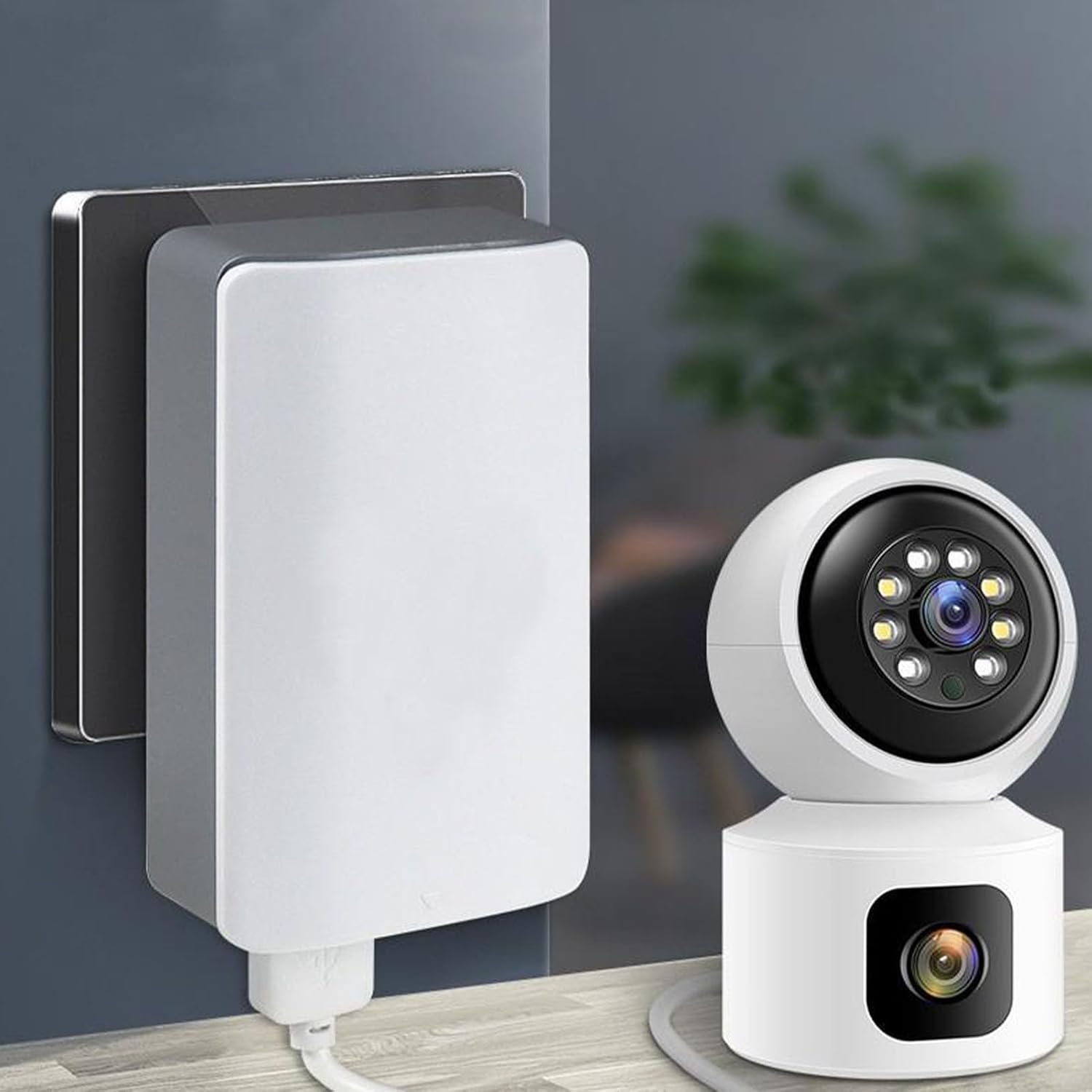
Image: The Fabater Mini UPS plugged into a wall outlet, illustrating its compact design and direct wall connection.
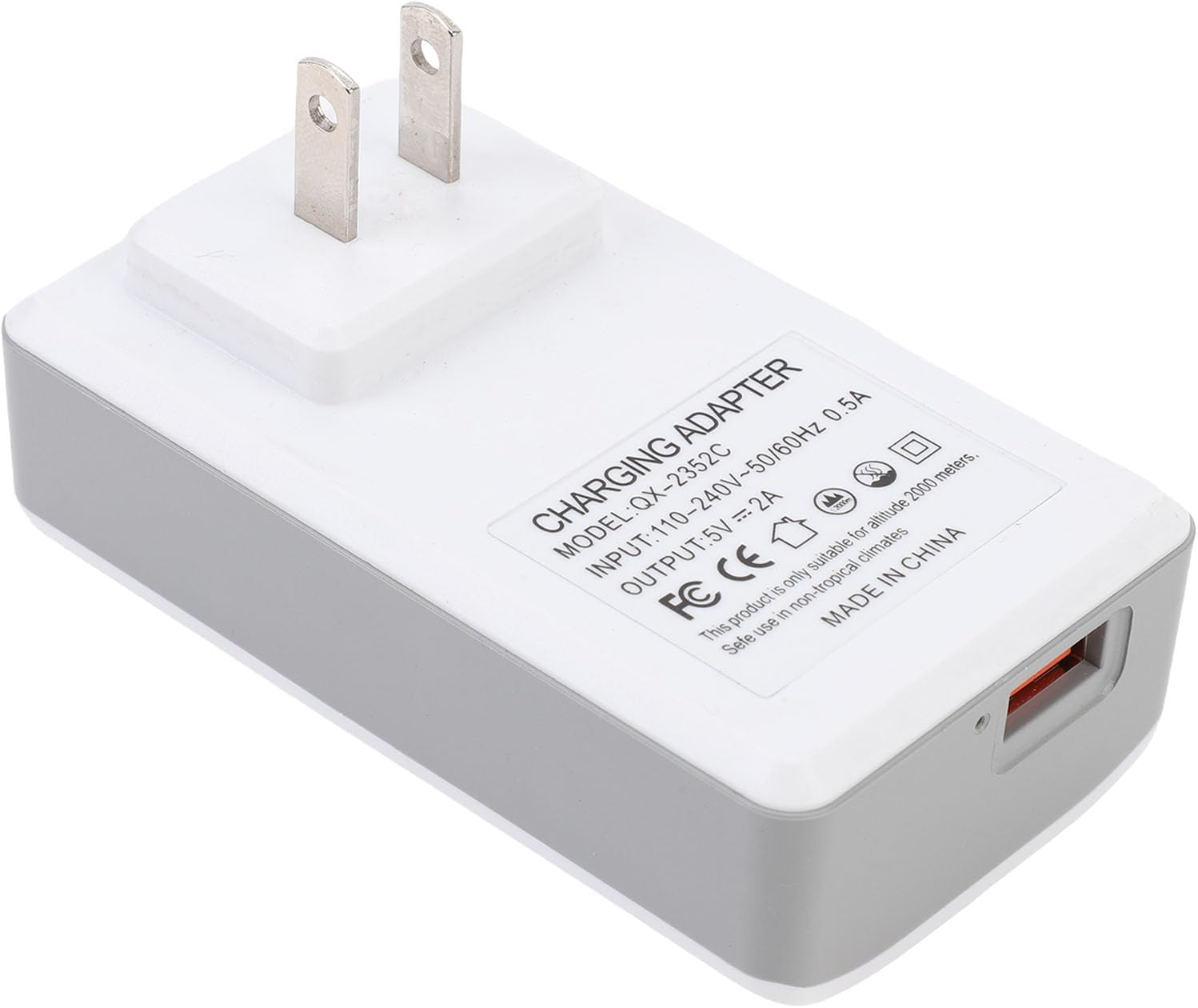
Image: A detailed view of the charging adapter, displaying its model number and electrical specifications.
5. Operating Instructions
- Once connected, the Fabater Mini UPS will automatically charge its internal battery.
- When the battery is fully charged, the intelligent power management system will put the battery into sleep mode to prevent overcharging and conserve energy.
- In the event of a power outage, the UPS will seamlessly switch to battery power, providing continuous operation to your connected device without interruption or requiring a restart.
- When grid power is restored, the UPS will automatically revert to drawing power from the wall outlet and recharge its battery.

Image: Illustration demonstrating the UPS providing continuous power to a security camera during a power failure, highlighting its seamless transition.
6. Maintenance
- Environmental Conditions: This product is suitable for use in non-tropical climates and altitudes up to 2000 meters. Avoid extreme temperatures, direct sunlight, and high humidity.
- Cleaning: Use a soft, dry cloth to clean the exterior of the UPS. Do not use liquid cleaners or aerosols.
- Ventilation: Ensure the UPS is placed in a well-ventilated area to prevent overheating. Do not block any ventilation openings.
- Battery Care: While the intelligent system manages battery charging, it is recommended to fully discharge and recharge the UPS periodically (e.g., every 3-6 months) if it remains unused for extended periods, to maintain battery health.

Image: An internal view of the UPS, showcasing the 2600mAh lithium battery and its design for endurance and heat dissipation.

Image: Visual representation of the fireproof casing and the USB output port, emphasizing safety and connectivity.
7. Troubleshooting
If you encounter issues with your Fabater Mini UPS, refer to the following common troubleshooting steps:
- Device not powering on:
- Ensure the UPS is properly plugged into a functioning wall outlet.
- Verify that your connected device is securely plugged into the UPS's USB output.
- Check if the UPS battery has sufficient charge.
- Connected device not charging/receiving power:
- Confirm the wall outlet is active.
- Ensure the charging adapter is firmly connected to both the UPS and the wall outlet.
- Verify that your device's power requirements do not exceed the UPS's 2A output.
- UPS not charging:
- Check the wall outlet with another device to ensure it is working.
- Inspect the charging adapter and cables for any visible damage.
8. Specifications
| Feature | Specification |
|---|---|
| Brand | Fabater |
| Model Number | Fabaterdpv4gibcg8-11 |
| Battery Type | 1 x 2600mAh Rechargeable Li Battery (Built-in) |
| Output | USB 2A |
| Input | 110-240V~50/60Hz 0.5A |
| Item Weight | 121 Grams |

Image: Visual representation of the multiple safety features integrated into the UPS design, including various protection guards.
9. Warranty and Support
Warranty: This Fabater Mini UPS comes with a 90-day manufacturer warranty from the date of purchase. This warranty covers defects in materials and workmanship under normal use.
Exclusions: The warranty does not cover damage caused by misuse, accident, unauthorized modification, or improper installation.
Customer Support: For warranty claims, technical assistance, or any questions regarding your product, please contact Fabater customer service through the retailer where the product was purchased or refer to the official Fabater website for support contact information.