
Introduction
The Garmin inReach Mini 3 Plus is a compact SOS satellite communicator designed to keep you connected in remote locations beyond cellular service. This manual provides essential information for setting up, operating, and maintaining your device.
With an active satellite subscription, this device enables two-way text, voice, and group messaging, as well as photo sharing when paired with a compatible smartphone. It features interactive SOS alerts, LiveTrack location sharing, and integration with Garmin's mobile applications for enhanced navigation and communication.
What's in the Box
- Garmin inReach Mini 3 Plus compact SOS Satellite Communicator
- Microfiber Cleaning Cloth
- P-Bank Battery
- Generic Brand 10ft USB Type A to USB Type C cable - Black
- USB Wall Charger
- Universal 2-port USB Car adapter
Setup
Activating Your Device
An active satellite subscription is required for all inReach features, including messaging and SOS. Visit the Garmin website to choose a subscription plan and activate your device.
Pairing with Garmin Messenger App
For optimized messaging and photo sharing, pair your inReach Mini 3 Plus with a compatible smartphone via the Garmin Messenger app. This allows you to send texts, voice messages, group messages, and photos using your smartphone's interface, leveraging the Iridium satellite network when cellular service is unavailable.
Charging the Device
Connect the inReach Mini 3 Plus to the provided USB wall charger or a compatible USB power source using the USB Type A to USB Type C cable. Ensure the device is fully charged before extended use. The internal rechargeable battery supports up to 350 hours with 10-minute tracking or up to 95 hours in performance messaging mode.
Operating Instructions
Global Messaging and Media Sharing
Exchange texts, voice messages, group messages, and photos directly from the device or when paired with your compatible smartphone through the Garmin Messenger app. This functionality relies on the Iridium satellite network, ensuring connectivity beyond cellular coverage.

Image: The inReach Mini 3 Plus showing a text message conversation, highlighting its messaging capabilities.
Interactive SOS
In an emergency, trigger an interactive SOS alert to Garmin Response, a 24/7 international emergency coordination center. This center receives your location and maintains two-way communication to coordinate rescue efforts.
Video: Official product video demonstrating the Garmin inReach Mini 3 Plus's features, including SOS messaging and voice messaging.
LiveTrack Location Sharing
Share your progress in real-time with friends and family using LiveTrack location sharing. This feature displays your distance, time, and elevation, providing peace of mind to your contacts.

Image: Three inReach Mini 3 Plus devices showcasing global satellite coverage, emergency SOS messaging, and LiveTrack location sharing.
Garmin Explore App Integration
Pair your device with the Garmin Explore app for advanced trip planning, activity recording, and course navigation. This app enhances your device's capabilities for off-grid exploration.
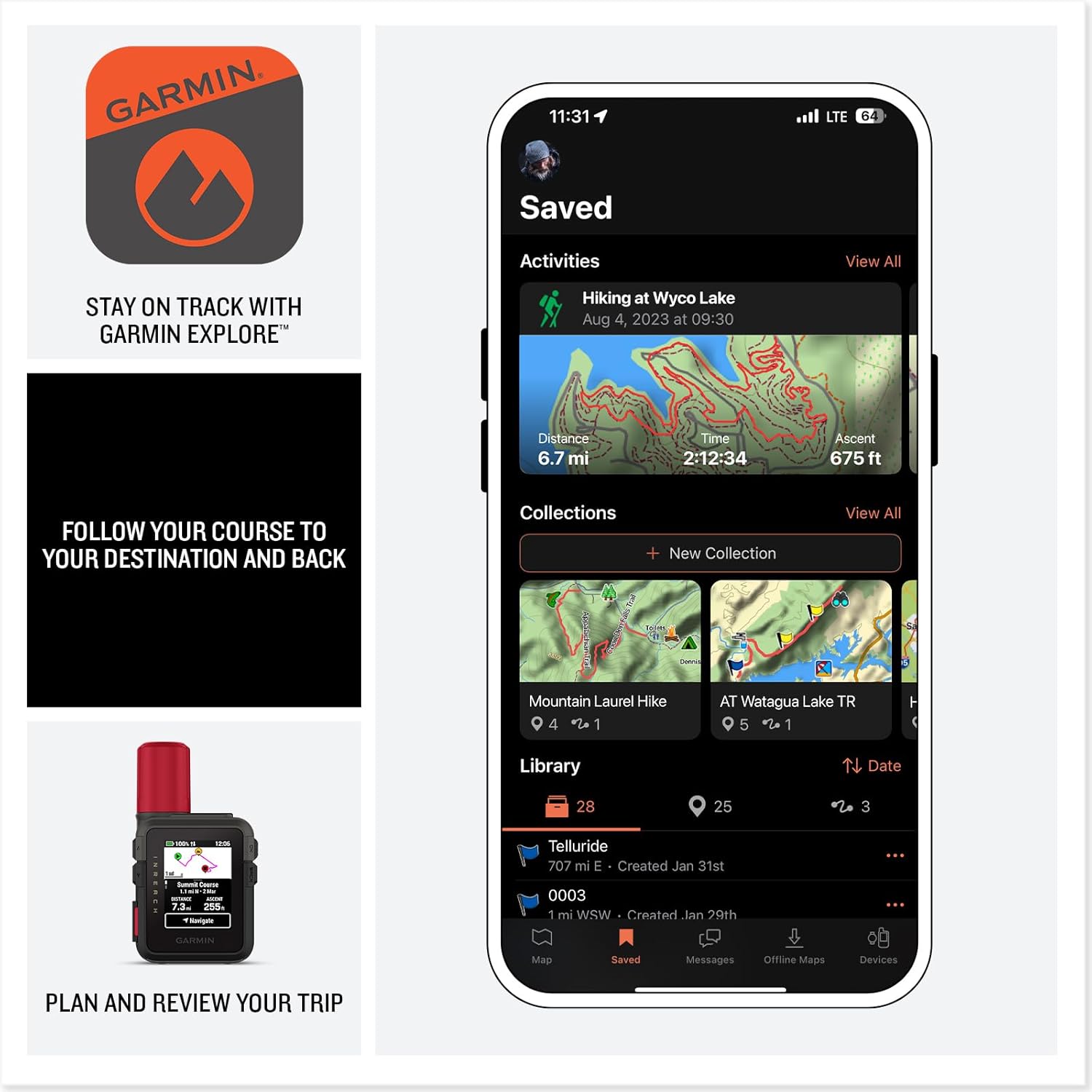
Image: The Garmin Explore app on a smartphone showing saved activities and collections, with the inReach Mini 3 Plus displaying navigation information.
Voice Commands and Preset Phrases
Utilize voice commands for hands-free check-ins and tracking. Preset messages allow for quick updates without consuming your monthly text allotment, making communication efficient.
Maintenance
Cleaning
Use the provided microfiber cleaning cloth to gently clean the color touchscreen and device exterior. Avoid harsh chemicals that may damage the device.
Battery Care
To maximize battery life, store the device in a cool, dry place when not in use. Recharge regularly, especially before long trips. Avoid extreme temperatures.
Specifications
| Feature | Detail |
|---|---|
| Brand | Garmin |
| Model Name | 010-03387-10 |
| Screen Size | 0.9 Inches |
| Special Feature | Global Satellite Coverage, Lightweight, Portable |
| Connectivity Technology | Bluetooth, USB |
| Battery Life | 350 Hours (10-minute tracking) |
| Water Rating | IP67 |
| Item Weight | 1.2 Pounds |
| Item Dimensions L x W x H | 3.9"L x 6"W x 2.04"H |
Troubleshooting
If you experience issues with satellite connectivity or messaging, ensure your device has a clear view of the sky. Verify your satellite subscription is active and up-to-date. For persistent problems, consult the Garmin support website or contact customer service.
Warranty and Support
The Garmin inReach Mini 3 Plus comes with a standard warranty. For detailed warranty information, product support, or service inquiries, please visit the official Garmin website or contact their customer support team.