
Introduction
This manual provides detailed instructions for the safe and efficient operation, maintenance, and troubleshooting of your Lefant M5 Pro LiDAR Robot Vacuum and Mop. The M5 Pro is an advanced all-in-one cleaning device featuring 18000Pa suction, PSD 2.0 Smart Obstacle Avoidance, and a 120-day self-emptying base station with auto mop washing, drying, and refilling capabilities. It supports dual-band WiFi (2.4G/5G) for smart app control.
Important Safety Information
Before using this product, please read all safety instructions carefully. Failure to follow these instructions may result in electric shock, fire, or serious injury. Keep this manual for future reference.
- This appliance is not intended for use by persons (including children) with reduced physical, sensory or mental capabilities, or lack of experience and knowledge, unless they have been given supervision or instruction concerning use of the appliance by a person responsible for their safety.
- Children should be supervised to ensure that they do not play with the appliance.
- Do not use the robot in environments with open flames or fragile objects.
- Ensure all cables, curtains, and other items that could entangle the robot are cleared from the cleaning path.
- Do not use the robot to pick up large or sharp objects, or liquids.
- Only use the original power adapter and charging base provided by the manufacturer.
What's in the Box
Verify that all components are present and in good condition upon unpacking.
- Lefant M5 Pro Robot Vacuum and Mop
- Fully Intelligent Base Station
- Charging Adapter
- Dirt Disposal Bag (pre-installed in base station)
- Filter (pre-installed in robot vacuum)
- Side Brush (2 pieces, one pre-installed)
- Roller Mop (pre-installed)
- Cleaning Tool
- User Manual
Setup
1. Unpacking and Initial Placement
Carefully remove all components from the packaging. Place the base station against a wall in an open area, ensuring there are no obstacles within 1.5 meters (5 feet) in front and 0.5 meters (1.6 feet) to either side.
Video: Unboxing and initial setup of the Lefant M5 Pro Robot Vacuum and Mop.
2. Attaching Side Brushes
Turn the robot vacuum upside down. Align the side brushes with the corresponding posts on the bottom of the robot and press firmly until they click into place.
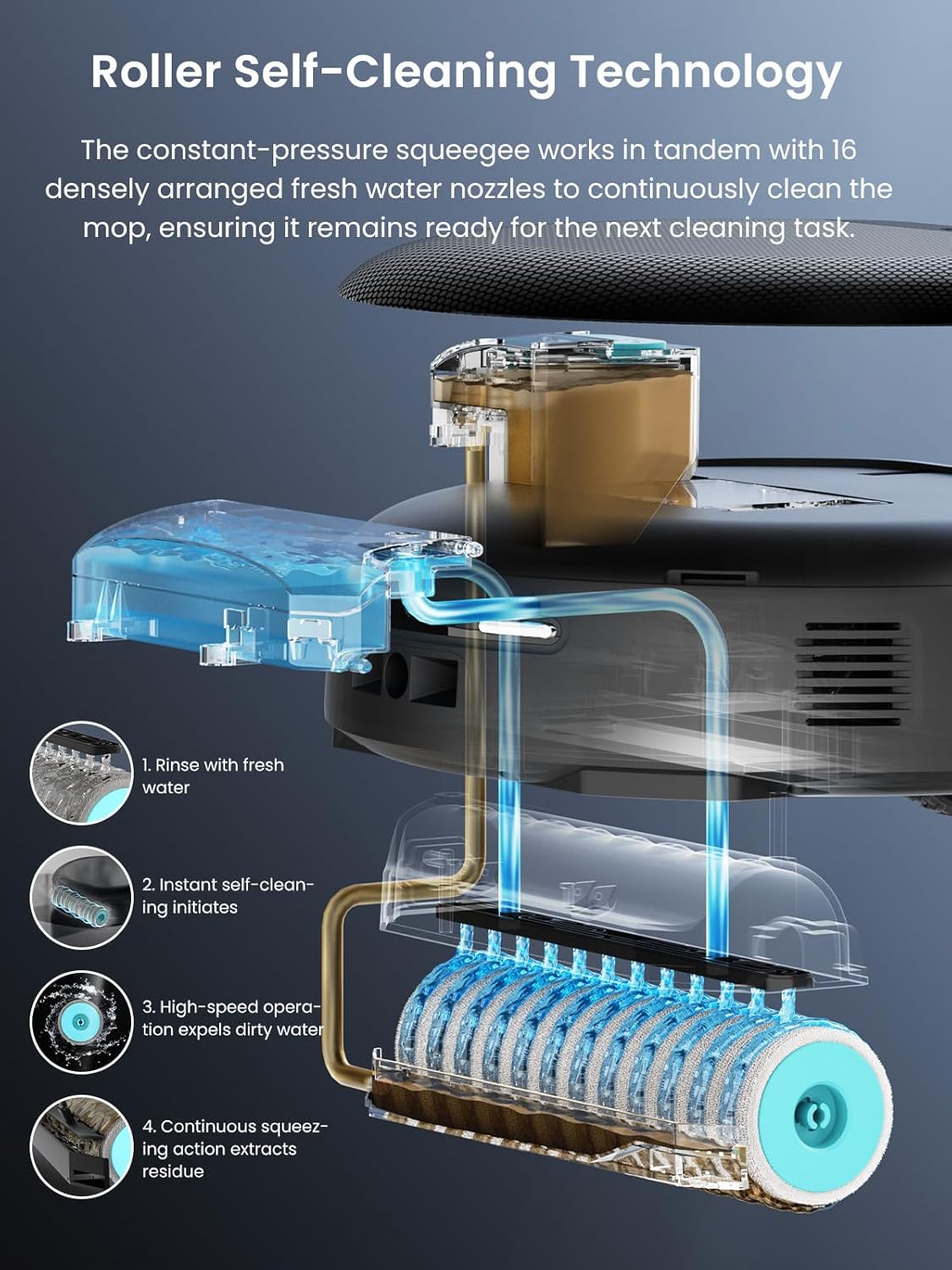
Image: Bottom view of the robot vacuum showing the side brushes and main brush. Ensure side brushes are securely attached.
3. Powering On and Charging
Plug the base station into a power outlet. Place the robot vacuum onto the charging base, ensuring the charging contacts align. The robot will power on automatically and begin charging. Allow the robot to fully charge before its first use (approximately 4-6 hours).
Video: Quick start guide for the M5 Pro Robot Vacuum and Mop, including initial charging steps.
4. App Connection
Download the "Lefant" app from your smartphone's app store. Follow the in-app instructions to add your M5 Pro robot vacuum. Ensure your phone and the robot are connected to a 2.4G/5G WiFi network during the pairing process. The app allows for scheduling, room selection, setting no-go zones, and adjusting cleaning preferences.

Image: Visual guide for connecting the Lefant M5 Pro to the mobile application.
Video: Tutorial on connecting the M5 Pro Robot Vacuum Cleaner and Mop to the companion app.
Operating Instructions
1. Cleaning Modes
The Lefant M5 Pro offers various cleaning modes accessible via the app or voice control (Alexa, Google Assistant). These include full cleaning, room-specific cleaning, and custom zone cleaning. You can also set "No-Clean Zones" to restrict the robot from certain areas.

Image: The Lefant app interface displaying personalized cleaning options and zone settings.
2. LiDAR Navigation and Obstacle Avoidance
The M5 Pro uses 360° LiDAR navigation to create detailed maps of your home, ensuring efficient and thorough cleaning. Its PSD 2.0 obstacle avoidance system detects and bypasses objects, preventing collisions. It can also adapt to multi-level homes and different floor types.

Image: The robot vacuum utilizing LiDAR navigation to map a home environment.
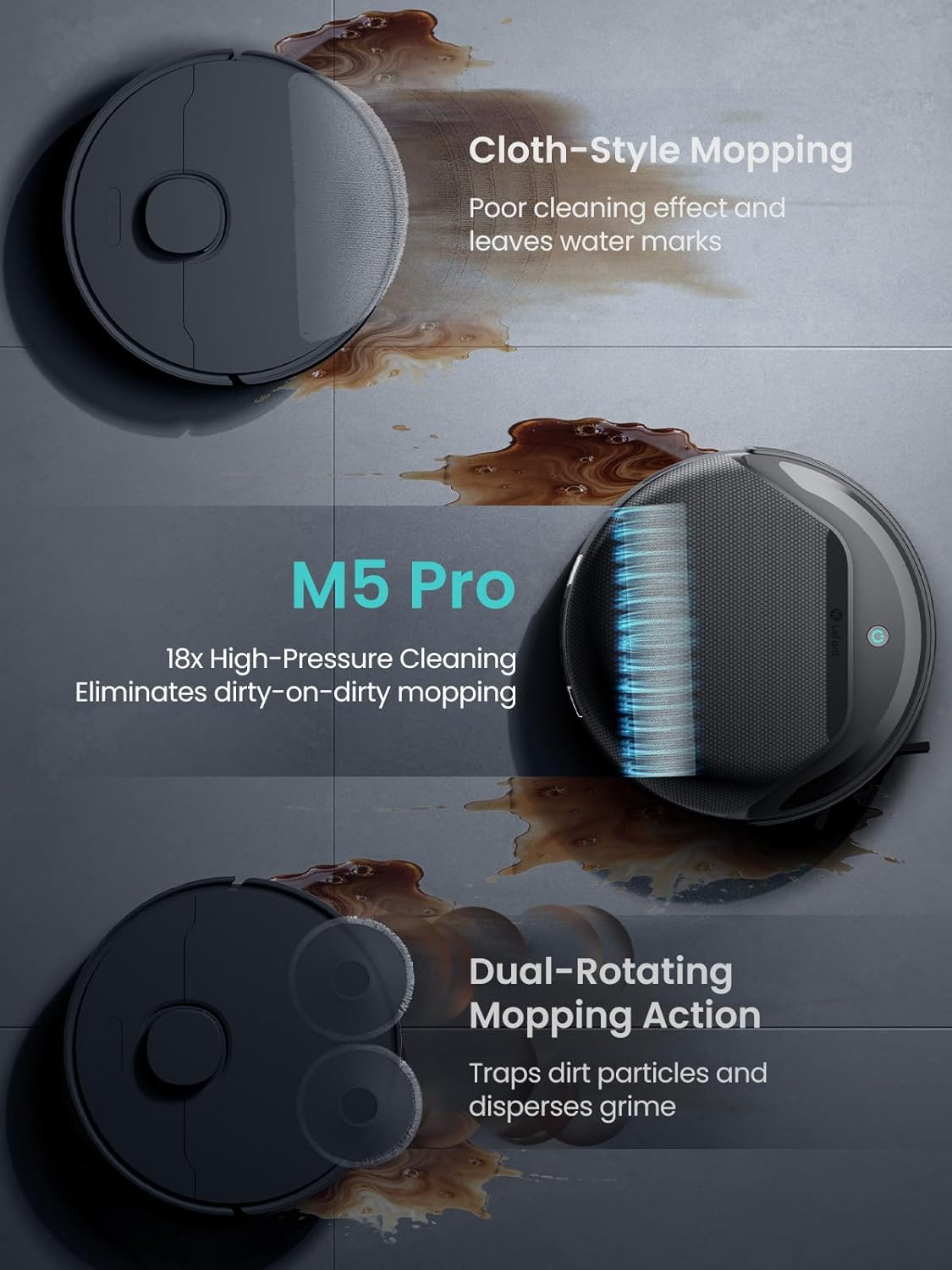
Image: The M5 Pro demonstrating its 190° PSD Precision Obstacle Avoidance system, navigating around various household items.
3. Vacuuming and Mopping
The M5 Pro delivers 18,000Pa suction for effective vacuuming on carpets and hard floors. Its roller mop design operates at 280 rpm, with real-time rinsing and hot water cleaning (167°F) to ensure a sparkling clean. The robot automatically detects carpets, increasing suction and lifting the roller mop by 0.3 inches (8mm) to prevent wetting.

Image: The robot vacuum detecting carpet and adjusting its settings for optimal cleaning.
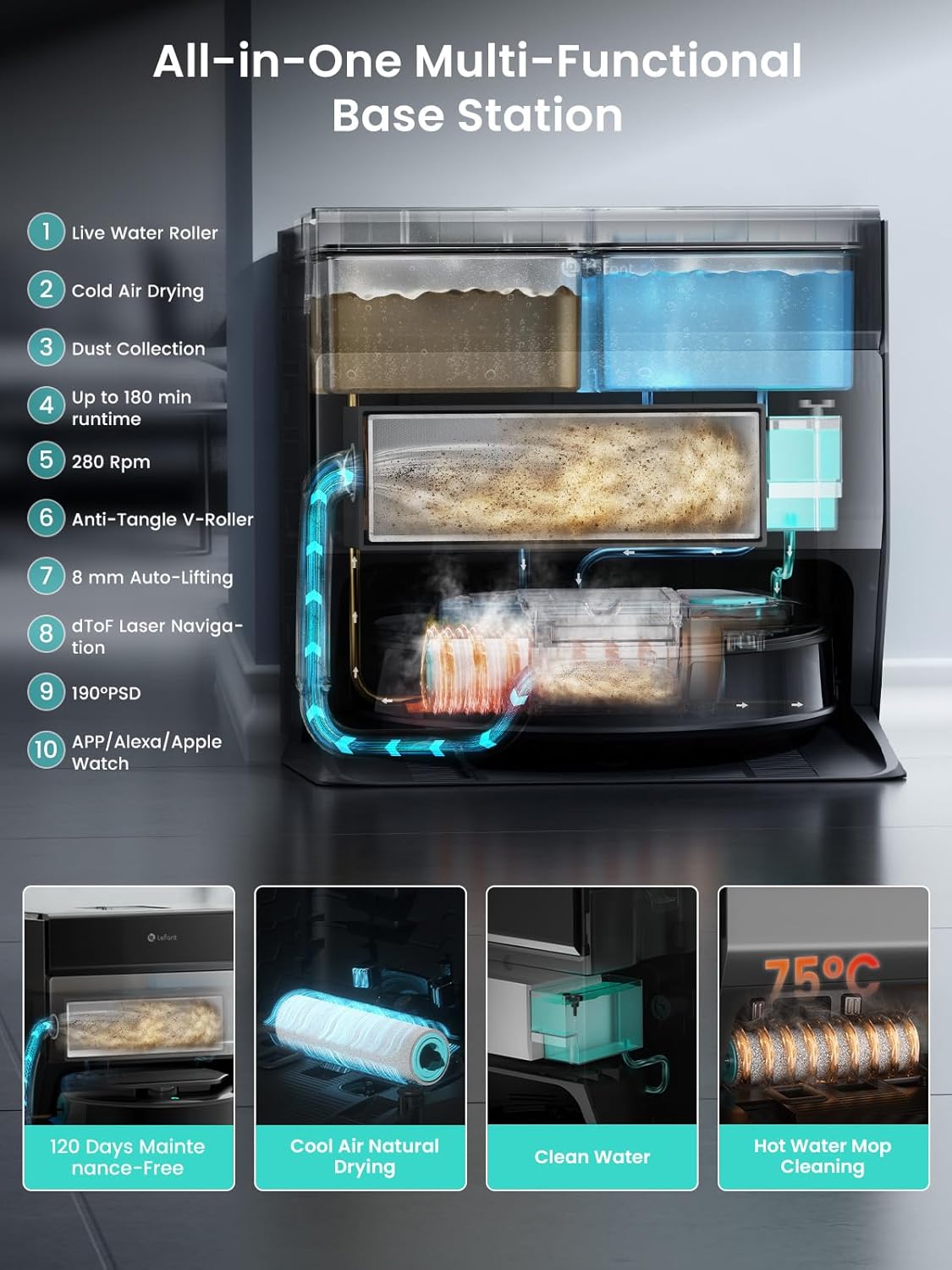
Image: The M5 Pro robot vacuum actively mopping a hard floor surface.
Video: Demonstration of the roller mop's effectiveness in cleaning floors.
Maintenance
1. Self-Emptying and Mop Washing
The fully intelligent base station automatically empties the robot's dustbin into a 3.2L dust bag, providing up to 120 days of hands-free dust disposal. It also auto-cleans the roller mop with 167°F hot water and uses cold air drying to prevent odors and protect the mop. The base station handles automatic wastewater discharge and water replenishment.

Image: The base station highlighting its 120-day self-emptying capability.

Image: Detailed view of the base station's hot water mop washing and cold air drying features.
2. Cleaning the Main Brush and Filters
Regularly inspect and clean the V-shaped main brush and side brushes to prevent hair entanglement. The zero-tangle design minimizes hair wrapping, but occasional manual cleaning may be required, especially for pet owners. The Hypa filter should also be cleaned periodically to maintain optimal suction performance.
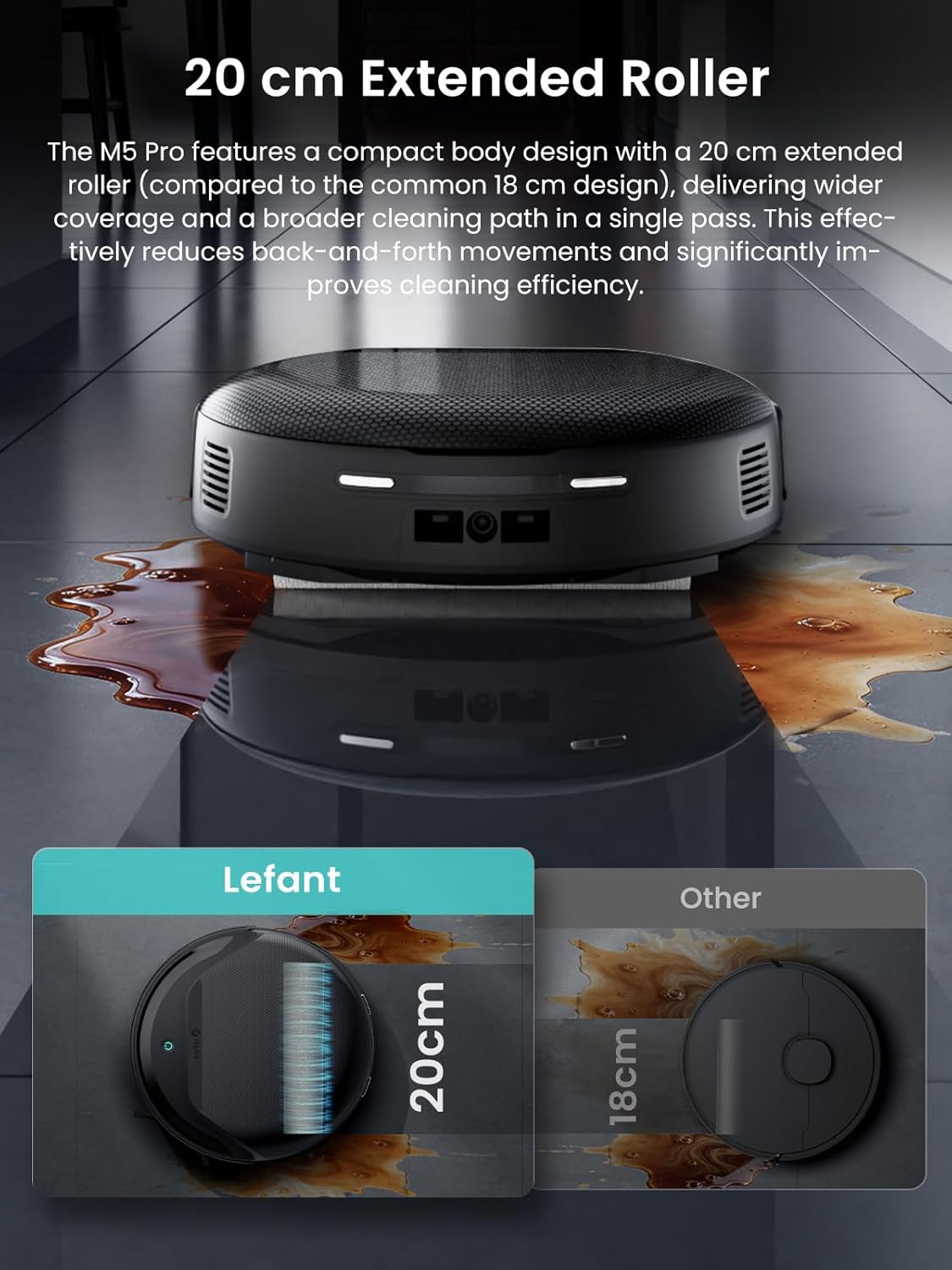
Image: Underside of the robot vacuum showing the V-shaped brush roll and side brushes.
Troubleshooting
- Robot not charging: Ensure the charging contacts on both the robot and base station are clean and free of debris. Verify the power adapter is securely plugged into the wall outlet and the base station.
- Robot stuck or entangled: Clear any cables, rugs, or small objects from the cleaning path. If the robot gets stuck, manually move it to a clear area and restart cleaning.
- Poor suction performance: Check if the dustbin is full and empty it. Clean the main brush, side brushes, and filter. Ensure there are no blockages in the suction inlet.
- Mop not cleaning effectively: Ensure the water tank in the base station has sufficient clean water. Check if the roller mop is clean and properly installed.
- App connectivity issues: Ensure your smartphone and the robot are within WiFi range and connected to the same 2.4G/5G network. Restart the app and the robot if necessary.
Specifications
| Brand | Lefant |
| Model Name | M5 Pro |
| Special Feature | Auto Mop Washing, Pet Hair Pick Up, Self-Emptying, Self-Refilling, Simultaneous Vacuuming & Mopping |
| Color | Black |
| Product Dimensions | 12.6"L x 12.6"W x 3.94"H |
| Included Components | Charging Adapter, Dirt Disposal Bag, Filter, Side Brush, Robot Vacuum |
| Filter Type | Hypa filter |
| Battery Life | 3 years |
| Power Source | Battery Powered |
| Control Method | App, Push Button, Voice |
| Compatible Devices | Alexa, Google Assistant, Smartphones, Smartwatches |
| Form Factor | Robotic |
| Item Weight | 28.5 pounds |
| Surface Recommendation | Hard Floor, Wood, Tile, Carpet |
Warranty and Support
Your Lefant M5 Pro LiDAR Robot Vacuum and Mop comes with a standard manufacturer's warranty. For detailed warranty information, please refer to the warranty card included in your product packaging or visit the official Lefant website. For technical support, troubleshooting assistance, or to purchase replacement parts, please contact Lefant customer service through their official channels.
- Online Support: Visit the Lefant official website for FAQs and support resources.
- Email Support: Contact customer service via email for assistance.
- Phone Support: Refer to your warranty card for regional phone support numbers.


