
1. Introduction
Thank you for choosing the GDLF 3-in-1 Kids Activity Table. This versatile table is designed to provide a dynamic play and learning environment for children aged 3 and above. It seamlessly transforms between an LED light table, a building brick table, and an art station, fostering creativity and STEM learning. This manual provides essential information for assembly, operation, maintenance, and safety to ensure optimal use of your product.

Figure 1: The GDLF 3-in-1 Kids Activity Table in its various configurations.
2. Safety Information
- Adult Assembly Required: This product contains small parts and requires adult assembly.
- Supervision: Always supervise children during play, especially when using the light feature or small building bricks.
- Weight Limit: Do not allow children to stand or sit on the tabletop.
- Electrical Safety: Ensure the USB LED strip and power adapter are handled by adults. Keep electrical components away from water.
- Choking Hazard: Small parts (e.g., building bricks, art supplies) can be a choking hazard for children under 3 years.
- Placement: Place the table on a flat, stable surface to prevent tipping.
3. Package Contents
Please verify that all components are present before beginning assembly. If any parts are missing or damaged, contact customer service.
- Table frame components (wooden panels, legs)
- Translucent tabletop panel
- Building brick baseplate
- Paper roll holder rod
- USB LED light strip with controller
- Assembly hardware (screws, dowels, etc.)
- Assembly tools (e.g., Allen wrench)
- Instruction manual
4. Assembly Instructions
Assembly is required for this product. Please follow the included detailed assembly guide step-by-step. All accessories are labeled, and necessary tools are provided.
- Unpack: Carefully remove all components from the packaging and lay them out on a clean, soft surface to prevent scratches.
- Identify Parts: Refer to the parts list in the separate assembly guide to identify each component.
- Assemble Frame: Connect the side panels and support beams using the provided hardware. Ensure all connections are secure.
- Attach Legs: Securely attach the four legs to the assembled table frame.
- Install LED Strip: Adhere the USB-powered LED strip to the designated area underneath the translucent tabletop panel. Ensure the strip is properly aligned and secured.
- Place Tabletop: Insert the translucent tabletop panel into its recess.
- Install Paper Roll Holder: Attach the paper roll holder rod to the side of the table.
- Final Check: Ensure all screws are tightened and the table is stable before use.
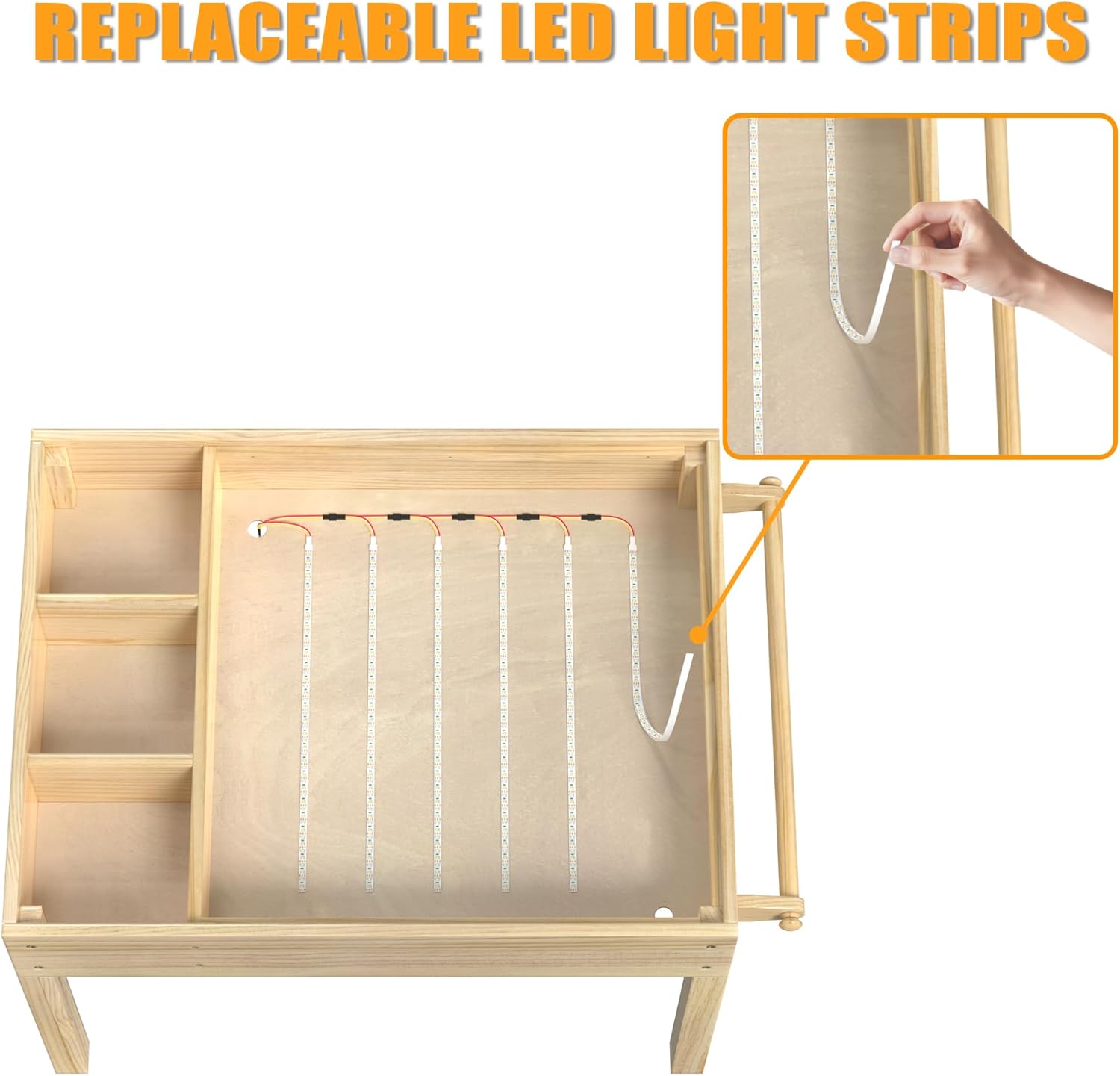
Figure 2: Illustration of LED light strip installation.
5. Operating Instructions
5.1. Light Table Mode
The translucent tabletop, illuminated by the integrated LED strip, is ideal for sensory play, tracing, and exploring light and color.
- Power On/Off: Connect the USB cable to a compatible power source (e.g., USB wall adapter, power bank). Use the 'on/off' button on the inline controller to turn the light on or off.
- Color Adjustment: Press the 'color adjustment' button to cycle through three light colors: Cool White, Warm Light, and Neutral White.
- Brightness Control: Use the '+' button to increase brightness and the '-' button to decrease brightness.

Figure 3: LED light controller functions.

Figure 4: Child engaging with the light table.
5.2. Building Brick Table Mode
To convert to the building brick table, remove the translucent panel and replace it with the building brick baseplate. This surface is compatible with most major brick brands.
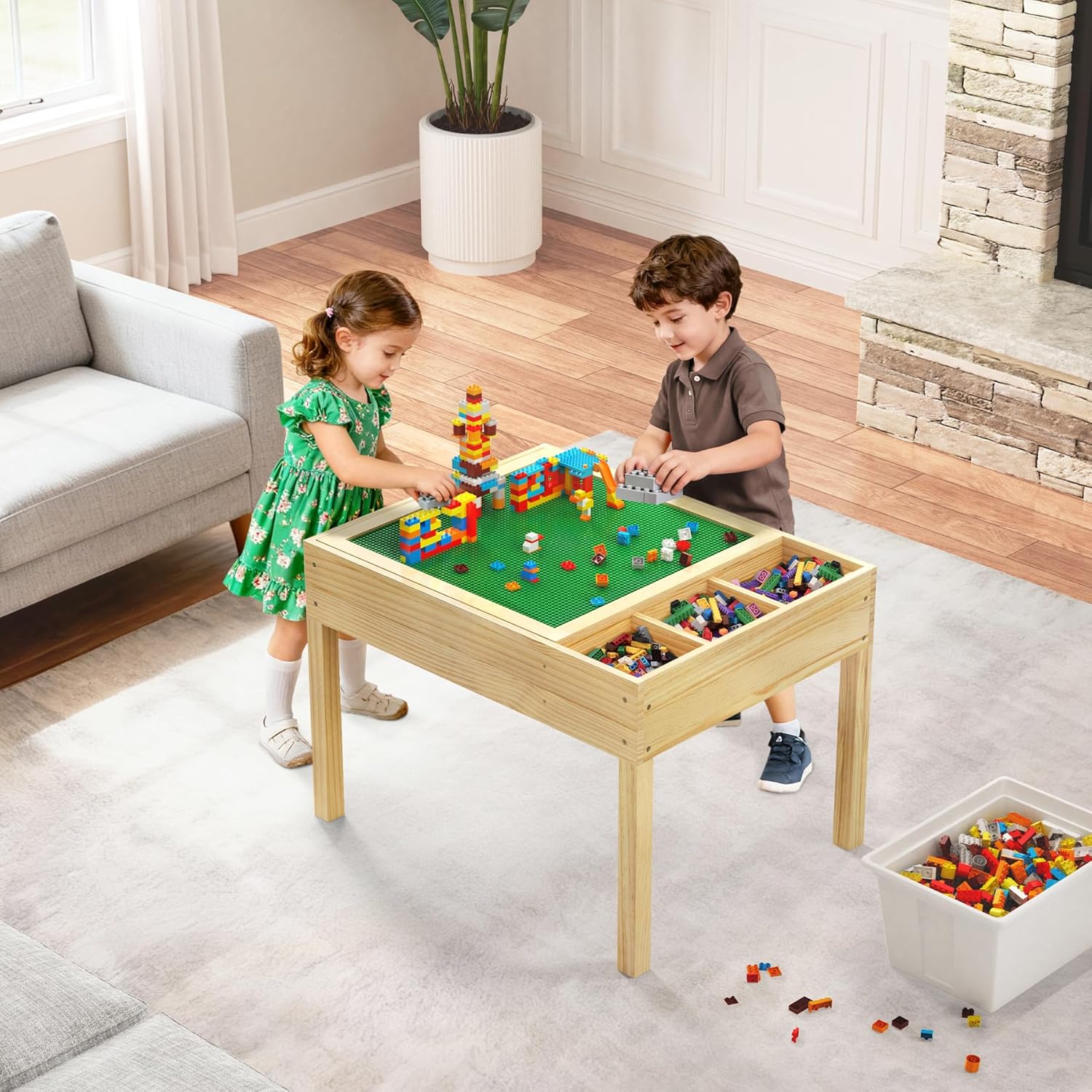
Figure 5: Children utilizing the building brick table.
5.3. Art Station Mode
For art activities, the flat wooden surface can be used directly, or paper can be pulled from the integrated paper roll holder. The side compartments provide convenient storage for art supplies.
- Paper Roll: Load a standard paper roll onto the holder rod. Pull paper over the tabletop for drawing, painting, or tracing.
- Storage: Use the three side compartments to organize markers, crayons, pencils, and other small art supplies or toys.
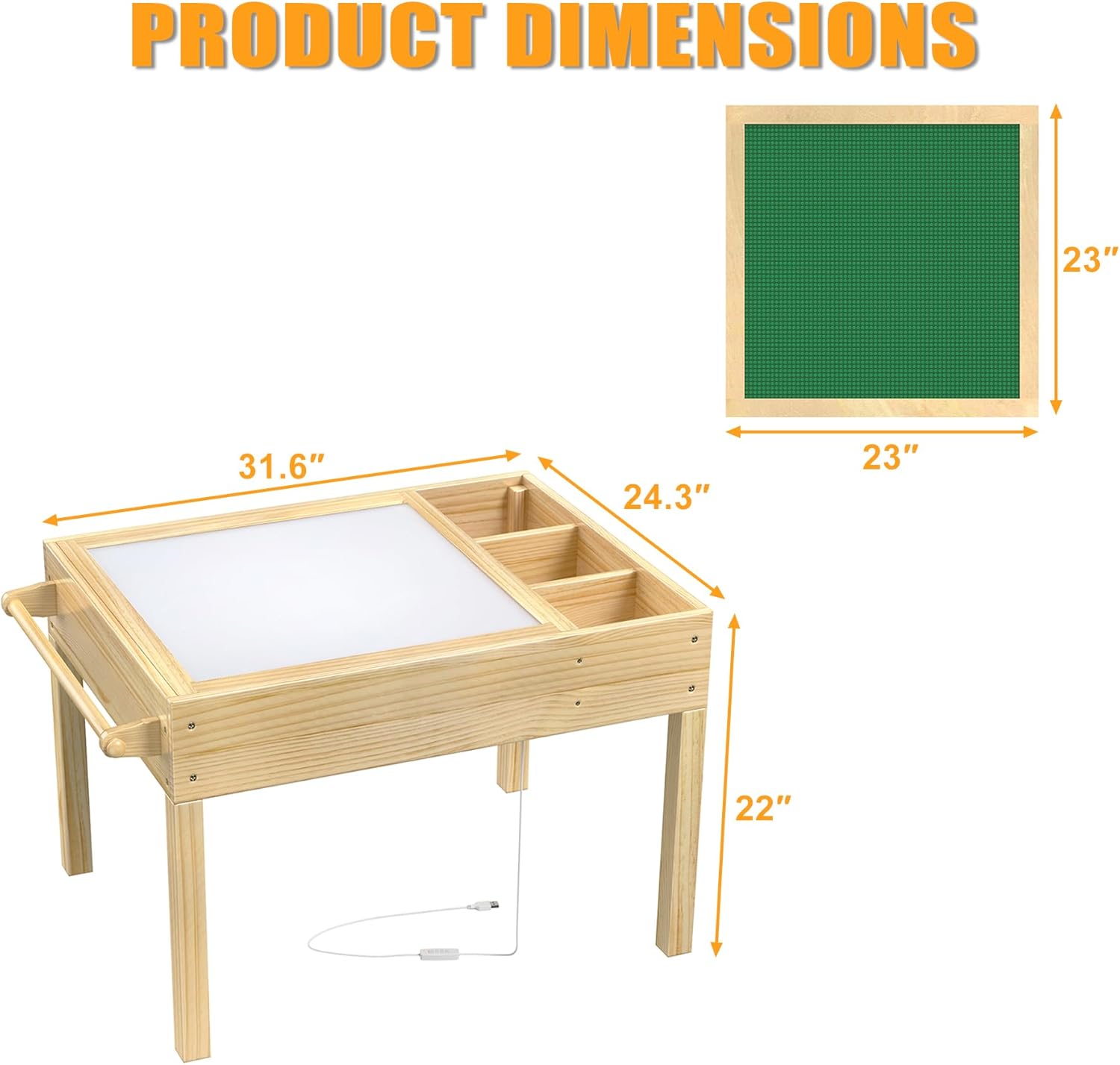
Figure 6: Child using the art station with paper roll holder.
6. Maintenance
- Cleaning: Wipe the table surfaces with a soft, damp cloth. Avoid abrasive cleaners or harsh chemicals that may damage the wood finish or translucent panel.
- LED Strip Replacement: The USB-powered LED strip is replaceable for long-term use. If the light strip malfunctions, carefully remove the old strip and install a new compatible replacement, ensuring proper adhesion and connection. Refer to Figure 2 for guidance.
- Wood Care: Avoid prolonged exposure to direct sunlight or extreme humidity to prevent warping or fading of the wood.
7. Troubleshooting
- Light Not Turning On:
- Ensure the USB cable is securely connected to both the LED strip and a functioning power source.
- Check if the power source (e.g., wall adapter) is working correctly.
- Verify that the 'on/off' button on the inline controller has been pressed.
- Table Instability:
- Check all assembly hardware to ensure screws are tightened.
- Ensure the table is placed on a flat, even surface.
- Difficulty Changing Tabletop:
- Ensure the current tabletop is lifted straight up without forcing.
- Clear any debris from the tabletop recess.
8. Specifications
| Feature | Detail |
|---|---|
| Brand | GDLF |
| Model Number | HOU863m |
| Color | Natural |
| Material | Wood |
| Item Weight | 12.7 kg (28 Pounds) |
| Package Dimensions | 85.85 x 64.77 x 12.7 cm |
| Assembly Required | Yes |
| Light Source | USB LED Strip (3 colors, adjustable brightness) |
| UPC | 850052968861 |
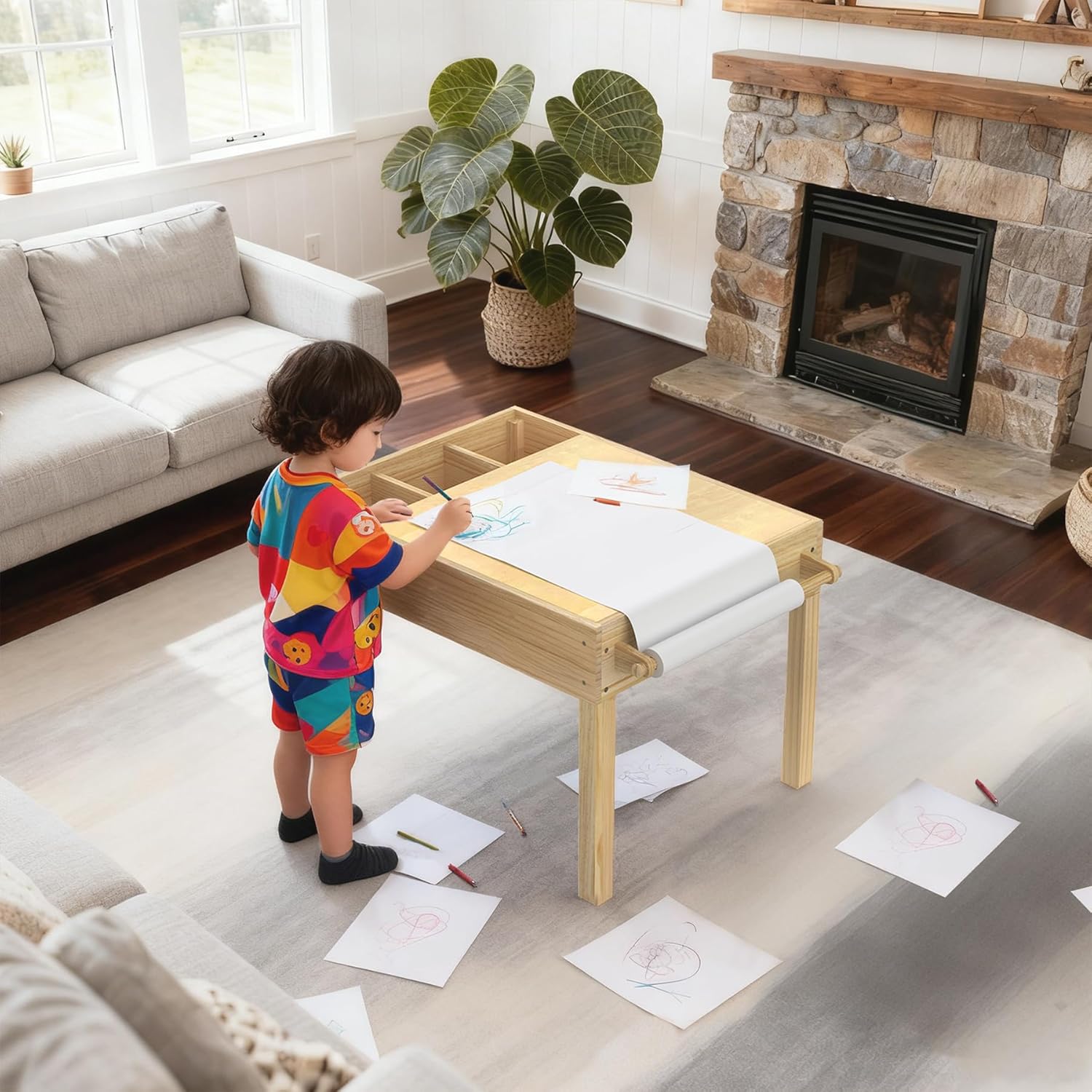
Figure 7: Product Dimensions.
9. Warranty and Support
GDLF is committed to providing quality products. If you encounter any issues or are not satisfied with your purchase, please contact our customer service team directly for assistance. All accessories are labeled, and tools and instructions for assembly are included to facilitate a smooth setup process.
For customer service inquiries, please refer to the contact information provided with your purchase documentation or visit the official GDLF website.