
Introduction
This manual provides detailed instructions for the installation, operation, and maintenance of your LSLYA Single Din Car Stereo, Model LSLYA-6640. This unit features wireless Apple CarPlay and Android Auto, Bluetooth 5.3, advanced DSP sound processing, and support for both front and backup cameras. Please read this manual thoroughly before use to ensure proper functionality and safety.
Product Features
- Dual Wireless Connectivity: Supports both wired and wireless Apple CarPlay and Android Auto with 5G Wi-Fi and Bluetooth 5.3 for seamless smartphone integration.
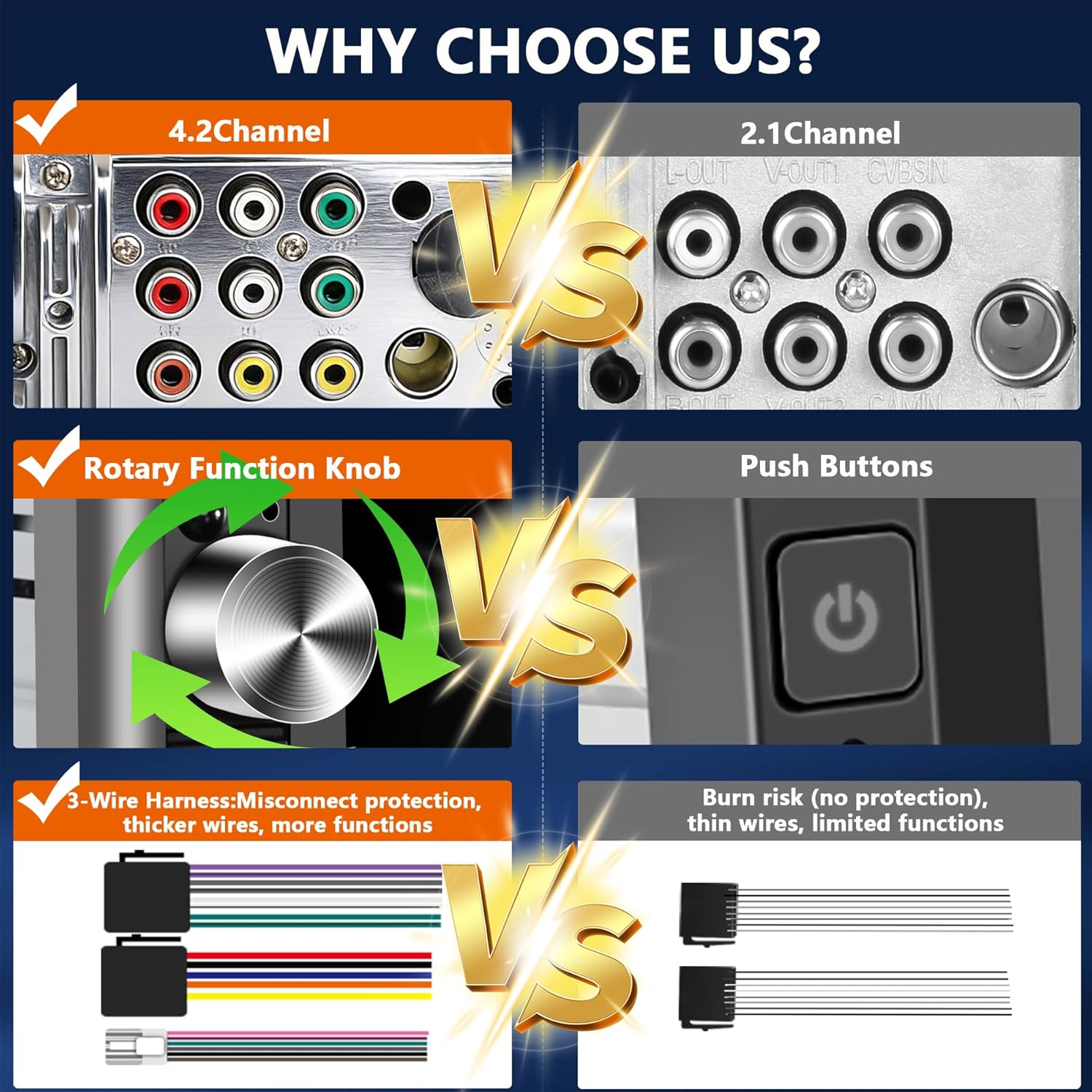
- Advanced Audio System: Built-in DSP processor and 10-band EQ, 4.2-channel RCA output (front and rear doors), and two independent high-power subwoofer ports (240W peak).
- Intuitive Touchscreen: 7-inch IPS HD display with 1280x480 resolution, offering vibrant colors, crisp details, and smooth touch response.
- Enhanced Bluetooth 5.3: Dedicated Bluetooth 5.3 module and external antenna for stronger signals, lower latency, and stable audio transmission. Optimized microphone system for clear calls and accurate voice commands.
- Multiple Audio Modes: Quickly switch between Bluetooth, MIC, FM radio, and USB audio output modes.
- Steering Wheel Control (SWC) Compatibility: Integrate with your vehicle's steering wheel controls for safe operation.
- Camera Support: Compatible with front and backup cameras for enhanced driving safety.
- Durable Design: Features large heat sinks for stable, long-term playback without overheating and a supercapacitor for ultra-durability and fire/explosion proof safety.
Package Contents
Verify that all items listed below are included in your package:
- LSLYA Single Din Car Stereo Unit
- Remote Control
- Camera Wiring Harness
- Power Cable
- User Manual
- 4 LED Camera (Backup Camera)
- Key Lock Buckle
- Mounting Sleeve
- Speaker Cable
- ISO Power Plug
- Functional Line

This image displays the LSLYA Single Din Car Stereo unit along with all its accessories, including the remote, various cables, the user manual, and the backup camera.
Setup & Installation
Professional installation is recommended for optimal performance and to avoid damage. Ensure the vehicle's power is disconnected before beginning installation.
1. Physical Installation
Verify that the dimensions of your dashboard cutout match this unit. Some vehicle models may require a dedicated bezel or additional wiring harnesses and antenna adapters.
This image illustrates the physical dimensions of the stereo unit and provides a visual comparison of a car dashboard before and after the LSLYA Single Din Car Stereo is installed, highlighting its standard fit.
2. Wiring Diagram
Carefully follow the wiring instructions provided. Each wire is labeled for ease of connection.

This diagram provides a comprehensive guide for connecting the stereo unit, including power, ground, ignition, antenna, speaker outputs (front/rear left/right), subwoofer outputs, and inputs for front and rear cameras, as well as steering wheel controls.
3. Backup Camera Installation
Connect the provided backup camera according to the diagram. The stereo unit will automatically display the rear view when the vehicle is in reverse.

This diagram shows how to connect the backup camera to the car stereo and the vehicle's reversing light, ensuring the camera activates automatically when reversing.
Operating Instructions
1. Wireless Apple CarPlay & Android Auto
The unit supports both wireless Apple CarPlay and Android Auto. Follow the on-screen prompts for initial setup.

This image details the five steps to connect an Apple iPhone wirelessly to the car stereo for Apple CarPlay functionality, starting with Bluetooth pairing and ending with successful CarPlay activation.

This image outlines the five steps required to connect an Android phone wirelessly to the car stereo for Android Auto functionality, including Bluetooth pairing and granting necessary permissions.
2. Bluetooth Connectivity
Pair your smartphone via Bluetooth 5.3 for hands-free calling and audio streaming. The external antenna ensures a stable connection.

This image highlights the dedicated Bluetooth module and external antenna, which contribute to stronger signals, lower latency, and more stable audio transmission for Bluetooth functions like phone calls and music playback.
3. Audio Modes & DSP Sound Effects
Utilize the built-in DSP processor and 10-band EQ to customize your audio experience. Adjust bass, treble, and balance for optimal sound.

This image displays the 4.2-channel pre-amplifier with 60W*4 output, two dedicated subwoofer channels, and the 10-band equalizer interface, allowing users to fine-tune their audio settings for a personalized listening experience.
4. Camera Integration
The unit supports both front and backup cameras, displaying real-time views on the 7-inch IPS HD touchscreen.

This image demonstrates the clear display of the AHD backup camera on the car stereo screen, featuring adjustable reverse lines and a wide-angle view for improved visibility and safety during parking and reversing maneuvers.
5. Steering Wheel Controls (SWC)
Connect your vehicle's steering wheel controls to the unit to manage audio playback, volume, and calls without taking your hands off the wheel. Refer to the wiring diagram for connection details.
Maintenance
- Screen Cleaning: Use a soft, lint-free cloth to clean the touchscreen. Avoid abrasive cleaners or solvents.
- Software Updates: Periodically check the manufacturer's website for firmware updates to ensure optimal performance and access to new features.
- General Care: Keep the unit free from dust and moisture. Ensure proper ventilation to prevent overheating.
Troubleshooting
- No Power: Check all power connections and the vehicle's fuse box. Ensure the ignition wire is correctly connected.
- No Sound: Verify speaker connections and audio settings (volume, balance, fader). Check if the mute function is active.
- Bluetooth Connection Issues: Ensure Bluetooth is enabled on both the stereo and your device. Delete previous pairings and attempt to re-pair. Check for interference.
- CarPlay/Android Auto Not Connecting: Ensure your phone's operating system is up to date. Try a different USB cable if using a wired connection. For wireless, ensure Wi-Fi and Bluetooth are active and correctly paired.
- Backup Camera Not Displaying: Check the camera's power and video signal connections. Ensure the reverse trigger wire is correctly connected to the vehicle's reverse light circuit.
- Touchscreen Unresponsive: Perform a soft reset by pressing the RST button (if available) or disconnecting the power for a few minutes.
For persistent issues, refer to the detailed troubleshooting section in the included Owner's Manual or contact LSLYA customer support.
Specifications
| Brand | LSLYA |
| Model Number | LSLYA-6640 |
| Product Dimensions | 4.9"D x 6.7"W x 2.2"H |
| Item Weight | 2.15 Pounds |
| Connectivity Technology | USB, Bluetooth |
| Controller Type | iOS App, Android Auto |
| Special Features | Wireless Apple CarPlay, Wireless Android Auto, Built-In Bluetooth, DSP, 360 Reality Audio |
| Compatible Devices | Android and iOS smartphones |
| Audio Output Mode | Bluetooth, AUX, FM radio, USB |
| Audio Output Type | Bluetooth, FM radio, Headphones |
| Video Encoding | H.264, MPEG-4 |
| Color | Black |
| Built-In Media | AM, FM, IPS |
| Output Power | 240W Peak (Subwoofer Ports) |
Warranty & Support
LSLYA offers comprehensive after-sales support for your product:
- 90-Day Free Return: For any reason, within 90 days of purchase.
- 2-Year Free Replacement: For device malfunctions within two years.
- Lifetime Technical Support: Ongoing assistance for the lifespan of the product.
For device malfunctions or technical assistance, please contact our dedicated customer service team via your order page (not Amazon’s general customer service) to receive a faster and more precise solution.