
1. Introduction
Thank you for purchasing the AirEase AirS08X Portable Ultrasonic Humidifier. This device is designed to provide comfortable humidity in various environments, including bedrooms, offices, and cars. Featuring a compact design, cordless operation, and a digital battery display, it offers convenience and efficiency. Please read this manual carefully before use to ensure proper operation and maintenance.
2. Safety Precautions
- Do not immerse the device in water or other liquids.
- Use only clean tap water. Distilled or purified water may reduce mist output.
- Do not add essential oils directly into the water tank unless specified as water-soluble aroma oils.
- Keep out of reach of children and pets.
- Unplug the device before cleaning or refilling.
- Do not block the mist outlet.
- Ensure the device is placed on a stable, flat surface.
3. Package Contents
Please check the package for the following items:
- AirEase AirS08X Humidifier
- Type-C USB Charging Cable
- User Manual
4. Product Overview
Familiarize yourself with the components of your AirEase AirS08X humidifier:
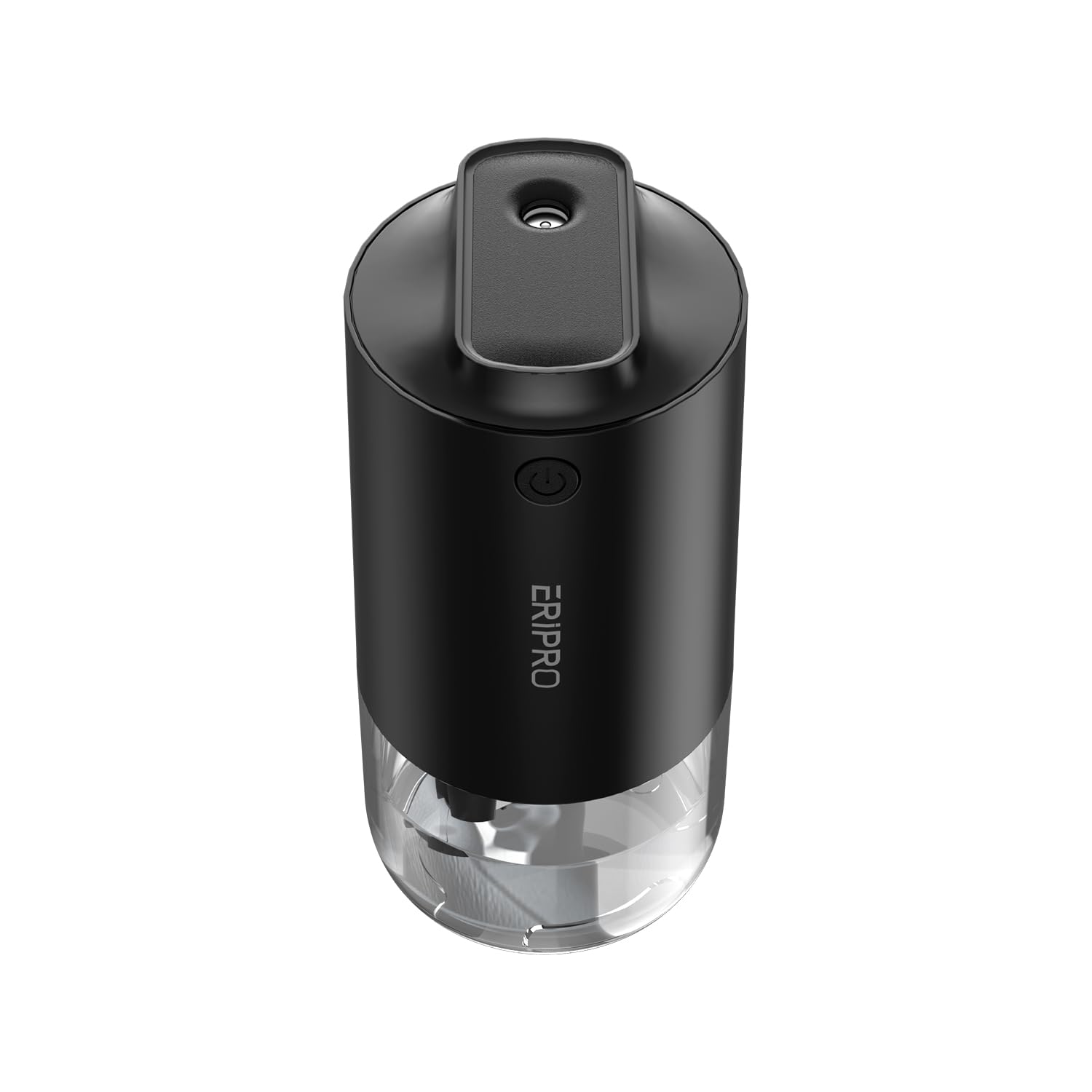
Image: AirEase AirS08X Portable Ultrasonic Humidifier. This image shows the compact design of the humidifier, highlighting its mist outlet, control button, and overall sleek appearance.
Key Components:
- Mist Outlet: Where the cool mist is dispersed.
- Control Button: Used to power on/off, change mist modes, and control the LED light.
- Digital Display: Shows the current battery level.
- Water Tank: Holds the water for humidification. Features an antibacterial steel plate.
- Type-C Charging Port: For recharging the internal battery.
- LED Light: Provides 7-color ambient lighting.
5. Setup
5.1 Charging the Humidifier
- Connect the provided Type-C USB cable to the charging port on the humidifier.
- Plug the other end of the USB cable into a compatible USB power adapter (not included) or a computer USB port.
- The digital display will show the battery level during charging. A full charge provides up to 20 hours of intermittent humidification.
5.2 Filling the Water Tank
- Twist and lift the top cover of the humidifier to access the water tank.
- Fill the water tank with clean tap water up to the MAX fill line. Do not overfill.
- If desired, add a few drops of water-soluble aroma oil to the water tank. Do not use oil-based essential oils as they can damage the device.
- Securely replace the top cover, ensuring it is properly aligned and sealed to prevent leaks.
6. Operating Instructions
6.1 Power On/Off and Mist Modes
- First Press: Press the control button once to turn on the humidifier in continuous mist mode. The digital display will show the battery level.
- Second Press: Press the control button a second time to switch to intermittent mist mode. In this mode, the mist sprays for a few seconds and then pauses.
- Third Press: Press the control button a third time to turn off the humidifier.
6.2 LED Light Operation
- Long Press: Press and hold the control button for 3 seconds to turn on the 7-color LED ambient light.
- Long Press Again: Press and hold the control button for another 3 seconds to turn off the LED light.
6.3 Dry-Burn Prevention
The humidifier is equipped with an automatic dry-burn prevention function. When the water level in the tank is too low, the device will automatically shut off mist production to prevent damage and ensure safety.
7. Maintenance
Regular cleaning is essential for optimal performance and hygiene.
7.1 Daily Maintenance
- Empty any remaining water from the tank after each use.
- Wipe the inside of the water tank with a clean, soft cloth.
7.2 Weekly Cleaning
- Unplug the humidifier and remove the top cover.
- Empty the water tank completely.
- Gently wipe the inside of the water tank and the ultrasonic atomizer with a soft cloth or sponge. For stubborn mineral deposits, use a solution of white vinegar and water (1:1 ratio), let it sit for 15-30 minutes, then rinse thoroughly.
- Wipe the exterior of the humidifier with a soft, damp cloth.
- Ensure all parts are dry before reassembling and storing or reusing.
Caution: Do not use harsh chemicals or abrasive cleaners, as they may damage the device or affect mist quality.
8. Troubleshooting
If you encounter any issues, please refer to the following table before contacting support.
| Problem | Possible Cause | Solution |
|---|---|---|
| No mist or low mist output | Low water level Ultrasonic atomizer dirty Water tank not properly seated | Refill water tank Clean the ultrasonic atomizer Ensure the top cover is correctly aligned |
| Device does not turn on | Battery depleted Device not charged | Charge the humidifier using the Type-C cable Ensure the charging cable is securely connected |
| Water leakage | Top cover not sealed properly Overfilled water tank | Realign and secure the top cover Do not fill water above the MAX line |
| Unusual odor from mist | Stale water Dirty water tank | Replace water daily Clean the water tank thoroughly |
9. Specifications
| Feature | Specification |
|---|---|
| Model Number | AirS08X |
| Brand | AirEase |
| Humidification Method | Ultrasonic |
| Mist Output | 55 ml/h (Powerful Humidification) |
| Battery Capacity | 2600 mAh |
| Operating Time (Max) | Up to 20 hours (Intermittent Mode) |
| Charging Port | Type-C USB |
| Noise Level | Below 26 dB |
| LED Light | 7-Color Ambient Light |
| Special Features | Digital Battery Display, Antibacterial Steel Plate, Dry-Burn Prevention, Aroma Compatible (Water-soluble) |
| Product Dimensions | 16 x 7.5 x 7.7 cm |
| Package Weight | 280 grams |
| Color | Black |
10. Warranty and Support
AirEase products are manufactured to the highest quality standards. This product comes with a standard manufacturer's warranty. For detailed warranty information, please refer to the warranty card included in your package or contact our customer support.
Customer Support:
If you have any questions, concerns, or require assistance with your AirEase AirS08X humidifier, please contact our customer support team. Contact details can typically be found on our official website or on the product packaging.

