
1. Introduction
This instruction manual provides detailed guidance for the installation, operation, and maintenance of your MORAYELEC Smart WiFi Water Level Sensor (Model ME202W 10m). This device is designed to monitor liquid levels in various tanks, providing real-time data and alerts via the Tuya Smart Life application on your smartphone. Please read this manual thoroughly before using the product to ensure proper function and safety.
2. Product Overview and Features
The MORAYELEC Smart WiFi Water Level Sensor offers advanced liquid level monitoring capabilities with remote access and smart alerts. Its ultrasonic technology provides accurate measurements for various applications.
- Smart Remote Monitoring: Check your water or oil tank level anytime via the Tuya Smart Life APP. Supports multi-tank monitoring for full remote control.
- Long Range & High Accuracy: Measures up to 10 meters (394 inches) with precise ultrasonic detection, suitable for various tank types and sizes.
- Stable 2.4G WiFi Connection: Connects easily to your home WiFi network with a 30m signal range (without obstacles). Compatible with Tuya smart systems.
- IP67 Waterproof: Durable design with CE, RoHS, REACH certifications, suitable for temperatures from -20℃ to +70℃.
- Smart Alerts: Receive instant notifications for full or low tank levels, and set custom alarm thresholds to prevent overflows or dry operation.
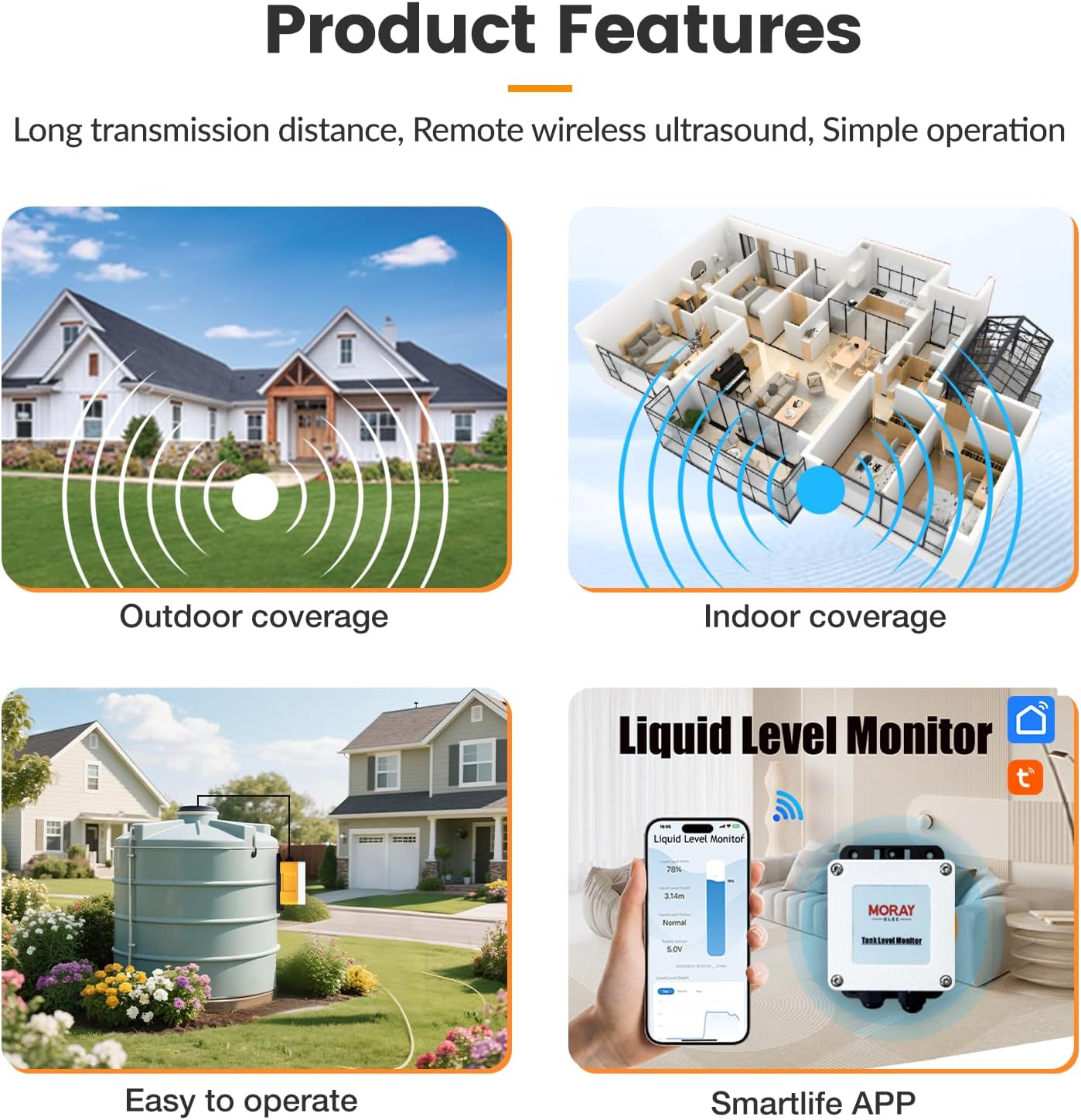
Image: This image illustrates the advantages of the Moray sensor, highlighting mobile phone control, suitability for complex environments, and sensor customization compared to older button-based systems, limited ultrasonic sensors, and single-sensor measurements.

Image: This image displays various application environments for the sensor, including water tanks, sewage treatment, oil/diesel tanks, rivers and lakes, corrosive liquids, and complex environments. It also provides a detailed diagram of the product's dimensions (86x122x55.5mm).
3. Package Contents
Please verify that all items are present in the package:
- Water Level Sensor Unit (ME202W)
- 10M Stainless Steel Cable
- Power Adapter (5V DC)
- Mounting Nut and Screws
- Instruction Manual
- Cotton for installation (if applicable)
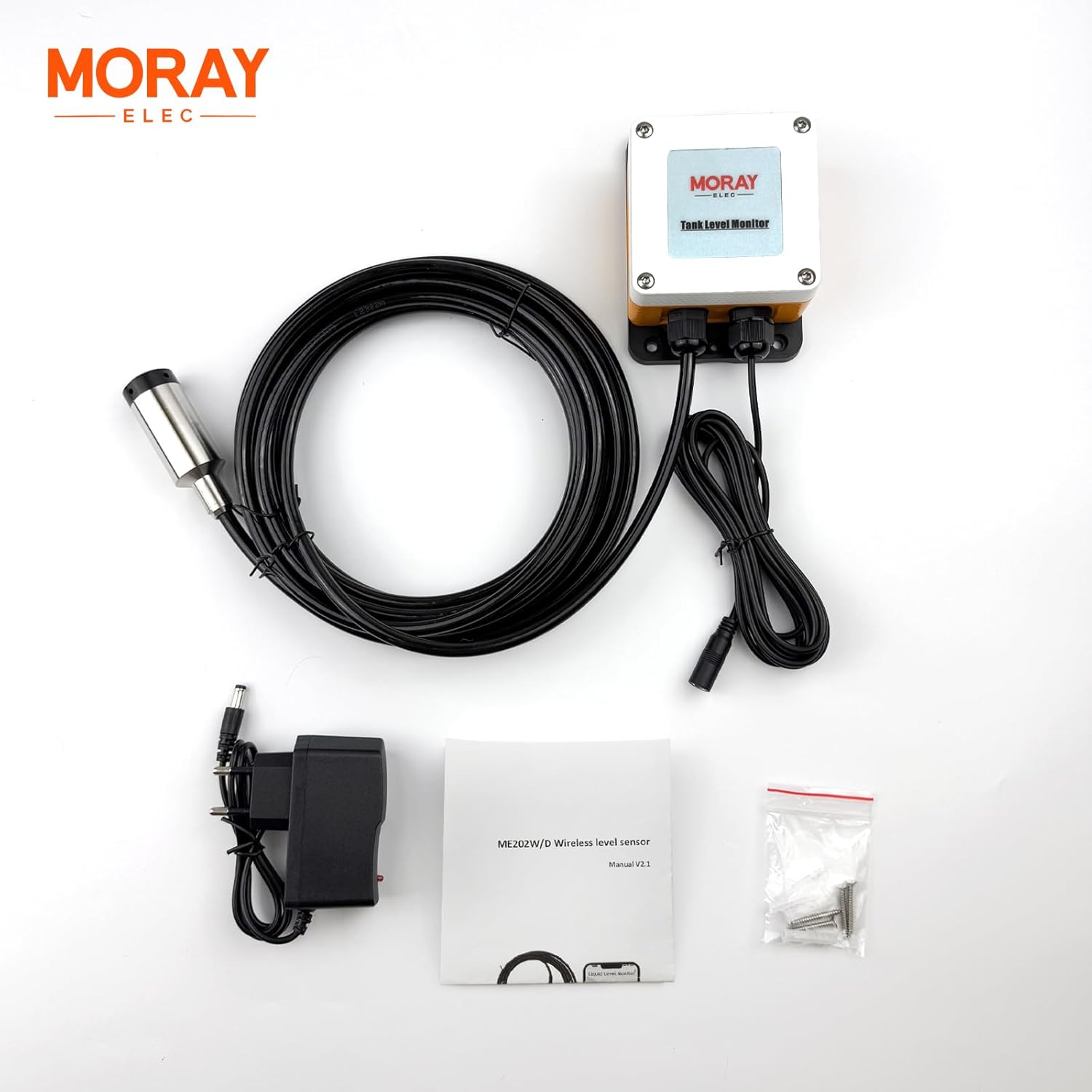
Image: This image shows the complete package contents, including the main sensor unit, the 10-meter cable, power adapter, mounting hardware, and the user manual.
4. Specifications
| Specification | Value |
|---|---|
| Model Number | ME202W 10m |
| Brand | MORAYELEC |
| Sensor Technology | Ultrasonic Sensor |
| Maximum Range | 10 Meters (394 inches) |
| Power Source | Corded Electric (5V DC) |
| Control Method | App (Tuya Smart Life) |
| Connectivity | 2.4GHz WiFi |
| Waterproof Rating | IP67 |
| Operating Temperature | -20℃ to +70℃ |
| Mounting Type | Top Mount |
| Product Dimensions (L x W x H) | 13.8" x 13.8" x 3.15" (approx. 35cm x 35cm x 8cm) |
| Item Weight | 3.31 Pounds (approx. 1.5 kg) |
5. Setup and Installation
The sensor is designed for easy top-mount installation. Follow these steps for proper setup:
- Choose Installation Location: Select a suitable location on the top of your tank. Ensure the sensor has a clear line of sight to the liquid surface and is not obstructed by internal tank structures.
- Mount the Sensor: Use the included mounting nut and screws to securely attach the sensor unit to the top of the tank. Ensure a stable and level placement.
- Position the Probe: Lower the sensor probe into the tank. The probe should hang vertically and freely, without touching the tank walls or bottom, and should not be submerged in the liquid. The ultrasonic sensor measures the distance to the liquid surface.
- Connect Power: Connect the provided power adapter to the sensor unit and plug it into a standard power outlet.
- Download App: Download the Tuya Smart Life APP from your smartphone's app store (iOS or Android).
- Pair with App: Open the Tuya Smart Life APP, register or log in, and follow the in-app instructions to add a new device. Ensure your phone is connected to a 2.4GHz WiFi network during the pairing process. The sensor will connect to this network.
- Verify Connection: Once paired, the sensor's status should appear online in the app, and you should see initial liquid level readings.
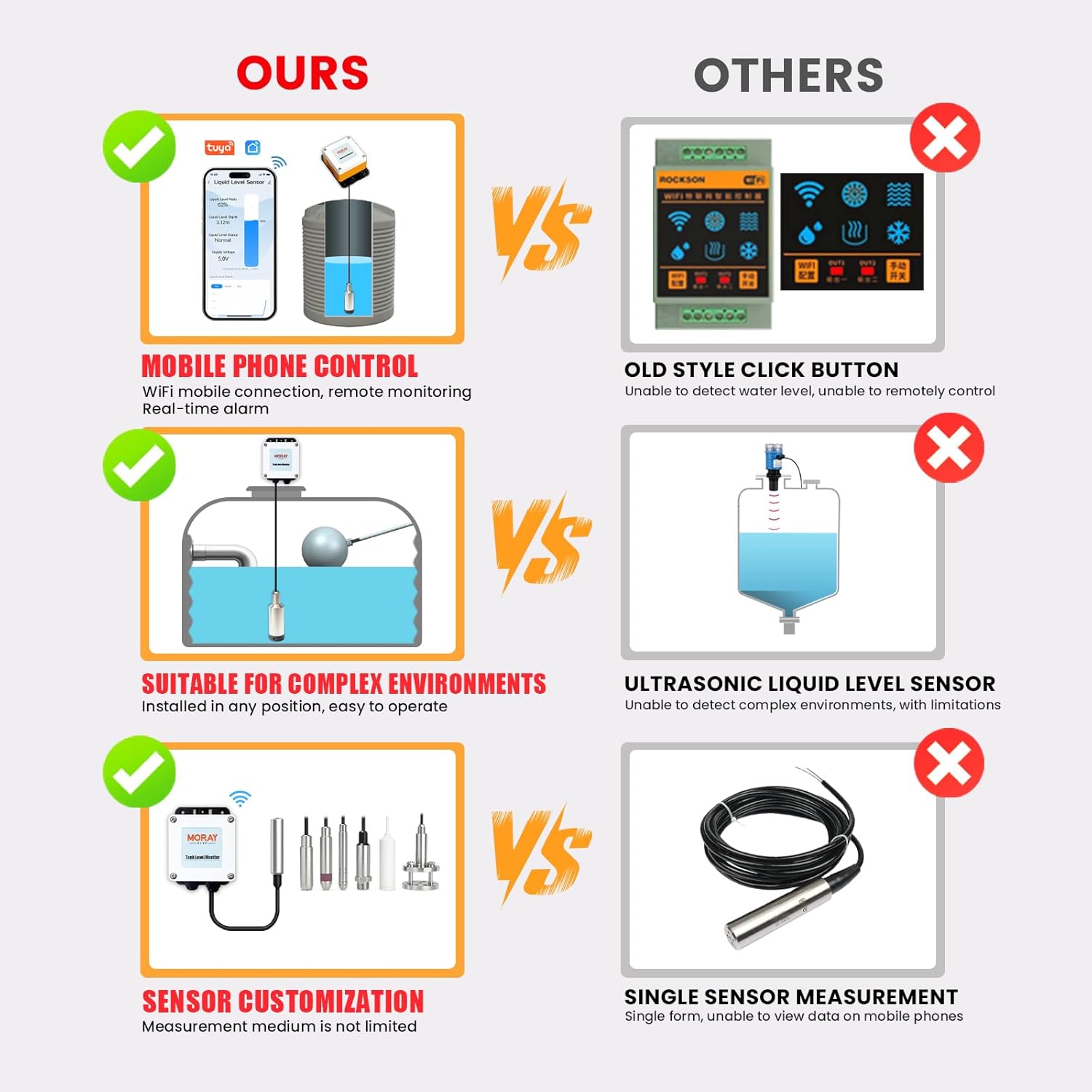
Image: This diagram shows the sensor unit mounted on top of a tank, with the probe extending downwards to measure the liquid level. It highlights the top-mount installation method.

Image: This image depicts the sensor installed on an outdoor water tank, with a smartphone displaying the liquid level ratio and depth in the Tuya Smart Life app, demonstrating remote monitoring capabilities.
6. Operating Instructions
Once installed and connected to the Tuya Smart Life APP, you can begin monitoring your tank's liquid levels.
- Accessing Data: Open the Tuya Smart Life APP on your smartphone. Select your MORAYELEC Water Level Sensor from the device list.
- Real-time Monitoring: The app will display the current liquid level ratio (percentage), liquid depth, and supply voltage. Data is updated in real-time.
- Historical Data: View historical liquid level data over various periods (day, month, year) to track consumption or changes.
- Setting Alarms: Navigate to the sensor's settings within the app to set custom alarm thresholds for low and full liquid levels. You will receive push notifications when these thresholds are met.
- Multi-Tank Monitoring: If you have multiple MORAYELEC sensors, you can monitor all of them from a single dashboard within the Tuya Smart Life APP.
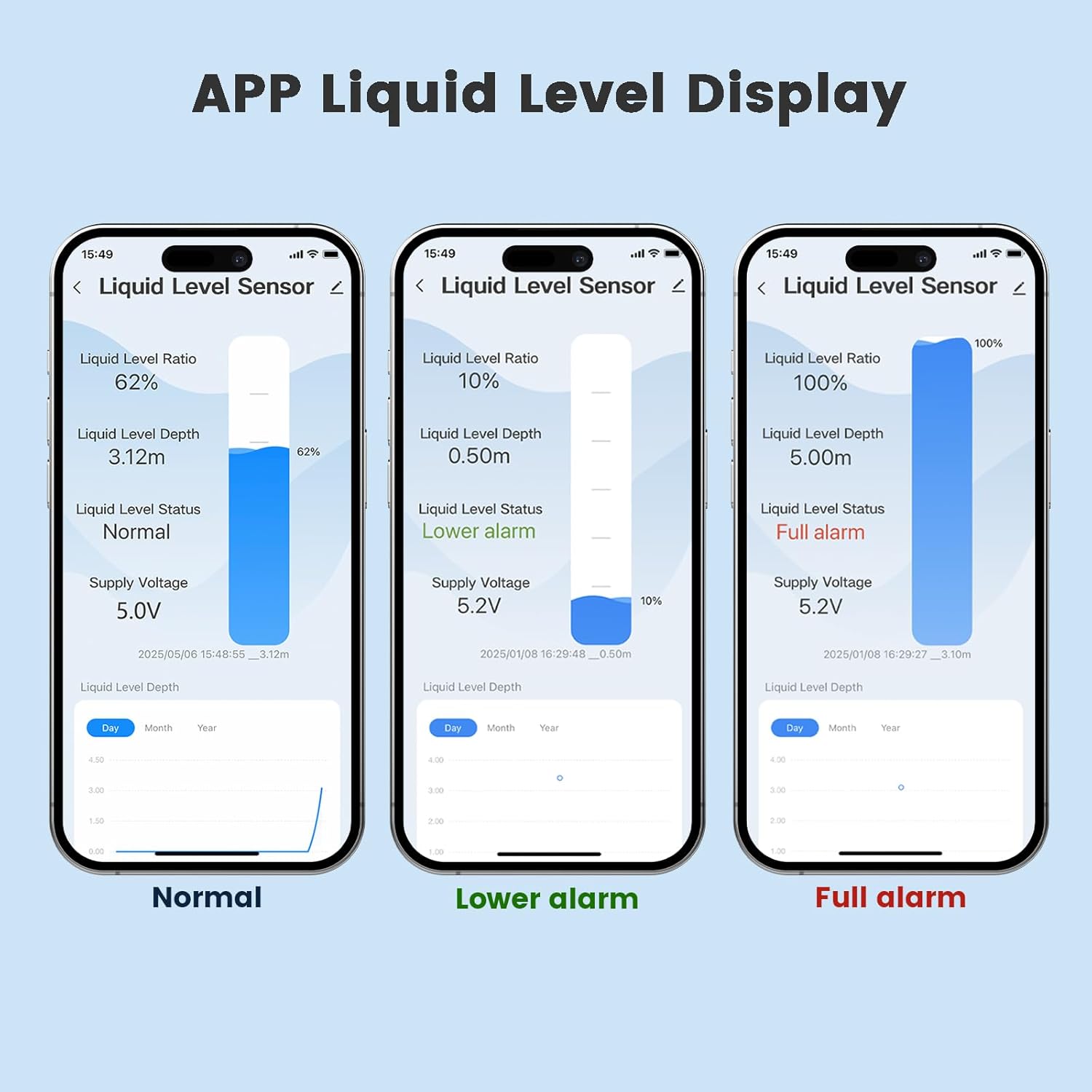
Image: This image shows three screenshots of the Tuya Smart Life app interface, demonstrating how liquid level data is displayed for normal operation, a low-level alarm, and a full-level alarm, including the liquid level ratio and depth.

Image: This diagram illustrates the capability of monitoring multiple tanks using a single MORAYELEC sensor unit, with the app displaying the liquid level for each tank.
7. Maintenance
The MORAYELEC Smart WiFi Water Level Sensor is designed for maintenance-free operation. However, to ensure optimal performance and longevity, consider the following:
- Regular Cleaning: Periodically inspect the sensor probe for any buildup of dirt, algae, or debris, especially if used in environments with non-potable water or other liquids. Gently clean the probe surface with a soft cloth if necessary.
- Cable Inspection: Check the sensor cable for any signs of wear, damage, or corrosion. Ensure it is securely connected to the sensor unit.
- Power Supply: Ensure the power adapter is functioning correctly and providing stable power to the unit.
- Firmware Updates: Check the Tuya Smart Life APP periodically for any available firmware updates for your sensor. Updates can improve performance and add new features.
8. Troubleshooting
If you encounter issues with your MORAYELEC Smart WiFi Water Level Sensor, refer to the following troubleshooting tips:
| Problem | Possible Cause | Solution |
|---|---|---|
| Sensor not connecting to WiFi | Incorrect WiFi password; Sensor too far from router; Router is 5GHz only; Network congestion. | Ensure correct 2.4GHz WiFi password. Move sensor closer to router. Check router settings for 2.4GHz band. Restart router. |
| No liquid level readings in app | Sensor not powered; Probe obstructed or incorrectly positioned; App not refreshed. | Check power connection. Ensure probe is hanging freely and not submerged. Refresh the app. Re-pair the device if necessary. |
| Inaccurate readings | Probe obstructed; Sensor not level; Interference from tank features; Condensation on sensor. | Clean probe. Ensure sensor is mounted level. Reposition sensor if internal tank structures cause interference. Ensure proper ventilation. |
| Alarms not triggering | Alarm thresholds not set; App notifications disabled; Sensor offline. | Set alarm thresholds in the Tuya Smart Life APP. Enable notifications for the app on your phone. Check sensor's online status. |
9. Warranty and Support
The MORAYELEC Smart WiFi Water Level Sensor (ME202W 10m) comes with a 1-year manufacturer's warranty from the date of purchase. This warranty covers defects in materials and workmanship under normal use.
For technical support, warranty claims, or any questions regarding your product, please contact MORAYELEC customer service through the contact information provided on our official website or through your retailer. We are committed to providing lifetime support for our products.

