1. Introduction
This manual provides detailed instructions for the safe and efficient operation of your QKMPOM L206 Portable Tire Inflator. Please read this manual thoroughly before first use and retain it for future reference. This device is designed for inflating tires on cars, motorcycles, and bicycles, as well as sports balls, offering convenience and reliability.
2. Safety Information
- Keep the device out of reach of children.
- Do not overinflate tires or other items. Always refer to the manufacturer's recommended pressure.
- Avoid prolonged continuous operation to prevent overheating. Allow the device to cool down between uses if necessary.
- Do not expose the device to rain or moisture.
- Use only the provided accessories and adapters.
- Store the device in a cool, dry place when not in use.
3. Package Contents
Verify that all items are present in the package:
- Portable tire inflator (x1)
- Air hose (x1)
- 12V DC car adapter (x1)
- Tire nozzle (x1)
- Presta valve adapter (x1)
- Schrader valve adapter (x1)
- Ball needle (x1)
- USB-C cable (x1)
- Storage bag (x1)
- User manual (x1)
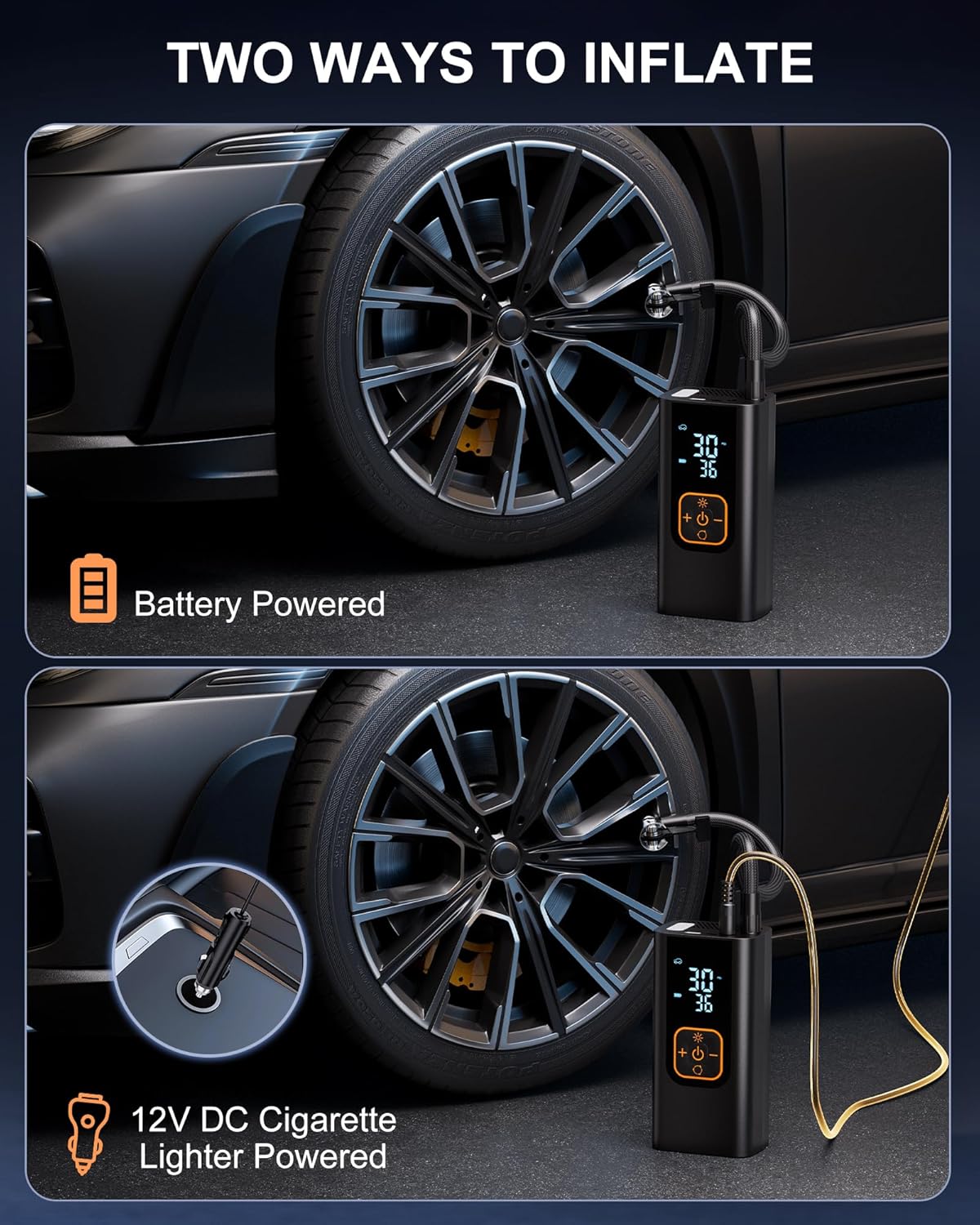
Image: The QKMPOM L206 Portable Tire Inflator shown with all its included accessories, including the air hose, various nozzles, 12V DC adapter, USB-C cable, and storage bag.
4. Product Overview
The QKMPOM L206 features a clear digital display and intuitive controls for ease of use. It includes multiple inflation modes and a built-in LED light for convenience.

Image: Detailed diagram illustrating the buttons and screen elements of the QKMPOM L206 inflator, including real-time pressure, preset pressure, battery level, light, input/output charging indicators, power button, preset adjustment buttons, and mode selection/unit switch.

Image: Close-up of the inflator's dual digital LCD display, showing both the real-time pressure and the preset target pressure simultaneously for clear monitoring.
5. Charging the Device
The QKMPOM L206 can be powered by its internal rechargeable battery or directly from a 12V DC car adapter.
5.1. Battery Charging
Use the provided USB-C cable to charge the device. Connect the USB-C cable to the inflator's charging port and the other end to a suitable USB power source (e.g., wall adapter, car charger, power bank). The battery indicator on the display will show charging status.
5.2. Dual Power Supply
For extended use or when the battery is low, the inflator can be powered directly by your vehicle's 12V DC cigarette lighter socket using the included adapter.

Image: Illustration showing the two power options for the inflator: battery-powered for cordless use and 12V DC cigarette lighter powered for continuous operation in a vehicle.
5.3. Power Bank Function
The inflator includes a 5V/2A USB output port and a C-type charging port, allowing it to function as a power bank to charge your phone or other devices.

Image: The QKMPOM L206 inflator connected via USB-C to a smartphone, demonstrating its power bank functionality.
6. Operating Instructions
6.1. Basic Inflation Steps
- Connect the Air Hose: Screw the air hose securely onto the inflator's air outlet.
- Attach to Valve: Remove the valve cap from the item to be inflated. Connect the air hose nozzle to the valve stem. Ensure a tight seal. Use appropriate adapters for different valve types (Presta, Schrader, ball needle).
- Power On: Long press the power button (U) to activate the machine.
- Select Mode: Press the mode selection button (circular arrow) to cycle through the preset inflation modes (Car, Motorcycle, Bicycle, Ball) or select the Custom mode.
- Set Pressure: Use the '+' and '-' buttons to adjust the target pressure. The display will show the preset value.
- Start Inflation: Press the power button (U) again to start inflation. The inflator will automatically stop when the preset pressure is reached.
- Disconnect: Once inflation is complete, quickly disconnect the nozzle from the valve stem and replace the valve cap.

Image: Step-by-step visual guide demonstrating how to connect the inflator to a tire valve, power on, select mode, and start inflation.
6.2. Preset Inflation Modes
The device offers 5 preset modes and 4 pressure units (PSI, kPa, Bar, kg/cm²).
- Car Mode: Recommended pressure range typically 28-50 PSI.
- Motorcycle Mode: Recommended pressure range typically 26-45 PSI.
- Bicycle Mode: Recommended pressure range typically 30-120 PSI.
- Ball Mode: Recommended pressure range typically 4-16 PSI.
- Custom Mode: Allows manual setting of pressure up to 180 PSI for various inflatables like air mattresses or swimming rings.

Image: Display showing the five preset inflation modes (Car, Motorcycle, Bike, Ball, Custom) with their typical pressure ranges, and the available pressure units.
6.3. Automatic Shut-Off
The inflator features an accurate pressure sensor that provides real-time monitoring. It will automatically stop inflation once the preset pressure is reached, preventing overinflation. The device also powers off after 3 minutes of inactivity to conserve battery life.

Image: The inflator connected to a tire, illustrating the automatic shut-off function once the desired pressure is achieved.
6.4. LED Light Function
The built-in LED flashlight offers three modes for various situations:
- Lighting Mode: For general illumination.
- Alarm Light Mode: A flashing light for attracting attention.
- SOS Light Mode: Flashes the international SOS signal for emergencies.

Image: The QKMPOM L206 inflator with its LED light activated, demonstrating its use as a flashlight and emergency signal.
6.5. Product Demonstration Video
Video: A demonstration of the QKMPOM L206 Portable Tire Inflator in use, showcasing its features and operation.
7. Maintenance
- Cleaning: Wipe the exterior of the inflator with a soft, damp cloth. Do not use harsh chemicals or abrasive cleaners.
- Storage: Store the device and its accessories in the provided storage bag in a cool, dry place, away from direct sunlight and extreme temperatures.
- Battery Care: For optimal battery life, charge the device fully before long-term storage and recharge every 3-6 months if not in regular use.
8. Troubleshooting
- Device does not power on: Ensure the battery is charged or connect the 12V DC car adapter. Check if the power button was long-pressed.
- Inflator not starting: Ensure the air hose is securely connected to both the inflator and the item's valve. Check if a target pressure has been set.
- Inaccurate pressure reading: Ensure the nozzle is tightly sealed to the valve stem. If issues persist, compare with a known accurate pressure gauge.
- Slow inflation: Check for any kinks in the air hose. Ensure the battery is sufficiently charged or use the 12V DC adapter for consistent power.
- Overheating: If the device feels hot, stop operation and allow it to cool down for at least 15-20 minutes before resuming use.
9. Specifications
| Feature | Specification |
|---|---|
| Brand | QKMPOM |
| Model Name | L206 |
| Maximum Operating Pressure | 180 PSI |
| Air Flow Capacity | 36 Liters Per Minute |
| Voltage | 12 Volts |
| Power Source | Battery Powered / 12V DC Adapter |
| Noise Level | 50 Decibels |
| Hose Length | 11 Feet |
| Item Weight | 1.58 pounds |
| Material | ABS Plastic, Metal |
| Special Features | Automatic Shut-Off, Built-In Gauge, Cordless, LCD Display, LED Light, Power Bank Function |
10. Warranty and Support
QKMPOM offers a 2-year product warranty and lifetime technical support for the L206 Portable Tire Inflator. For any questions, issues, or warranty claims, please contact QKMPOM customer service through your purchase platform or the contact information provided in the original packaging.


