
Introduction
Thank you for purchasing the Philips Qi2 Car Phone Holder DLK2305Q. This manual provides detailed instructions for the proper installation, operation, and maintenance of your new car phone holder. Please read this manual thoroughly before use to ensure optimal performance and safety.
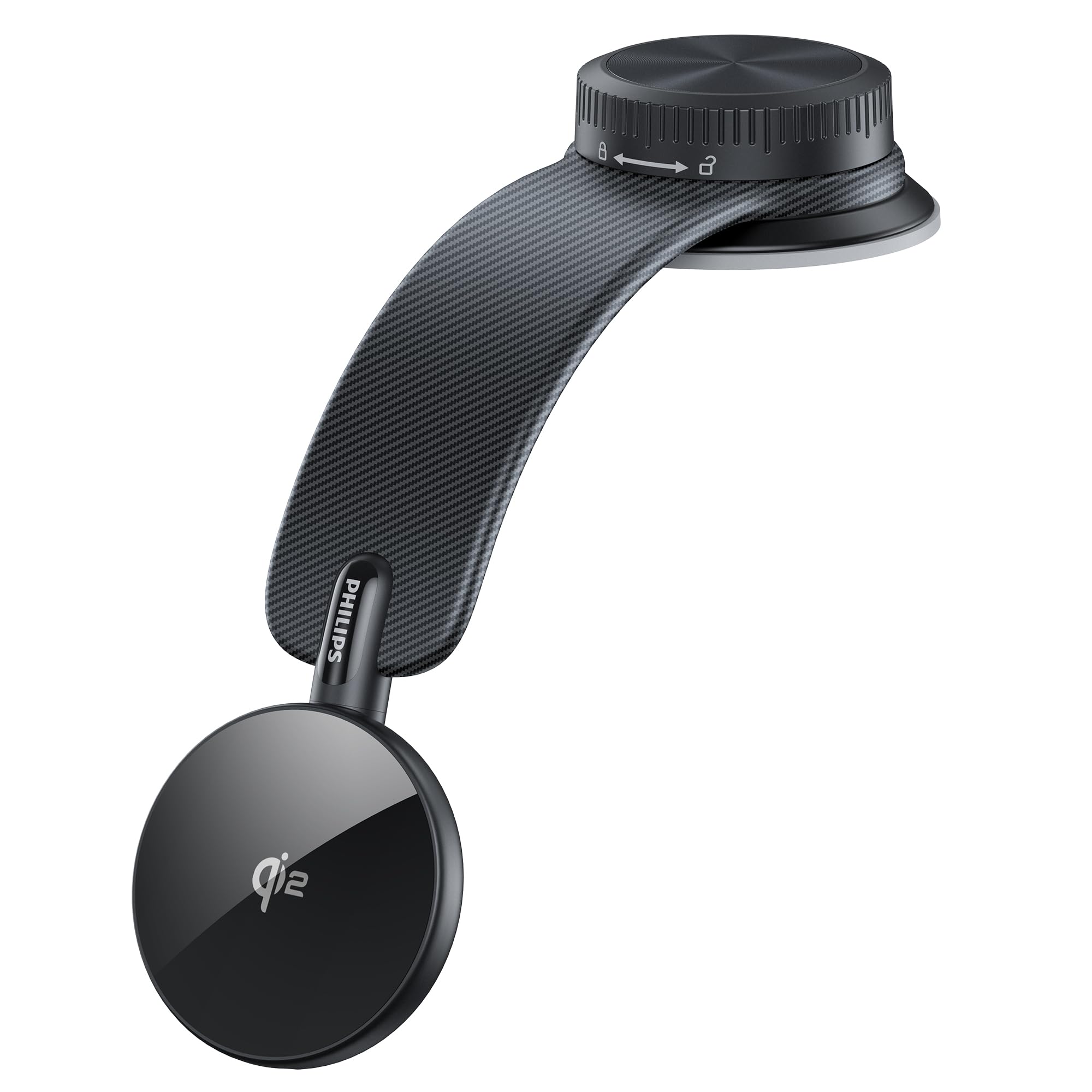
Image: Philips Qi2 Car Phone Holder DLK2305Q
Safety Information
To ensure safe operation and prevent damage, please observe the following safety guidelines:
- Do not obstruct your view of the road or vehicle controls when installing the holder.
- Ensure the holder is securely attached before placing your device.
- Avoid installing the holder on airbags or in areas that may interfere with their deployment.
- Do not expose the product to extreme temperatures or direct sunlight for prolonged periods.
- Keep out of reach of children.
- If the product is damaged, discontinue use immediately.
Package Contents
Verify that all items are present in the package:
- Philips Qi2 Car Phone Holder (DLK2305Q)
- Instruction Manual
Product Features
Qi2 15W Fast Charging
This car phone holder is Qi2 certified, providing magnetic wireless charging up to 15W for Qi2-compatible smartphones. It offers faster charging for iPhone 12 and later models compared to traditional Qi standards. Charge your phone while using navigation during driving without worrying about battery drain. Note: It may take up to 3 seconds for charging to begin after power is connected. Please verify your smartphone's Qi2 compatibility before use.

Image: Smartphone charging wirelessly on the Philips Qi2 Car Phone Holder, highlighting 15W fast charging, heat dissipation vents, and LED charging indicators.
360° Rotation
The Magsafe charging area rotates 360°, allowing single-handed adjustment of your phone's angle for optimal navigation viewing. The holder's arm also rotates 360°, enabling direction changes even when the suction cup is fixed, significantly improving visibility.

Image: Diagram showing the 360-degree rotation capabilities of both the phone mounting area and the arm of the Philips Qi2 Car Phone Holder.
Flexible Arm
The holder's arm is made of shape-memory alloy, allowing it to be bent and shaped with minimal force. This flexibility enables precise adjustment of the viewing angle and height to suit your mounting location and preferences.

Image: Illustrating the flexible arm of the Philips Qi2 Car Phone Holder, which can be bent and adjusted to various angles and directions.
Super Strong Magnetic Suction & Dual Fixation
Equipped with 32 high-quality N54 magnets, this holder provides exceptional magnetic grip, ensuring your phone remains stable against vibrations and impacts. The high-quality silicone suction cup adheres firmly to flat surfaces. Turning the lock dial clockwise after placement creates a strong vacuum seal, ensuring exceptional stability. The holder remains securely fixed even on bumpy roads. Note: Do not install on uneven or specially textured surfaces. Allow 24-48 hours after installation for optimal adhesion.

Image: Close-up images demonstrating the strong silicone suction cup with rotary lock and the internal N54 magnets for secure phone attachment.
Premium Design
Featuring a refined and sophisticated design, this holder adds a touch of simple luxury to your car's interior. Its versatile design also allows for flexible use at home or in the office, attaching to desks or walls for hands-free phone operation. Note: The product features a carbon fiber-like texture for aesthetic purposes; the material itself is not carbon fiber.

Image: Showcasing the premium design and carbon fiber texture of the Philips Qi2 Car Phone Holder.
Wide Compatibility
The magnetic holder supports one-handed operation for convenience. Magsafe-compatible smartphones (iPhone 12 series and later) attach directly. Non-Magsafe Android phones can also be used with a Magsafe accessory.

Image: Showing compatibility of the Philips Qi2 Car Phone Holder with Magsafe-enabled iPhones and Android smartphones using a Magsafe accessory.
Setup and Installation
1. Choosing a Mounting Location
Select a clean, flat surface on your dashboard, meter panel, or front glass that does not obstruct your view or interfere with driving controls. Refer to the image below for examples of optimal mounting positions and suitable surfaces.

Image: Examples of optimal mounting positions for the Philips Qi2 Car Phone Holder, including on the monitor, meter panel, and dashboard.

Image: Illustrating suitable (synthetic leather, plastic, wood, metal) and unsuitable (genuine leather, suede, waxed, abrasive) surfaces for mounting.
2. Attaching the Holder
Place the silicone suction cup firmly on the chosen clean, flat surface. Ensure there are no air bubbles underneath the suction cup.
3. Securing the Suction Cup
Once the suction cup is in place, turn the rotary lock dial clockwise until it is tightly secured. This will create a strong vacuum seal for maximum stability. After securing, wait 24-48 hours before attaching your phone for optimal adhesion.

Image: Close-up of the dual fixation design of the Philips Qi2 Car Phone Holder, showing the silicone suction cup and the rotary lock dial for secure attachment.
4. Adjusting the Arm
The flexible arm can be bent and shaped to your desired angle and height. Adjust it to ensure your phone is in an easy-to-view position without obstructing your driving.
Image: Illustrating the flexible arm of the Philips Qi2 Car Phone Holder, which can be bent and adjusted to various angles and directions.
5. Placing Your Phone
Align your Magsafe-compatible smartphone (iPhone 12 series or later) with the magnetic charging area. The magnets will securely hold your phone in place. For non-Magsafe Android phones, attach a Magsafe accessory to your phone or case before placing it on the holder.

Image: Infographic detailing Philips Qi2 Car Phone Holder features, including magnetic attachment.
Installation and Usage Demonstration Video
Video: Demonstrating the installation, adjustment, and secure phone placement of the Philips Qi2 Car Phone Holder, including its 360-degree rotation and strong magnetic hold during driving.
Operating Instructions
Wireless Charging
Once your Qi2-compatible smartphone is securely attached to the holder and the holder is powered, wireless charging will begin automatically. The LED indicator on the holder will confirm charging status.
Image: Smartphone charging wirelessly on the Philips Qi2 Car Phone Holder, showing LED charging indicators.
Adjusting Viewing Angle
The magnetic charging area can be rotated 360 degrees to switch between portrait and landscape modes or adjust the viewing angle. The flexible arm also allows for further positional adjustments to achieve your preferred setup.

Image: Demonstration of the 360-degree rotatable charging area of the Philips Qi2 Car Phone Holder.
Maintenance
To maintain the performance and appearance of your car phone holder:
- Clean the holder regularly with a soft, damp cloth.
- Do not use abrasive cleaners or solvents.
- Ensure the suction cup is clean before re-attaching to a surface to maintain strong adhesion.
Troubleshooting
If you encounter issues with your Philips Qi2 Car Phone Holder, refer to the following table:
| Problem | Possible Cause | Solution |
|---|---|---|
| Phone not charging | Phone not Qi2 compatible; phone not aligned; power cable not connected; foreign object detected. | Ensure phone is Qi2 compatible and correctly aligned. Check power connection. Remove any foreign objects. |
| Holder detaches from surface | Surface is not flat or clean; lock dial not tightened; insufficient waiting time after installation. | Clean surface thoroughly. Ensure lock dial is fully tightened. Wait 24-48 hours after initial installation. Avoid uneven or textured surfaces. |
| Phone not securely held | Phone not Magsafe compatible; Magsafe accessory not used or improperly attached. | Ensure phone is Magsafe compatible or use a Magsafe accessory. Check accessory attachment. |
Specifications
| Feature | Detail |
|---|---|
| Product Weight | 155 g |
| Product Dimensions | 24.2 x 6.6 x 2.75 cm |
| Special Features | Wireless Charging, Dual Fixation, Rotatable, One-Hand Operation, Adjustable |
| Color | Black |
| Compatible Devices | Smartphones |
| Compatible Phone Models | Magsafe-compatible smartphones (iPhone 12 series and later), Android smartphones using Magsafe accessories |
| Mounting Type | Dashboard (Suction Cup) |
Warranty and Support
This Philips product is covered by a manufacturer's warranty. For specific warranty terms, technical support, or service inquiries, please refer to the warranty card included in your package or visit the official Philips support website. Keep your purchase receipt as proof of purchase.

