
1. Introduction
The Xiaomi Smart Lock 65463 is designed to enhance your home security and convenience. This smart lock integrates seamlessly with various smart home ecosystems, offering multiple unlocking methods and remote management capabilities. This manual provides essential information for the proper installation, operation, and maintenance of your smart lock.

Image: Front view of the Xiaomi Smart Lock.
2. Safety Information
- Ensure the lock is installed indoors. The main body is designed for internal placement to reduce tampering risks.
- Do not expose the lock to extreme temperatures or moisture.
- Use only the specified charging cable and power source for the rechargeable battery.
- Keep physical keys in a secure location, separate from the smart lock.
- The lock is equipped with an MJA1 security chip for data encryption. Ensure your app and smart home systems are updated for optimal security.
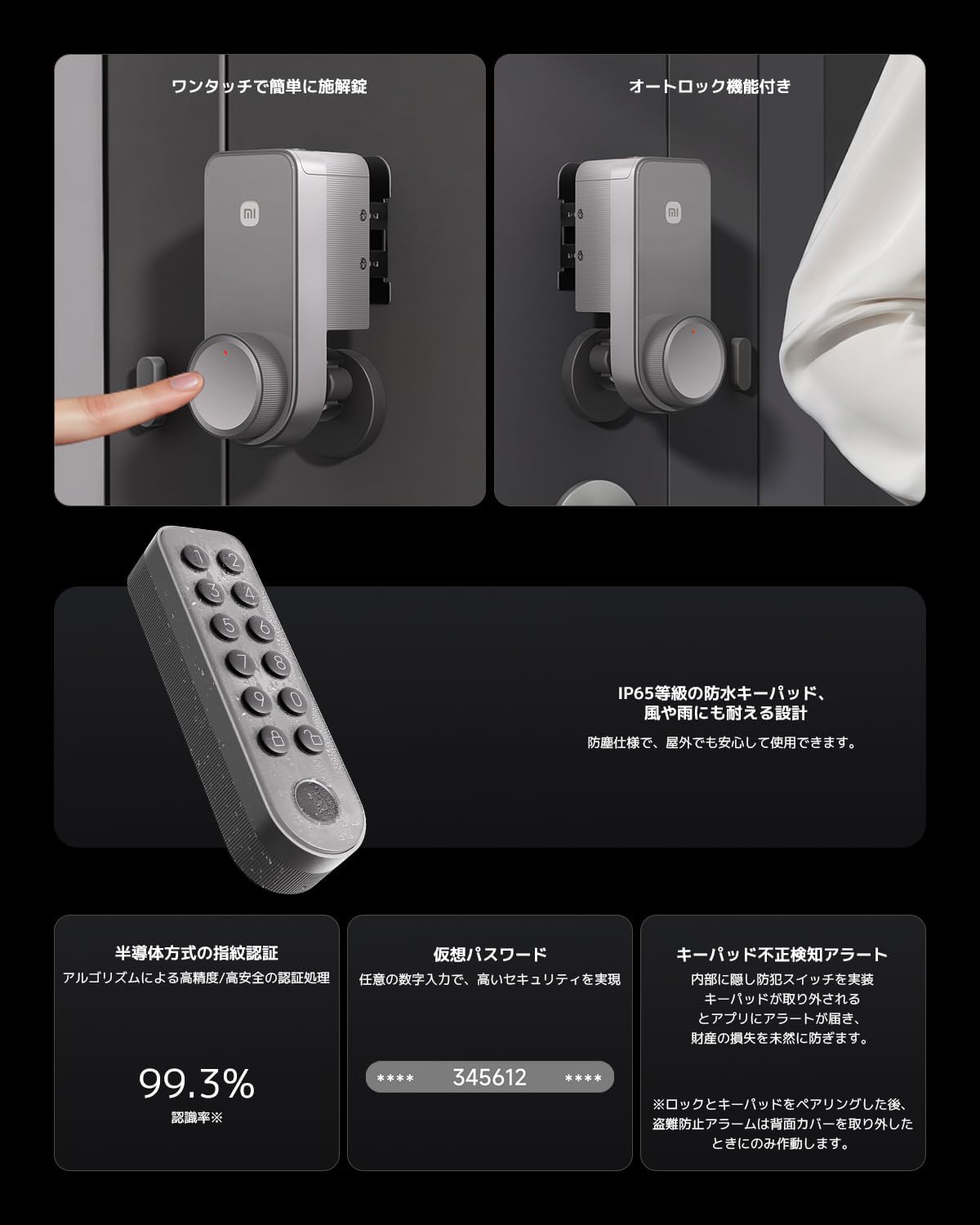
Image: Depicts the smart lock's auto-lock function, fingerprint recognition, and secure keypad.
3. Package Contents
Verify that all components are present in the package:
- Xiaomi Smart Lock Main Unit
- Mounting Bracket
- Thumb Turn Fixing Bracket
- Height Adjustment Bracket
- Double-sided Adhesive Tape (3M)
- Door Sensor
- Physical Keys
- USB Type-C Charging Cable
- User Manual (this document)
4. Installation (Setup)
The Xiaomi Smart Lock is designed for self-installation without requiring construction work. Follow these steps carefully:
4.1. Door Compatibility Check
Before installation, ensure your door is compatible:
- Distance from door end to the center of the thumb turn: More than 40mm.
- Flat space around the thumb turn: At least 60x60mm.
- Thumb turn fixing bracket supports up to 23mm thickness with 3 levels of depth adjustment.
- Height adjustment bracket allows 7 levels of adjustment, up to 45mm.
- Compatible with 7 types of door lock thumb turns (e.g., GOAL TMB, TMK, LDK; MIWA U1, B5, 85RA; LIXIL TOSTEM).

Image: Illustrates various compatible door lock types and the internal battery compartment.
4.2. Installation Steps
- Remove Locking Claw: Carefully detach the existing locking claw from your door's thumb turn.
- Adjust Locking Claw: Adjust the smart lock's locking claw to fit your door's mechanism.
- Attach Locking Claw: Secure the smart lock's locking claw onto the thumb turn.
- Attach Main Unit: Position the main smart lock unit over the adjusted locking claw.
- Secure Main Unit: Use the provided 3M double-sided adhesive tape to firmly fix the main unit to the door. The adhesive is designed for strong hold with minimal residue upon removal, making it suitable for rental properties.

Image: Step-by-step visual guide for installing the smart lock.
5. Operation
5.1. Unlocking Methods
The Xiaomi Smart Lock supports multiple flexible unlocking methods:
- Smartphone App: Unlock remotely via the Xiaomi Home app.
- Bluetooth Unlock: Unlock via Bluetooth when your smartphone is nearby.
- Remote Unlock: Utilize the built-in gateway for remote unlocking from anywhere.
- Smart Speaker Voice Control: Unlock using voice commands through compatible smart speakers (sold separately).
- Physical Keys: Traditional key access is available as a backup.
- Fixed Passcode: Set a permanent numerical passcode.
- Fingerprint Recognition: Use registered fingerprints for quick access.
- Time-Limited Passcode: Generate temporary passcodes for guests or specific periods.
- One-Time Passcode: Create single-use passcodes.

Image: Displays various unlocking options including passcodes, fingerprint, Bluetooth, remote, key, and voice control.
5.2. Automatic Locking
The included door sensor detects the opening and closing status of your door, enabling automatic locking. If the door frame is made of steel, the sensor's sensitivity might be affected; in such cases, use the app to configure automatic locking settings.
5.3. Smart Linkage and App Control
The smart lock features a built-in gateway, eliminating the need for an additional hub. Through the Xiaomi Home app, you can:
- Remotely lock and unlock your door.
- Check the real-time status of your door lock from anywhere.
- View unlock and lock history.
- Receive door opening alerts (requires door sensor).
- Get immediate notifications for any abnormalities, ensuring constant home security monitoring.

Image: Shows the Xiaomi Home app interface for managing the smart lock, including lock status and history.
6. Smart Home Integration
The Xiaomi Smart Lock is Matter-compatible, allowing broad integration with major smart home ecosystems:
- Amazon Alexa: Control your lock with Alexa voice commands.
- Google Home: Integrate with Google Assistant for voice control and smart routines.
- Apple Home: Seamlessly connect with Apple HomeKit for unified control.
For voice control and Matter functionality, a compatible smart speaker (e.g., Amazon Echo, Google Nest, Apple HomePod) is required and sold separately.
7. Maintenance
7.1. Battery Management
The smart lock is powered by a large-capacity 2450mAh rechargeable battery. A full charge takes approximately 6-8 hours and can last for about 6 months or more with typical usage (10 unlocks per day). The lock supports USB Type-C charging, allowing you to charge it with a mobile battery without removal.
The Xiaomi Home app will provide advance notifications when the battery level is low.
7.2. Cleaning
Wipe the smart lock's exterior with a soft, dry cloth. Avoid using abrasive cleaners or solvents that could damage the finish or internal components.
8. Troubleshooting
- Lock not responding: Check battery level in the app. If low, recharge the battery. Ensure Bluetooth or Wi-Fi connection is stable.
- Door sensor sensitivity issues: If the door frame is steel, adjust the sensor's position or rely on app-based auto-lock settings.
- Voice control not working: Verify that a compatible smart speaker is connected and configured correctly. Ensure voice control is enabled in the smart lock's settings within the Xiaomi Home app and your smart home ecosystem.
- Difficulty with installation: Re-check door compatibility measurements. Ensure the thumb turn fixing bracket and height adjustment bracket are correctly set for your door type. Refer to the installation images.
- App notifications not received: Ensure the Xiaomi Home app has necessary permissions on your smartphone and that notifications are enabled in the app settings. Check your phone's network connection.
9. Specifications
| Brand | XIAOMI |
| Model Number | 65463 |
| Lock Type | Deadbolt, Mortise Lock |
| Material | Metal |
| Item Dimensions (L x W x H) | 14.1 x 6 x 5.9 cm |
| Battery | 2450mAh Rechargeable (USB Type-C) |
| Connectivity Protocol | Wi-Fi, Bluetooth, Matter |
| Control Method | App, Remote, Voice |
| Special Features | Remote Access/Control, Voice Control, Automatic Locking, Tamper-Resistant Construction, Multiple Unlocking Methods, Advanced Encryption, Rechargeable Battery, Low Battery Notifications |
10. Warranty and Support
For warranty information and customer support, please refer to the official Xiaomi website or contact your local retailer. Keep your purchase receipt as proof of purchase for warranty claims.


