
1. Introduction
The QUANSHENG UV-K1 is a versatile portable multi-band two-way radio designed for reliable communication across various frequency bands. Featuring an extended 2500mAh battery, USB Type-C charging, and advanced functions like NOAA Weather Alert and One-Key Frequency Match, it is suitable for both professional and amateur radio operators. This manual provides detailed instructions for setting up, operating, and maintaining your UV-K1 radio.
Video: A brief overview of the QUANSHENG UV-K1 radio's appearance and features.
2. Key Features
- Upgraded 2500mAh High Capacity Battery: Extended Li-ion battery for longer standby and talk time.
- Air Band Aviation Receive & Multi-Band Scanner: Supports AM/FM Air Band reception for monitoring air-to-ground transmissions, alongside wide-band receiving for FM commercial radio and standard UV frequencies.
- USB Type-C Charging & Flexible Power: Convenient charging via USB Type-C port (power banks, laptops, car chargers) and traditional desktop charging dock.
- One-Key Frequency Match & Wireless Copy: Effortless pairing by detecting frequency and CTCSS/DCS tones of nearby radios, and wireless cloning of channels and settings.
- NOAA Weather Alert & Emergency Safety: Pre-loaded with 10 NOAA Weather Channels for real-time alerts, plus a built-in high-brightness LED Flashlight and SOS emergency alarm.
- Professional & Secure Communication: Advanced features including VOX (Voice Operated Exchange) for hands-free operation, Cross-Band Intercom, 10-Group Scrambler for private communication, 200 Memory Channels, and Dual Watch.
3. What's in the Box
Upon unpacking, please ensure all items are present:
- QUANSHENG UV-K1 Two-Way Radio Unit
- 2500mAh Extended Li-ion Battery
- Antenna (Standard)
- USB Type-C Charging Cable
- Desktop Charging Dock
- Belt Clip
- Lanyard
- User Manual (this document)

Image: QUANSHENG UV-K1 radio with its included accessories, including the main unit, battery, antenna, charging cable, and desktop charger.
4. Setup
4.1 Attaching the Battery
- Align the battery with the grooves on the back of the radio.
- Slide the battery upwards until it clicks securely into place.
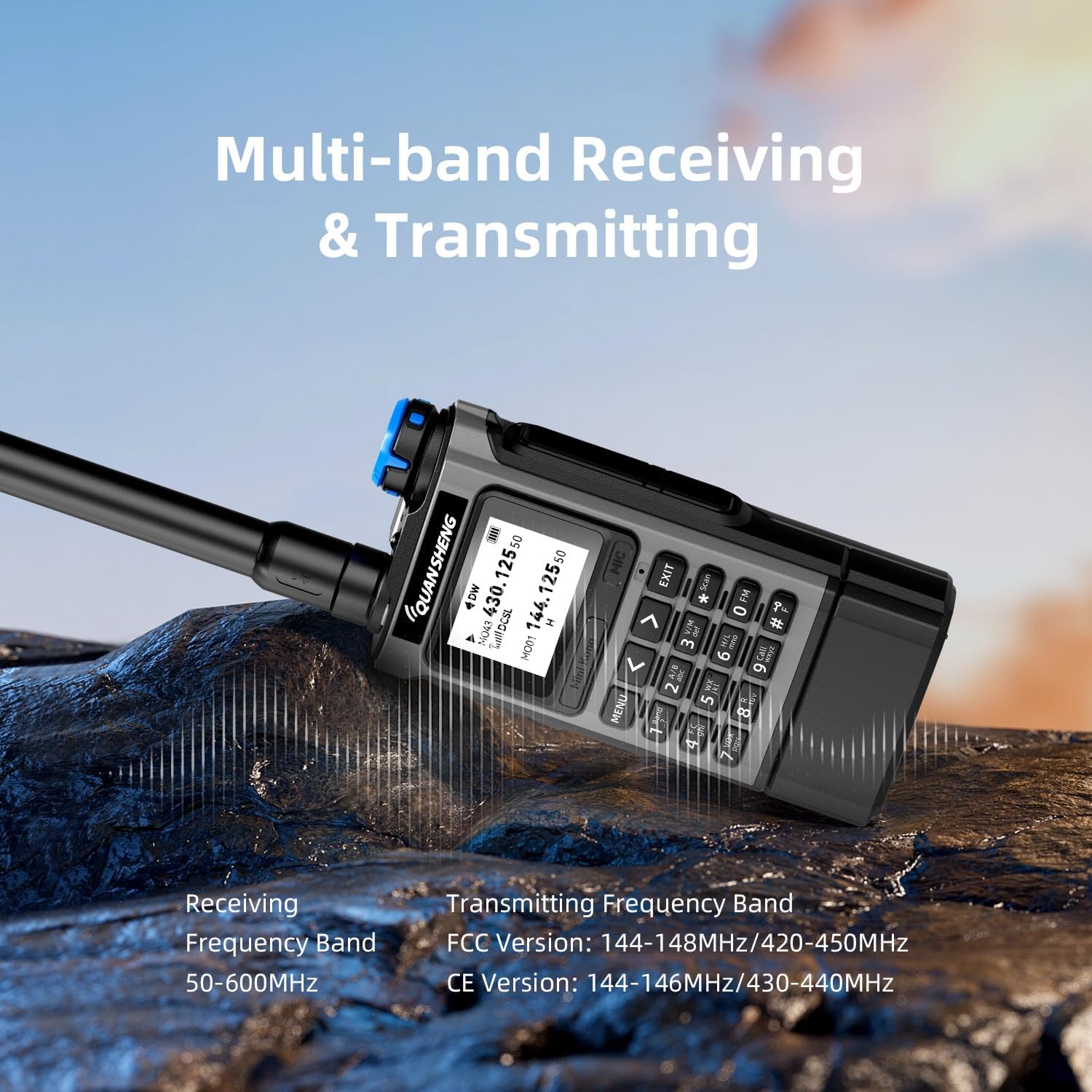
Image: A user attaching the extended 2500mAh battery to the back of the QUANSHENG UV-K1 two-way radio.
4.2 Attaching the Antenna
- Screw the antenna clockwise into the connector on the top of the radio until it is finger-tight. Do not overtighten.

Image: A user screwing the antenna onto the top connector of the QUANSHENG UV-K1 radio.
4.3 Attaching the Belt Clip
- Locate the two small screws on the back of the radio.
- Align the belt clip with the screw holes and secure it using the provided screws.
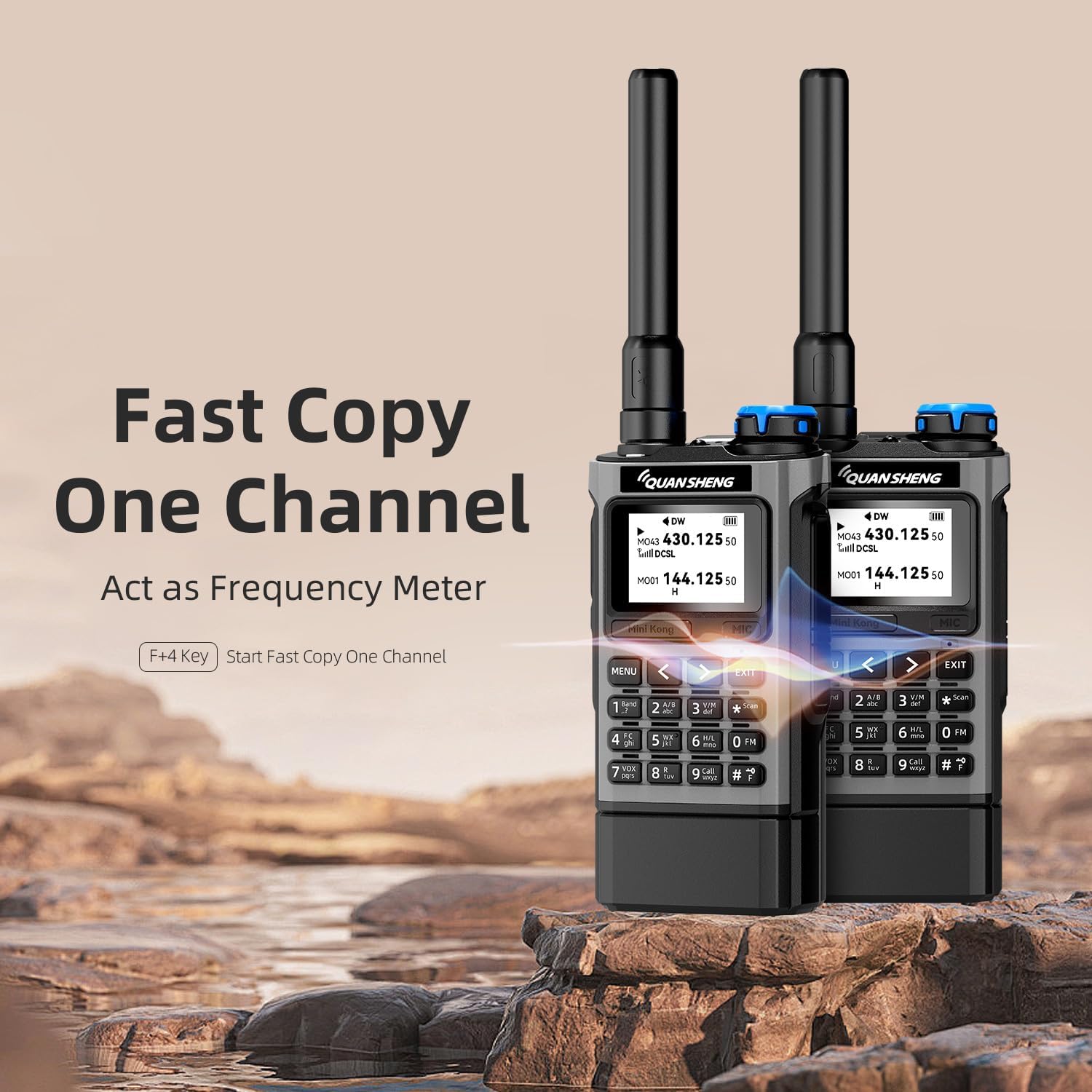
Image: The back of the QUANSHENG UV-K1 radio with the belt clip attachment point visible.
5. Basic Operation
5.1 Power On/Off and Volume Control
To power on the radio, rotate the top-mounted knob clockwise. Continue rotating to adjust the volume. Rotate counter-clockwise until a click is heard to power off the device.
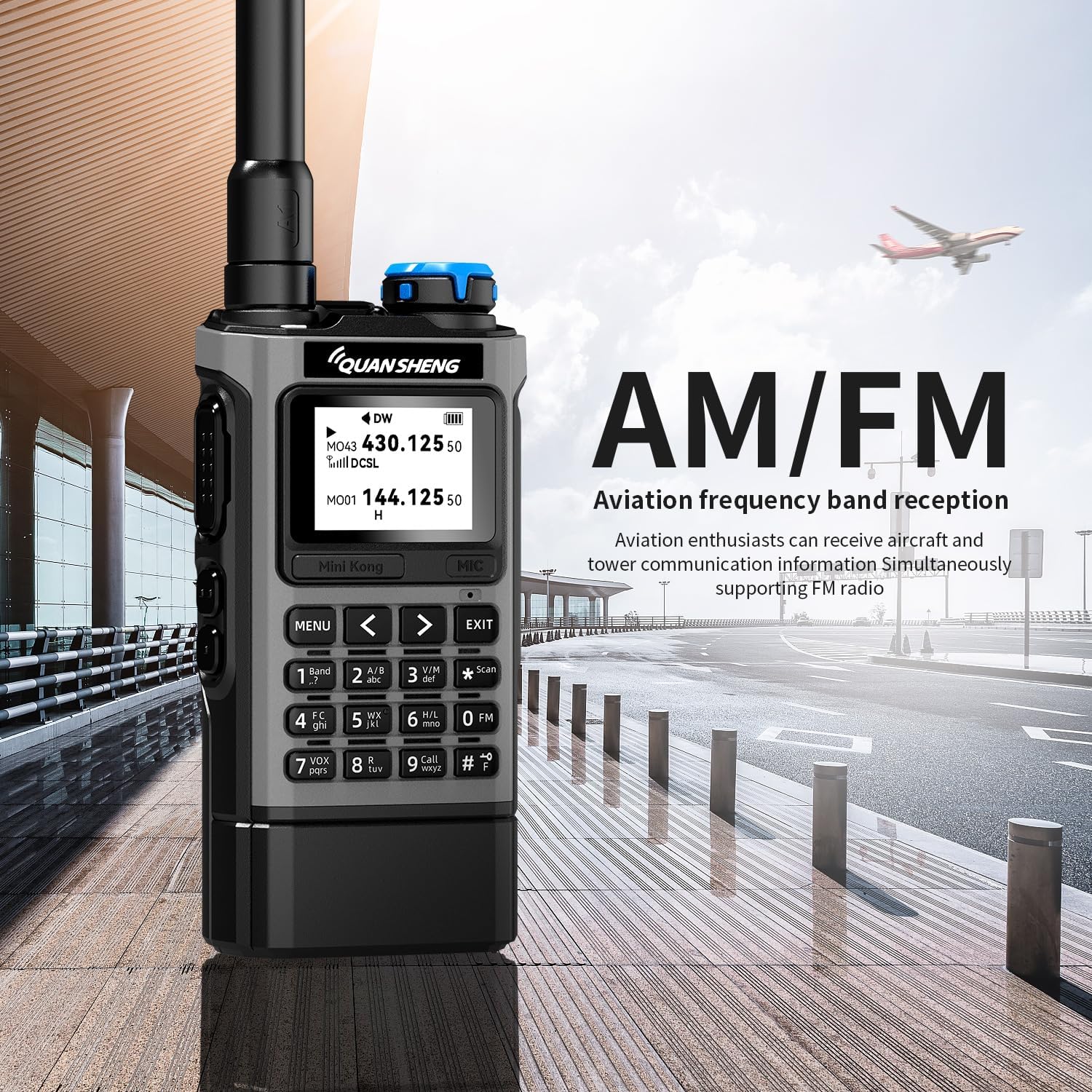
Image: Close-up of the top of the QUANSHENG UV-K1 radio, highlighting the power/volume knob and antenna connection.
5.2 Push-to-Talk (PTT) Button
The PTT button is located on the left side of the radio. Press and hold this button to transmit your voice. Release it to listen for incoming transmissions.
5.3 Channel Selection
Use the up/down arrow keys on the keypad to navigate through available channels. The A/B button allows switching between the two main display channels.
Image: The front panel of the QUANSHENG UV-K1 radio, showing the display, keypad, and function buttons.
5.4 Keypad Functions
The full numeric keypad allows for direct frequency input and access to various menu functions. Refer to the detailed function key analysis below for specific operations.

Image: A diagram illustrating the various buttons and their functions on the QUANSHENG UV-K1 radio.
6. Advanced Features
6.1 Multi-Band Receiving & Transmitting
The UV-K1 supports a wide range of frequencies for both receiving and transmitting. This includes AM/FM Air Band reception for aviation communication. The radio can receive frequencies from 50-600MHz. Transmitting frequencies are 144-148MHz/420-450MHz (FCC Version) and 144-146MHz/430-440MHz (CE Version).

Image: The QUANSHENG UV-K1 radio showcasing its multi-band receiving and transmitting capabilities with frequency ranges.
6.2 One-Key Frequency Match & Wireless Copy
To quickly match frequencies with another radio, use the One-Key Frequency Match feature. This allows the UV-K1 to detect the frequency and CTCSS/DCS tones of a nearby transmitting radio for instant pairing. The Wireless Air Copy feature enables cloning channels and settings from one UV-K1 to another without a PC programming cable.

Image: Two QUANSHENG UV-K1 radios illustrating the "Fast Copy One Channel" function, acting as a frequency meter.
Video: Demonstrates the fast matching walkie-talkie function of the QUANSHENG UV-K1.
6.3 NOAA Weather Alert & Emergency Functions
The UV-K1 includes 10 pre-loaded NOAA Weather Channels to provide real-time severe weather forecasts and hazard alerts. For emergencies, the radio features a built-in high-brightness LED Flashlight and an SOS remote emergency alarm. These functions are crucial for safety during outdoor activities.
6.4 Professional & Secure Communication
Enhance your communication with features like VOX (Voice Operated Exchange) for hands-free operation, Cross-Band Intercom for communication between different frequency bands, and a 10-Group Scrambler to encrypt your voice for private and secure conversations. The radio also supports 200 Memory Channels and Dual Watch for monitoring two channels simultaneously.

Image: The QUANSHENG UV-K1 radio showcasing its powerful features, including 10-Group Scrambler, USB Programming, and DIY Power On Photo.
7. Charging
The QUANSHENG UV-K1 offers dual charging methods for convenience:
- USB Type-C Charging: Connect the provided USB Type-C cable directly to the radio for charging via power banks, laptops, or car chargers.
- Desktop Charging Dock: Place the radio in the desktop charging dock for traditional charging. Ensure the dock is connected to a power source.

Image: The QUANSHENG UV-K1 radio demonstrating its dual charging capabilities, including Type-C and base charging.
8. Maintenance
- Cleaning: Use a soft, damp cloth to clean the radio's exterior. Avoid harsh chemicals or abrasive cleaners.
- Battery Care: To prolong battery life, avoid overcharging and fully discharging the battery regularly. Store the radio and battery in a cool, dry place when not in use for extended periods.
- Storage: Store the radio in a dry, dust-free environment away from direct sunlight and extreme temperatures.
9. Troubleshooting
| Problem | Possible Cause | Solution |
|---|---|---|
| Radio does not power on. | Low or dead battery. | Charge the battery using the USB-C cable or desktop charger. |
| Cannot transmit or receive. | Incorrect frequency/channel, antenna not properly attached, or out of range. | Verify frequency/channel settings. Ensure antenna is securely attached. Move closer to the other radio. |
| Poor audio quality. | Low signal strength, interference, or incorrect squelch setting. | Adjust squelch level. Move to an area with better signal. Check for sources of interference. |
10. Specifications
| Feature | Detail |
|---|---|
| Brand | QUANSHENG |
| Model Number | UV-K1 |
| Item Weight | 10.6 ounces |
| Package Dimensions | 8.39 x 6.24 x 2.34 inches |
| Number of Channels | 200 |
| Special Feature | Dual Band |
| Water Resistance Level | Not Water Resistant |
| Included Components | Antenna |
| Compatible Devices | QUANSHENG UV-K1 radios, external antennas, other devices on compatible frequency bands |
| Manufacturer | Fujian Quan Sheng Electronics Co. |
| UPC | 717206453362 |
11. Warranty & Support
Warranty: The product information indicates "NO" warranty. Please refer to your retailer's return policy for details on returns or exchanges.
Support: For further assistance or inquiries, please contact the manufacturer, Fujian Quan Sheng Electronics Co., or your product retailer.


