1. Introduction
The Neoteck RD710 Gas Leak Detector is designed for rapid and accurate detection of various combustible gases. This device provides audible and visual alarms to alert users to potential gas leaks, ensuring safety in residential, recreational, and industrial environments. Please read this manual thoroughly before operation to ensure correct usage and optimal performance.
Safety Precautions
- Always perform zero calibration in a clean air environment (e.g., outdoors) to prevent inaccurate low readings.
- Ensure the device is adequately charged. Low battery can lead to significant measurement inaccuracies.
- Do not expose the device to extreme temperatures or humidity.
- Avoid dropping or subjecting the device to strong impacts.
2. Package Contents
Verify that all items are present in the package:
- 1x Neoteck RD710 Gas Leak Detector
- 1x USB Type-C Charging Cable
- 1x Storage Bag
- 1x User Manual
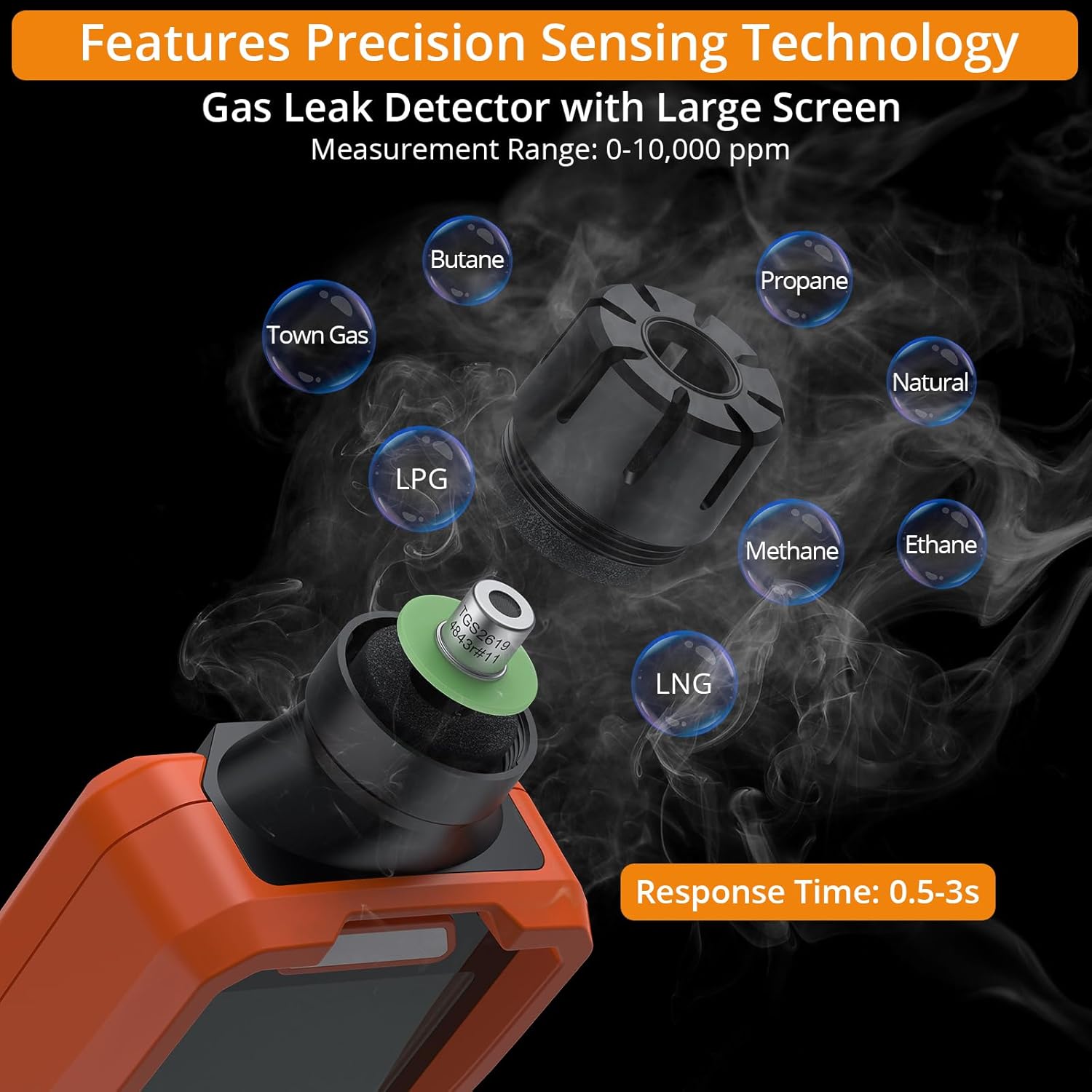
Image: Neoteck RD710 Gas Leak Detector with included accessories.
3. Product Features
3.1 High Sensitivity Sensor
The RD710 features a semiconductor sensor for rapid detection of combustible gases, with a response time of 0.5-3 seconds. It offers a wide detection range of 0-10000 PPM (methane-based) with 1 PPM sensitivity.

Image: Precision sensing technology detecting various combustible gases.
3.2 Visual & Audible Alarms
The device provides real-time gas concentration feedback through a 3-color LED indicator and an intensifying buzzer:
- Green: Low concentration (0-499 PPM)
- Yellow: Medium concentration (500-1999 PPM) with buzzing
- Red: High concentration (2000 PPM and above) with louder buzzing

Image: Visual and audible alarm system with LED indicators.
3.3 Large LCD Display
A 2.9-inch backlit LCD provides clear, real-time readings of PPM values, battery status, and an analog bar graph for gas concentration, even in low-light conditions.

Image: 2.9-inch large backlit screen for easy reading.
3.4 Rechargeable Battery & Type-C Charging
Equipped with a 1200mAh rechargeable battery, supporting over 3000 charge cycles and up to 16 hours of continuous usage. The device charges via a universal Type-C cable and can operate while charging.

Image: Rechargeable battery with Type-C charging.
3.5 Multi-Gas Detection
The RD710 detects various common combustible gases, including Liquefied Petroleum Gas (LPG), Liquefied Natural Gas (LNG), methane, ethane, propane, butane, and natural gas.
3.6 Additional Functions
- Built-in Flashlight: For use in low-light conditions.
- Data Hold: Freezes the current reading on the display.
- Auto Power-Off: Automatically shuts down after 10 minutes of inactivity to conserve battery.
- Mute Function: Allows silencing of the audible alarm.
4. Setup
4.1 Initial Charging
Before first use, fully charge the device using the provided USB Type-C cable and a compatible USB power adapter (not included). The battery indicator on the LCD will show charging status.
4.2 Power On and Warm-up
- Press and hold the Power button (U) to turn on the device.
- The device will enter a 30-second warm-up period. The display will count down.
4.3 Zero Calibration
After warm-up, perform zero calibration to ensure accurate readings. This must be done in a clean air environment, free from any combustible gases.
- Take the device to an area with clean air, such as outdoors.
- Press the "MEAS (Set '0')" button. The device will calibrate to zero.
- Once calibration is complete, the device is ready for use.

Image: Performing zero calibration in a clean air environment.
5. Operation
5.1 Gas Detection Procedure
- After warm-up and zero calibration, slowly move the sensor tip of the detector towards the suspected leak area.
- Observe the LCD display for PPM readings and the analog bar graph.
- Listen for the audible alarm and note the color of the LED indicator. The alarm intensity and LED color will change with increasing gas concentration.
5.2 Using Buttons
- Power Button (U): Press and hold to turn on/off.
- MEAS (Set '0') Button: Initiates zero calibration.
- APO Button: Toggles the auto power-off function.
- HOLD Button: Freezes the current reading on the display. Press again to release.
- Mute Button: Toggles the audible alarm sound on/off.
- Flashlight Button: Turns the built-in flashlight on/off.
Video: Demonstration of the Neoteck 0-10000 PPM Gas Leak Detector's features, including power-up, warm-up, gas detection with audible and visual alarms, detection of various combustible gases, data hold function, charging, and the built-in flashlight.
6. Maintenance
6.1 Battery Care
- Recharge the device when the low-battery warning appears on the display.
- For optimal battery life, avoid fully discharging the battery frequently.
- If storing the device for an extended period, charge it to approximately 50% and recharge every 3-6 months.
6.2 Cleaning
- Wipe the device exterior with a soft, damp cloth. Do not use abrasive cleaners or solvents.
- Keep the sensor tip clean and free from dust or debris to ensure accurate detection.
6.3 Storage
- Store the device in the provided storage bag when not in use.
- Keep the device in a cool, dry place, away from direct sunlight and extreme temperatures.
7. Troubleshooting
| Problem | Possible Cause | Solution |
|---|---|---|
| Inaccurate or inconsistent readings | Improper zero calibration; Low battery; Sensor obstruction | Perform zero calibration in clean air; Recharge the battery; Clean the sensor tip. |
| Device does not power on | Battery is completely discharged; Device malfunction | Charge the device for at least 30 minutes; Contact customer support if issue persists. |
| No alarm when gas is detected | Audible alarm is muted; Gas concentration below alarm threshold | Press the Mute button to unmute; Verify gas concentration is above 500 PPM for audible alarm. |
8. Specifications
| Parameter | Value |
|---|---|
| Brand | Neoteck |
| Model | RD710 |
| Measurement Range | 0-10000 PPM (Methane-based) |
| Sensitivity | 1 PPM |
| Response Time | 0.5-3 seconds |
| Sensor Type | Semiconductor |
| Display | 2.9" Backlit LCD |
| Battery | 1200mAh Lithium Polymer (Rechargeable) |
| Charging Port | USB Type-C |
| Auto Power-Off | After 10 minutes of inactivity |
| Product Dimensions | 7.26"D x 1.26"W x 2.67"H (185mm x 32mm x 68mm approx.) |
| Item Weight | 168 Grams (5.9 ounces) |
| Alarm Type | Audible & Visual (3-color LED) |
9. Warranty
The Neoteck RD710 Gas Leak Detector comes with an 18-month warranty from the date of purchase. This warranty covers manufacturing defects and material faults under normal use. Please retain your proof of purchase for warranty claims.
10. Customer Support
For technical assistance, troubleshooting, or warranty inquiries, please contact Neoteck customer support through the retailer where the product was purchased or visit the official Neoteck website for contact information.


