
1. Introduction
This manual provides essential information for the safe and efficient operation of your Genmitsu 3030-PROVer Ultra CNC Router Kit. Please read this manual thoroughly before assembly, operation, or maintenance to ensure proper usage and to prevent damage to the machine or injury to yourself.

Image 1.1: The Genmitsu 3030-PROVer Ultra CNC Router Kit, designed for precision and versatility.
2. Safety Information
Operating a CNC router involves moving parts and sharp tools. Adhere to all safety guidelines to prevent accidents.
- Always wear appropriate personal protective equipment (PPE), including safety glasses and hearing protection.
- Ensure the work area is clean, well-lit, and free from obstructions.
- Keep hands and loose clothing away from moving parts during operation.
- Disconnect power before performing any maintenance, adjustments, or tool changes.
- Do not operate the machine under the influence of drugs or alcohol.
- Familiarize yourself with the emergency stop function.

Image 2.1: The emergency stop button is a critical safety feature for immediate machine shutdown.
3. Setup and Assembly
The Genmitsu 3030-PROVer Ultra is designed for quick assembly, typically less than 10 minutes, thanks to its drop-in X/Y alignment system.
3.1 Unpacking and Component Identification
Carefully remove all components from the packaging. Verify that all parts are present according to the packing list (not provided in this document).
3.2 Frame Assembly
- Place the base frame on a stable, level surface.
- Attach the gantry assembly to the base. The design features a drop-in X/Y alignment for simplified installation.
- Secure all connections as per the detailed assembly guide (refer to the separate assembly guide for visual instructions).

Image 3.1: The machine features a design that allows for assembly in under 10 minutes, including drop-in X/Y alignment.
3.3 Spindle Installation
Install the 710W spindle into its mount on the Z-axis. Ensure it is securely fastened.
3.4 Cable Management
Connect all motor, limit switch, and spindle cables. Route them carefully to prevent interference with moving parts.
4. Operating Instructions
The Genmitsu 3030-PROVer Ultra offers multiple control options and features for precise carving.
4.1 Control Methods
The CNC router can be controlled via:
- Genmitsu APP: For wireless control from a smartphone or tablet.
- Wireless Control Kit: (Purchased separately) Provides dedicated wireless control.
- Computer: Connect via USB and use compatible software.
- Offline Controller: For direct control without a computer.
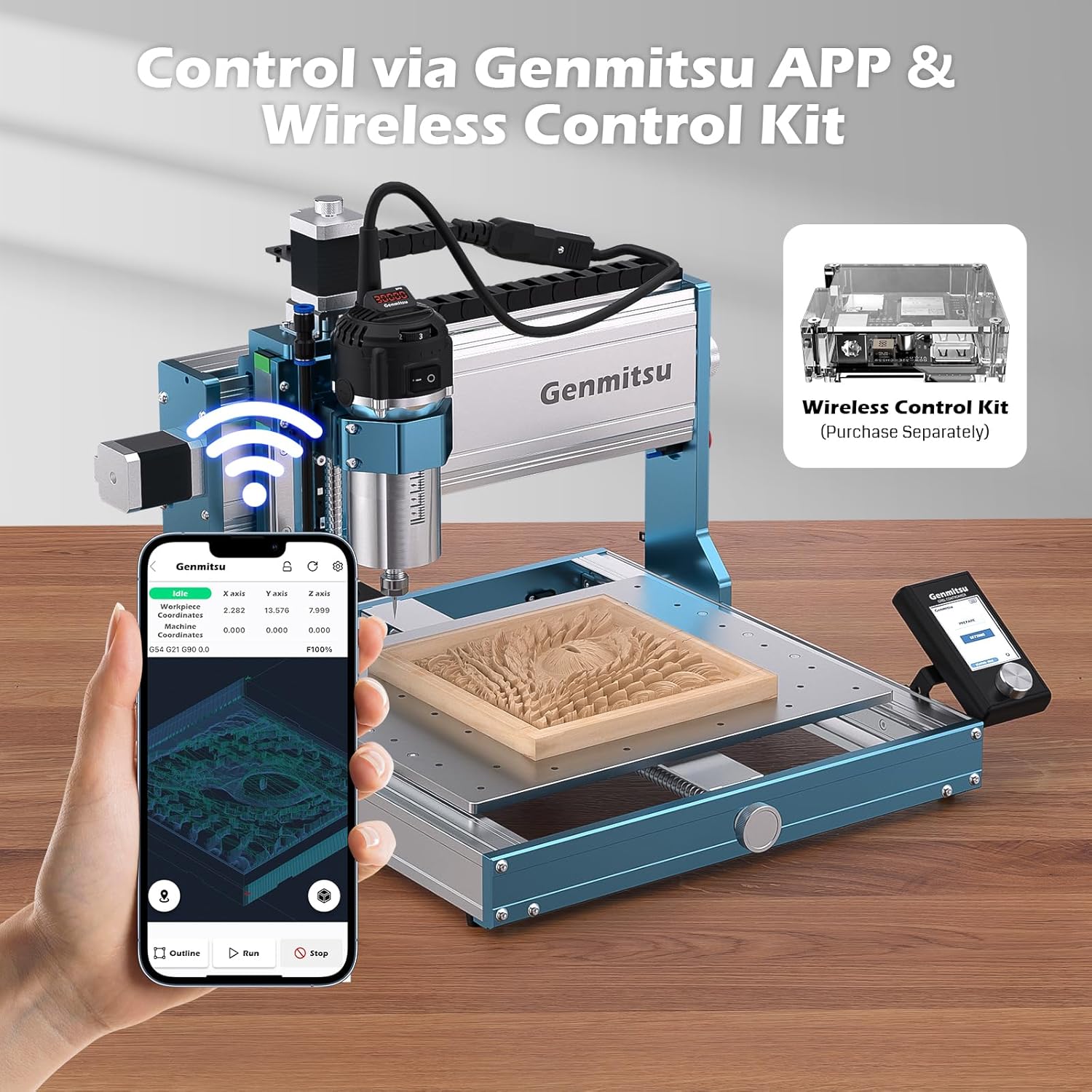
Image 4.1: The CNC router can be controlled wirelessly via the Genmitsu APP or an optional Wireless Control Kit.

Image 4.2: Multiple control interfaces are supported, including computer, smartphone app, and an offline controller.
4.2 Software Compatibility
The machine is powered by Grbl and is compatible with various software:
- Genmitsu APP
- VCarve
- JGS
- Easel
- Fusion360
- Lightburn
4.3 Spindle Operation
The 710W spindle provides enhanced power for efficient material removal.
- Power: 710W for increased cutting capability.
- Speed Control: Features a 6-level speed control for adapting to different materials and cutting requirements.
- Real-Time Display: Allows monitoring of spindle speed and other parameters during operation.
- Deeper Cuts: The 710W spindle enables approximately 25% deeper material removal per pass compared to standard 300W spindles, with a maximum depth of 2.5mm per pass.

Image 4.3: The 710W spindle features fast heat dissipation, 6-level speed control, and a real-time display for optimal performance.

Image 4.4: The 710W spindle boosts efficiency with deeper cuts, allowing for 2.5mm depth per pass.

Image 4.5: Performance comparison highlighting the increased speed range and maximum depth per pass of the 710W spindle.
5. Maintenance
Regular maintenance ensures the longevity and optimal performance of your CNC router.
5.1 Cleaning
- After each use, clean the work area and machine components to remove dust, chips, and debris.
- Use a soft brush or vacuum cleaner. Avoid using compressed air directly on sensitive electronic components.
5.2 Lubrication
Periodically lubricate the linear rails and ball screws to ensure smooth movement and reduce wear.
- Apply a thin layer of appropriate lubricant to the HG15 dual linear rails and 1204 ball screws.
- Move the axes manually to distribute the lubricant evenly.

Image 5.1: The all-metal structure incorporates HG15 dual linear rails and 1204 ball screws on all axes, requiring periodic lubrication.
5.3 Component Checks
- Inspect all cables for wear or damage.
- Check for loose screws or connections and tighten as necessary.
- Ensure the spindle is securely mounted.
6. Troubleshooting
This section addresses common issues you might encounter.
6.1 Machine Not Powering On
- Check Power Connection: Ensure the power cable is securely plugged into both the machine and a working power outlet.
- Power Switch: Verify the main power switch is in the 'ON' position.
- Emergency Stop: Confirm the emergency stop button is not engaged. Rotate it to release if pressed.
6.2 Motors Not Moving
- Cable Connections: Check that all motor cables are properly connected to the control board.
- Software Connection: Ensure the control software (e.g., Genmitsu APP, JGS) is correctly connected to the machine.
- Limit Switches: Verify that no limit switches are triggered. Manually move the axes away from the limits if necessary.
6.3 Inaccurate Carving
- Tool Tightness: Ensure the carving bit is securely tightened in the collet.
- Material Clamping: Verify the workpiece is firmly clamped to the wasteboard.
- Stepper Motor Torque: The upgraded stepper motors provide 66% more torque, but ensure they are functioning correctly.
- Precision: The machine is designed for ±0.03mm precision. If deviations occur, check for loose components or debris on linear rails.
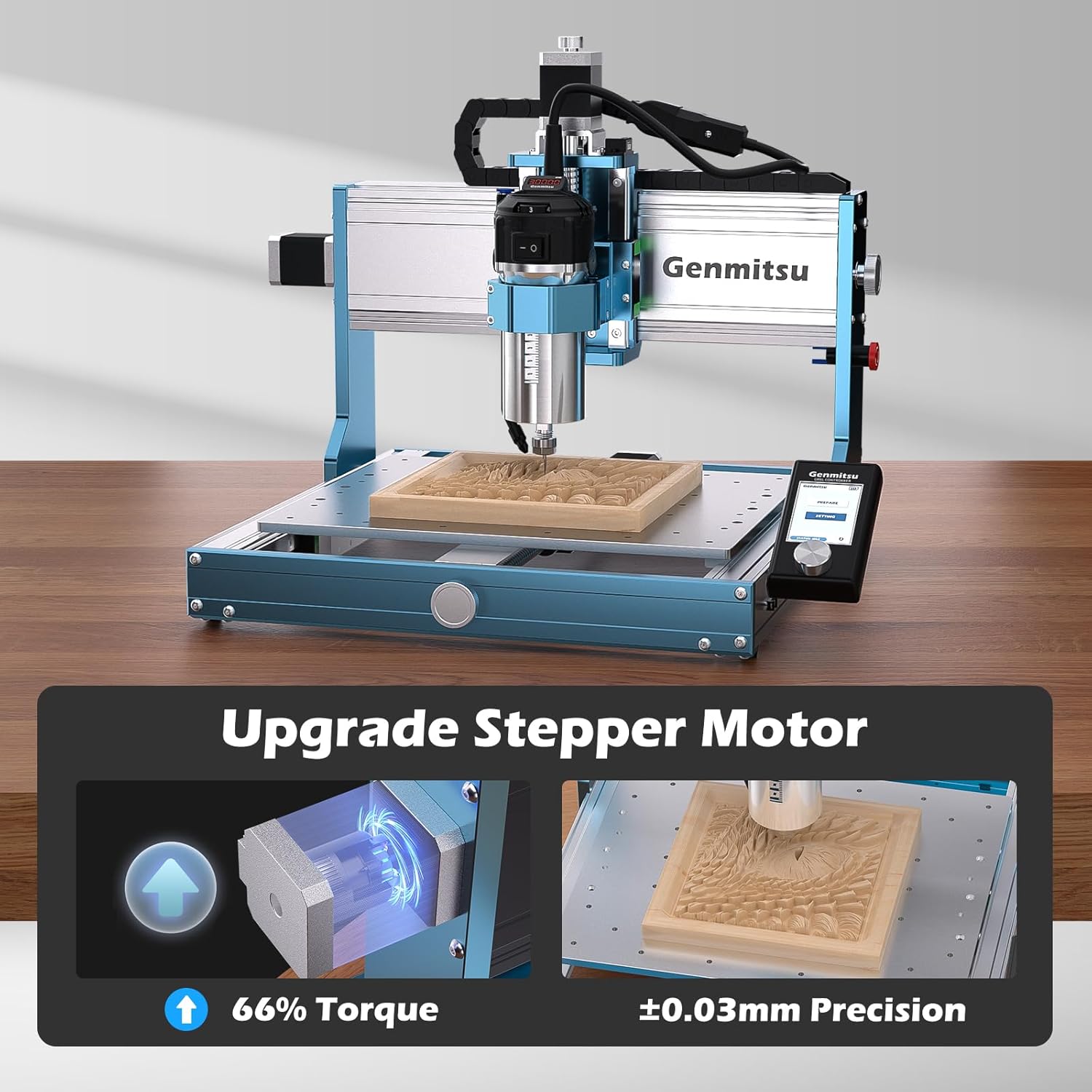
Image 6.1: The upgraded stepper motors contribute to the machine's ±0.03mm precision and increased torque.
7. Specifications
| Feature | Specification |
|---|---|
| Brand | Genmitsu |
| Model Number | 3030-PROVer Ultra |
| Product Dimensions | 555mm (21.85") x 533mm (20.98") x 421mm (16.57") |
| Working Area (X, Y, Z) | X: 313.5mm (12.34"), Y: 307mm (12.08"), Z: 78.5mm (3.09") |
| Item Weight | 20 Kilograms |
| Spindle Power | 710W |
| Spindle Speed Range | 6000-30000 RPM |
| Precision | ±0.03mm |
| Linear Rails | HG15 Dual Linear Rails |
| Lead Screws | 1204 Ball Screws (on all axes) |
| Color | Blue |
| Included Accessories | CNC drawing tool, 52mm adapter ring |
| UPC | 810168147550 |
| ASIN | B0G4DXP9N3 |

Image 7.1: Overall dimensions and working area of the Genmitsu 3030-PROVer Ultra CNC Router.
8. Warranty and Support
For warranty information and technical support, please refer to the official Genmitsu website or contact their customer service directly. Keep your purchase receipt for warranty claims.
Online Resources: www.genmitsu.com


