
1. Introduction
Thank you for choosing the FAMOO Ultra-Thin Wallet Tracker Card. This device is designed to help you locate your valuable items quickly and efficiently using Apple's Find My network. This manual provides essential information for setting up, operating, and maintaining your tracker card.
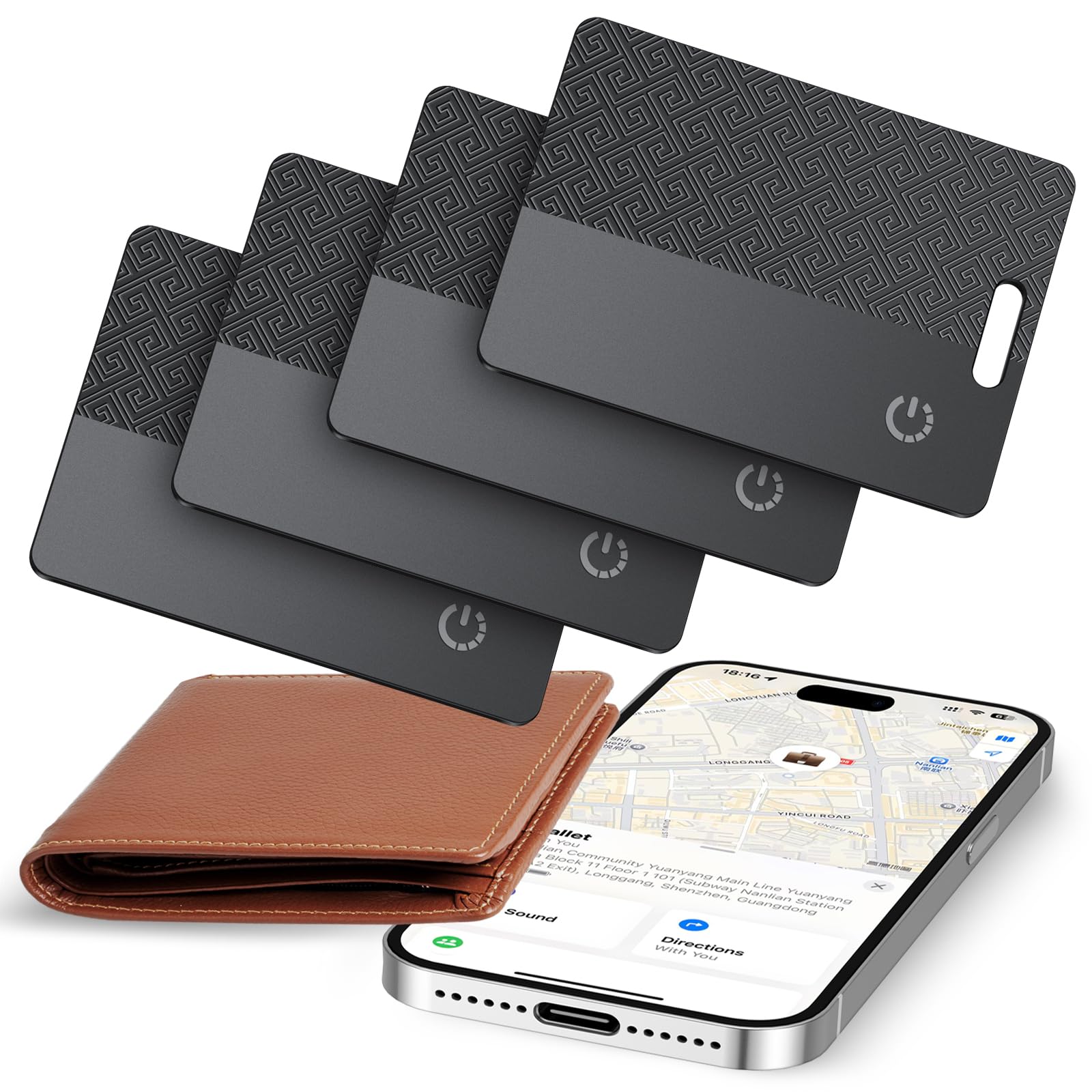
Image: The FAMOO Ultra-Thin Wallet Tracker Card, a sleek black card with a patterned design, shown next to a wallet and an iPhone displaying the Find My app interface.
Key Features:
- MFi Certified: Ensures compatibility and security with Apple devices.
- iOS Only: Exclusively designed for use with iOS smartphones.
- Quick Item Location: Features a 100 dB alarm for easy finding.
- Left Behind Reminder: Instant alerts on your iPhone if you leave an item behind.
- Wireless Charging: Convenient and efficient power replenishment.
- Long Battery Life: Up to 1 year of use on a single charge, with a 10-year standby life.
- Ultra-Thin Design: At just 1.7mm to 2.5mm thick, it fits easily into wallets.
- Privacy Protection: Utilizes the Find My network with encryption for data security.
- IP68 Waterproof: Provides protection against dust and water immersion.
2. Setup Guide
Follow these steps to pair your FAMOO Wallet Tracker Card with your iOS device.
Pairing with Apple Find My:
- Enable Bluetooth and Location Services: Ensure Bluetooth is turned on and Location Services are enabled on your iPhone.
- Open the Find My App: Navigate to the 'Items' tab within the Apple Find My app.
- Add New Item: Tap on 'Add Item', then select 'Other Supported Items'.
- Connect the Tracker: Press the button on your FAMOO Wallet Tracker Card once. Your iPhone will detect the device. Tap 'Connect' when prompted and follow any on-screen instructions to complete the pairing process.

Image: A visual guide showing the three steps to pair the FAMOO Wallet Tracker Card with an iPhone using the Find My app.
3. Operating Instructions
Once paired, your FAMOO Wallet Tracker Card offers several functions to help you keep track of your belongings.
Locating Items:
- Play Sound: Open the Find My app, select your tracker card from the 'Items' tab, and tap 'Play Sound'. The tracker will emit a loud 100 dB alarm, guiding you to its location, even in noisy environments.

Image: An iPhone displaying the Find My app with a 'Play Sound' option, indicating the tracker's location in a living room, with sound waves emanating from the wallet.
- Directions: If your item is further away, the Find My app can provide directions to its last known location. Tap 'Directions' in the app to get navigation assistance.
- Global Tracking: The Find My network, composed of millions of Apple devices, helps locate your item even when it's out of your personal Bluetooth range. The location is updated anonymously and securely.

Image: An iPhone showing map directions to a wallet's location, demonstrating the 'Find Your Things Nearby' functionality.
Left Behind Reminders:
Receive instant notifications on your iPhone if you accidentally leave your tracked item behind. This feature is powered by the Find My network and helps prevent loss.

Image: A wallet lying on the ground with a blue Wi-Fi signal icon above it, and an iPhone displaying a 'Wallet left behind' notification.
Sharing Items:
You can share the location of your tracker card with up to 5 family members or friends through the Find My app. This allows multiple trusted individuals to help locate shared items.

Image: A map showing multiple users sharing the location of an item, with an iPhone displaying the 'Share Item' interface.
4. Maintenance
Proper care ensures the longevity and optimal performance of your FAMOO Wallet Tracker Card.
Charging:
The tracker card supports wireless charging. Place the card on a compatible wireless charger. A red light indicates charging, and the light turning off signifies that charging is complete. A full charge provides approximately one year of use.

Image: The FAMOO Wallet Tracker Card placed on a wireless charging pad, with indicators for 'Charging' (red light) and 'Full Charging' (green light).
Water Resistance:
The FAMOO Wallet Tracker Card is IP68 waterproof, meaning it is protected against dust ingress and can withstand immersion in water up to 1.5 meters for up to 30 minutes. While durable, avoid prolonged submersion or exposure to high-pressure water.
5. Troubleshooting
If you encounter issues with your FAMOO Wallet Tracker Card, refer to the following common solutions.
- Tracker Not Connecting:
- Ensure Bluetooth is enabled on your iOS device.
- Verify Location Services are active for the Find My app.
- Make sure the tracker card is charged.
- Try restarting your iPhone and repeating the pairing process.
- No Sound from Tracker:
- Confirm the tracker is within Bluetooth range of your iPhone or another Apple device on the Find My network.
- Check the battery level of the tracker.
- Inaccurate Location:
- Location accuracy depends on the proximity of Apple devices within the Find My network. In areas with fewer Apple devices, location updates may be less frequent or precise.
- Ensure your iPhone's location services are set to 'Precise Location' for the Find My app.
- Charging Indicator Not Working:
- Ensure the wireless charger is functioning correctly and the tracker is placed properly on the charging surface.
- If the tracker is fully charged, the light will be off.
- Compatibility:
- This device is compatible with iOS devices only. It will not work with Android smartphones.
6. Specifications
| Feature | Detail |
|---|---|
| Brand | FAMOO |
| Model | BF08 |
| Compatible Devices | iOS Smartphones |
| Connectivity Technology | Bluetooth |
| Battery Type | Rechargeable Polymer Battery |
| Battery Life (per charge) | Up to 1 year |
| Standby Battery Life | Approximately 10 years |
| Charging Method | Wireless Charging |
| Alarm Volume | 100 dB |
| Water Resistance | IP68 |
| Thickness | 1.7mm - 2.5mm |
| Dimensions (approx.) | 70.0mm (2.75 in) x 50.0mm (1.96 in) |
| Control Method | App (Apple Find My) |

Image: A visual representation of the FAMOO Wallet Tracker Card's dimensions, highlighting its slim profile.
7. Warranty and Support
Warranty Information:
For specific warranty details regarding your FAMOO Ultra-Thin Wallet Tracker Card, please refer to the product packaging or contact the seller directly. Warranty terms typically cover manufacturing defects for a specified period from the date of purchase.
Customer Support:
If you require further assistance, have questions, or encounter issues not covered in this manual, please contact FAMOO customer support through the retailer's platform or the official FAMOO website. Provide your product model (BF08) and purchase details for efficient service.