
1. Introduction
The STRICH SL-03 Rhythm Loop Guitar Pedal is a versatile 2-in-1 device combining a phrase looper and a drum machine. Designed for electric guitar and bass, it offers extensive recording capabilities and diverse rhythm patterns to enhance musical practice and performance. This manual provides detailed instructions for the proper setup, operation, and maintenance of your SL-03 pedal.
The SL-03 features 360 seconds of phrase looping with unlimited overdubs, along with a built-in drum machine offering 100 diverse drum patterns across 8 rhythm styles. It supports USB connectivity for audio upload and download, and offers true bypass for signal integrity.
2. Safety Information
- Power Supply: Use only a regulated 9V DC power adapter (center negative). An incorrect power supply may damage the unit and void the warranty. A power adapter is not included with this product.
- Environment: Do not expose the unit to water, moisture, or extreme temperatures. Avoid using the pedal in dusty or dirty environments.
- Cleaning: Clean the unit with a soft, dry cloth. Do not use liquid cleaners or solvents.
- Servicing: Do not attempt to service the unit yourself. Refer all servicing to qualified personnel.
- Placement: Place the pedal on a stable surface to prevent accidental falls.
3. Package Contents
Please check that all items are present in your package:
- STRICH SL-03 Rhythm Loop Guitar Pedal
- USB Cable
- Instruction Manual
Note: A 9V DC power adapter (center negative) is required but not included.
4. Product Features
- 2-in-1 Looper & Drum Machine: Combines looping and rhythm functions for versatile musical creation.
- Extensive Looping Capacity: Supports 360-second phrase recording with unlimited overdubs.
- Comprehensive Loop Functions: Includes record, play, dub, undo, redo, stop, and clear.
- Diverse Drum Machine: Features 100 diverse drum patterns across 8 rhythm styles (Pop, Rock, Blues, Country, Metal, Folk, R&B, Dance) with auto-matched drum kits.
- Dual Mode Tempo Control: 4/4 beat drum machine auto-syncs to loop tempo, or switch to manual Tap Tempo setting.
- Total Recording Time: Up to 160 minutes of total recording time across multiple loops.
- USB Connectivity: Allows for audio upload and download to/from a computer.
- True Bypass: Ensures signal integrity when the pedal is disengaged.
- Footswitch Control: Supports external footswitch control for enhanced operation.
5. Setup
Follow these steps to set up your STRICH SL-03 pedal:
- Power Connection: Connect a 9V DC (center negative) power adapter (not included) to the DC IN jack on the pedal.
- Instrument Connection: Connect your guitar or other instrument to the INPUT jack on the right side of the pedal using a standard 1/4-inch instrument cable.
- Amplifier Connection: Connect the OUTPUT jack on the left side of the pedal to your amplifier or other audio device using a standard 1/4-inch instrument cable.
- USB Connection (Optional): For managing loops or firmware updates, connect the pedal to your computer using the provided USB cable.

Figure 5.1: Overview of the STRICH SL-03 pedal showing input, output, and control knobs.

Figure 5.2: The SL-03 pedal connected within a typical guitar effects pedalboard setup.

Figure 5.3: USB connection for managing loops and accessing editor software.
6. Operating Instructions
The STRICH SL-03 offers intuitive controls for both looping and drum machine functions.
6.1 Looper Operation
The main footswitch controls the looping functions. The 'LOOP' knob adjusts the playback volume of your recorded loops.
- Record: Press the footswitch once to start recording. The LED will indicate recording status.
- Play: Press the footswitch again to stop recording and start playback of your loop.
- Overdub: While a loop is playing, press the footswitch once to start overdubbing. Press again to stop overdubbing.
- Undo/Redo: Press and hold the footswitch for 2 seconds to undo the last overdub. Press and hold again to redo.
- Stop: Double-press the footswitch quickly to stop loop playback.
- Clear: While the loop is stopped, press and hold the footswitch for 2 seconds to clear the current loop.
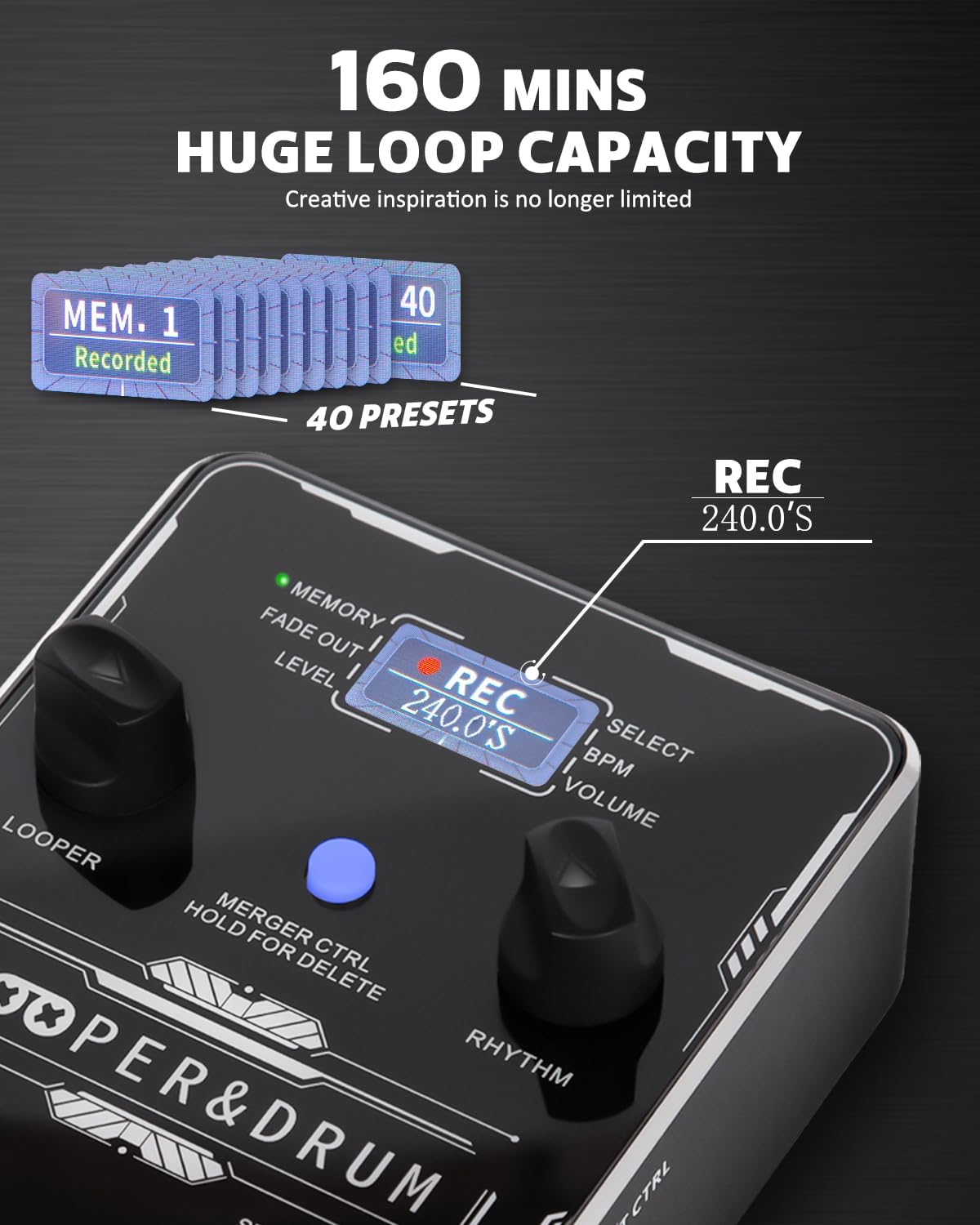
Figure 6.1: Visual guide to recording and layering loops using the SL-03.

Figure 6.2: Detailed view of the pedal's control interface for looper and rhythm functions.
6.2 Drum Machine Operation
The 'DRUM SELECT' knob allows you to choose from 8 rhythm styles, each with multiple patterns. The 'DRUM' knob controls the drum machine's volume.
- Select Rhythm Style: Turn the 'DRUM SELECT' knob to choose from Pop, Rock, Blues, Country, Metal, Folk, R&B, or Dance.
- Start/Stop Drum Machine: Press the 'DRUM' knob to start or stop the drum pattern.
- Adjust Drum Volume: Turn the 'DRUM' knob to adjust the volume of the drum machine.
- Tempo Sync: In default mode, the drum machine's 4/4 beat will automatically sync to the tempo of your recorded loop.
- Tap Tempo: To manually set the tempo, press and hold the 'DRUM' knob, then tap the footswitch multiple times to set the desired BPM.
6.3 Loop Management and Editor Software
The SL-03 can store up to 160 minutes of recording time across multiple loops. You can manage these loops and perform advanced functions using the dedicated editor software.
- Connect to PC: Use the provided USB cable to connect the pedal to your computer.
- Launch Editor Software: Install and open the STRICH editor software (available for download from the official website).
- Import/Export: Use the software to import audio files to the pedal or export recorded loops to your computer.
- Factory Reset: The editor software also allows for a factory reset of the pedal, clearing all stored loops and settings.

Figure 6.3: The pedal's display indicating memory and preset capacity.

Figure 6.4: The STRICH editor software for managing loops and settings.
7. Maintenance
- Cleaning: Use a soft, dry cloth to wipe the pedal's surface. Avoid abrasive cleaners or solvents that could damage the finish or internal components.
- Storage: When not in use for extended periods, store the pedal in a cool, dry place away from direct sunlight and extreme temperatures. Disconnect the power supply.
- Cable Care: Ensure all cables are connected securely and are not bent or crimped, which can lead to signal loss or damage.
8. Troubleshooting
If you encounter issues with your STRICH SL-03 pedal, refer to the following common problems and solutions:
| Problem | Possible Cause | Solution |
|---|---|---|
| No power/Pedal not turning on | Incorrect power adapter; Loose power connection; Faulty power supply. | Ensure a 9V DC (center negative) adapter is used. Check power cable connection. Try a different power supply. |
| No sound output | Incorrect cable connections; Faulty cables; Amplifier/instrument volume too low; Pedal volume knobs set to zero. | Check all input/output cable connections. Test with different cables. Increase amplifier/instrument volume. Adjust 'LOOP' and 'DRUM' volume knobs. |
| Loop not recording/playing | Incorrect footswitch operation; Loop memory full. | Refer to Looper Operation section for correct footswitch presses. Clear existing loops if memory is full using the editor software. |
| Drum machine not playing/incorrect tempo | Drum machine turned off; Volume too low; Incorrect tempo setting. | Press the 'DRUM' knob to start the drum machine. Adjust the 'DRUM' volume knob. Use Tap Tempo or ensure auto-sync is active. |
| USB connection issues | Faulty USB cable; Driver issues; Software not recognizing device. | Try a different USB cable. Ensure editor software drivers are installed correctly. Restart computer and pedal. |
9. Specifications
- Model: SL-03
- Loop Recording Time: 360 seconds (single phrase)
- Total Recording Time: Up to 160 minutes
- Overdubs: Unlimited
- Sampling Rate: 44.1kHz
- Bit Depth: 24-bit
- Drum Patterns: 100 diverse patterns
- Rhythm Styles: 8 (Pop, Rock, Blues, Country, Metal, Folk, R&B, Dance)
- Connectivity: 1/4-inch Input, 1/4-inch Output, USB Type-C
- Bypass: True Bypass
- Power Supply: 9V DC (center negative, not included)
10. Warranty Information
STRICH warrants this product to be free from defects in materials and workmanship for a period of one (1) year from the original date of purchase. If the product proves defective within the warranty period, STRICH will repair or replace it at its sole discretion. This warranty does not cover damage caused by accident, misuse, abuse, alteration, or unauthorized repair. Proof of purchase is required for all warranty claims.
11. Support
For technical support, troubleshooting assistance, or warranty inquiries, please contact STRICH customer service:
- Email: stichus@gmail.com
- Website: Please visit the official STRICH website for additional resources, FAQs, and software downloads.