1. Important Safety Instructions
Please read this entire manual carefully before operating the MERACH NovaWalk W50 TrekPad treadmill. Retain this manual for future reference. Failure to follow these instructions may result in injury or damage to the product.
- Consult a physician before beginning any exercise program, especially if you have pre-existing health conditions.
- Keep children and pets away from the treadmill during operation.
- Place the treadmill on a flat, stable surface with adequate clearance (at least 2 feet) around it.
- Ensure the power cord is not pinched or damaged. Do not use extension cords.
- The maximum user weight capacity for this treadmill is 400 pounds (181 kg). Do not exceed this limit.
- Always wear appropriate athletic footwear when using the treadmill.
- Do not operate the treadmill if it is damaged or malfunctioning. Contact customer support immediately.
- Unplug the treadmill from the power outlet when not in use or before cleaning and maintenance.
2. Package Contents
Verify that all components are present in the package before assembly and operation.
- MERACH NovaWalk W50 TrekPad Treadmill Unit
- Remote Control
- Power Cord
- Tool Kit (for minor adjustments)
- User Manual (this document)
3. Product Overview
The MERACH NovaWalk W50 TrekPad is designed for walking and light jogging, featuring an automatic incline and a compact design suitable for home or under-desk use.

Image: The MERACH NovaWalk W50 TrekPad treadmill in operation, demonstrating its robust design for heavy users, 400lbs capacity, extended 10-hour runtime, and a speed range of 0.6 to 4.0 MPH.
Key Features:
- 12% Automatic Incline: Adjusts incline automatically to simulate varied terrain and increase workout intensity.
- High Capacity: Supports users up to 400 lbs with an industrial-grade carbon steel frame.
- Powerful Motor: Equipped with a 3.5 Horsepower brushless motor for efficient and quiet operation.
- Wide Running Belt: A 16.5-inch wide belt provides ample space for comfortable walking.
- Multi-Layer Shock Absorption: Designed to reduce impact on joints during exercise.
- Quiet Operation: Operates at less than 25dB, suitable for use in shared spaces.

Image: An internal view of the treadmill motor, illustrating the 3.5 HP MERACH brushless motor's advantages: 90% operating efficiency, 10-hour continuous runtime, and quiet operation at less than 25dB, contrasting with traditional brushed motors.

Image: A visual representation of the treadmill's 12% automatic incline capability, demonstrating how it can increase calorie expenditure and reduce stress on knee joints compared to flat treadmills.
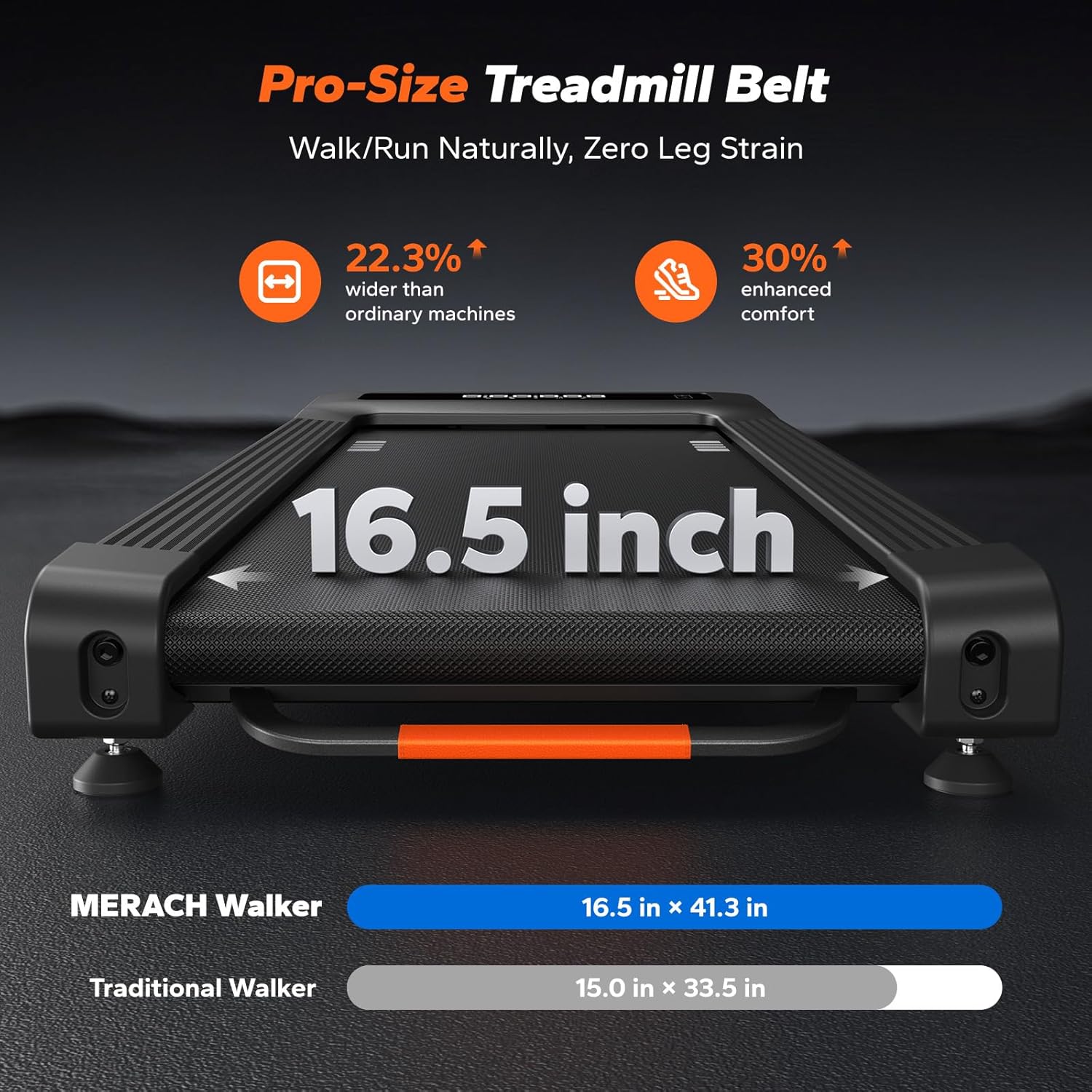
Image: A close-up view of the treadmill belt, highlighting its 16.5-inch width, which is designed to provide a spacious and comfortable surface for walking and running.

Image: A comparison illustrating the MERACH treadmill's multi-layer shock absorption system, which provides cushioning for every step, contrasted with a treadmill lacking such a structure.

Image: A user on the treadmill, demonstrating its compact footprint of 2.9 square feet and its quiet operation, producing less than 25 decibels of noise.
4. Setup
4.1 Unpacking
- Carefully remove the treadmill from its packaging.
- Remove all packing materials and inspect the unit for any damage. If damaged, do not proceed with setup and contact customer support.
4.2 Placement
- Place the treadmill on a firm, level surface.
- Ensure there is at least 2 feet (0.6 meters) of clear space behind the treadmill and 1 foot (0.3 meters) on each side for safe operation and access.
- Avoid placing the treadmill in direct sunlight or near heat sources.
4.3 Power Connection
- Locate the power input port on the treadmill.
- Connect the provided power cord to the treadmill and then plug it into a grounded electrical outlet.
- Ensure the power switch (if present) is in the 'OFF' position before plugging in.
5. Operating Instructions
5.1 Powering On/Off
- To power on, ensure the treadmill is plugged in and flip the main power switch (if applicable) to the 'ON' position. The LED display will illuminate.
- To power off, press the 'STOP' button on the remote control, then flip the main power switch to 'OFF' and unplug the unit.
5.2 Using the Remote Control
The remote control allows you to start, stop, adjust speed, and control the incline of your treadmill.
- START/STOP Button: Press to begin or end your workout.
- Speed +/- Buttons: Adjust the walking speed in increments. The speed range is 0.6 to 4.0 MPH.
- Incline +/- Buttons: Adjust the automatic incline level. The treadmill features up to 12% auto incline.
- Mode Button: Cycle through different display modes or preset programs (refer to display section for details).
5.3 Understanding the LED Display
The integrated LED display shows important workout metrics:
- Time: Duration of your workout.
- Speed: Current walking speed in MPH.
- Distance: Total distance covered during the workout.
- Calories: Estimated calories burned.
- Incline Level: Current incline percentage.
5.4 Starting a Workout
- Stand on the side rails of the treadmill, not on the belt.
- Press the 'START' button on the remote control. The belt will begin to move at a low speed.
- Carefully step onto the moving belt.
- Use the Speed +/- buttons to adjust to your desired walking pace.
- Use the Incline +/- buttons to adjust the incline as desired.
5.5 Ending a Workout
- Press the 'STOP' button on the remote control. The belt will gradually slow down and stop.
- Once the belt has completely stopped, step off the treadmill.
6. Maintenance
Regular maintenance ensures the longevity and optimal performance of your treadmill.
6.1 Cleaning
- Always unplug the treadmill before cleaning.
- Wipe down the display and exterior surfaces with a soft, damp cloth. Avoid abrasive cleaners or solvents.
- Periodically vacuum under the treadmill to remove dust and debris that may accumulate.
6.2 Belt Lubrication
The walking belt may require lubrication after extended use to ensure smooth operation and reduce friction. Refer to the specific instructions provided with your lubrication kit (if included) or contact customer support for recommended lubricants and procedures.
6.3 Belt Adjustment
If the walking belt becomes off-center or slips, it may need adjustment. Use the provided tool kit to make minor adjustments to the tension bolts at the rear of the treadmill. Adjust in small increments (quarter turns) and test the belt after each adjustment. If you are unsure, contact customer support.
6.4 Storage
- Unplug the treadmill when not in use for extended periods.
- Store the treadmill in a cool, dry place, away from direct sunlight and moisture.
- The compact design allows for easy storage under a desk or bed.
7. Troubleshooting
If you encounter issues with your MERACH NovaWalk W50 TrekPad, refer to the following common problems and solutions:
| Problem | Possible Cause | Solution |
|---|---|---|
| Treadmill does not power on. | Power cord not properly connected; Power switch off; Outlet malfunction. | Ensure power cord is securely plugged into treadmill and a working outlet. Check if the main power switch is 'ON'. |
| Walking belt slips or hesitates. | Belt too loose; Belt requires lubrication. | Adjust belt tension (refer to Section 6.3). Lubricate the belt if necessary (refer to Section 6.2). |
| Treadmill makes unusual noise. | Loose components; Belt friction; Motor issue. | Check for any loose screws or parts. Lubricate belt if needed. If noise persists, discontinue use and contact support. |
| Remote control not responding. | Dead batteries; Obstruction; Remote not paired. | Replace remote control batteries. Ensure no obstructions between remote and treadmill. Re-pair remote if necessary (refer to specific pairing instructions in a separate guide or contact support). |
If the problem persists after attempting these solutions, please contact MERACH customer support.
8. Specifications
| Feature | Specification |
|---|---|
| Model Name | MR-T25B2 |
| Product Dimensions (LxWxH) | 50.2"D x 22.3"W x 6.1"H (127.5 cm x 56.6 cm x 15.5 cm) |
| Running Belt Dimensions (WxL) | 16.5" x 41.3" (41.9 cm x 104.9 cm) |
| Maximum Weight Recommendation | 400 Pounds (181 kg) |
| Maximum Speed | 4 Miles per Hour (6.4 km/h) |
| Incline | 12% Auto Incline |
| Maximum Horsepower | 3.5 HP |
| Material | Alloy Steel |
| Noise Level | <25dB |
| Color | Black |
9. Warranty Information
The MERACH NovaWalk W50 TrekPad treadmill comes with a 1-Year Warranty from the date of purchase. This warranty covers manufacturing defects in materials and workmanship under normal use.
The warranty does not cover:
- Damage caused by improper assembly or installation.
- Damage resulting from misuse, abuse, accident, or unauthorized modifications.
- Normal wear and tear.
To claim warranty service, please retain your proof of purchase and contact MERACH customer support with a detailed description of the issue.
10. Customer Support
For any questions, technical assistance, or warranty claims, please contact MERACH customer support. You can typically find contact information on the MERACH official website or through your purchase platform.
For more information about MERACH products, visit the MERACH Store.


