
1. Introduction
Thank you for purchasing the CAIYUN 2-Tier Printer Stand. This versatile stand is designed to provide additional storage and organization for your home or office. It can function as a printer stand, scanner stand, end table, or mini fridge stand. This manual provides detailed instructions for assembly, safe operation, and maintenance to ensure you get the most out of your product.
2. Safety Instructions
Please read and follow these safety guidelines carefully to prevent injury or damage to the product.
- Weight Capacity: Do not exceed the maximum weight capacity of 200 lbs (90 kg). Overloading can cause the stand to collapse, leading to injury or damage.
- Stable Surface: Always place the printer stand on a flat, level, and stable surface to prevent tipping.
- Secure Assembly: Ensure all screws and fasteners are tightened securely before using the stand. Periodically check and re-tighten as needed.
- Children and Pets: Keep small parts and packaging materials away from children and pets during assembly to prevent choking hazards.
- Do Not Climb: Do not allow anyone to stand, climb, or sit on the unit.
- Proper Use: Use the stand only for its intended purpose as described in this manual.
3. Package Contents
Please check all components against the list below. If any parts are missing or damaged, please contact customer support.
- Top Shelf (1)
- Bottom Shelf (1)
- Side Frames (2)
- Crossbars (4)
- Adjustable Feet (4)
- Screws (various types, as per hardware pack)
- Hex Key (Allen Wrench) (1)
- Instruction Manual (1)
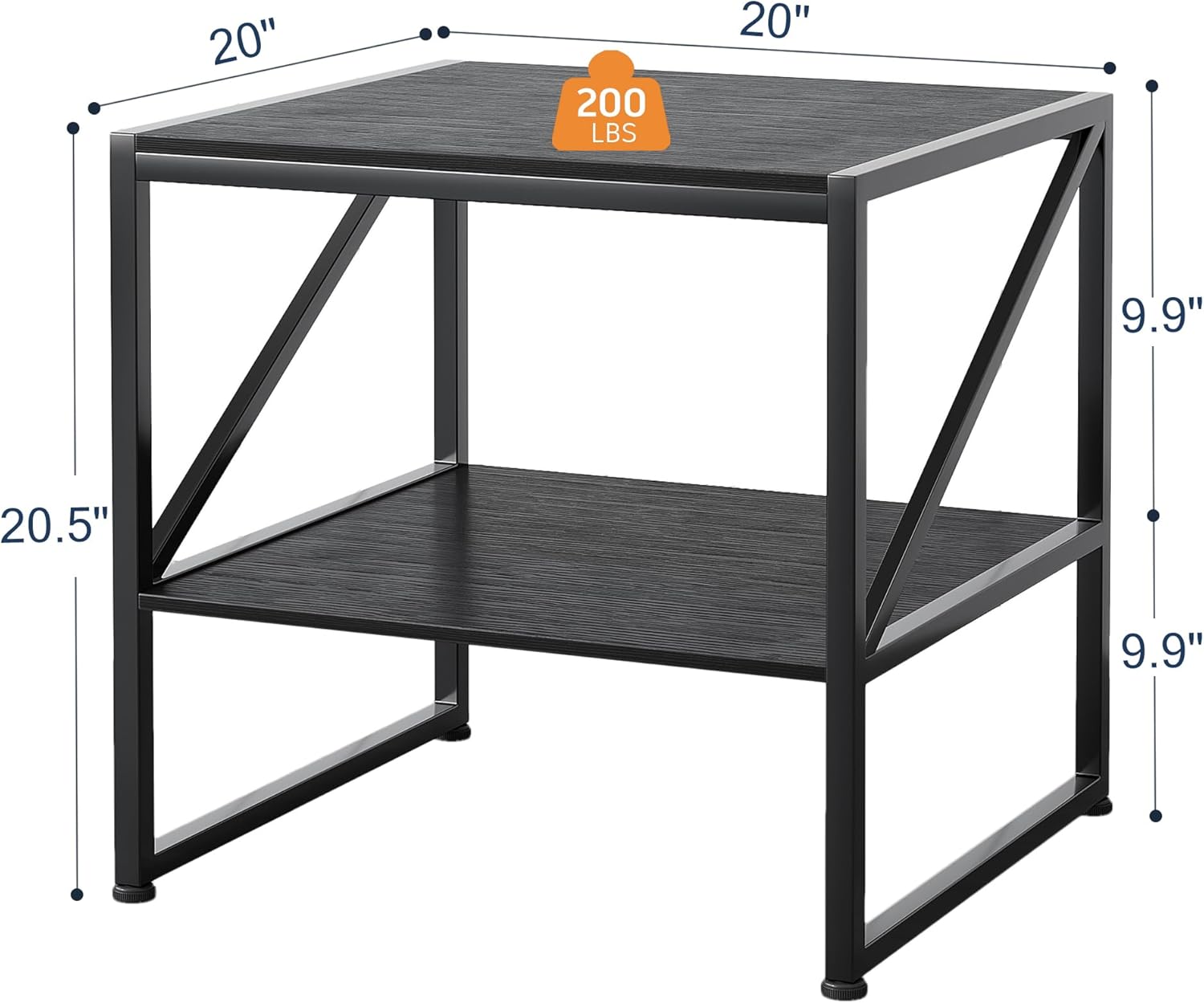
Image: Diagram illustrating the dimensions of the CAIYUN 2-Tier Printer Stand: 20 inches wide, 20 inches deep, and 20.5 inches high. It also indicates a weight capacity of 200 lbs, providing a visual overview of the stand's structure.
4. Setup (Assembly Instructions)
Assembly typically takes about 30 minutes. Follow these steps carefully.
- Prepare Components: Unpack all parts and lay them out on a clean, soft surface (like a carpet or blanket) to prevent scratching. Identify each component.
- Attach Adjustable Feet: Screw the four adjustable feet into the pre-drilled holes at the bottom of the two side frames. Hand-tighten them initially.
- Assemble Frame: Attach the four crossbars to the two side frames using the provided screws and hex key. Ensure the holes align correctly and tighten screws moderately. Do not fully tighten yet.
- Install Bottom Shelf: Place the bottom shelf onto the assembled frame, aligning the pre-drilled holes on the shelf with the holes on the frame. Secure it with the appropriate screws.
- Install Top Shelf: Place the top shelf onto the upper part of the frame, aligning the pre-drilled holes. Secure it with the appropriate screws.
- Final Tightening: Once all parts are in place, go back and fully tighten all screws using the hex key. Do not overtighten.
- Adjust Leveling: Place the assembled stand in its desired location. Adjust the adjustable feet by turning them clockwise or counter-clockwise until the stand is stable and level on the floor.

Image: The assembled CAIYUN 2-Tier Printer Stand in an office setting, holding a printer on the top shelf and binders/storage on the bottom shelf. This image highlights the two-tier storage capacity and the stand's functional design.
5. Operating Instructions
Your CAIYUN 2-Tier Printer Stand is designed for versatile use.
- Placement: Position the stand under your desk, beside your desk, in a living room as an end table, or in a bedroom as a nightstand.
- Functionality: Use the top shelf for your printer, scanner, fax machine, or a mini fridge. The bottom shelf provides additional storage for paper, office supplies, books, or decorative items.
- Weight Distribution: Distribute weight evenly across the shelves. Do not place all heavy items on one side.
- Adjustable Feet: If your floor is uneven, use the adjustable feet to level the stand and prevent wobbling. Turn each foot clockwise to lower or counter-clockwise to raise until stability is achieved.
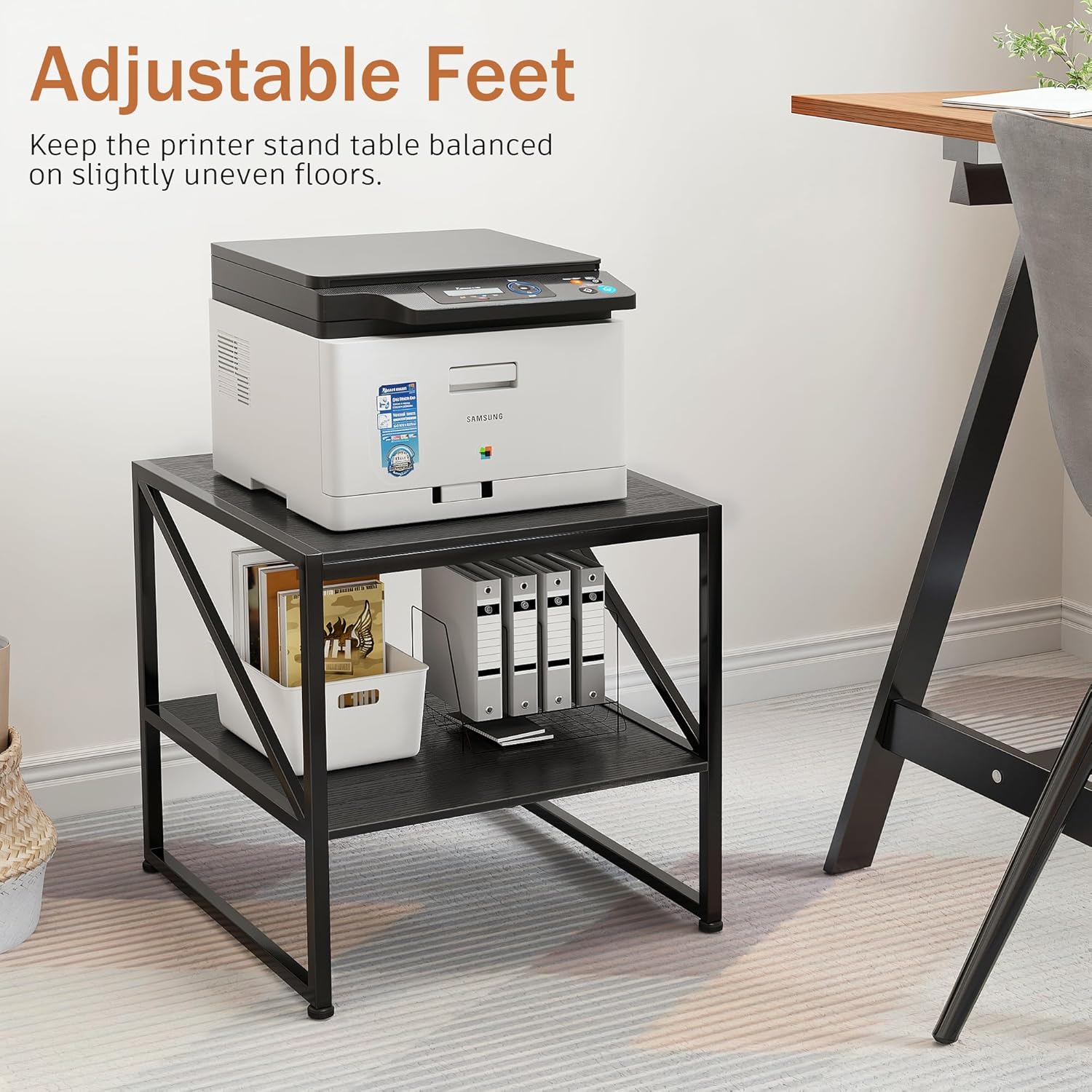
Image: The CAIYUN 2-Tier Printer Stand with a printer on top, highlighting the adjustable feet feature. The text 'Adjustable Feet' is visible, indicating how the stand can be balanced on slightly uneven floors for enhanced stability.
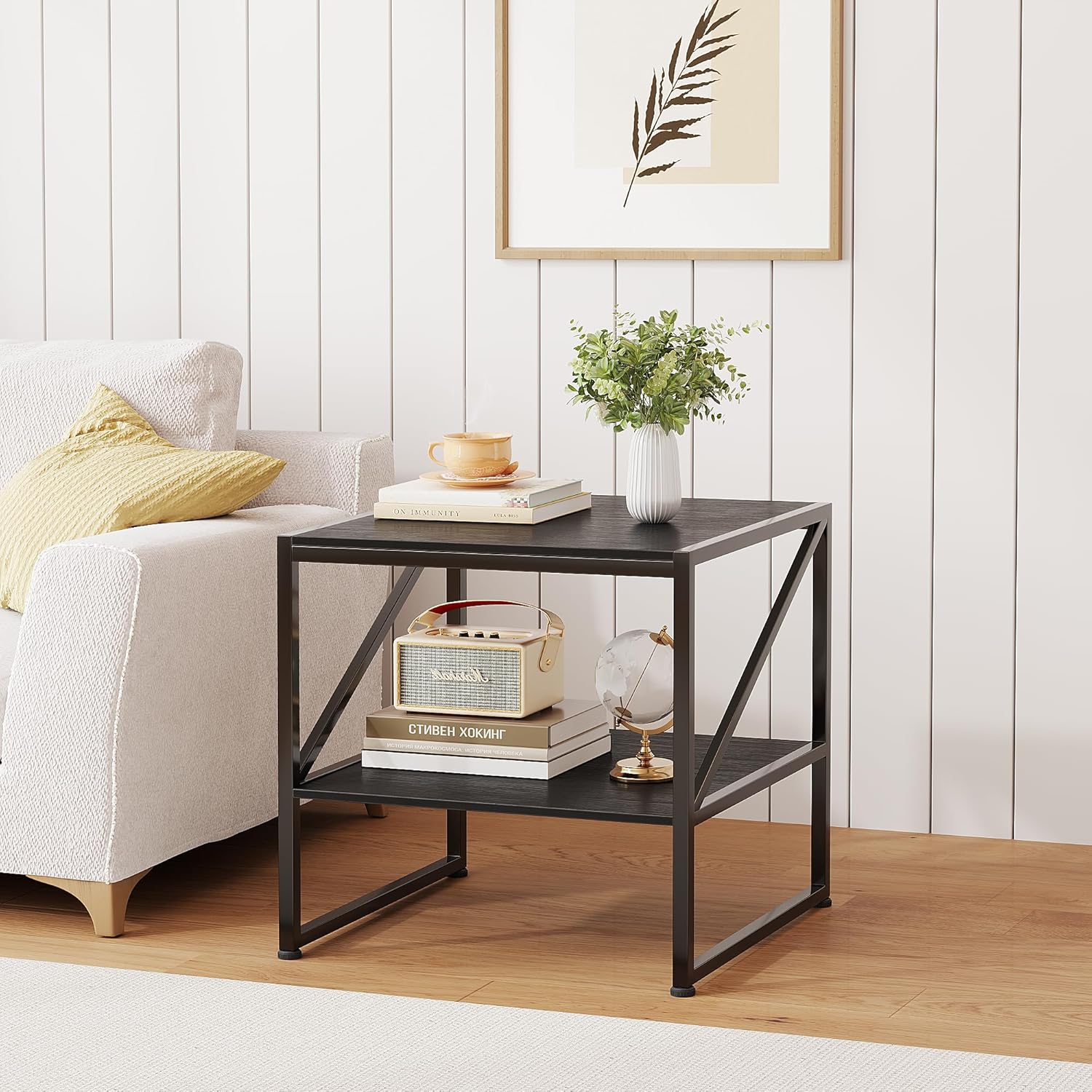
Image: The CAIYUN 2-Tier Printer Stand used as an end table in a living room setting, positioned next to a sofa. It holds decorative items like a plant, books, and a radio, showcasing its versatility beyond just office use.
6. Maintenance
Proper care will extend the life of your printer stand.
- Cleaning: Wipe the surfaces with a soft, damp cloth. Avoid using abrasive cleaners, harsh chemicals, or solvents, as these can damage the finish.
- Spills: The table top is waterproof. In case of spills, wipe them up immediately with a dry cloth to prevent water damage, especially around the edges.
- Screw Tightness: Periodically check all screws and fasteners to ensure they remain tight. Re-tighten if necessary to maintain stability.
- Avoid Extreme Conditions: Do not expose the stand to direct sunlight for prolonged periods or extreme temperature changes, as this may cause warping or discoloration.
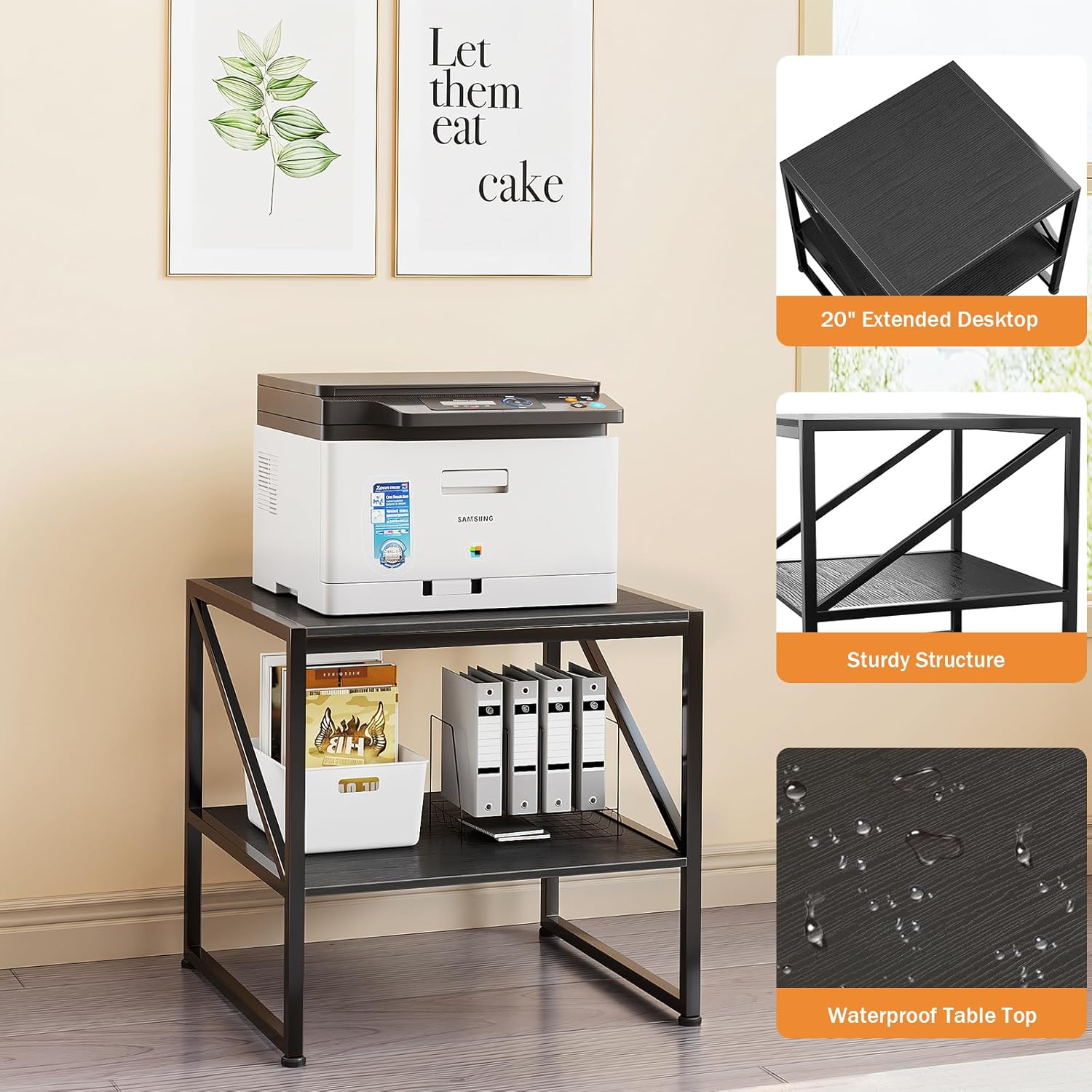
Image: Composite image highlighting key features of the CAIYUN 2-Tier Printer Stand: a 20-inch extended desktop, sturdy structure with metal crossbars, and a waterproof table top. The main image shows the stand with a printer and office supplies, demonstrating its practical features.
7. Troubleshooting
If you encounter any issues, please refer to the following common solutions.
- Stand is Wobbly:
- Ensure all screws are fully tightened.
- Adjust the leveling feet on the bottom of the stand to compensate for uneven floors.
- Missing Parts:
- Double-check the packaging and all packing materials.
- If parts are genuinely missing, contact customer support with your purchase details.
- Difficulty Assembling:
- Review the assembly instructions carefully, paying attention to the orientation of each part.
- Ensure you are using the correct screws for each step.
8. Specifications
| Brand | CAIYUN |
| Model | 2-Tier Printer Stand 20 Inch without USB |
| Color | Black |
| Material | MDF Board, Metal Frame |
| Dimensions (W x D x H) | 19.69 x 19.69 x 20.47 inches (50 x 50 x 52 cm) |
| Weight Capacity | Up to 200 lbs (90 kg) |
| Number of Tiers | 2 |
| Mounting Type | Tabletop |
9. Warranty & Support
CAIYUN is committed to providing high-quality products and customer satisfaction. While specific warranty details may vary by region and retailer, we generally offer support for manufacturing defects.
If you have any questions, concerns, or require assistance with your product, please contact our customer support team through the retailer's platform where you made your purchase. Please have your order number and product details ready for faster service.