
1. Introduction
The Radtel RT-950 PRO is a high-performance portable amateur radio designed for reliable communication. This manual provides essential information for the safe and efficient operation of your device. Please read it thoroughly before use.
Package Contents
Verify that all items are present in your package:
- 1 x Radtel RT-950 PRO Main Unit (Orange)
- 1 x 2200 mAh Li-ion Battery
- 1 x Dual-Band Antenna
- 1 x Belt Clip
- 1 x Type-C Charging Cable
- 1 x Flexible Power Cable with USB Port
- 1 x English User Manual
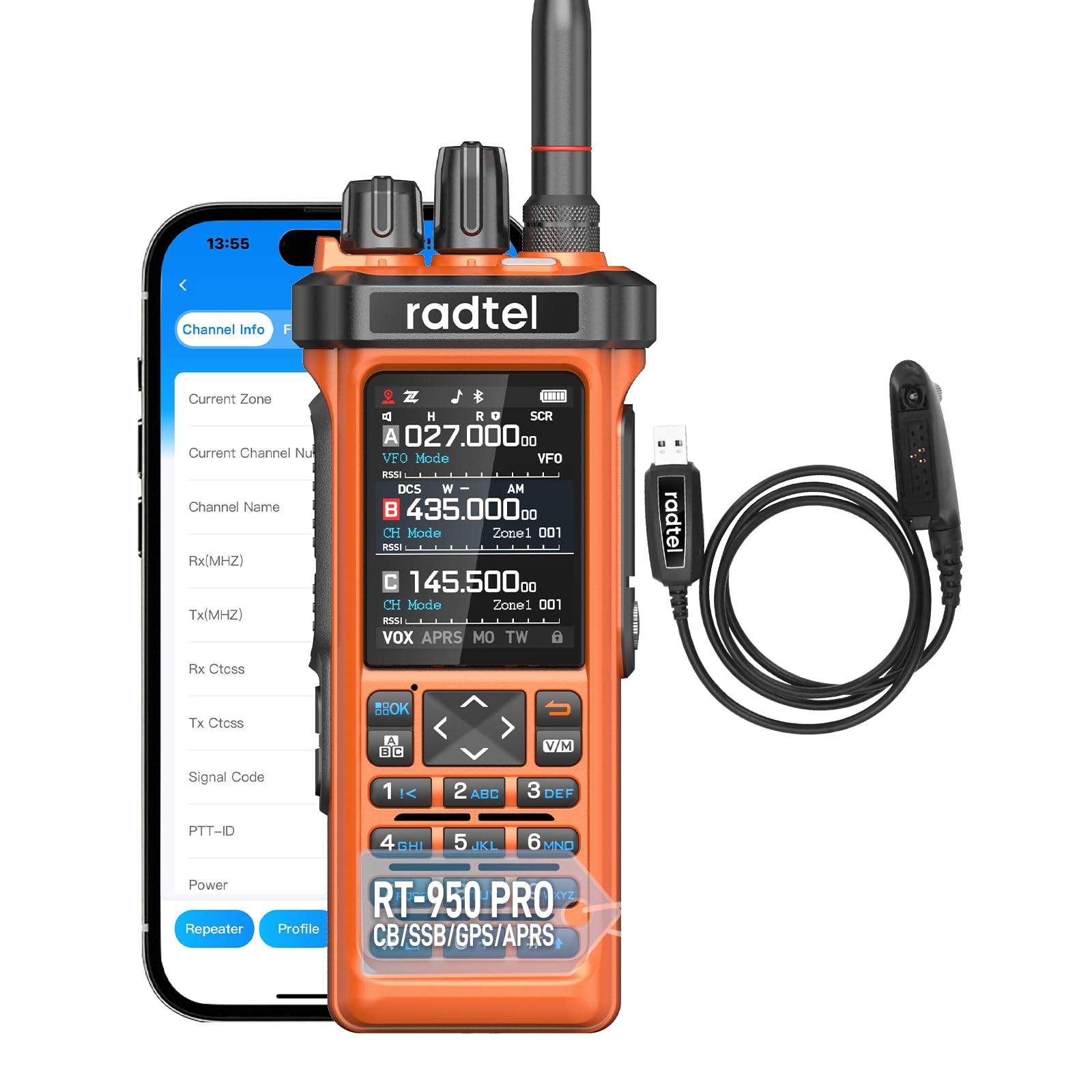
Image: Radtel RT-950 PRO radio with all included accessories, including the main unit, battery, antenna, belt clip, Type-C charging cable, and USB power cable.
2. Setup
2.1 Battery Installation and Charging
- Install Battery: Align the battery with the back of the radio and slide it into place until it clicks securely.
- Charge Battery: Connect the Type-C charging cable to the radio and a compatible USB power source. Alternatively, use the provided desktop charger. The charging indicator will show the charging status. Ensure the battery is fully charged before first use.
2.2 Antenna Attachment
Screw the dual-band antenna clockwise onto the antenna connector on top of the radio until it is finger-tight. Do not overtighten.
2.3 Initial Power On
Rotate the power/volume knob clockwise to turn on the radio. Adjust the knob to set the desired volume level.
3. Operating Instructions
3.1 Basic Operation
- Frequency Selection: Use the keypad to directly input frequencies or use the up/down arrow keys to scan.
- Transmit (TX): Press and hold the PTT (Push-To-Talk) button on the side of the radio to transmit. Release to receive.
- Receive (RX): The radio will automatically receive signals on the selected frequency.
3.2 Advanced Features
3.2.1 Bluetooth App Programming & Wireless Frequency Copy
The RT-950 PRO supports wireless programming via a Bluetooth application on your smartphone. This allows for easy configuration and frequency copying from other compatible radios without physical cables.
Image: Two Radtel radios, one orange RT-950 PRO and another grey model, illustrating the quick frequency copy function. An arrow indicates frequency cloning from one radio to another.
3.2.2 Multiband Reception & NOAA Weather Channel
The radio supports a wide range of frequencies including AM/FM, CB, SW, MW, LW LSB USB CW. It also features a dedicated NOAA Weather Channel reception to provide real-time weather alerts.
3.2.3 GPS/APRS Functionality
Integrated GPS and APRS (Automatic Packet Reporting System) allow for real-time position sharing, enhancing coordination for outdoor activities or emergency response.

Image: The Radtel RT-950 PRO radio displaying GPS coordinates and APRS information on its screen, indicating real-time location tracking capabilities.
3.2.4 Spectrum Analyzer
The built-in spectrum analyzer allows users to monitor frequency activity, providing a visual representation of signals in the surrounding environment.

Image: The Radtel RT-950 PRO radio with its screen showing a graphical representation of a spectrum analysis, indicating signal strength across frequencies.
3.2.5 Cross Band Repeater
The RT-950 PRO can function as a cross-band repeater, allowing interoperability between UHF and VHF frequencies.

Image: Two Radtel radios, one orange RT-950 PRO and another black model, connected by a symbolic loop, representing the cross-band repeater function between UHF and VHF.
4. Maintenance
4.1 Cleaning
Wipe the radio's surface with a soft, damp cloth. Do not use harsh chemicals or abrasive cleaners. Ensure the radio is dry before use.
4.2 Battery Care
- Avoid overcharging or completely draining the battery.
- Store the radio and battery in a cool, dry place when not in use for extended periods.
- If the battery is not used for a long time, charge it once every three months to maintain its lifespan.
4.3 General Precautions
- Do not expose the radio to extreme temperatures, direct sunlight, or moisture. The device is not water-resistant.
- Use only Radtel-approved accessories, such as headphones and microphones. Using non-Radtel accessories may damage the audio amplifier module and cause the radio to become silent.
- Avoid dropping the radio or subjecting it to strong impacts.
5. Troubleshooting
| Problem | Possible Cause | Solution |
|---|---|---|
| Radio does not power on. | Battery is low or not installed correctly. | Charge the battery or re-install it securely. |
| Cannot transmit or receive. | Incorrect frequency/channel, antenna not connected, low battery, or squelch set too high. | Verify frequency, check antenna connection, charge battery, adjust squelch level (e.g., set to 1). |
| Poor audio quality or no sound. | Volume too low, external accessory issue, or damaged audio module. | Increase volume. If using external accessories, ensure they are Radtel-approved and properly connected. Disconnect external accessories to test internal speaker. |
| Bluetooth app connection issues. | Bluetooth not enabled on radio/smartphone, app not updated, or interference. | Ensure Bluetooth is active on both devices. Restart radio and smartphone. Update the app to the latest version. |
| GPS/APRS not updating position. | Poor satellite signal, GPS/APRS function not enabled. | Move to an open area with clear sky view. Check radio settings to ensure GPS/APRS is activated. |
If the problem persists after attempting these solutions, please contact Radtel customer support.
6. Specifications
| Feature | Detail |
|---|---|
| Brand | Radtel |
| Model Number | RT-950 PRO |
| Color | Orange |
| Number of Channels | 960 |
| Frequency Range | 144-148MHz / 420-450MHz (TX/RX), Multiband RX (AM/FM, CB, SW, MW, LW LSB USB CW) |
| Output Power | Up to 10W (3-4W on 27MHz FM TX/RX) |
| Max Talk Range | 6 Kilometers (approx. 3.7 miles) |
| Voltage | 7.4 Volts |
| Battery Type | 2200 mAh Li-ion Battery (included) |
| Water Resistance Level | Not water resistant |
| Impedance | 50 Ohms |
| Connectivity | Bluetooth, USB Type-C |
| Special Features | GPS/APRS, Spectrum Analyzer, Wireless Frequency Copy, NOAA Weather Channel, Channel Zone Function, Color Display, PC Programming, Bluetooth App Programming, Cross Band Repeater. |

Image: Side view of the Radtel RT-950 PRO radio, showing its approximate dimensions: height 16.2 cm, width 6.6 cm, and depth 4.8 cm.
7. Warranty & Support
7.1 Warranty Information
Radtel products are covered by a limited warranty against defects in materials and workmanship. Please refer to the warranty card included in your package or visit the official Radtel website for detailed warranty terms and conditions. Keep your purchase receipt as proof of purchase for warranty claims.
7.2 Customer Support
For technical assistance, troubleshooting, or any questions regarding your Radtel RT-950 PRO, please contact Radtel customer support. Contact information can typically be found on the official Radtel website or in the documentation provided with your product.
Important Note: As mentioned in the product features, using non-Radtel headphones and microphones can damage the audio amplifier module. Always use genuine Radtel accessories to ensure proper function and to maintain your warranty.


