
Introduction
Thank you for choosing the ZAQE P30 HiFi Music Player. This device is designed to provide a high-fidelity audio experience with the versatility of the Android 12 operating system. It supports a wide range of audio formats, offers wireless connectivity, and features expandable storage. This manual provides essential information for setting up, operating, maintaining, and troubleshooting your device to ensure optimal performance.
Product Overview
The ZAQE P30 is an advanced digital audio player featuring Android 12, an octa-core processor, and a dedicated DAC+AMP combination for superior sound quality. It offers both wired and wireless connectivity options for a flexible listening experience.
Key Features:
- Operating System: Android 12 with octa-core 2G main frequency.
- Memory: 4GB RAM + 32GB internal storage, expandable up to 512GB via Micro SD card.
- Audio Architecture: ESS9018Q2M2 DAC + OPA16122 + RT6863D*2 AMP for high-resolution audio.
- Supported Audio Formats: MP3, WAV, APE, FLAC, DSF, DFF, ISO, and more.
- Sampling Rate: 44.1-192kHz / 16-24bit.
- Display: 3.4-inch color screen with 480*854 resolution.
- Wireless Connectivity: Bluetooth 5.0 (supports LDAC, SBC, AAC) and Dual-band Wi-Fi (2.4GHz/5GHz).
- Battery: 2500mAh for extended playback.
- Outputs: Dual 3.5mm (2V output, 125mW power) and 4.4mm (4V output, 500mW power) headphone jacks.
- Design: Ergonomic side scrolling volume control and curved body for comfortable grip.
Package Contents:
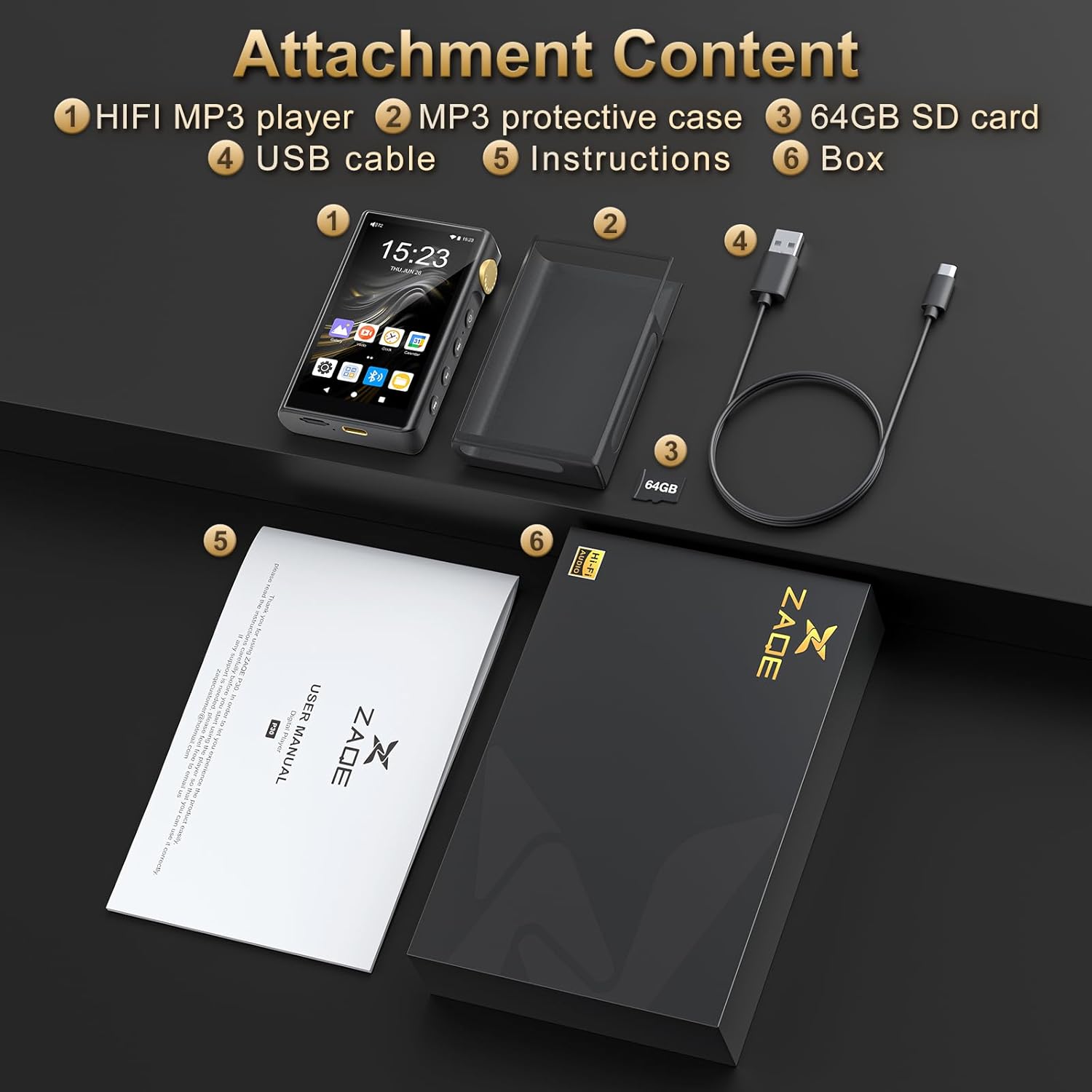
Image: The ZAQE P30 HiFi Music Player, MP3 protective case, 64GB SD card, USB cable, instructions, and product box.
- ZAQE P30 HiFi Music Player
- MP3 Protective Case
- 64GB Micro SD Card
- USB Cable
- Instruction Manual
- Product Box
Setup
1. Initial Charging
Before first use, fully charge the device using the provided USB cable and a compatible USB power adapter (not included). The charging indicator will show the charging status.
2. Power On/Off
- To Power On: Press and hold the Power button on the side of the device until the screen lights up.
- To Power Off: Press and hold the Power button, then select 'Power Off' from the options on the screen.
- To Restart: Press and hold the Power button, then select 'Restart' from the options.
3. Inserting a Micro SD Card
The device supports Micro SD cards up to 512GB for expanded storage. Locate the Micro SD card slot on the side of the player. Gently insert the card with the gold contacts facing down until it clicks into place. To remove, gently push the card in until it springs out.

Image: The ZAQE P30 player showing the Micro SD card slot with a 64GB card inserted.
4. Connecting Headphones
The ZAQE P30 features both 3.5mm and 4.4mm headphone outputs. Connect your wired headphones to the appropriate jack on the top of the device.

Image: Close-up view of the top of the ZAQE P30, highlighting the dual 3.5mm and 4.4mm headphone output ports.
Operating Instructions
1. User Interface and Navigation
The ZAQE P30 operates on Android 12 with a touch-screen interface. Navigate by swiping, tapping, and using the physical buttons on the side for playback control (Play/Pause, Next, Previous) and power.
2. Music Playback
- Adding Music: Connect the player to a computer via USB cable. The player will appear as a removable storage device. Drag and drop music files into the designated music folder on the player or the inserted Micro SD card.
- Playing Music: Open the pre-installed music player application. Browse your music library by artist, album, song, or folder. Tap a song to begin playback.
- Supported Formats: The player supports a wide array of formats including MP3, WAV, APE, FLAC, DSF, DFF, ISO, and more.

Image: Diagram illustrating the DSD & AMP technology (ESS9018Q2M DAC and MAX97720 AMP) and a list of supported audio formats (MP3, WAV, APE, FLAC, AAC, ALAC, DSF, DFF, ISO, DTS).
3. Volume Control
Adjust the volume using the side scrolling wheel located on the right side of the device. Rotate it up to increase volume and down to decrease.

Image: The ZAQE P30 held in hand, illustrating the side scrolling design for volume control and its comfortable grip.
4. Bluetooth Connectivity
The ZAQE P30 supports Bluetooth 5.0 for wireless audio transmission to headphones, speakers, or car audio systems.
- Pairing: Go to 'Settings' > 'Connected devices' > 'Bluetooth'. Turn on Bluetooth. The player will scan for available devices. Select your device from the list to pair.
- Supported Codecs: LDAC, SBC, AAC for lossless transmission.
- Bidirectional Bluetooth: The player can act as both a Bluetooth transmitter (sending audio to headphones) and a receiver (receiving audio from another device).
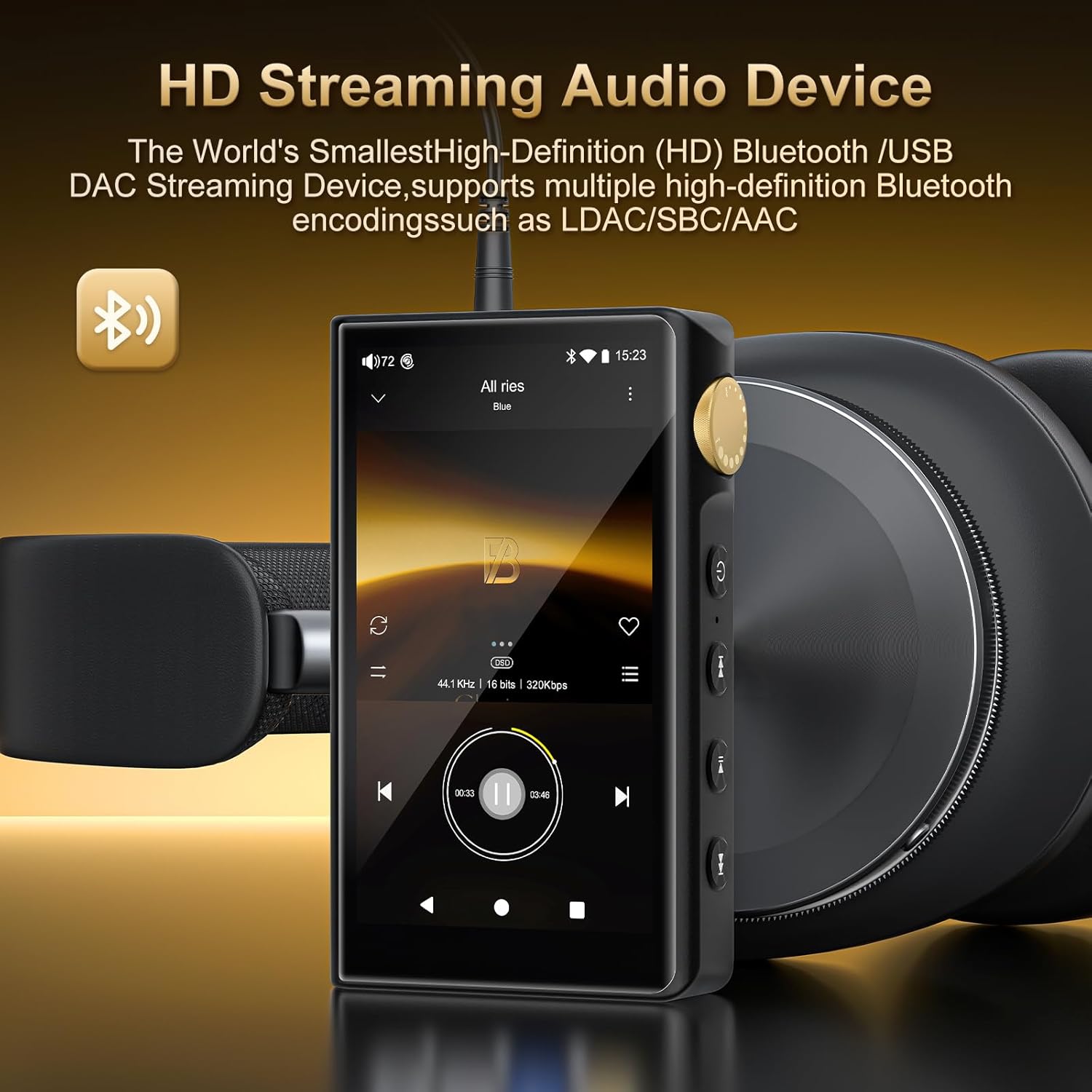
Image: The ZAQE P30 player connected to over-ear headphones, illustrating its HD streaming audio capabilities via Bluetooth.
5. Wi-Fi Connectivity and Online Streaming
Connect to Wi-Fi to download apps, stream music online, and access internet features.
- Connecting to Wi-Fi: Go to 'Settings' > 'Network & internet' > 'Wi-Fi'. Turn on Wi-Fi and select your desired network. Enter the password if prompted.
- Online Streaming: The player supports dual-band (2.4GHz and 5GHz) Wi-Fi for stable online music streaming and app downloads. Pre-installed apps or downloaded streaming services can be used.

Image: The ZAQE P30 screen showing icons for various streaming music applications, indicating its Wi-Fi streaming capabilities.
6. System Settings
Access the 'Settings' menu to customize various aspects of your player, including:
- Network & internet: Wi-Fi, Bluetooth, VPN.
- Connected devices: Bluetooth, USB connections.
- Display: Brightness, wallpaper, sleep time.
- Sound: Volume levels, notification sounds.
- Storage: View storage usage, manage files.
- Battery: Battery usage, power saving modes.
- System: Language, date & time, backup, reset options, system updates.
Maintenance
1. Cleaning the Device
Wipe the device with a soft, dry, lint-free cloth. Do not use abrasive cleaners, alcohol, or solvents, as these may damage the surface. Avoid getting moisture into openings.
2. Battery Care
To prolong battery life:
- Avoid extreme temperatures.
- Do not leave the device fully discharged for extended periods.
- If storing the device for a long time, charge it to about 50% before storage.
- Use only the provided USB cable for charging.
3. Software Updates
Periodically check for system updates in 'Settings' > 'System' > 'System update' to ensure your device has the latest features and performance improvements.
Troubleshooting
If you encounter issues with your ZAQE P30, refer to the following common solutions:
| Problem | Solution |
|---|---|
| Device does not power on | Ensure the battery is charged. Connect to a power source and try again. If unresponsive, press and hold the power button for 10-15 seconds for a forced restart. |
| No sound from headphones | Check headphone connection. Ensure volume is not muted or too low. Test with different headphones. Verify audio output settings. |
| Bluetooth device won't pair | Ensure Bluetooth is enabled on both devices and they are in pairing mode. Move devices closer. Forget and re-pair the device. |
| Wi-Fi connection issues | Check if Wi-Fi is enabled. Ensure correct password is entered. Restart the player and your Wi-Fi router. |
| Slow performance or app crashes | Close unnecessary background apps. Clear cache of problematic apps. Restart the device. Consider a factory reset if issues persist (back up data first). |
| Micro SD card not recognized | Ensure the card is inserted correctly. Try reinserting. Test with another Micro SD card. Format the card (this will erase all data). |
Specifications
Detailed technical specifications for the ZAQE P30 HiFi Music Player:
- Model Name: P30
- Operating System: Android 12
- Processor: Octa-core 2G main frequency
- Internal Memory: 32 GB (with 4 GB RAM)
- Expandable Storage: Up to 512 GB via Micro SD, Micro SDHC, Micro SDXC
- DAC Chip: ESS9018Q2M2
- AMP Chips: OPA16122 + RT6863D*2
- Supported Audio Standards: MP3, WAV, APE, FLAC, DSF, DFF, ISO, AAC, ALAC, DTS
- Sampling Rate: 44.1-192kHz / 16-24bit
- Frequency Response: 20-40KHz (±0.5dB)
- THD+N: -101dB
- Screen Size: 3.4 Inches
- Display Resolution: 480*854
- Display Technology: OLED
- Bluetooth Version: 5.0 (supports LDAC, SBC, AAC)
- Wi-Fi: Dual-band (2.4GHz, 5GHz)
- Battery Capacity: 2500mAh
- Headphone Outputs: 3.5mm (2V output, 125mW power), 4.4mm (4V output, 500mW power)
- Connectivity Technology: Bluetooth, USB, Wi-Fi
- Item Weight: 13.1 ounces
- Package Dimensions: 6.18 x 4.72 x 1.14 inches
Warranty Information
For detailed warranty information regarding your ZAQE P30 HiFi Music Player, please refer to the warranty card included in your product packaging or visit the official ZAQE website. Keep your proof of purchase for warranty claims.
Customer Support
Should you require further assistance or have questions not covered in this manual, please contact ZAQE customer support through the following channels:
- Official Website: Visit the ZAQE official website for FAQs, software downloads, and contact information.
- Email Support: Refer to your product packaging or the official website for the customer support email address.

