1. Introduction
Thank you for choosing the ANJIELO SMART Video Doorbell Intercom System. This manual provides essential information for the proper installation, operation, and maintenance of your new system. Please read this guide thoroughly before use and retain it for future reference. This system enhances home security and convenience with features like real-time monitoring, two-way communication, and remote access.
2. Product Overview
The ANJIELO SMART Video Doorbell Intercom System is designed to provide comprehensive security and communication for your home or office. It includes an outdoor doorbell unit with a camera and an indoor monitor unit, allowing for seamless interaction with visitors and property monitoring.
Key Features:
- Real-time Monitoring & Visitor Interaction: Receive notifications on your smartphone via the Tuya app when a visitor presses the doorbell. View, hear, and speak to visitors from anywhere, and remotely unlock the door.
- Multiple Viewing Methods: Monitor your property via smartphone, the indoor monitor, or a computer by logging into your Tuya account.
- 1080P HD Camera & 7-inch Color LCD Monitor: Features a slim-design 7-inch TFT touch monitor and a 1080P HD camera with a 160° wide-angle lens.
- Night Vision: Equipped with an IR-Cut filter and built-in infrared sensors for clear black and white night vision, ensuring visibility day and night.
- PIR Motion Detection & Automatic Recording: The camera automatically starts recording snapshots or video when motion is detected, saving to the included 32GB Micro SD card in the monitor. Recordings can be viewed on your smartphone.
- 3-in-1 Unlock Methods: Unlock your door using ID cards (5 included), the smartphone app, or directly from the touch monitor.
- IP66 Dustproof & Waterproof Design: The outdoor doorbell unit is built to withstand various weather conditions.
- Wired Connection for Stability: The indoor monitor and outdoor doorbell connect via a 4-wire cable (RVV4 cable required) for stable operation, while the indoor monitor supports Wi-Fi for smartphone integration.
Components:
- Outdoor Doorbell Unit(s)
- Indoor Monitor Unit(s)
- Power Adapter
- Mounting Hardware
- ID Cards (5 pieces)
- 32GB Micro SD Card (pre-installed in monitor)
3. Setup
Proper installation is crucial for optimal performance. Please follow these guidelines carefully.
3.1 Unpacking and Inspection
Carefully unpack all components and verify that all items listed in the 'Components' section are present and undamaged. If any items are missing or damaged, please contact customer support.
3.2 Installation Location
- Outdoor Doorbell: Install the outdoor unit at a height of approximately 1.5 meters (5 feet) from the ground, ensuring a clear view of visitors. Avoid direct sunlight or areas prone to heavy rain, despite its IP66 rating, to prolong product life.
- Indoor Monitor: Mount the indoor monitor in a convenient location within your home, such as a hallway or living room, where it is easily accessible.
3.3 Wiring Connection
The indoor monitor and outdoor doorbell units require a wired connection for stable operation. Use an RVV4 cable for this connection. Ensure all connections are secure before powering on the system.
The indoor monitor supports Wi-Fi connectivity for smartphone integration. This allows you to connect the monitor to your home Wi-Fi network for remote access via the TuyaSmart app.
3.4 Power Supply
Connect the power adapter to the indoor monitor. The system operates on AC 100-240V 50/60Hz input and DC 12V, 2A output. Ensure you use the provided power adapter.
3.5 App Installation and Pairing
- Download the "TuyaSmart" app from your smartphone's app store (iOS or Android).
- Register for a new account or log in if you already have one.
- Follow the in-app instructions to add your ANJIELO SMART intercom system. Ensure your indoor monitor is connected to your Wi-Fi network during this process.
4. Operating Instructions
This section details how to use the various functions of your intercom system.
4.1 Visitor Interaction
- When a visitor presses the doorbell button, the indoor monitor will ring, and a notification will be sent to your smartphone via the TuyaSmart app.
- On the indoor monitor or your smartphone, you can see and speak to the visitor using the two-way audio function.
- To unlock the door remotely, use the unlock function on the indoor monitor or the TuyaSmart app.
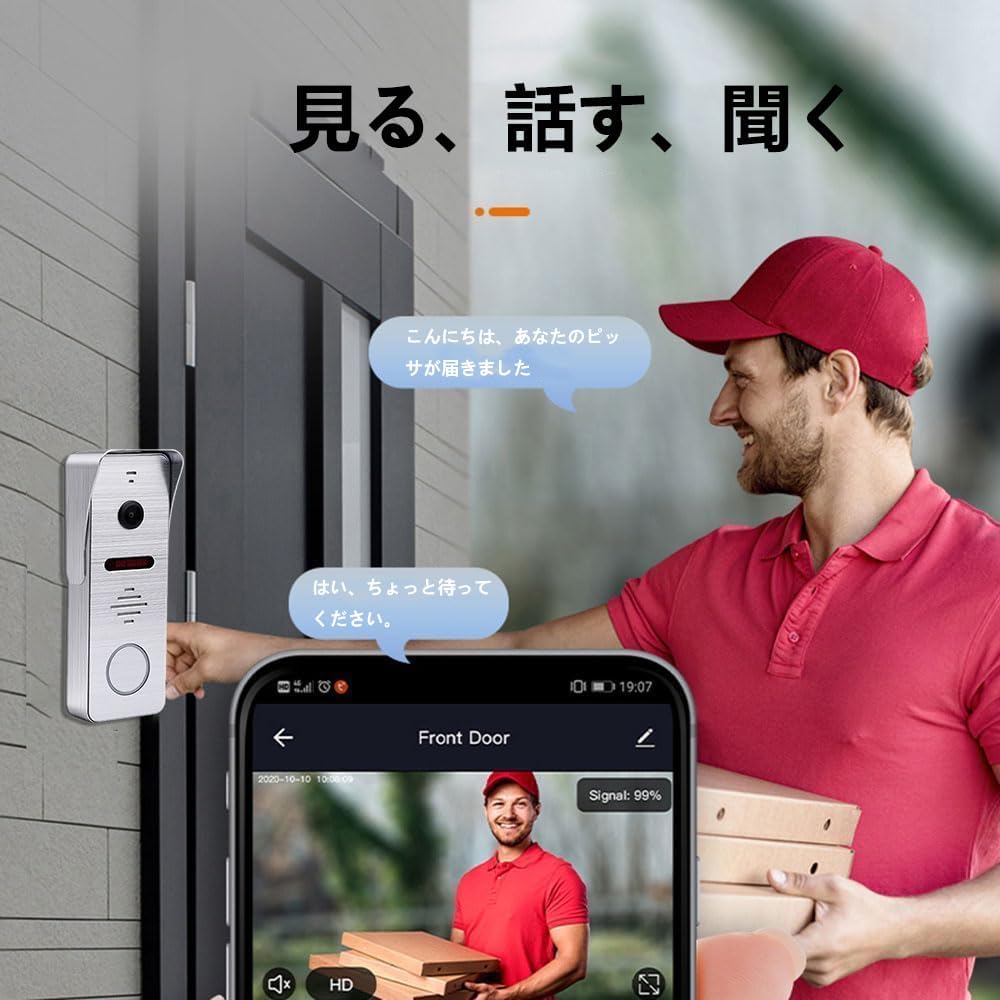
Figure 4.1: Two-way audio communication with a visitor.
4.2 Monitoring and Recording
- Real-time Monitoring: Access the live camera feed anytime through the indoor monitor or the TuyaSmart app on your smartphone.
- Motion Detection: The system's PIR motion sensor detects movement near the doorbell. Upon detection, the camera automatically captures snapshots or records video.
- Automatic Recording: All motion-triggered recordings are saved to the 32GB Micro SD card installed in the indoor monitor.
- Viewing Recordings: You can review recorded footage directly from the indoor monitor or remotely via the TuyaSmart app on your smartphone.

Figure 4.2: PIR motion detection in action, sending alerts to your smartphone.

Figure 4.3: Motion detection captures activity, including people and pets.
4.3 Night Vision
The doorbell camera automatically switches to night vision mode in low-light conditions, providing clear black and white images for continuous monitoring, day or night.
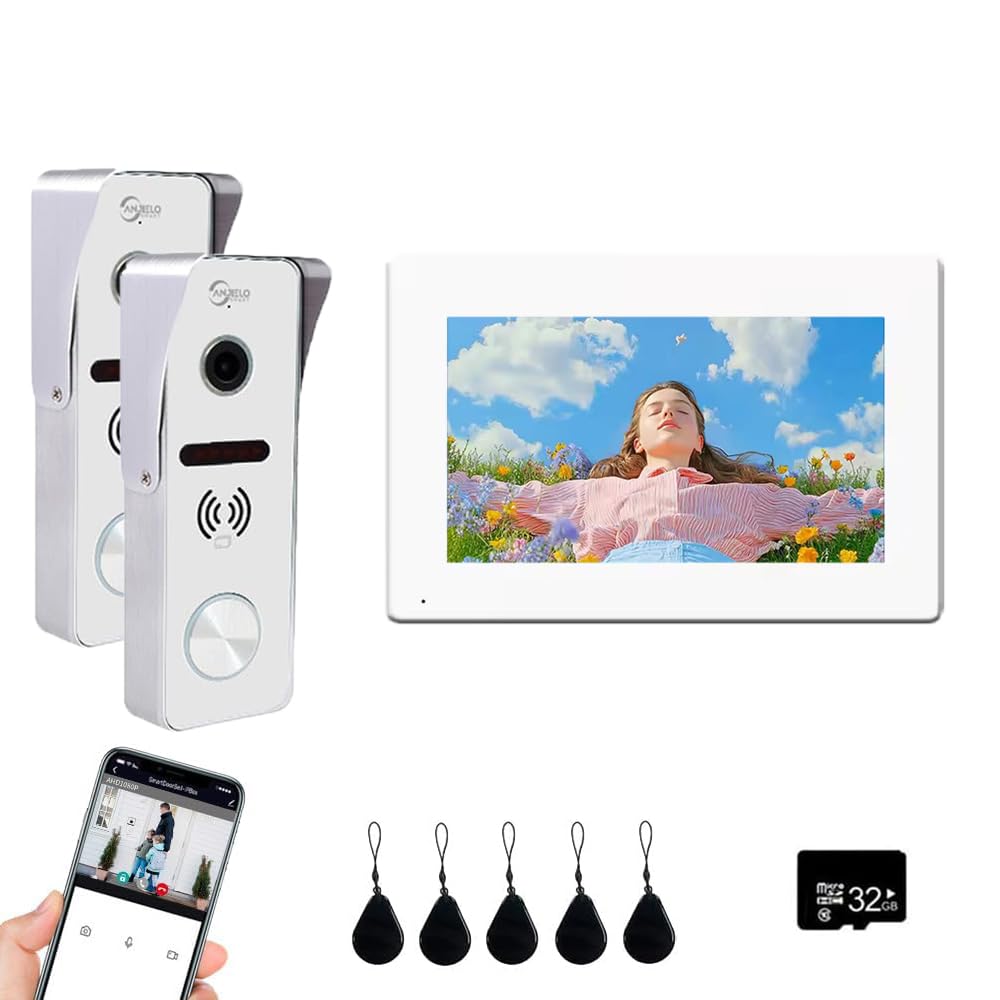
Figure 4.4: Night vision provides clear images in low light.
4.4 Door Unlocking
The system offers multiple convenient ways to unlock your door:
- ID Card: Use one of the provided ID cards by tapping it on the doorbell unit.
- Smartphone App: Remotely unlock the door using the TuyaSmart app from anywhere.
- Indoor Monitor: Unlock the door directly from the touch screen of the indoor monitor.
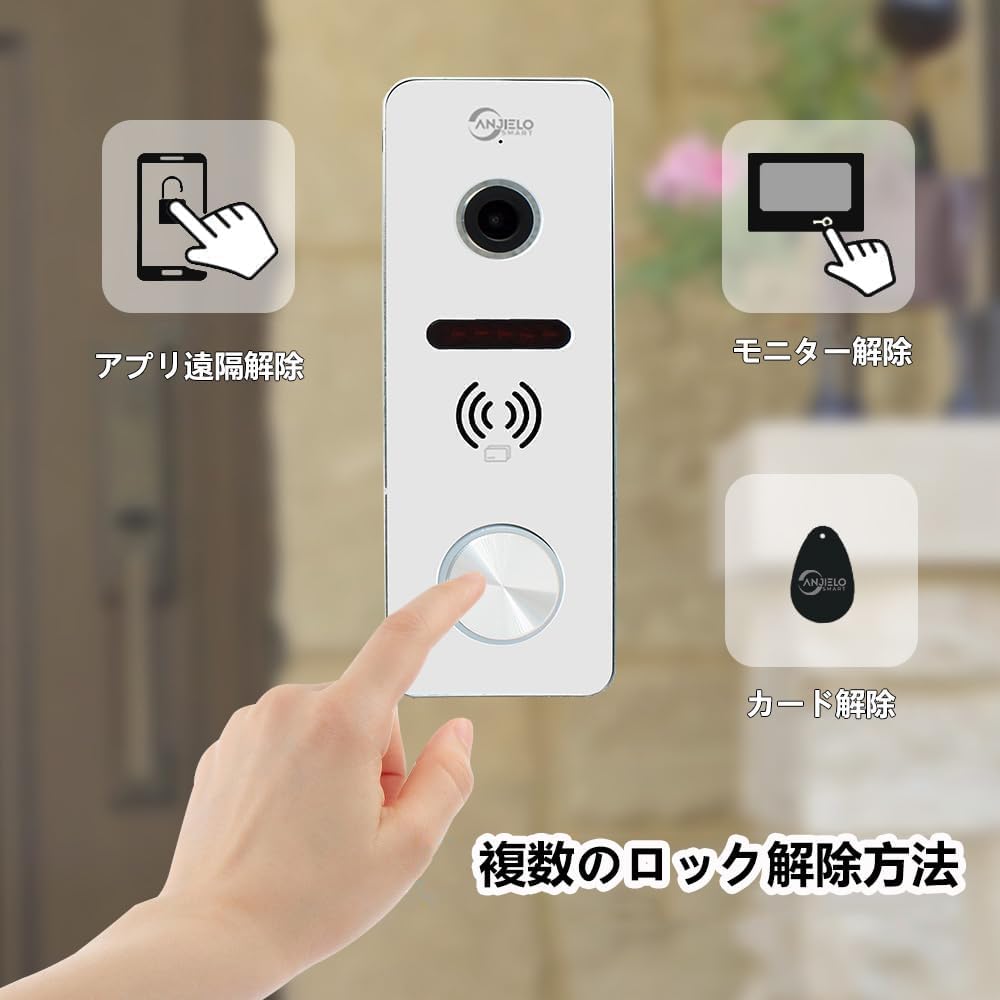
Figure 4.5: Multiple methods for unlocking the door.
5. Maintenance
Regular maintenance ensures the longevity and optimal performance of your ANJIELO SMART intercom system.
- Cleaning: Use a soft, dry cloth to clean the outdoor doorbell camera lens and the indoor monitor screen. Avoid abrasive cleaners or solvents that could damage the surfaces.
- Weather Protection: While the outdoor unit is IP66 rated for dust and water resistance, extreme weather conditions (e.g., prolonged heavy rain, snow, or direct intense sunlight) can affect performance over time. Consider installing a protective cover if your location experiences harsh weather.
- Firmware Updates: Periodically check the TuyaSmart app for any available firmware updates for your device. Keeping the firmware updated ensures you have the latest features and security enhancements.
- SD Card Management: The included 32GB Micro SD card will store recordings. If the card becomes full, older recordings may be overwritten. Regularly back up important footage and consider replacing the card if it shows signs of degradation.
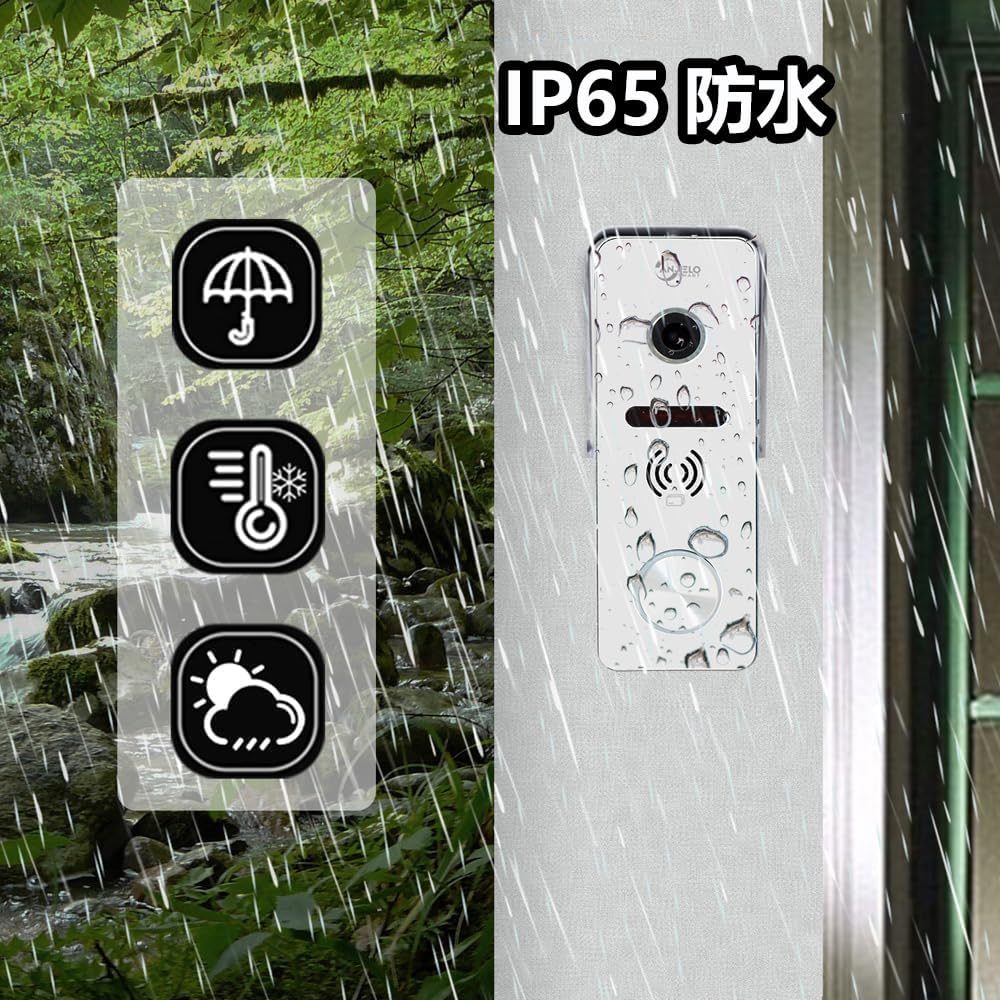
Figure 5.1: The outdoor unit is designed for weather resistance.
6. Troubleshooting
If you encounter issues with your intercom system, refer to the following common problems and solutions.
| Problem | Possible Cause | Solution |
|---|---|---|
| No image on indoor monitor | Power supply issue; Loose wiring; Doorbell camera malfunction. | Check power adapter connection. Ensure 4-wire cable is securely connected between doorbell and monitor. Restart the system. |
| No sound during two-way communication | Microphone/speaker blocked; Volume too low; Wiring issue. | Check for obstructions on microphone/speaker. Adjust volume settings on monitor/app. Verify wiring. |
| Smartphone app not receiving notifications | Wi-Fi connectivity issue; App notification settings; Monitor not connected to internet. | Ensure indoor monitor is connected to Wi-Fi. Check app notification permissions on your phone. Restart app and monitor. |
| Motion detection not working | PIR sensor blocked; Sensitivity setting too low; Incorrect detection zone. | Clear any obstructions from the PIR sensor. Adjust motion detection sensitivity and zone settings in the app. |
| Door unlock function not responding | Wiring issue to electric lock; ID card not registered; App malfunction. | Verify wiring to the electric lock. Ensure ID cards are properly registered. Try unlocking via the monitor or app. |
If the problem persists after trying these solutions, please contact ANJIELO SMART customer support for further assistance.
7. Specifications
Detailed technical specifications for the ANJIELO SMART Video Doorbell Intercom System.
Outdoor Doorbell Unit:
- Horizontal Resolution: 2MP 1080P
- Image Sensor: Colorful CMOS Sensor
- Sensor Size: 1/3 inch, Viewing Angle: 160 degrees
- Night Vision: IR-Cut filter (no color cast), Black and white night vision
- Panel Material: Aluminum alloy/ABS resin
- Installation Method: Surface mount
- Connection: Simple 4-wire connection
- Dimensions: 5.7 x 3.6 x 1.5 inches / 145 x 93 x 39 mm
- Protection Rating: IP66 Dustproof and Waterproof
Indoor Touch Monitor Unit:
- Screen: 7-inch TFT-LCD Touch Screen
- Resolution: 1024 x 680
- Ringtone: 7 polyphonic melodies
- Volume/Ringtone Color: Adjustable
- Connection Method: 4-wire, WIFI TUYA solution
- Panel Material: Acrylic/ABS cover
- Installation Method: Surface mount
- Input Voltage: AC 100-240V 50/60Hz
- Operating Voltage: DC 12V, 2A
- Dimensions: 7.8 x 5.1 x 0.8 inches / 198 x 130 x 21 mm
- Included Components: 7-inch color LCD (monitor)
8. Warranty and Support
ANJIELO SMART is committed to providing high-quality products and customer satisfaction. For any questions, technical support, or warranty claims regarding your Video Doorbell Intercom System, please contact the seller, Anjielosmart, directly through your purchase platform.
Please have your product model number (64206IC-S+67010W-ANJP) and purchase details ready when contacting support to expedite the process.


