
1. Important Safety Information
Please read all safety and operating instructions carefully before using this television. Keep these instructions for future reference.
1.1 Electrical Safety
- Do not expose the television to rain or moisture to prevent fire or electric shock.
- Ensure the power cord is not damaged or pinched.
- Unplug the television during lightning storms or when unused for long periods.
- Do not open the television casing; refer all servicing to qualified personnel.
1.2 General Safety
- Place the television on a stable, level surface or mount it securely to a wall.
- Ensure adequate ventilation around the television; do not block ventilation openings.
- Keep small objects and liquids away from the television to prevent damage or injury.
- Avoid placing the television near heat sources or in direct sunlight.
2. What's in the Box
Verify that all components are present upon unpacking your new TCL 43T6C TV.
- 1N LED TV (TCL 43T6C)
- 1N Audio Cable
- 1N Stand (for table-top placement)
- 1N Remote Control
- 2N AAA Batteries (for remote control)

Image: Contents of the TV box, showing the television, remote control, and batteries.
3. Physical Setup
3.1 Attaching the Stand
- Carefully place the TV face down on a soft, clean surface to prevent screen damage.
- Align the stand bases with the corresponding slots on the bottom of the TV.
- Secure the stands using the provided screws. Ensure they are firmly attached.
3.2 Wall Mounting (Optional)
The TCL 43T6C TV supports VESA standard 200 x 200 mm wall mounts. A wall mount is not included and must be purchased separately. Follow the instructions provided with your specific wall mount kit for safe installation.

Image: Rear view of the television, highlighting VESA mounting points for wall installation.
3.3 Connecting Devices
The TV offers various ports for connecting external devices. Refer to the diagram below for port locations.

Image: Port diagram for the TCL 43T6C TV, detailing USB, LAN, HDMI, Antenna/Cable In, and Digital Audio Out (Optical).
- HDMI Ports (3): Connect Blu-ray players, gaming consoles, set-top boxes, etc. HDMI 3 supports eARC/ARC for enhanced audio return.
- USB Port (1): Connect USB storage devices for media playback.
- Antenna/Cable In: Connect an antenna or cable TV feed.
- LAN Port: Connect an Ethernet cable for wired internet access.
- AV IN Adapter: For connecting older devices using composite video and stereo audio.
- Digital Audio Out (Optical): Connect to a soundbar or home theater system for digital audio.
4. Initial Setup and Smart TV Features
4.1 Power On and First-Time Setup
- Connect the power cord to the TV and a power outlet.
- Press the power button on the remote control or TV.
- Follow the on-screen instructions to select your language, country, and connect to a Wi-Fi network.
- Sign in with your Google account to access Google TV features and download apps.
4.2 Google TV Interface
The TCL 43T6C runs on Google TV, providing a personalized content experience. It integrates content from various streaming services and apps into a single, easy-to-navigate interface.

Image: Google TV interface displaying streaming applications and content suggestions.
- App Access: Easily access popular streaming services like Prime Video, Netflix, Hotstar, Zee5, YouTube, and more.
- Google Assistant: Use voice commands via the remote control to search for content, control smart home devices, and get information.
- Chromecast Built-in: Cast content from your smartphone or tablet directly to the TV.
- Screen Mirroring: Share your device's screen wirelessly.
5. Remote Control
The included remote control provides access to all TV functions and smart features.
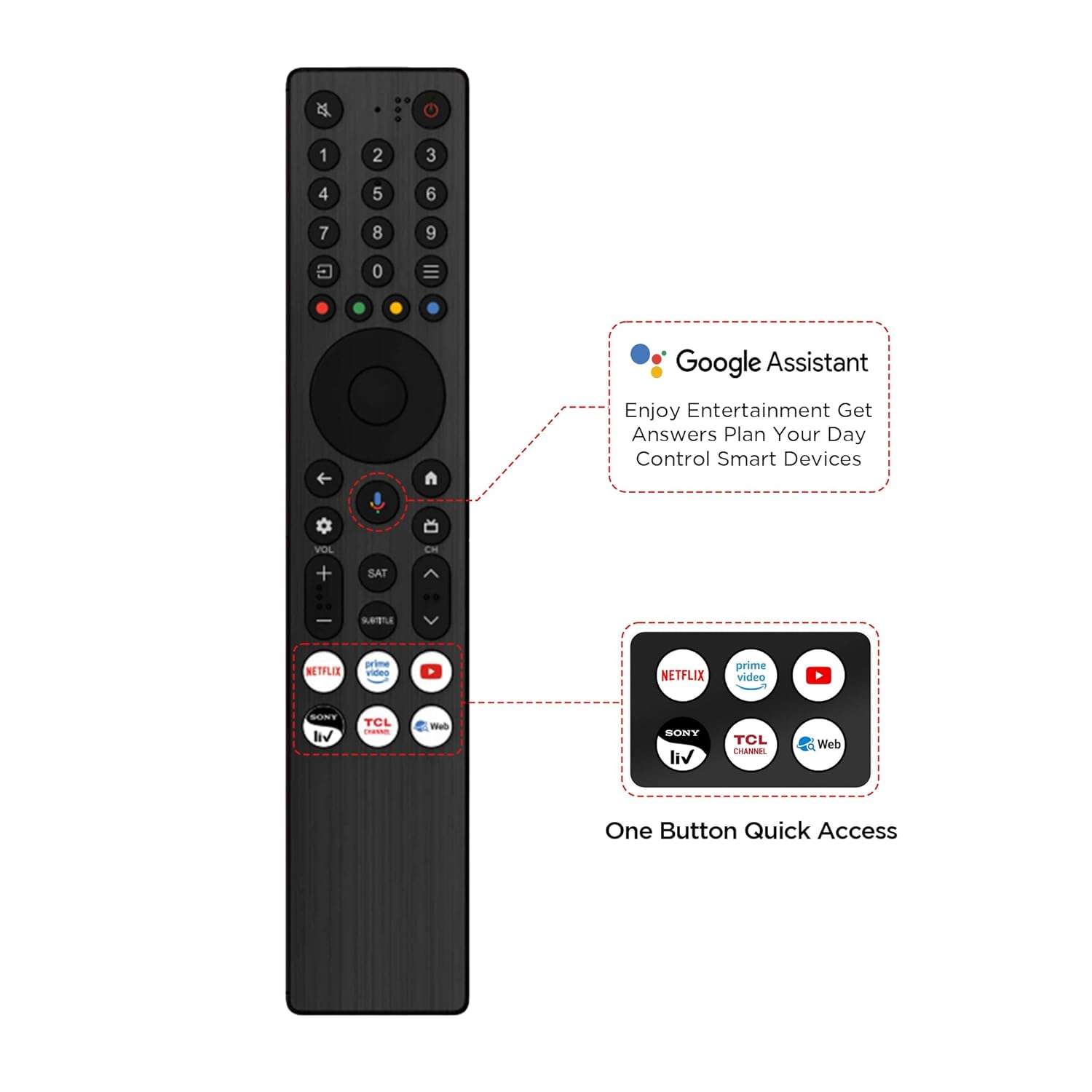
Image: Remote control for the TCL 43T6C, showing dedicated buttons for Google Assistant and popular streaming apps.
- Power Button: Turns the TV on or off.
- Google Assistant Button: Activates voice control.
- Navigation Pad: For menu navigation.
- Volume Up/Down: Adjusts audio volume.
- Channel Up/Down: Changes TV channels.
- Quick Access Buttons: Dedicated buttons for Netflix, Prime Video, YouTube, and other services.
6. Display and Audio Technologies
The TCL 43T6C TV incorporates advanced technologies for an enhanced viewing and listening experience.

Image: Key features of the TCL 43T6C TV, such as QLED, HVA Panel, AiPQ Processor, HDR10+, and Dolby Vision Atmos.
6.1 QLED Display
Quantum Dot Light Emitting Diode (QLED) technology delivers over a billion hues of vivid color, providing a wider color gamut and improved brightness compared to traditional LED TVs.
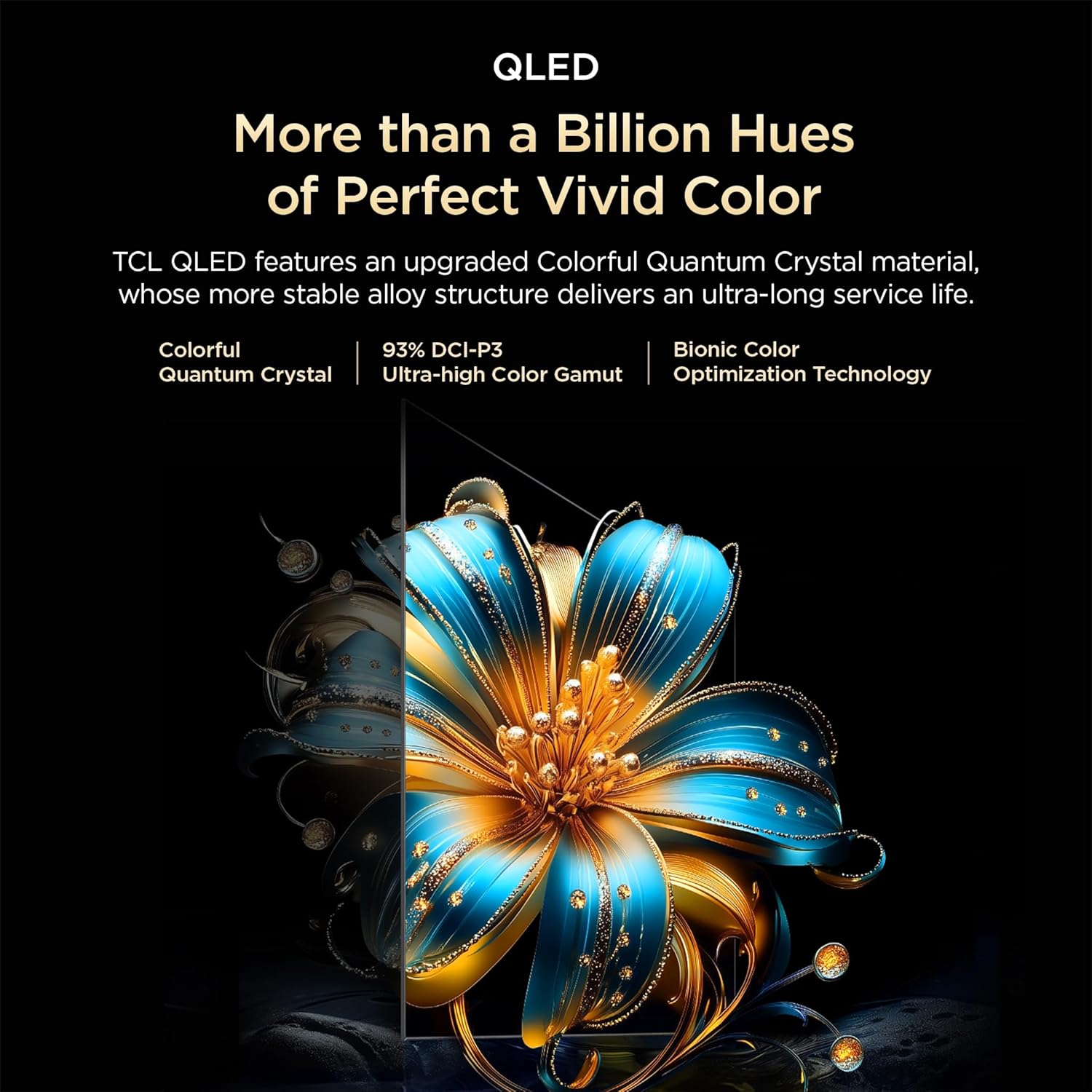
Image: Explanation of QLED technology, highlighting vibrant colors and Quantum Crystal material.
6.2 HVA Panel
The HVA (High Viewing Angle) panel offers higher contrast and more detailed images, ensuring consistent picture quality from various viewing positions. It features 3x contrast enhancement and a 178-degree wide viewing angle.

Image: Visual representation of HVA Panel technology, showing enhanced contrast and wider viewing angles.
6.3 HDR10+ and Dolby Vision
High Dynamic Range (HDR) technologies like HDR10+ and Dolby Vision provide superior contrast, brightness, and color accuracy, revealing more details in both bright and dark scenes.

Image: HDR10+ demonstration, showing enhanced detail in a high-contrast scene.
6.4 AiPQ Processor
TCL's AiPQ Processor utilizes AI algorithms to optimize picture and sound quality in real-time. It enhances clarity, color, contrast, and HDR performance.

Image: Visual of the AiPQ Processor, representing its intelligent image and sound optimization capabilities.
- Ai-Clarity: Recognizes and enhances image details.
- Ai-Color: Optimizes color vibrancy and accuracy.
- Ai-Contrast: Adjusts contrast for different visual scenarios.
- Ai-HDR: Intelligently decodes multiple HDR formats.

Image: Demonstrations of Ai-Clarity, Ai-Colour, Ai-Contrast, and Ai-HDR features.
6.5 Dynamic Color Enhancement
This feature automatically optimizes color vibrancy, making scenes appear more lifelike and engaging.

Image: Dynamic Color Enhancement in action, showing optimized color vibrancy.
6.6 Dolby Atmos Audio
Experience immersive, three-dimensional sound that flows around you, enhancing movies, music, and games.

Image: Dolby Atmos audio experience, illustrating immersive sound.
6.7 Game Master & 120Hz Game Accelerator
Game Master optimizes settings for gaming, reducing input lag and enhancing responsiveness. The 120Hz Game Accelerator provides a higher refresh rate and super low latency for smoother gameplay.

Image: Game Master feature, illustrating an optimized gaming experience.

Image: 120Hz Game Accelerator, demonstrating reduced latency for gaming.
6.8 Multiple Eye Care
The TV includes features designed to protect eye health during extended viewing, such as flicker-free display and low blue light modes.
7. Maintenance and Care
7.1 Cleaning the Screen
- Turn off the TV and unplug it from the power outlet.
- Gently wipe the screen with a soft, lint-free cloth.
- For stubborn marks, lightly dampen the cloth with water or a specialized screen cleaner (do not spray directly onto the screen).
- Avoid using harsh chemicals, abrasives, or alcohol-based cleaners.
7.2 Cleaning the Cabinet
- Wipe the TV cabinet with a soft, dry cloth.
- Do not use liquid or spray cleaners directly on the cabinet.
8. Troubleshooting
If you encounter issues with your TV, refer to the following common problems and solutions.
| Problem | Possible Solution |
|---|---|
| No power | Check if the power cord is securely plugged into the TV and the power outlet. Ensure the outlet is working. |
| No picture, but sound is present | Verify the correct input source is selected. Check cable connections to external devices. |
| No sound, but picture is present | Check volume levels and mute settings. Ensure external audio devices are properly connected and powered on. |
| Remote control not working | Replace the batteries. Ensure there are no obstructions between the remote and the TV's IR sensor. |
| Wi-Fi connection issues | Restart your router and the TV. Ensure the TV is within range of your Wi-Fi network. |
| Picture quality issues (e.g., blurry, distorted) | Check the source resolution. Adjust picture settings (brightness, contrast, sharpness). Ensure cables are securely connected. |
If the problem persists after trying these solutions, please contact TCL customer support.
9. Technical Specifications
Detailed specifications for the TCL 43T6C 4K UHD Smart QLED Google TV.
| Feature | Specification |
|---|---|
| Screen Size | 43 Inches (108 cm) |
| Display Technology | QLED |
| Resolution | 4K UHD (3840 x 2160) |
| Refresh Rate | 60 Hz (MEMC 60 Hz) |
| Operating System | Google TV |
| Processor | 64-bit Quad Core Processor (AiPQ Processor) |
| RAM | 2 GB |
| ROM | 16 GB |
| Audio Output | 24 Watts (Dolby Atmos) |
| HDMI Ports | 3 (1 with eARC/ARC) |
| USB Ports | 1 |
| Wireless Connectivity | Wi-Fi 5, Bluetooth 5.0 |
| Viewing Angle | 178 Degrees |
| HDR Support | HDR10+, Dolby Vision |
| Dimensions (with stand) | 18.5D x 95.7W x 60.3H Centimeters |
| Weight (with stand) | 5.6 Kilograms |
| VESA Mount Standard | 200 x 200 mm |
| Annual Energy Consumption | 140 kWh/Year (2 Star Rating) |

Image: Dimensional diagram of the TCL 43T6C TV, showing measurements and weight.

Image: Energy rating label for the TCL 43T6C TV.
10. Warranty and Support
10.1 Warranty Information
This TCL 43T6C TV comes with a 2-year manufacturer warranty from the date of purchase. The remote control has a 6-month warranty. Warranty claims can be processed using your Amazon e-invoice.
10.2 Customer Support
For assistance, warranty claims, or service requests, please contact TCL customer support:
- Toll-Free Numbers: 180-0102-0622 / 180-0419-0622
- Email: indiasupport@tcl.com
When contacting support, please provide the product's model name (43T6C) and seller's details as mentioned on your invoice.
11. Product Highlights Video
Watch this short video for a quick overview of the TCL 43T6C TV's key features and technologies.
Video: A brief overview highlighting the QLED display, AiPQ processor, Google TV features, Dynamic Color Enhancement, Dolby Atmos, and HDR10+ capabilities of the TCL 43T6C TV.


