
1. Introduction and Overview
The Betife Automatic Pill Dispenser is designed to assist users in managing their medication schedule effectively. This device features timed dispensing, secure locking mechanisms, and app support for personalized reminders and tracking. It is suitable for monthly and weekly medication regimens, offering 31 compartments and customizable dose rings.
2. Safety Information
- Keep the device out of reach of children when not in use, despite its child-resistant features.
- Ensure the dispenser is placed on a stable, flat surface to prevent accidental spills or damage.
- Do not immerse the device in water or expose it to excessive moisture.
- Use only the provided power adapter and recommended battery type.
- Consult a healthcare professional for any questions regarding medication dosages or schedules.
3. Package Contents
Verify that all items are present in the package:
- Automatic Pill Dispenser (1 unit)
- Dose Rings (6 units)
- Instruction Book (1 unit)
- Keys (3 units)
- Quick Guide (1 unit)
4. Product Features
- Easy Access Design: Press-to-open mechanism for convenient medication retrieval, beneficial for users with arthritis.
- Secure Dual Lock: Features advanced fingerprint unlocking technology and a mechanical key backup to prevent unauthorized access.
- Personalized Reminders: Offers three standard alarm tones and allows for custom voice recordings for medication reminders.
- Comprehensive Organizer: Equipped with 31 compartments and 7 double-sided dose rings to accommodate various medication schedules (monthly/weekly).
- Dual Power Mode: Operates via plug-in power with a built-in 1200 mAh battery backup for uninterrupted function during power outages.
- Bluetooth Connectivity & App Support: Connects to a free mobile application for setup, daily medication tracking, custom reminder settings, and medication records reporting.
- Child Resistant: Certified design to help prevent children from accessing medication.
5. Setup Instructions
5.1 Powering the Device
Connect the provided power adapter to the dispenser and plug it into a wall outlet. The device is designed for everyday plug-in use. The internal 1200 mAh battery will automatically provide backup power if the main power supply is interrupted, ensuring scheduled doses are dispensed on time.

Image: The Betife Automatic Pill Dispenser connected to a power outlet, illustrating its dual power mode with a 30-day standby battery backup. A glass of water is next to the dispenser.
5.2 App Installation and Bluetooth Connection
Download the free Betife app from your device's app store. Enable Bluetooth on your smartphone or tablet. Open the Betife app and follow the on-screen instructions to pair your device with the dispenser. This connection allows for advanced settings and tracking.

Image: The Betife Automatic Pill Dispenser next to a smartphone showing the Betife app interface, indicating free app support and Bluetooth connectivity.
5.3 Loading Medication and Setting Dose Rings
Carefully open the dispenser lid. Place your medications into the individual compartments. Select and install the appropriate dose ring based on your prescribed medication schedule (e.g., once daily, twice daily). The dose rings help organize the medication for the desired frequency.
5.4 Setting Reminders and Fingerprint Lock
Use the Betife app to set specific times for your medication reminders. You can choose from standard alarm tones or record personalized voice messages. For enhanced security, follow the app's instructions to register your fingerprints, enabling secure access to the dispenser.
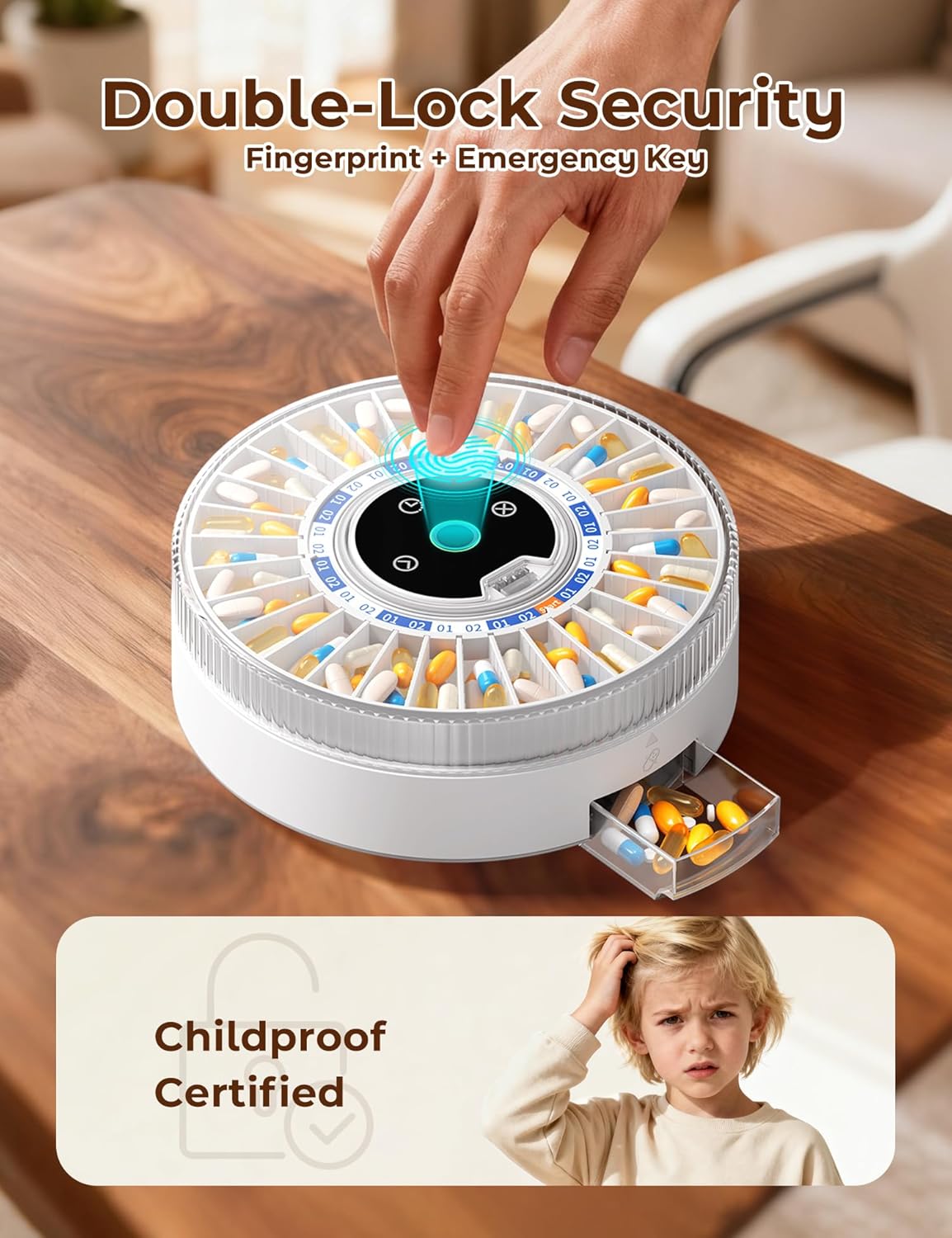
Image: A hand interacting with the fingerprint scanner on the Betife Automatic Pill Dispenser, highlighting its double-lock security feature, which includes fingerprint and emergency key access, and is childproof certified.
6. Operating Instructions
6.1 Dispensing Medication
At the scheduled time, the dispenser will activate its alarm. To retrieve your medication, simply press the lid of the designated compartment. The compartment will pop open, allowing easy access to your dose. Close the compartment securely after retrieval.

Image: A user demonstrating the easy access picker box feature of the Betife Automatic Pill Dispenser, where a simple press opens the medication compartment, eliminating the need to lift the entire unit.
6.2 Using the App for Tracking and Reminders
The Betife app provides a detailed log of all dispensed medications. You can view monthly and weekly reports to monitor medication compliance. The app also allows for adjustments to reminder settings and customization of alarm tones or voice messages.

Image: An elderly woman tracking her medication doses instantly using the Betife app on her smartphone and tablet, which displays monthly and weekly reports, with the pill dispenser visible on a table.
6.3 Manual Access with Emergency Key
In case of an emergency or if fingerprint access is unavailable, use one of the provided mechanical keys to manually unlock the dispenser and access your medication.
7. Maintenance
7.1 Cleaning the Dispenser
To clean the exterior of the dispenser, use a soft, slightly damp cloth. Do not use abrasive cleaners or immerse the device in water. Ensure the device is unplugged before cleaning.
7.2 Battery Replacement
The dispenser uses one 9V battery for backup power. When the battery level is low, the device or app will indicate it. Replace the 9V battery as needed to ensure continuous backup functionality.
8. Troubleshooting
- Pills Jamming: Ensure that pills are correctly placed within the compartments and are not oversized. If a jam occurs, carefully clear the affected compartment manually using the emergency key for access if necessary.
- No Power/Device Not Turning On: Verify that the power adapter is securely connected to both the dispenser and a working wall outlet. Check if the backup 9V battery is correctly installed and charged.
- App Connectivity Issues: Confirm that Bluetooth is enabled on your smartphone or tablet. Try restarting the Betife app and the dispenser. Ensure your device is within Bluetooth range.
- Alarm Not Sounding: Check the alarm volume settings within the Betife app. Verify that custom reminder settings are correctly configured and enabled.
- Fingerprint Scanner Not Responding: Ensure your finger is clean and dry. Re-register your fingerprint through the app if issues persist. Use the emergency key as an alternative.
9. Specifications
| Product Dimensions | 9.2 x 9.2 x 3.5 inches; 3.06 Pounds |
| Item Model Number | Betife Automatic Pill Dispenser 01 |
| Batteries | 1 x 9V battery (included) |
| Material Type | High Strength ABS Plastic |
| Number of Compartments | 31 |
| Special Features | APP Support, Automatic, Built-In Alarm, Child Resistant, Fingerprint Lock |
10. Warranty and Support
For specific warranty details, please refer to the documentation included with your product or visit the official Betife website. Betife offers a free return policy within 30 days if the product is found challenging for seniors to use. For technical assistance, customer service, or further inquiries, please consult the contact information provided in your quick guide or on the Betife official website.
11. Legal Disclaimer
Statements regarding dietary supplements have not been evaluated by the FDA and are not intended to diagnose, treat, cure, or prevent any disease or health condition. This device is intended to assist with medication management and should not replace professional medical advice.