
Ruitoo T2 Master
Ruitoo T2 Master Electric Scooter User Manual
Model: T2 Master
Introduction
Thank you for choosing the Ruitoo T2 Master Electric Scooter. This manual provides essential information for the safe operation, maintenance, and care of your scooter. Please read it thoroughly before your first ride to ensure optimal performance and safety.
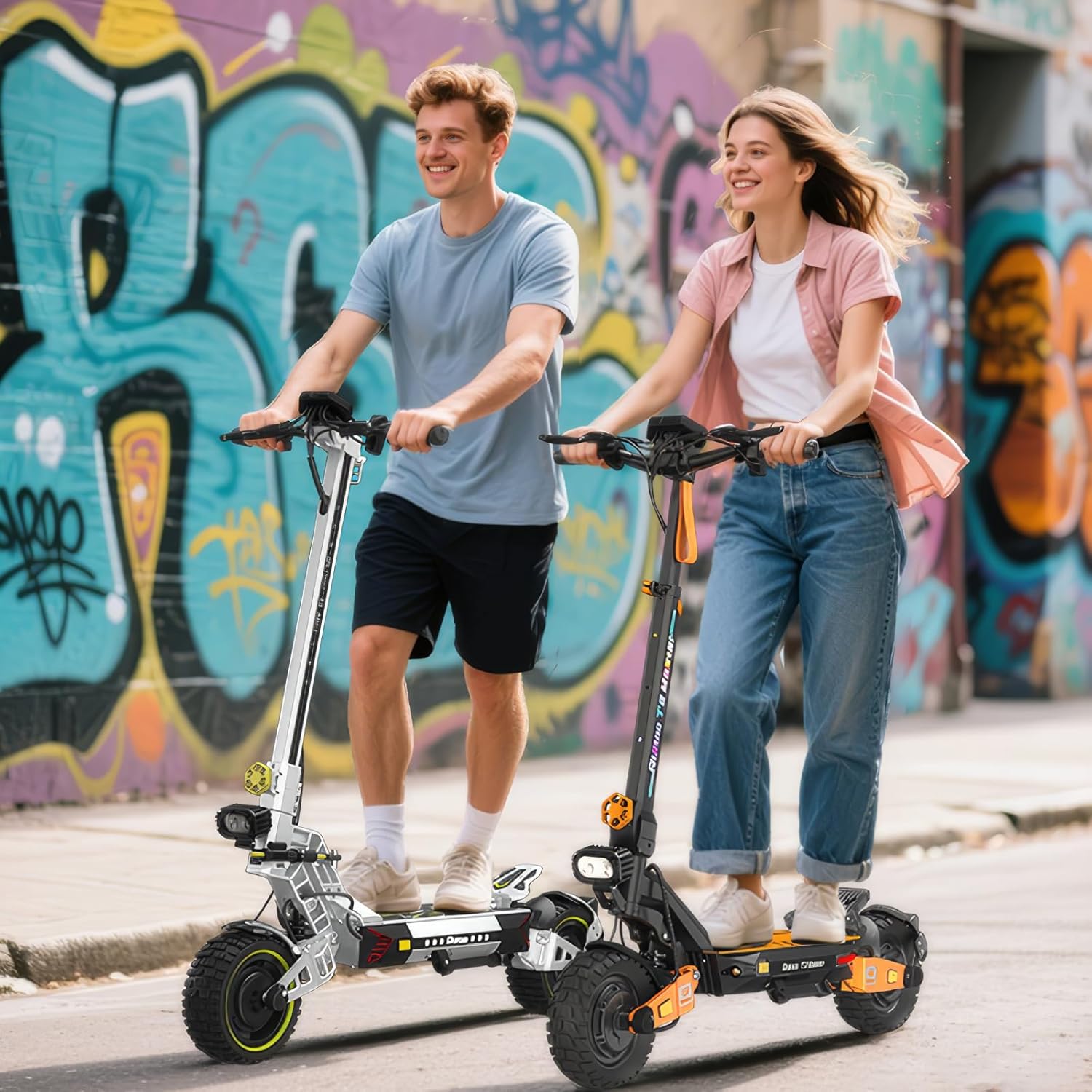
Image: Ruitoo T2 Master Electric Scooter in use.
Safety Guidelines
Your safety is paramount. Always adhere to the following guidelines:
- Always wear a helmet and appropriate protective gear (knee pads, elbow pads) when riding.
- Familiarize yourself with local traffic laws and regulations regarding electric scooters.
- Do not ride under the influence of alcohol or drugs.
- Avoid riding in heavy rain, snow, or icy conditions. The scooter has an IPX4 water resistance rating, meaning it is protected against splashing water from any direction, but it is not waterproof.
- Maintain a safe distance from other vehicles and pedestrians.
- Regularly check brakes, tires, and all moving parts before each ride.
- The maximum load capacity is 200 kg. Do not exceed this limit.
- Ensure the scooter is fully unfolded and locked before riding.

Image: Integrated safety lighting system for visibility.
Setup and Assembly
1. Unfolding the Scooter
The Ruitoo T2 Master is designed for easy portability. To unfold:
- Place the scooter on a flat surface.
- Release the folding mechanism latch, usually located near the base of the steering column.
- Carefully lift the steering column until it clicks into place, ensuring the locking mechanism is fully engaged.
- Adjust the handlebar height to your preference (108cm, 118cm, or 128cm) and secure it.

Image: Folding mechanism and dimensions for storage.
2. Initial Charging
Before first use, fully charge the scooter's battery. Connect the charger to the charging port and then to a power outlet. The charging indicator will show the status. A full charge takes approximately 8-9 hours with the included 52V/2.5A fast charger.

Image: Battery specifications and range.
3. Tire Pressure Check
Ensure the 10-inch off-road pneumatic tires are inflated to the recommended pressure for optimal performance and safety. Refer to the tire sidewall for specific pressure recommendations.
Operating Instructions
1. Controls Overview
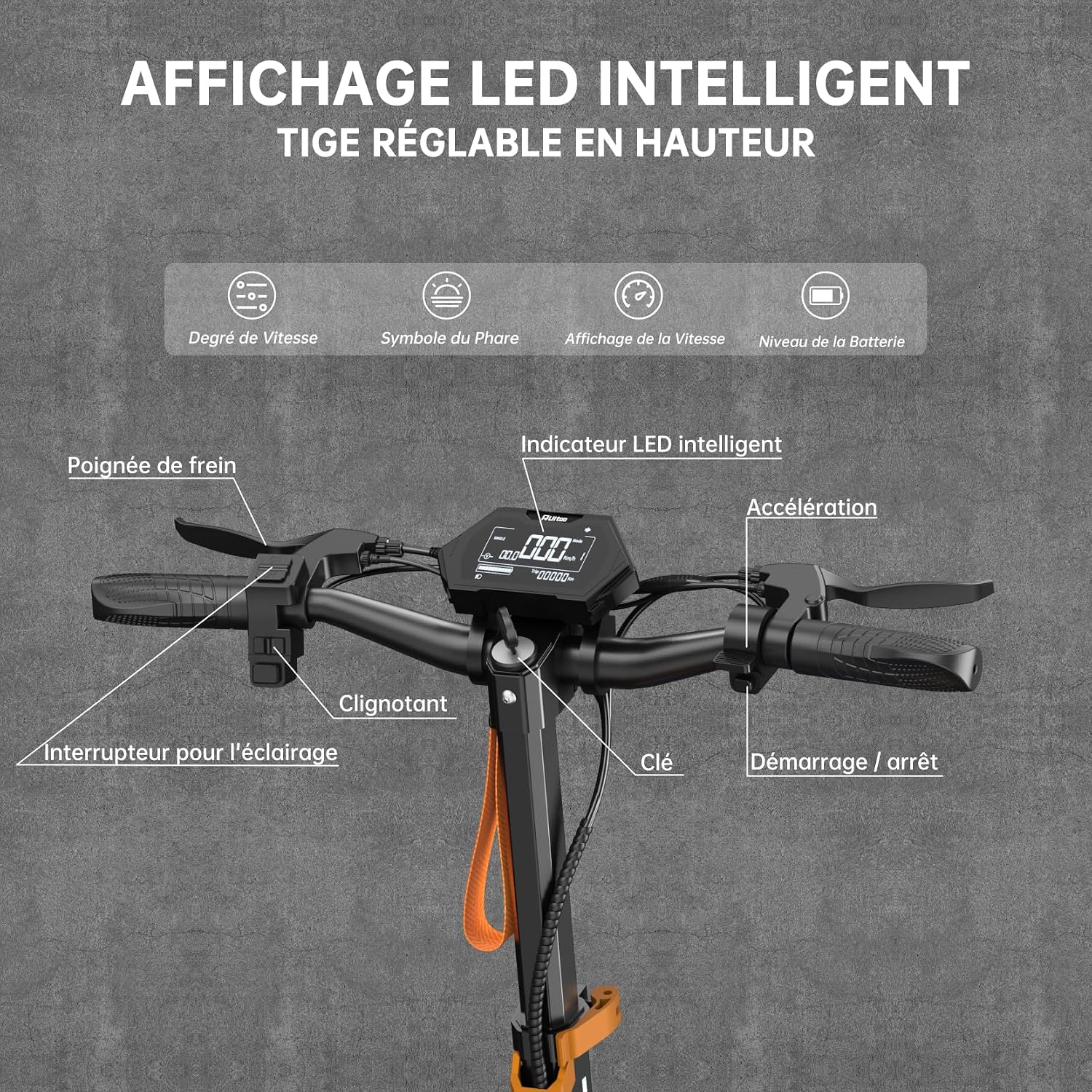
Image: Handlebar controls and intelligent LED display.
- Intelligent LED Display: Shows speed, battery level, headlight status, and speed mode.
- Acceleration: Thumb throttle on the right handlebar.
- Brake Levers: Hydraulic disc brakes on both left and right handlebars.
- Light Switch: Activates front LED headlight and rear lights.
- Turn Signal Switch: Activates front and rear turn signals.
- Key Ignition: To power on/off the scooter.
2. Starting and Riding
- Insert the key and turn it to the ON position.
- Press the power button on the display.
- Select your desired speed mode (3 modes available).
- Place one foot on the deck and push off with the other foot to gain initial momentum.
- Gently press the acceleration throttle to engage the motor.
- To brake, release the throttle and gently squeeze the brake levers.

Image: Three speed modes and dual motor system.
3. Speed Modes
The scooter features 3 speed modes, allowing you to adjust performance based on terrain and preference. The maximum speed is limited to 24.5 km/h to comply with French EDPM regulations.
4. Dual Drive System
The innovative Dual Drive system provides instant acceleration and superior traction, ideal for inclines up to 30° and challenging surfaces. You can switch between single and dual motor modes for efficiency or maximum power.

Image: Dual drive system for enhanced traction.
Maintenance
1. General Care
- Keep the scooter clean. Wipe it with a damp cloth; avoid direct water jets.
- Store the scooter in a dry, cool place, away from direct sunlight and extreme temperatures.
- Regularly check all screws and bolts for tightness.
2. Battery Care
- Charge the battery regularly, even if not in use, to prolong its lifespan. Avoid letting the battery fully discharge.
- Do not expose the battery to temperatures below -10°C or above 40°C.
- Use only the original charger provided with the scooter.
3. Tire and Brake Maintenance
- Check tire pressure before each ride.
- Inspect tires for wear and tear. Replace if necessary.
- Ensure hydraulic disc brakes are functioning correctly. If braking performance decreases, consult a professional for adjustment or fluid replacement.

Image: Hydraulic suspension and oil disc brake system.
Troubleshooting
| Problem | Possible Cause | Solution |
|---|---|---|
| Scooter does not power on. | Battery discharged, key not in ON position, loose connection. | Charge battery, ensure key is turned, check connections. |
| Reduced range or power. | Low battery, improper tire pressure, heavy load, steep incline, cold weather. | Fully charge battery, check tire pressure, reduce load, avoid steep inclines. |
| Brakes feel weak. | Worn brake pads, low hydraulic fluid, air in brake lines. | Inspect brake pads, consult a professional for brake system service. |
| Unusual noises during operation. | Loose components, debris in wheels, motor issue. | Inspect scooter for loose parts, clean wheels, contact support if noise persists. |
Specifications
| Feature | Detail |
|---|---|
| Model Name | T2 Master |
| Brand | Ruitoo |
| Motor Power | Dual 1200W motors |
| Battery | 52V 20.8Ah Lithium-ion |
| Max Range | 60-65 KM (variable by conditions) |
| Charging Time | 8-9 hours (with 52V/2.5A charger) |
| Tires | 10-inch Off-Road Pneumatic |
| Brakes | Front and Rear Hydraulic Oil Disc Brakes |
| Suspension | Dual Hydraulic Suspension |
| Max Load Capacity | 200 Kilograms |
| Frame Material | Aluminum and Steel Alloy |
| Item Weight | 36 Kilograms |
| Handlebar Type | Adjustable (108cm, 118cm, 128cm) |
| Special Features | Digital Display, Adjustable Handlebar Height, Foldable, Cruise Control, Dual Braking System, LED Lights, Turn Signals |
| Water Resistance Rating | IPX4 |
Note: Range and speed may vary based on rider weight, terrain, speed, and weather conditions.
Warranty and Support
Warranty Information
The Ruitoo T2 Master Electric Scooter comes with a 1-year manufacturer's limited warranty. This warranty covers defects in materials and workmanship under normal use. Please retain your proof of purchase for warranty claims.
The warranty does not cover:
- Damage caused by misuse, neglect, or accident.
- Normal wear and tear of components (e.g., tires, brake pads).
- Damage from unauthorized modifications or repairs.
Customer Support
For technical assistance, warranty claims, or any questions regarding your Ruitoo T2 Master Electric Scooter, please contact Ruitoo customer support. Refer to the contact information provided with your purchase or visit the official Ruitoo website.
Included components: Kit d'outils (Tool Kit).
Related documentsT2 Master

Ask a question about this manual
Ask about setup, troubleshooting, compatibility, parts, safety, or missing instructions. Manuals+ will review the question and use this page’s manual context to help answer it.