
1. Important Safety Instructions
Please read all instructions carefully before using the VBGK K20012 2-Burner Induction Cooktop. Keep this manual for future reference.
- Ensure the cooktop is placed on a stable, flat, and heat-resistant surface.
- Do not touch the ceramic plate immediately after cooking, as residual heat may be present. The display will show "HH" to indicate a hot surface.
- Keep children away from the cooktop during operation and when it is cooling down. Utilize the Child Safety Lock feature.
- Only use induction-compatible cookware. Non-magnetic cookware (e.g., glass, copper, ceramic) will not work.
- Do not immerse the appliance in water or any other liquid.
- Ensure proper ventilation around the cooktop. Do not block the air vents.
- If the power cord is damaged, it must be replaced by the manufacturer, its service agent, or similarly qualified persons to avoid a hazard.
2. Product Overview
The VBGK K20012 is a 2-burner induction cooktop designed for efficient and safe cooking. It features independent heating zones, touch controls, multiple power levels, a timer, and safety functions.

Image 2.1: VBGK 2-Burner Induction Cooktop in a kitchen setting.
Key Features:
- Dual Heating Zones: Two independent cooking zones with a total power output of 4000W (2000W per zone).
- Knob Control & LED Touch Control: Intuitive controls for easy operation.
- 9 Power Levels: Adjustable power settings for precise cooking control.
- Timer Function: Set cooking times from 1 to 240 minutes.
- Child Safety Lock: Prevents accidental operation.
- Overheat Protection: Automatic shutdown to prevent overheating.
- Residual Heat Indicator: "HH" display warns of hot surfaces.
- Compatible with 110-120V: Standard North American electrical voltage.
3. Setup and Installation
3.1 Unpacking
- Carefully remove the cooktop from its packaging.
- Inspect the appliance for any damage. Do not use if damaged.
- Remove all packaging materials, stickers, and protective films.
3.2 Placement
- Place the cooktop on a dry, stable, and level surface.
- Ensure there is adequate ventilation around the appliance. Maintain a minimum clearance of 10 cm (4 inches) from walls or other objects to allow for proper heat dissipation.
- Avoid placing the cooktop near heat sources or flammable materials.
- The cooktop dimensions are approximately 23.62"D x 14.1"W x 2.5"H.

Image 3.1: Overview of the cooktop with dimensions and features.
3.3 Power Connection
- The cooktop operates on 110-120 Volts. Ensure your power outlet matches these requirements.
- Plug the cooktop into a grounded electrical outlet. Do not use extension cords or adapters.
3.4 Cookware Compatibility
The VBGK K20012 is an induction cooktop and requires cookware with a magnetic bottom. To check compatibility, place a magnet on the bottom of your pot or pan. If the magnet sticks, the cookware is compatible.
- Compatible Cookware: Cast iron, iron, electromagnetic steel, enamel, and stainless steel with a magnetic bottom.
- Incompatible Cookware: Glass, copper, ceramic, aluminum, or any non-magnetic materials.

Image 3.2: Cookware compatibility guide.
4. Operating Instructions
The cooktop features intuitive touch controls. Ensure a suitable pot or pan is placed on the cooking zone before operating.
Video 4.1: Demonstration of the 2-burner induction cooktop features and operation.
4.1 Power On/Off
- To turn on, press the "ON/OFF" button. The display will show "ON".
- To turn off, press the "ON/OFF" button again.
4.2 Adjusting Power Levels
The cooktop offers 9 power levels (P1 to P9) for each cooking zone.
- After turning on, select the desired cooking zone.
- Use the "+" or "-" buttons to adjust the power level from P1 (low) to P9 (high).

Image 4.2: Illustration of 9 power levels for various cooking needs.
4.3 Temperature Control
The cooktop allows temperature adjustment from 100°C to 270°C (176°F to 518°F).
- Press the "Function" button to switch between power mode and temperature mode.
- Use the "+" or "-" buttons to set the desired temperature.
4.4 Timer Function
The timer can be set for up to 240 minutes.
- While cooking, press the "Timer" button.
- Use the "+" or "-" buttons to set the desired cooking duration.
- The cooktop will automatically turn off once the timer expires.
4.5 Child Safety Lock
Activate the Child Safety Lock to prevent accidental changes to settings or turning on the cooktop.
- To activate, press and hold the "Lock" button for a few seconds until "Loc" appears on the display.
- To deactivate, press and hold the "Lock" button again until "Loc" disappears.

Image 4.3: Child Safety Lock and Timer in use.
5. Maintenance and Cleaning
Regular cleaning ensures optimal performance and extends the lifespan of your cooktop.
- Always unplug the cooktop and allow it to cool completely before cleaning.
- Wipe the ceramic glass surface with a soft, damp cloth and mild detergent.
- For stubborn stains, use a non-abrasive cleaner specifically designed for ceramic cooktops.
- Do not use abrasive pads, harsh chemicals, or sharp objects that could scratch the surface.
- Ensure the cooktop is completely dry before plugging it back in or storing it.
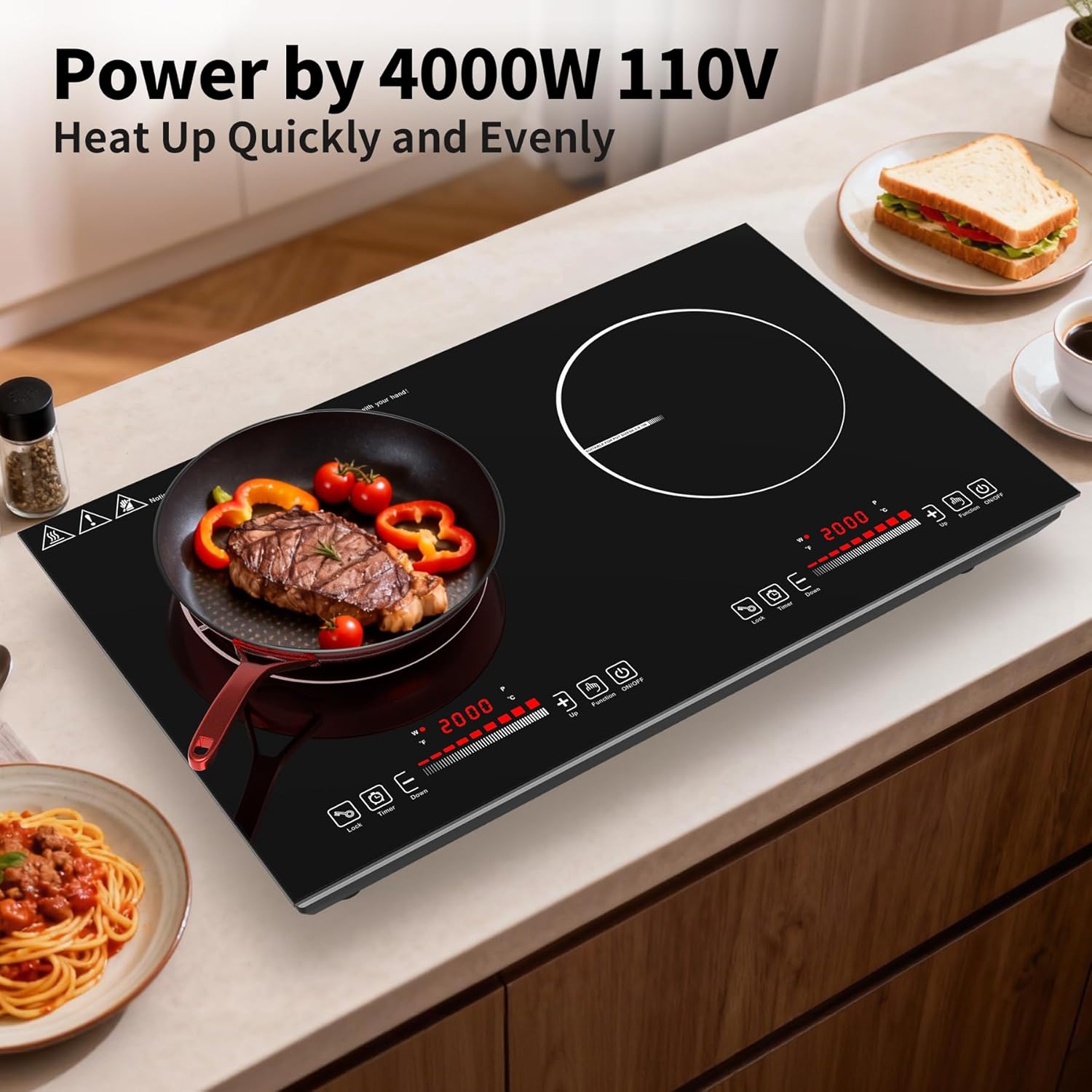
Image 5.1: Cleaning the smooth ceramic glass surface.
6. Troubleshooting
If you encounter any issues, refer to the following table for common problems and solutions.
| Error Code | Description | Possible Solution |
|---|---|---|
| E0 | No cookware placed or incompatible cookware material. | Place induction-compatible cookware on the cooking zone. |
| E1 | Low voltage protection. | Check the power supply voltage. Ensure it is within 110-120V. |
| E2 | Overvoltage protection. | Check the power supply voltage. Ensure it is within 110-120V. |
| E3 | Short circuit of the temperature sensor in the center of the heating coil (2-minute protection). | Unplug the unit, wait a few minutes, and plug it back in. If the error persists, contact support. |
| E4 | Open circuit of the temperature sensor in the center of the heating coil. | Unplug the unit, wait a few minutes, and plug it back in. If the error persists, contact support. |
| E5 | Short circuit of the thermistor near the heat sink (or the fan is not rotating). | Check for obstructions around the fan. Unplug and replug. If the error persists, contact support. |
| E6 | Open circuit of the thermistor near the heat sink. | Unplug the unit, wait a few minutes, and plug it back in. If the error persists, contact support. |
If the problem persists after attempting these solutions, please contact customer support.
7. Specifications
| Feature | Specification |
|---|---|
| Model Number | K20012 |
| Brand | VBGK |
| Color | Black |
| Material | Ceramic Glass, Metal |
| Heating Elements | 2 (Induction) |
| Wattage | 4000 watts (2000W per burner) |
| Voltage | 110-120 Volts |
| Controls Type | Touch |
| Product Dimensions (D x W x H) | 23.62" x 14.1" x 2.5" |
| Item Weight | 14.3 Pounds |
| Special Features | Automatic Shut-Off, Double Induction, Hot Surface Indicator, Safety Lock, Timer |
| Included Components | 110V 4000W Electric Stovetop, LED Touch Screen, 9 Heating Level, Timer & Kid Safety Lock, Sensor Touch Control |
8. Warranty and Support
8.1 Warranty Information
The VBGK K20012 2-Burner Induction Cooktop comes with a 1-year manufacturer's warranty from the date of purchase. This warranty covers defects in materials and workmanship under normal use.
The warranty does not cover damage resulting from misuse, accident, unauthorized modification, or failure to follow the instructions in this manual.
8.2 Customer Support
For technical assistance, warranty claims, or any questions regarding your VBGK K20012 Induction Cooktop, please contact VBGK customer support through the retailer where the product was purchased or refer to the contact information provided with your product packaging.